
1. Introduction
This manual provides instructions for the safe and effective use of your GENERIC Car Power Adapter/Charger. This adapter is designed to charge rechargeable batteries directly within compatible devices, specifically the AGPTEK Freetalker MT2 and RD-820 wristwatch radios, via a vehicle's cigarette lighter socket. It supports Ni-Mh, Ni-Cd, and Li-Ion battery types.
2. Safety Information
Please read all safety instructions before using the adapter. Failure to follow these instructions may result in electric shock, fire, or damage to the product or connected devices.
- Do not expose the adapter to moisture, rain, or extreme temperatures.
- Do not disassemble or modify the adapter.
- Ensure the vehicle's power outlet is clean and free of debris before insertion.
- Only use with compatible devices as specified.
- Keep out of reach of children.
- Unplug the adapter from the vehicle's power outlet when not in use.
3. Setup and Connection
Follow these steps to connect your car power adapter to your device:
- Locate the 'CHARGE' or 'CHG JACK' port on the side of your AGPTEK Freetalker MT2 or RD-820 wristwatch radio.
- Insert the adapter's DC plug firmly into the radio's charging port.
- Insert the other end of the adapter into your vehicle's 12V cigarette lighter socket.
- The LED indicator on the adapter will illuminate, indicating that power is being supplied and charging has begun.
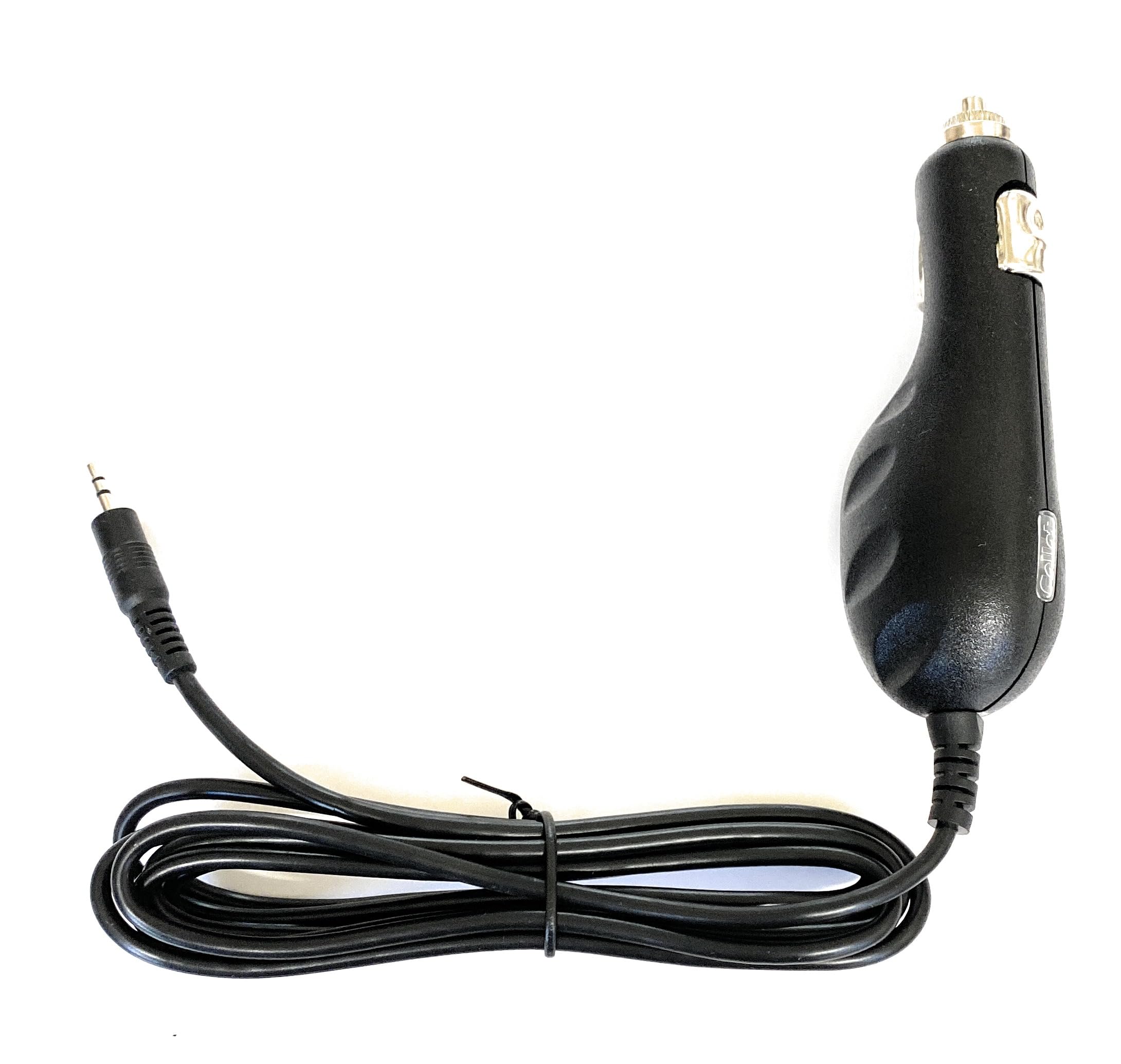
Image: The GENERIC Car Power Adapter/Charger, showing its connection points for a vehicle's 12V socket and a compatible device.
4. Operating Instructions
Once connected, the adapter will begin charging the rechargeable batteries within your radio. The adapter features fuse protection and an LED charging indication light.
- Charging Indication: The LED light on the adapter indicates that power is flowing and the device is receiving a charge. Refer to your radio's manual for specific battery charge status indicators.
- Battery Compatibility: This adapter is compatible with Ni-Mh, Ni-Cd, and Li-Ion rechargeable batteries.
- Charging Time: Charging time will vary depending on the battery capacity and its current charge level.
- Disconnection: Once charging is complete or when you no longer need to charge, first disconnect the adapter from the radio, then remove it from the vehicle's cigarette lighter socket.
5. Maintenance
To ensure the longevity and proper functioning of your car power adapter, follow these simple maintenance guidelines:
- Cleaning: Use a soft, dry cloth to clean the adapter. Do not use liquid cleaners or solvents.
- Storage: Store the adapter in a cool, dry place away from direct sunlight and extreme temperatures when not in use.
- Inspection: Periodically inspect the adapter and its cables for any signs of damage, such as frayed wires or bent pins. Do not use if damaged.
6. Troubleshooting
If you encounter issues with your car power adapter, refer to the following common problems and solutions:
Problem: Adapter LED does not light up / Device is not charging.
- Check Connection: Ensure the adapter is securely plugged into both the vehicle's cigarette lighter socket and the radio's charging port.
- Vehicle Power: Verify that the vehicle's cigarette lighter socket is receiving power. Test with another known working device if possible. Some vehicle sockets only provide power when the ignition is on.
- Radio Battery: Confirm that the radio's battery is properly installed and not fully discharged to a point where it cannot initiate charging.
- Fuse: The adapter has internal fuse protection. If the fuse is blown, the adapter will not function. Do not attempt to replace the internal fuse yourself.
Problem: Adapter feels warm during use.
- It is normal for the adapter to become slightly warm during operation. If it becomes excessively hot or emits smoke/odor, immediately disconnect it from both the vehicle and the device and discontinue use.
7. Specifications
| Brand | GENERIC |
| Manufacturer | DCPOWER |
| Input Voltage | 12 Volts DC |
| Output Voltage | 5 Volts DC |
| Power Source | DC |
| Main Power Connector Type | 2 Pin |
| Compatible Battery Types | Ni-Mh, Ni-Cd, Li-Ion |
| ASIN | B015BX5820 |
| UPC | 633585720348 |
8. Warranty and Support
This product comes with a return policy allowing returns within 30 days of purchase. If you experience any issues with your adapter or require further assistance, please contact the seller directly for support. Provide your purchase details and a description of the problem to facilitate a quick resolution.
Manufacturer: DCPOWER