
Introduction
This manual provides instructions for the Neopack Leather Sleeve, model 9TN13, designed for 13-inch laptops and MacBooks. This sleeve offers a slim, portable design with a durable leatherette exterior and a protective quilted interior. It includes multiple zipper pockets for organizing accessories and documents, making it suitable for daily use and travel.
Product Features
The Neopack Leather Sleeve 9TN13 is engineered with several features to enhance usability and protection:
- Material Construction: A blend of high-grade nylon and faux leather for durability and a refined appearance.
- Device Protection: Features a cushioned, quilted inner compartment designed to protect your laptop or MacBook from impacts, scratches, and dirt.
- Storage Capacity: Equipped with multiple zippered organizer pockets for accessories such as chargers, mobile phones, power banks, and important documents.
- Compatibility: Designed to fit all 13-inch laptops, 13.3-inch MacBooks (Pro & Air), and Microsoft Surface Pro models (1, 2, 3, 4).

Image: Overview of convenience features including retractable handles, removable and adjustable shoulder strap, padded shoulder pad, and multiple zipper pockets.

Image: Front accessory compartment shown with a charger, cell phone, and power bank, illustrating quick access storage.
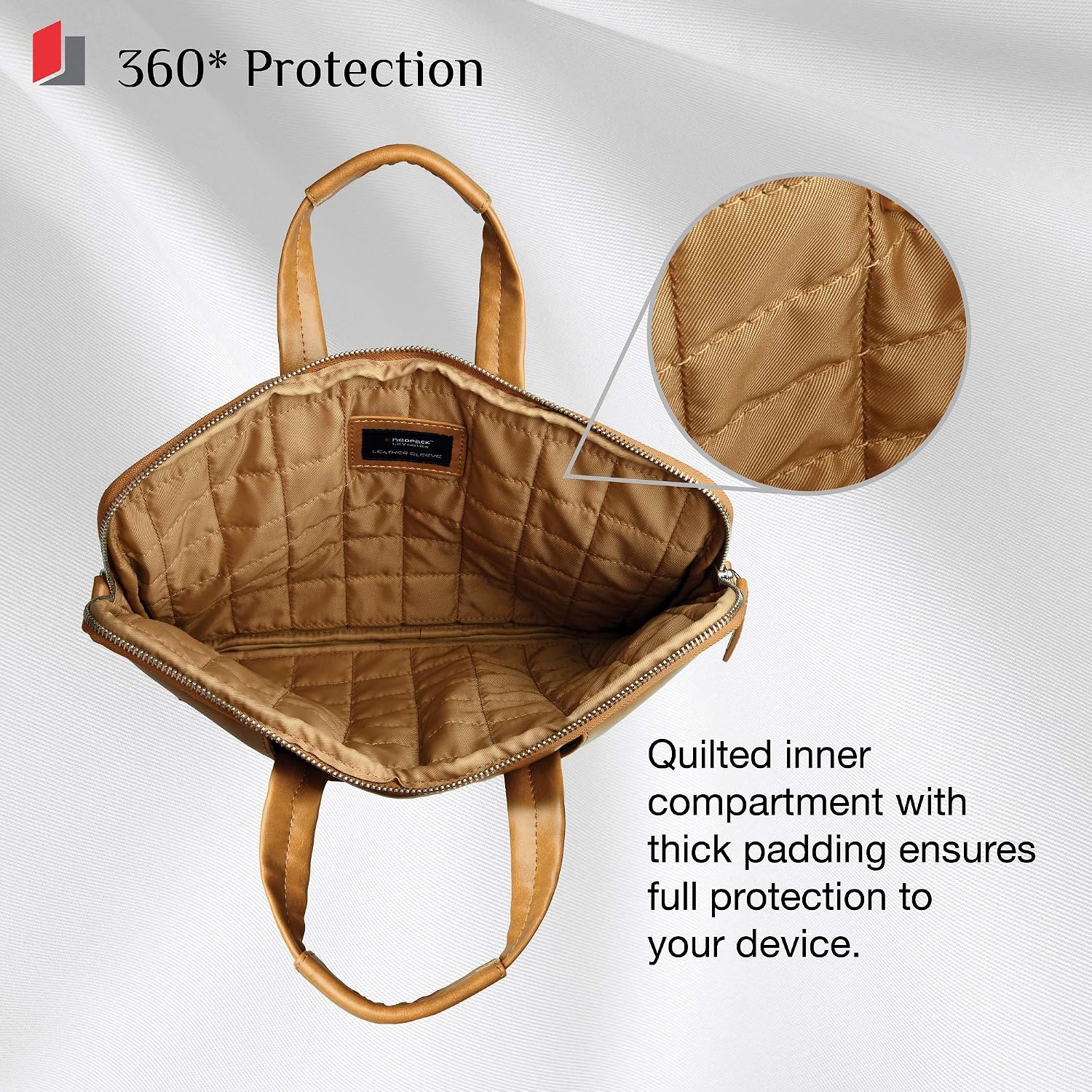
Image: Back zipper pocket designed for carrying documents such as cheque-books and passports.

Image: Open view of the sleeve showcasing the quilted inner compartment with thick padding for device protection.
Setup
- Unpacking: Remove the Neopack Leather Sleeve from its packaging.
- Device Insertion: Open the main zipper compartment. Carefully slide your 13-inch laptop or MacBook into the quilted inner compartment. Ensure the device fits snugly without excessive force.
- Shoulder Strap Attachment (Optional): If using the shoulder strap, attach the swivel hooks on each end of the strap to the D-rings located on the sides of the sleeve. Adjust the strap length for comfortable carrying.
- Handle Usage: The sleeve features retractable top handles. These can be extended for hand-carrying or retracted for a slimmer profile when placed inside another bag.
Operating Instructions
The Neopack Leather Sleeve is designed for convenient daily use:
- Main Compartment: Primarily for your laptop or MacBook. Ensure the zipper is fully closed to secure your device during transport.
- Front Accessory Pocket: Utilize the quick-access front zipper pocket for smaller items such as chargers, cables, mobile phones, or power banks.
- Back Zipper Pocket: Use the rear zipper pocket for important documents, notebooks, or other flat items that require secure storage.
- Carrying Options:
- Hand Carry: Extend the top handles for a briefcase-style carry.
- Shoulder Carry: Use the adjustable shoulder strap for hands-free transport.
- Slip Case: Retract the handles and detach the shoulder strap to use the sleeve as a slip case within a larger bag or backpack.
Maintenance
Proper care will extend the life and appearance of your Neopack Leather Sleeve:
- Cleaning the Exterior (Faux Leather): Wipe the surface with a soft, damp cloth. For stubborn dirt, use a mild soap solution, then wipe clean with a fresh damp cloth and dry immediately with a soft, dry cloth. Avoid harsh chemicals or abrasive cleaners.
- Cleaning the Interior (Nylon): The nylon lining can be spot cleaned with a damp cloth and mild soap. Allow to air dry completely before reinserting your device.
- Zipper Care: Periodically check zippers for smooth operation. If a zipper becomes stiff, apply a small amount of zipper lubricant or wax. Avoid forcing stuck zippers.
- Storage: Store the sleeve in a cool, dry place away from direct sunlight and extreme temperatures when not in use.
- Avoid Overloading: Do not overload the sleeve or its pockets, as this can strain zippers and seams.
Troubleshooting
Here are solutions to common issues you might encounter:
- Zipper Sticking or Breaking:
- Ensure the zipper path is clear of fabric or debris.
- Apply a small amount of zipper lubricant (e.g., beeswax, graphite pencil lead) to the zipper teeth.
- If the zipper is damaged or broken, contact customer support for assistance.
- Device Not Fitting:
- Verify your device's dimensions against the sleeve's maximum compatible size (13.3 inches).
- Ensure no bulky accessories are attached to your device when attempting to insert it.
- Strap Discomfort:
- Adjust the shoulder strap length to distribute weight evenly and find a comfortable carrying position.
- Utilize the padded shoulder pad for added comfort.
Specifications
| Model Number | 9TN13 |
| Color | Tan |
| Exterior Material | Faux Leather |
| Interior Material | Nylon (Quilted) |
| Compatible Device Size (Max) | 13.3 Inches |
| Item Dimensions (L x W x H) | 35 x 25 x 2 Centimeters |
| Item Weight | 250 Grams |
| Closure Type | Zipper |
| Handle Type | Top Handles, Removable/Adjustable Shoulder Strap |
| Number of Sections | 2 (Main compartment + external pockets) |

Image: Visual representation of the sleeve's dimensions and a list of compatible laptop models.
Warranty Information
The Neopack Leather Sleeve 9TN13 comes with a 1-Year Limited Warranty from the date of purchase. This warranty covers manufacturing defects in materials and workmanship under normal use. It does not cover damage caused by misuse, accidents, unauthorized modifications, or normal wear and tear. Please retain your proof of purchase for warranty claims.
Customer Support
For technical assistance, warranty claims, or general inquiries regarding your Neopack Leather Sleeve, please contact Hitech Enterprises:
- Manufacturer: Hitech Enterprises
- Address: 306 Option Primo, MIDC, Andheri (E), Mumbai
- Mobile: +91 9167006755
Please have your model number (9TN13) and proof of purchase ready when contacting support.