
Introduction
This manual provides essential instructions for the safe and efficient operation of your International Diamond Series Dynastar DS-5500 Step Up & Step Down Voltage Converter and Transformer. This device is designed to convert voltage between 110-120V and 220-240V, allowing you to use electrical appliances from different regions worldwide. Please read this manual thoroughly before use and retain it for future reference.
Important Safety Information
Failure to follow these safety instructions may result in electric shock, fire, or damage to the unit or connected appliances. Always prioritize safety.
- Read All Instructions: Before operating the converter, read and understand all instructions provided in this manual.
- Proper Wattage Selection: Ensure the total wattage of all connected appliances does not exceed the converter's maximum capacity (5500 Watts). Overloading can cause damage and fire hazards.
- Ventilation: Place the converter in a well-ventilated area. Do not block ventilation openings.
- Moisture: Do not expose the converter to rain or moisture. Do not operate with wet hands.
- Grounding: Ensure the converter is properly grounded.
- Children: Keep out of reach of children.
- Unplug When Not in Use: Disconnect the converter from the power source when not in use.
- Servicing: Do not attempt to service the unit yourself. Refer all servicing to qualified personnel.
- Input Voltage Selector: Always verify the correct input voltage setting (115V or 230V) before plugging in the unit. Incorrect selection can damage the converter and connected devices.
Product Overview
The Dynastar DS-5500 is a heavy-duty voltage converter and transformer featuring a durable coil for continuous use. It is CE certified and includes fuse and overcurrent protection for enhanced safety.

Figure 1: Front view of the Dynastar DS-5500 Voltage Converter.
Key Features:
- CE Certified with Fuse and Overcurrent Protection.
- Includes 2 Spare Fuses and a Euro Schuko Plug Adapter.
- Built with an Extra Durable Lifetime Coil for Continuous Use.
- Universally Adaptable for Step Up (110-120V to 220-240V) and Step Down (220-240V to 110-120V) Voltage Conversion.
- Reversible Universal Outlet for various plug types, excluding commercial USA 220/240 Volts.

Figure 2: Close-up of the front panel showing universal outlets and power switch.

Figure 3: The converter accepts various international plug types.
Setup Instructions
- Unpack the Converter: Carefully remove the converter from its packaging. Inspect for any signs of damage.
- Placement: Place the converter on a stable, flat surface in a well-ventilated area, away from direct sunlight, heat sources, and moisture.
- Determine Input Voltage: Identify the voltage of the wall outlet you will be plugging the converter into (e.g., 110-120V in North America, 220-240V in many other regions).
- Set Input Voltage Selector: On the back of the converter, locate the red input voltage selector switch. Use a small tool (like a screwdriver) to slide the switch to the correct voltage (115V for 110-120V input or 230V for 220-240V input). This step is critical. Incorrect selection can cause damage.
- Connect to Power Outlet: Plug the converter's power cord into the wall outlet. The power indicator light on the front panel should illuminate.

Figure 4: Locate and set the input voltage selector switch on the rear panel.
Operating Instructions
The Dynastar DS-5500 can function as both a step-up and step-down transformer.
1. Calculating Appliance Wattage:
Before connecting any appliance, it is crucial to determine its wattage to ensure it does not exceed the converter's capacity. The total wattage of all connected devices should not exceed 5500 Watts. For safety, it is recommended to use a converter with a capacity at least 3 times the total wattage of your devices to account for power surges.
- Find Wattage (W): Look for the wattage (W) on the appliance's label (usually on the back or bottom) or in its owner's manual.
- Calculate from Amps (A) and Volts (V): If only Amps (A) and Volts (V) are listed, use the formula: Volts (V) x Amps (A) = Watts (W). For example, 110V x 1.5A = 165W.
- Total Wattage: If connecting multiple devices, sum their individual wattages. Then, multiply this total by 3 to determine the recommended converter capacity.
2. Connecting Appliances:
- Step-Down Operation (220-240V to 110-120V): If your wall outlet is 220-240V (e.g., in Europe) and your appliance requires 110-120V (e.g., a US appliance), plug your appliance into one of the 110V outlets on the front of the converter.
- Step-Up Operation (110-120V to 220-240V): If your wall outlet is 110-120V (e.g., in the USA) and your appliance requires 220-240V (e.g., a European appliance), plug your appliance into the universal 220V outlet on the front of the converter.
- Power On: Flip the red ON/OFF switch on the front panel to the "ON" position. The green power indicator light should be illuminated.
- Power Off: When finished, flip the ON/OFF switch to "OFF" and unplug the converter from the wall outlet.
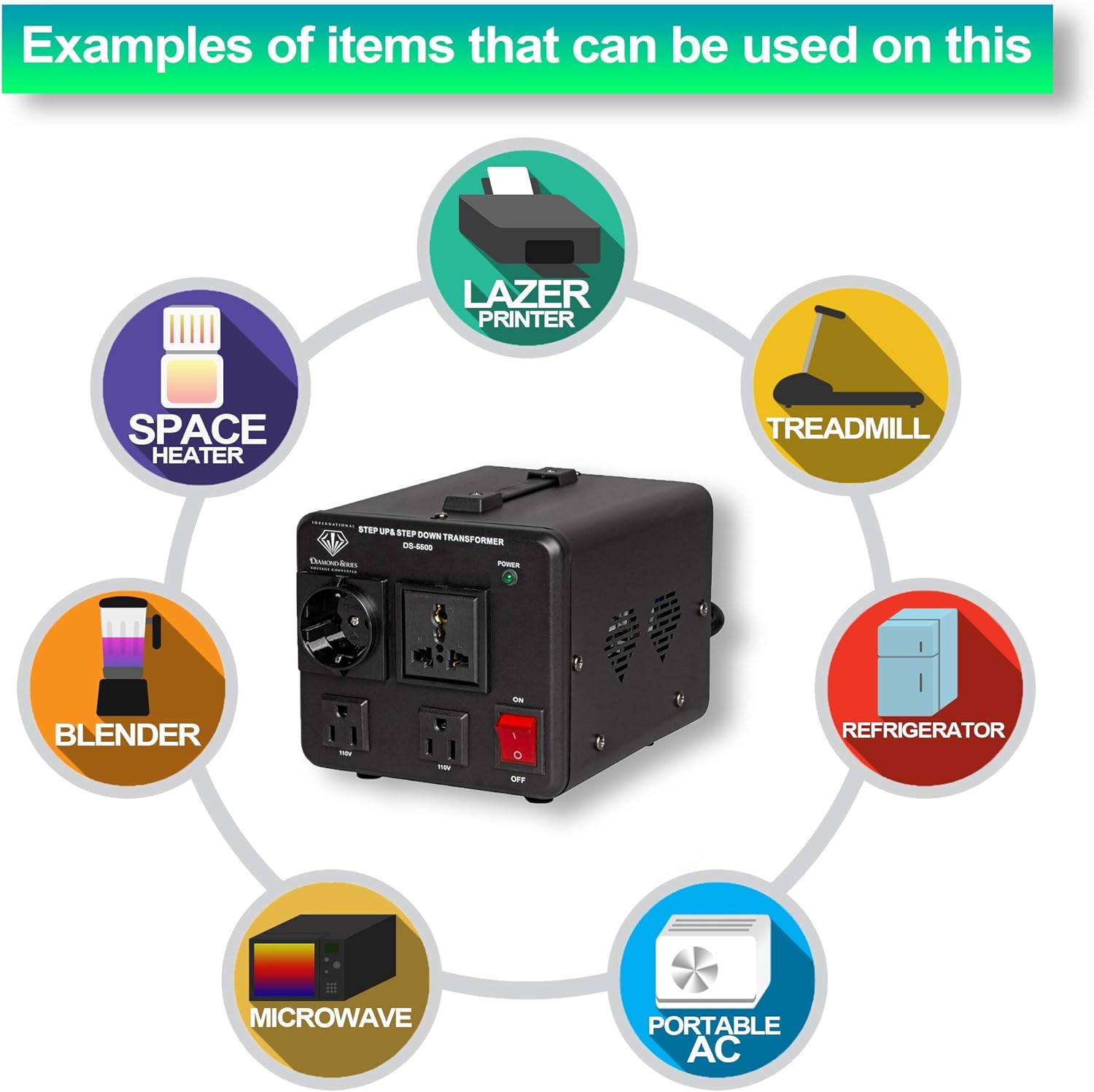
Figure 5: Examples of various appliances compatible with the converter, including space heaters, blenders, microwaves, laser printers, treadmills, refrigerators, and portable AC units.
Maintenance
Cleaning:
- Always unplug the converter before cleaning.
- Use a soft, dry cloth to wipe the exterior. Do not use liquid cleaners or abrasive materials.
- Ensure ventilation openings are free from dust and debris.
Fuse and Circuit Breaker Protection:
The converter is equipped with resettable circuit breaker protection. In case of an overload or overheating, the circuit breaker will trip, and the unit will shut off. This does not require fuse replacement. Simply push the reset button on the back of the unit to restore operation after addressing the cause of the overload.

Figure 6: Rear panel with 110V and 220V circuit breaker reset buttons.
The unit includes 2 spare fuses and a Euro Schuko plug adapter. While the primary protection is via resettable circuit breakers, these spare fuses may be for specific internal components or for use with other compatible devices. Consult a qualified technician if you suspect an internal fuse needs replacement.

Figure 7: The converter is fuse protected and CE approved, and comes with a 5-year warranty.
Troubleshooting
| Problem | Possible Cause | Solution |
|---|---|---|
| Converter does not power on. | No power from wall outlet; Power switch is OFF; Loose power cord. | Check wall outlet with another device; Ensure power switch is ON; Re-insert power cord firmly. |
| Appliance does not work. | Incorrect voltage setting; Overload; Appliance fault. | Verify input voltage selector is set correctly; Check if circuit breaker tripped and reset if necessary; Ensure appliance wattage is within limits; Test appliance directly if possible. |
| Converter overheats and shuts off. | Overload; Poor ventilation. | Reduce total wattage of connected appliances; Ensure converter is in a well-ventilated area; Clear any obstructions from vents. Reset circuit breaker if tripped. |
| Humming noise from converter. | Normal operation for transformers; Loose components. | A slight hum is normal. If noise is excessive or accompanied by other issues, discontinue use and contact support. |
Specifications
| Feature | Detail |
|---|---|
| Model | DS-5500 |
| Brand | International Diamond Series |
| Power Capacity | 5500 Watts |
| Input Voltage (Selectable) | 110-120V AC or 220-240V AC |
| Output Voltage (Step Down) | 110-120V AC |
| Output Voltage (Step Up) | 220-240V AC |
| Current Rating | 1.5 Amps |
| Safety Certification | CE Certified |
| Protection | Fuse and Overcurrent Protected (Circuit Breakers) |
| UPC | 769981550002 |
| ASIN | B0157CWGK2 |
Warranty Information
This International Diamond Series Dynastar Voltage Converter comes with a Five-Year Limited Manufacturer Warranty. This warranty covers defects in materials and workmanship under normal use. Please retain your proof of purchase for warranty claims.
For specific terms and conditions, please refer to the warranty card included with your product or contact customer support.
Customer Support
If you encounter any issues not covered in this manual or require further assistance, please contact International Diamond Series customer support. For the most up-to-date contact information, please visit the manufacturer's official website or refer to your product packaging.
When contacting support, please have your model number (DS-5500) and purchase details ready.