Introduction
This manual provides essential information for the safe and effective installation, operation, and maintenance of your Whirlpool 9761048 Surface Element Switch. This genuine OEM replacement part is designed for specific Whirlpool appliances to control the surface heating elements.
Safety Information
WARNING: Risk of Electric Shock or Injury.
- Always disconnect power to the appliance at the circuit breaker or fuse box before attempting any installation, repair, or maintenance. Failure to do so can result in serious injury or death.
- If you are not qualified to perform appliance repairs, it is recommended to seek assistance from a certified technician.
- Wear appropriate personal protective equipment, such as gloves and safety glasses, during installation.
- Ensure all connections are secure and correctly wired before restoring power.
Product Overview
The Whirlpool 9761048 Surface Element Switch is a critical component in your electric range or cooktop, responsible for regulating the heat output of a surface heating element. This switch allows you to select various heat settings, including single and dual element operation where applicable, and different temperature levels from low to high.
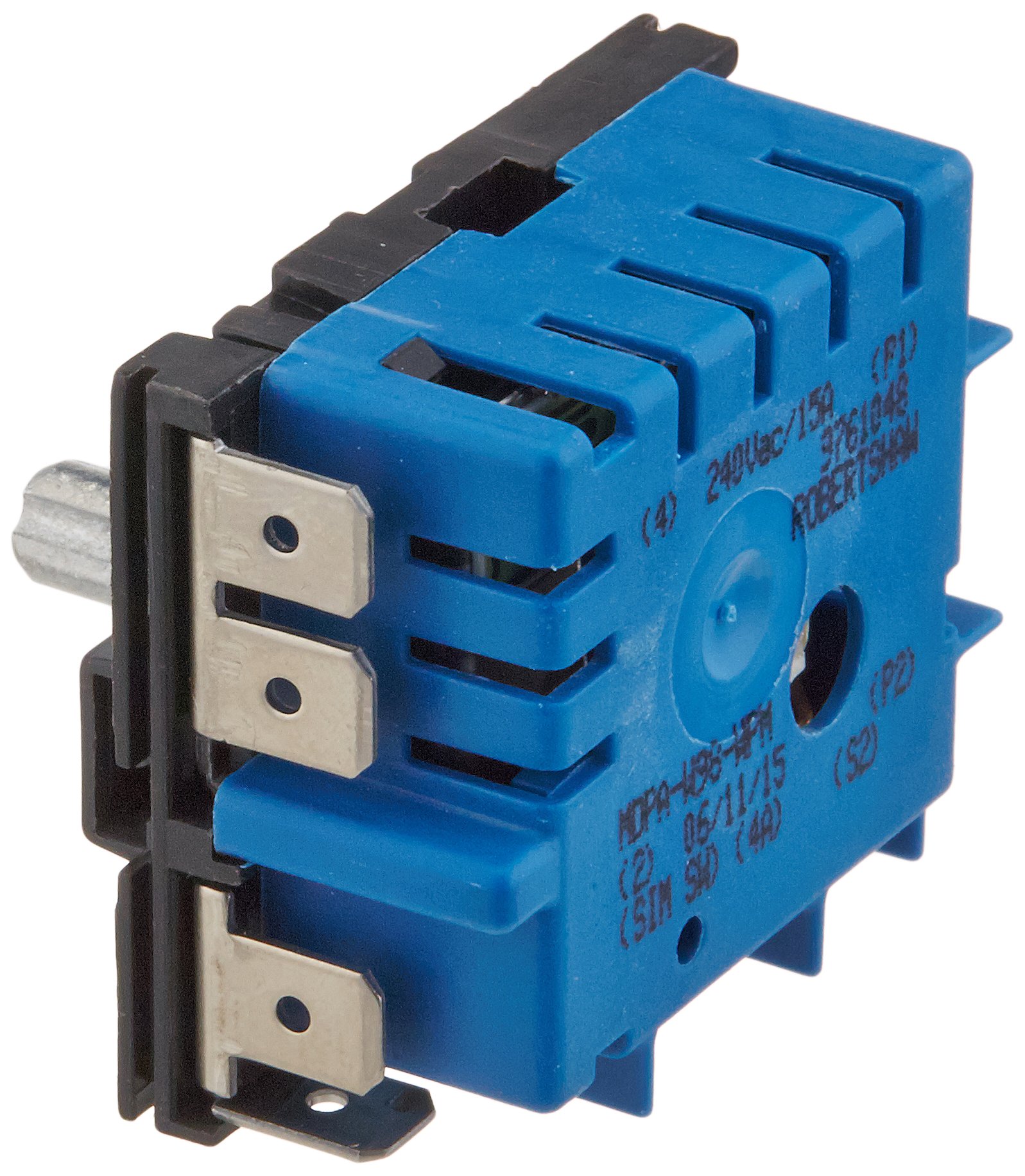
Image: The Whirlpool 9761048 Surface Element Switch, a genuine OEM replacement part.

Image: The Whirlpool 9761048 Surface Element Switch showing approximate dimensions of 1.9 inches (4 cm) in height, providing a visual reference for size.
Installation Instructions
- Disconnect Power: Before beginning, ensure the appliance is completely disconnected from its power source by turning off the circuit breaker or unplugging the unit.
- Access the Switch: Depending on your appliance model, you may need to remove control knobs, the control panel, or the back panel to access the surface element switches. Refer to your appliance's specific service manual for detailed access instructions.
- Document Wiring: Carefully note or take a photograph of the existing wiring connections to the old switch. This will ensure correct re-connection to the new switch.
- Remove Old Switch: Disconnect all wires from the old switch. Then, unmount the old switch from its housing.
- Install New Switch: Mount the new Whirlpool 9761048 Surface Element Switch into the housing. Connect the wires to the new switch exactly as they were connected to the old one, referring to your documentation. Ensure all connections are firm and secure.
- Reassemble Appliance: Reattach any panels or components that were removed to access the switch.
- Restore Power: Once the appliance is fully reassembled and all connections are verified, restore power at the circuit breaker or by plugging the unit back in.
- Test Operation: Test the new switch by turning it through its various settings to ensure proper function of the surface element.
Operating Instructions
The Whirlpool 9761048 Surface Element Switch operates by rotating the control knob to select the desired heat setting for the corresponding surface element. The specific markings on your appliance's control panel will indicate the available settings, which typically include:
- OFF: The element is off.
- LO (Low): Provides minimal heat.
- 2-8 (Intermediate Settings): Gradually increase heat output.
- HI (High): Provides maximum heat.
- SINGLE/DUAL: For elements with dual heating zones, this setting allows selection between using only the inner element (Single) or both inner and outer elements (Dual).
To operate, push the knob in slightly and turn it to the desired setting. The indicator light on your appliance may illuminate when an element is active.
Maintenance
The Whirlpool 9761048 Surface Element Switch is designed for durability and typically requires no specific maintenance. However, to ensure longevity and proper function of your appliance:
- Keep the control panel area clean and free from food spills or debris.
- Avoid using abrasive cleaners or harsh chemicals on the control knobs or panel, as these can damage markings or finishes.
- If control knobs become loose or difficult to turn, inspect them for damage or wear.
Troubleshooting
| Problem | Possible Cause | Solution |
|---|---|---|
| Surface element does not heat. | No power to appliance; faulty element; incorrect wiring; faulty switch. | Check circuit breaker. Verify element is not faulty. Re-check wiring connections. If other elements work, the switch may be faulty and require replacement. |
| Surface element stuck on or heats continuously. | Faulty switch (contacts welded shut). | Immediately disconnect power to the appliance. The switch is likely faulty and requires replacement. |
| Switch feels loose or does not click into settings. | Worn internal mechanism; incorrect installation. | Ensure the switch is properly seated and secured. If the issue persists, the switch may be worn and require replacement. |
If troubleshooting steps do not resolve the issue, it is recommended to consult a qualified appliance technician.
Specifications
- Part Number: 9761048
- Manufacturer: Whirlpool
- Item Weight: 1.6 ounces
- Product Dimensions: 1.87 x 1.5 x 1.62 inches
- Item Package Quantity: 1
- Compatibility: Genuine OEM replacement part for various Whirlpool, Maytag, KitchenAid, Jenn-Air, Amana, Magic Chef, Admiral, Norge, Roper, and others. Verify compatibility with your specific appliance model.
Warranty and Support
For warranty information regarding the Whirlpool 9761048 Surface Element Switch, please refer to the documentation provided with your original appliance or contact Whirlpool customer support directly. As this is a replacement part, its warranty may be subject to the terms and conditions of the original appliance warranty or specific replacement part warranty policies.
For technical support or further assistance, please visit the official Whirlpool website or contact their customer service department.


