
EZVIZ BD-1424B1
EZVIZ FULL HD 1080p Outdoor Surveillance System User Manual
1. Introduction
Product Description
The EZVIZ wired surveillance system is a smart home-capable solution designed for comprehensive security. It integrates seamlessly with the EZVIZ platform, allowing centralized management of all your cameras and video feeds. This system is compatible with popular apps, websites, email accounts, and smart devices via IFTTT, ensuring continuous improvement and added functionality through one-click updates. The cameras are built to withstand harsh outdoor conditions, being waterproof and dustproof with an IP66 rating, and operational in temperatures ranging from -40°F to 140°F. They deliver exceptionally clear HD video and image quality, adapting to varying light levels throughout the day. Night vision mode automatically activates in low light, providing clear video up to 100 ft. away. Customizable motion detection sends instant notifications to your smartphone, and all video is securely recorded to a 1TB security-grade hard drive with multi-layer security and end-to-end encryption.
Key Features
- COMPLETE PREMIUM SMART HOME IOT SURVEILLANCE KIT - View and record 4 critical points of your home or business on a built in 1TB security grade hard drive. Power Consumption maximum 4 Watt.
- VIEW FROM ANYWHERE, ANYTIME - The EZVIZ app lets you see all of your EZVIZ cameras in one place. Check in on your home or business wherever you have an internet connection. Real-Time, High-Definition Video-High-definition wired kits deliver clear video and sharp details even when people, animals, and objects are far away.
- CUSTOMIZABLE ADVANCED MOTION DETECTION - Any movement detected will be recorded and notification will be sent immediately to your smart phone. Detection area can be customized directly from your DVR to minimize false alarms.
- SAFEGUARDED AND RELIABLE - Cameras are certified IP66 and capable of operating in extreme temperatures outdoors, - 40°F to 140°F. Multi-layer security and end-to-end video encryption protect your data.
- LIFETIME TECH SUPPORT AND FREE 12 MONTH WARRANTY - Technology experts available for chat and one button system upgrades whenever updates are released.
2. Product Overview
System Components
Your EZVIZ surveillance system includes the following main components:
- 1 x 4-Channel DVR with 1TB Hard Drive
- 4 x Weatherproof HD Security Cameras
- Necessary power adapters and cables for installation

The EZVIZ 1080p Outdoor Surveillance System, featuring four cameras and the central DVR unit.

All components included in the EZVIZ Surveillance System package, such as cameras, DVR, cables, and power supplies.
DVR Connections
The Digital Video Recorder (DVR) serves as the central hub for your surveillance system, managing video input, storage, and output. Familiarize yourself with the various ports for proper setup.

Detailed view of the EZVIZ DVR's back panel, showing video input, HDMI, VGA, audio ports, LAN, and USB connections.
Smart Home Integration
The EZVIZ system is designed for seamless integration into your smart home ecosystem, offering voice control capabilities and compatibility with IFTTT for enhanced automation.

Illustration of the EZVIZ system's smart home capabilities, including voice control via Amazon Echo and integration with IFTTT.
3. Setup Guide
Initial System Setup
- Unpack Components: Carefully remove all items from the packaging and verify against the component list.
- Connect Cameras: Connect each camera to the DVR using the provided BNC coaxial cables. Ensure connections are secure.
- Connect Monitor: Connect a monitor to the DVR via HDMI or VGA port.
- Connect Mouse: Plug the USB mouse into a USB port on the DVR.
- Network Connection: Connect the DVR to your router using an Ethernet cable for remote viewing capabilities.
- Power On: Connect the power adapter to the DVR and plug it into a power outlet. The system will boot up.
- First-Time Configuration: Follow the on-screen prompts to complete the initial setup, including setting up a password and configuring basic network settings.
Camera Installation
The EZVIZ cameras are designed for outdoor use and can withstand various weather conditions. Choose strategic locations that provide optimal coverage and are within reach of the provided cables.
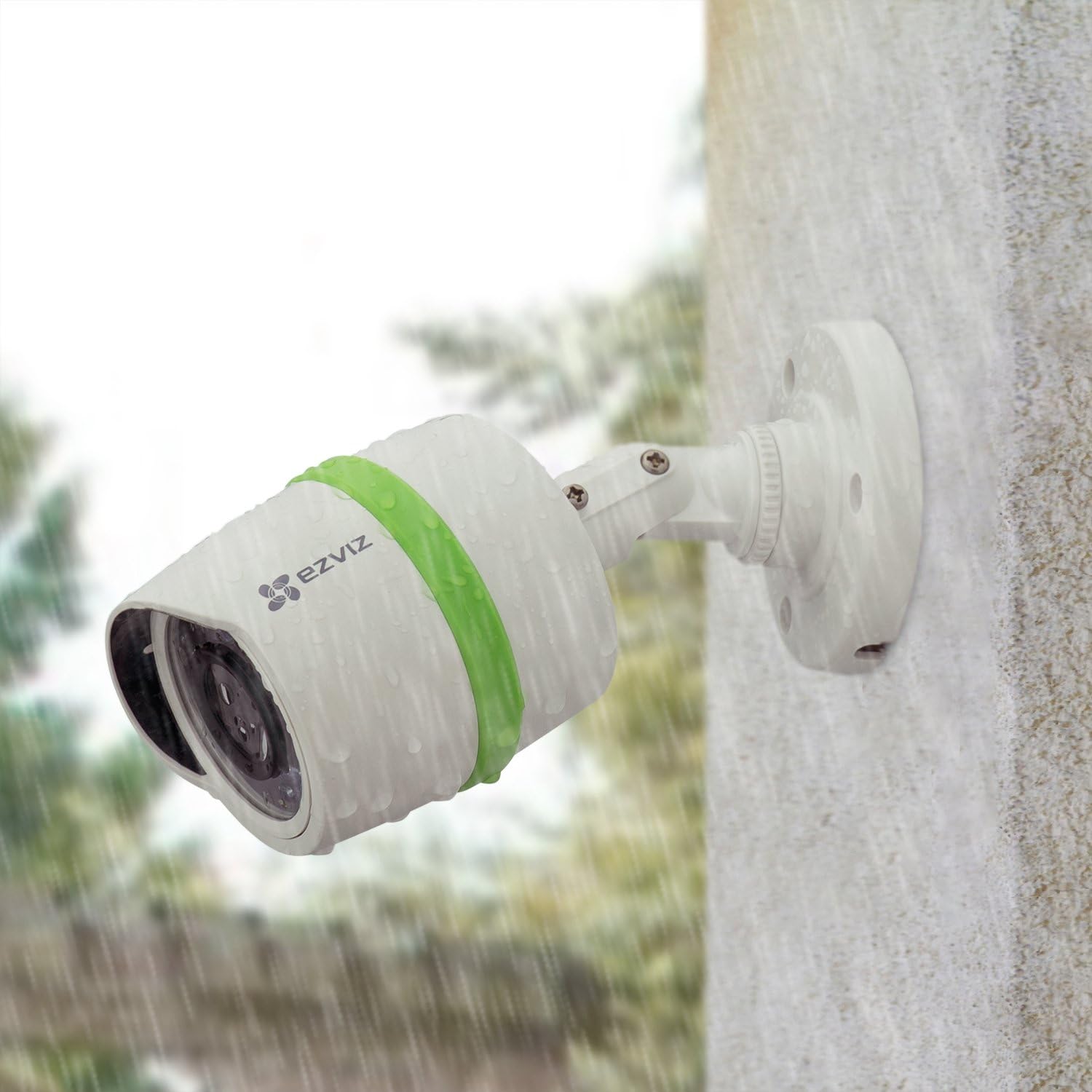
An EZVIZ camera mounted outdoors, demonstrating its weatherproof design.
- Mounting: Securely mount cameras to a wall or ceiling using the provided screws and anchors. Adjust the camera angle for desired viewing.
- Cable Management: Route cables neatly and protect them from environmental damage.
4. Operating Instructions
Using the EZVIZ App
The EZVIZ app is your primary interface for remote monitoring and management of your surveillance system. Download it from your device's app store.

Demonstration of accessing the EZVIZ surveillance system remotely via the EZVIZ app on various devices.
- Live View: Access real-time video feeds from all connected cameras.
- Playback: Review recorded footage stored on the DVR's hard drive.
- Motion Detection Alerts: Receive instant notifications on your smartphone when motion is detected in configured areas.

A smartphone screen displaying a motion detection alert from the EZVIZ app.
Night Vision
The cameras automatically switch to night vision mode in low-light conditions, providing clear black-and-white footage up to 100 feet.

Comparison showing the clarity of EZVIZ night vision versus low-contrast night vision.
Official Product Video
An official product video demonstrating the features and capabilities of the EZVIZ FULL HD 1080p Outdoor Surveillance System.
5. Maintenance
Camera Care
- Regularly clean the camera lenses with a soft, damp cloth to ensure clear image quality.
- Check cable connections periodically to ensure they remain secure and free from damage.
- Clear any obstructions (e.g., spiderwebs, leaves) that may block the camera's field of view.
DVR Maintenance
- Ensure the DVR is placed in a well-ventilated area to prevent overheating.
- Keep the DVR free from dust and debris.
- Periodically back up important footage from the hard drive.
6. Troubleshooting
Common Issues and Solutions
| Issue | Possible Cause | Solution |
|---|---|---|
| No video display on monitor | Loose cable connection, incorrect input source, power issue. | Check HDMI/VGA cable, ensure monitor is on correct input, verify DVR power. |
| No remote viewing via app | No internet connection, incorrect network settings, app not configured. | Verify DVR's internet connection, check router settings, reconfigure app. |
| Motion detection not working | Incorrect sensitivity settings, detection area not set, obstructions. | Adjust motion sensitivity, define detection zones, clear camera view. |
| Poor image quality | Dirty lens, low light, cable interference. | Clean camera lens, ensure adequate lighting or proper night vision activation, check cable integrity. |
7. Technical Specifications
| Feature | Detail |
|---|---|
| Brand | EZVIZ |
| Model Number | BD-1424B1 |
| Connectivity Technology | Wired |
| Video Capture Resolution | 1080p |
| Special Features | Night Vision, Motion Sensor |
| Number of Channels | 4 |
| Memory Storage Capacity | 1 TB |
| Color | White |
| Power Source | Corded Electric |
| Item Dimensions L x W x H | 13.39 x 10.24 x 10.51 inches |
| Recommended Uses For Product | Security |
| Compatible Devices | Cameras |
| Signal Format | Analog |
| Low Light Technology | Yes |
| Night Vision Range | 100 Feet |
| Frame Rate | 15 |
| Optical Sensor Technology | CMOS (with advanced motion detection capabilities) |
| Total USB Ports | 2 |
| Hardware Interface | Ethernet |
| Lens Type | Fisheye |
| Video Input | USB |
| Viewing Angle | 130 Degrees |
| Manufacturer | EZVIZ |
| Item Weight | 1.25 pounds |
| Product Dimensions | 13.39 x 10.24 x 10.51 inches |
| Date First Available | October 1, 2015 |
8. Warranty and Support
EZVIZ offers comprehensive support for your surveillance system:
- Warranty: The product comes with a FREE 12 MONTH WARRANTY.
- Technical Support: Enjoy LIFETIME TECH SUPPORT with technology experts available for chat and assistance.
- System Updates: Benefit from one-button system upgrades as new features and functionalities are released.
Additional Resources
- User Guide (PDF): Download User Guide
- User Manual (PDF): Download User Manual