1. Introduction
The Hoover MBC500UV Ultra Vortex is a powerful handheld vacuum cleaner specifically designed for hygienic cleaning of mattresses, pillows, sofas, and other upholstered surfaces. It effectively targets dust mites, allergens, and bacteria, contributing to a healthier living environment. This manual provides essential information for the safe and efficient operation and maintenance of your appliance.

Image 1: The Hoover MBC500UV Ultra Vortex handheld vacuum cleaner.
2. Product Overview and Components
The Ultra Vortex features a robust design with multiple cleaning technologies integrated for comprehensive allergen removal.
- Main Unit: Houses the motor, dust bin, and control panel.
- Dust Bin: Removable, transparent container for collected dust and debris, with a 0.3L capacity.
- UV-C Lamp: Integrated light for sterilizing surfaces.
- Roll & Beat Brush: A motorized brush that rotates at high speed to dislodge embedded particles.
- Power Cable: A 5-meter long cable for extended reach.

Image 2: Key features of the Hoover Ultra Vortex, including its 0.3L dust bin, UV-C lamp, 5-meter cable, and 500W power.
3. Setup
- Unpacking: Carefully remove the vacuum cleaner and all accessories from the packaging.
- Inspection: Check the appliance for any signs of damage. Do not use if damaged.
- Power Connection: Plug the power cable into a suitable electrical outlet (230 Volts AC). Ensure the cable is not tangled or obstructed during use.
- Dust Bin: Ensure the dust bin is correctly attached and empty before starting operation.
4. Operating Instructions
The Hoover Ultra Vortex offers three distinct cleaning modes for optimal results on various textiles.

Image 3: The control panel illustrating the three cleaning modes: Vacuum, Roll & Beat, and UV Lamp.
4.1. Selecting a Cleaning Mode
Use the mode selector switch on the appliance to choose your desired cleaning function:
- Vacuum Mode: Ideal for general dust and dirt removal from all textiles, including delicate surfaces.
- Roll & Beat Mode: Activates the turbo brush, which rotates 4,200 times per minute. This mode is designed to dislodge and remove deeply embedded allergens and dust mites from mattresses and upholstery.
- UV Lamp Mode: Engages the UV-C lamp, which eliminates up to 99.9% of bacteria, allergens, and dust mites, and helps prevent their reappearance. This mode is particularly effective for hygienic cleaning.

Image 4: The UV-C lamp actively sterilizing a mattress surface, illustrating its effectiveness against microscopic particles.
4.2. Cleaning Procedure
- Turn on the appliance using the power button.
- Select the appropriate cleaning mode for the surface you are treating.
- Move the vacuum cleaner slowly and steadily across the surface. For best results, overlap your passes.
- For deep cleaning and allergen removal, ensure sufficient contact time with the UV-C lamp and allow the Roll & Beat brush to work effectively.
- After use, turn off the appliance and unplug it from the power outlet.

Image 5: A user demonstrating the Hoover Ultra Vortex in use on a sofa, highlighting its versatility for various upholstered items.
5. Maintenance
Regular maintenance ensures optimal performance and extends the lifespan of your Hoover Ultra Vortex.
5.1. Emptying the Dust Bin
- Ensure the appliance is switched off and unplugged.
- Press the release button to detach the dust bin from the main unit.
- Hold the dust bin over a waste receptacle and open the lid to empty the contents. The design allows for contact-free emptying.
- Reattach the dust bin securely until it clicks into place.

Image 6: Demonstrating the easy and hygienic emptying process of the dust bin, minimizing contact with collected dust.
5.2. Cleaning the Filter
The cyclonic system provides effective dust separation, reducing the frequency of filter changes. However, regular cleaning is still recommended.
- Remove the filter from the dust bin.
- Tap the filter gently to remove loose dust.
- If necessary, rinse the filter under cold running water. Ensure it is completely dry before reinserting.
5.3. Cleaning the Roll & Beat Brush
The brush roll can accumulate hair and fibers, affecting performance.
- Ensure the appliance is switched off and unplugged.
- Access the brush roll compartment (refer to the diagram in the product packaging for specific instructions).
- Remove any tangled hair or debris from the brush roll using scissors or a brush.
- Reinstall the brush roll securely.
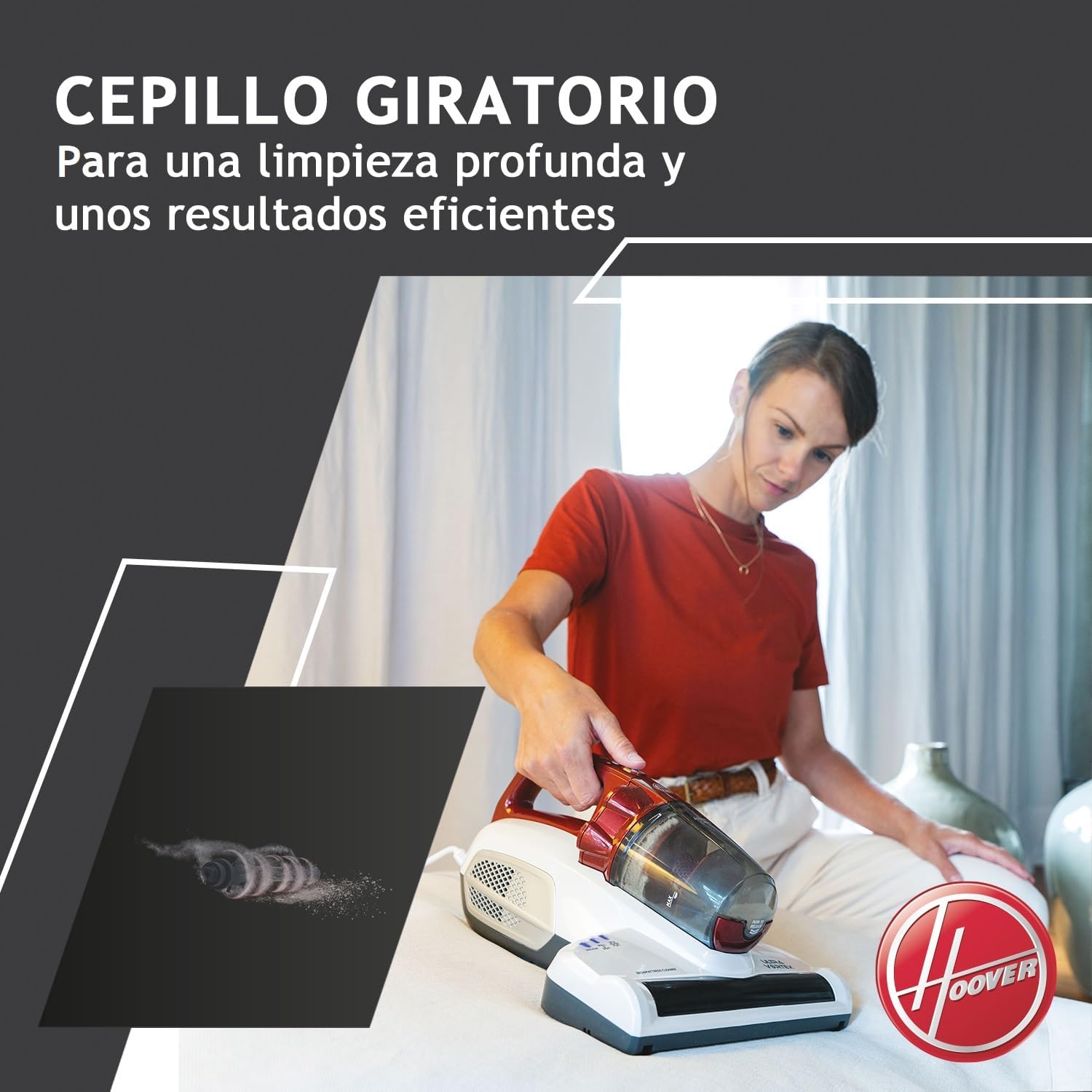
Image 7: The rotating brush mechanism, designed for effective deep cleaning and dislodging embedded dirt.
6. Troubleshooting
| Problem | Possible Cause | Solution |
|---|---|---|
| Appliance does not turn on. | Not plugged in correctly; power outage; faulty outlet. | Check power connection; test with another outlet; check circuit breaker. |
| Reduced suction power. | Full dust bin; clogged filter; obstructed nozzle/brush. | Empty dust bin; clean or replace filter; remove any blockages. |
| UV-C lamp not working. | Lamp not selected; lamp faulty. | Ensure UV-C mode is selected; contact customer support if issue persists. |
| Unusual noise during operation. | Obstruction in brush roll or air path; loose component. | Check for and remove obstructions; ensure all parts are securely attached. |
7. Specifications
| Feature | Specification |
|---|---|
| Model Number | MBC500UV (39300209) |
| Power | 500 Watts |
| Voltage | 230 Volts (AC) |
| Dimensions (L x W x H) | 26.5 x 34 x 18.5 cm |
| Weight | 2.2 Kilograms |
| Dust Bin Capacity | 0.3 Liters |
| Cable Length | 5 meters |
| Material | Plastic |
| Noise Level | 20 Decibels |
| Special Features | Bagless, UV-C Lamp, Cyclonic System |

Image 8: Diagram illustrating the physical dimensions of the Hoover Ultra Vortex.
8. Warranty and Support
For warranty information, product registration, or technical support, please refer to the official Hoover website or contact your local customer service center. Keep your proof of purchase for warranty claims.