
Introduction
This manual provides detailed instructions for the installation, operation, maintenance, and troubleshooting of the HPe 461438-001 Main System Board, specifically designed for the Z400 Workstation. Please read this manual thoroughly before proceeding with any installation or operation to ensure proper functionality and to prevent damage to the component or system.
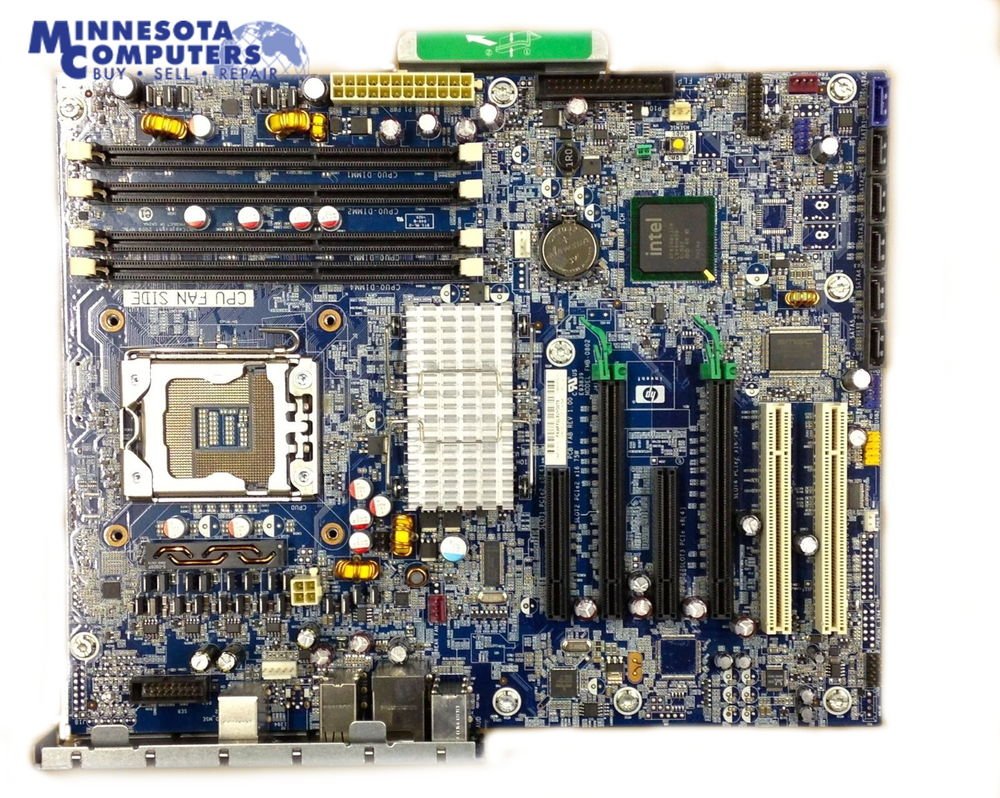
Figure 1: Overview of the HPe 461438-001 Main System Board. This image displays the general layout of the motherboard, including various slots and connectors.
Setup and Installation
Proper installation is crucial for the stability and performance of your Z400 Workstation. Follow these steps carefully.
1. Pre-Installation Checks
- Static Electricity Precautions: Always wear an anti-static wrist strap or frequently touch a grounded metal object before handling the motherboard to prevent electrostatic discharge (ESD) damage.
- Compatibility: Ensure all other components (CPU, RAM, power supply, graphics card) are compatible with the HPe 461438-001 Main System Board and the Z400 Workstation chassis.
- Workspace: Prepare a clean, well-lit, and static-free workspace.
2. Physical Installation
- Remove Old Motherboard (if applicable): Disconnect all cables and remove mounting screws from the existing motherboard. Carefully lift it out of the chassis.
- Install I/O Shield: If a new I/O shield is provided, install it into the rear opening of the computer case.
- Mount the Motherboard: Carefully align the HPe 461438-001 Main System Board with the standoffs in the Z400 Workstation chassis. Gently lower the board until it rests on the standoffs. Secure it with the appropriate mounting screws. Do not overtighten.
- Install CPU: Open the CPU socket lever. Carefully place the CPU into the socket, ensuring the triangular alignment marks on the CPU and socket match. Close the lever to secure the CPU.
- Install CPU Cooler: Apply thermal paste (if not pre-applied) and install the CPU cooler according to its specific instructions. Connect the CPU fan cable to the "CPU FAN" header on the motherboard.
- Install RAM: Open the clips on the DIMM slots. Align the RAM modules with the slots, ensuring the notch on the module matches the key in the slot. Press down firmly on both ends until the clips snap into place.
- Connect Power Supply:
- Connect the 24-pin ATX power connector from the power supply to the main power header on the motherboard.
- Connect the 8-pin (or 4-pin) CPU power connector to the corresponding header near the CPU socket.
- Connect Storage Devices: Connect SATA data cables from your hard drives or SSDs to the SATA ports on the motherboard. Connect SATA power cables from the power supply to the storage devices.
- Install Expansion Cards: Insert graphics cards or other PCIe expansion cards into the appropriate PCIe slots. Secure them with screws or retention clips. Connect any necessary PCIe power cables from the power supply to the graphics card.
- Connect Front Panel Cables: Connect the power button, reset button, HDD LED, power LED, and USB/audio headers from the Z400 Workstation chassis to their respective pins on the motherboard. Refer to the motherboard's silkscreen labels for correct orientation.

Figure 2: Close-up view of the HPe 461438-001 Main System Board, highlighting the CPU socket and RAM slots. This image assists in identifying key component installation areas.

Figure 3: Another perspective of the HPe 461438-001 Main System Board, showing additional component layouts and connection points.
Operating Instructions
After successful installation, proceed with initial system boot-up and configuration.
- Initial Boot: Connect your monitor, keyboard, and mouse. Power on the system. The system should display the BIOS/UEFI splash screen.
- BIOS/UEFI Configuration: Press the designated key (usually Del, F2, or F10) during boot to enter the BIOS/UEFI setup.
- Verify that all installed components (CPU, RAM, storage) are detected correctly.
- Set the boot order to prioritize your operating system installation media (USB drive or DVD).
- Save changes and exit the BIOS/UEFI.
- Operating System Installation: Install your preferred operating system (e.g., Windows, Linux) following its specific installation procedures.
- Driver Installation: After the operating system is installed, install all necessary drivers for the motherboard chipset, integrated graphics (if applicable), network, audio, and any other peripherals. Obtain the latest drivers from the HPe support website or the Z400 Workstation support page.
Maintenance
Regular maintenance helps ensure the longevity and optimal performance of your system board.
- Dust Removal: Periodically clean the interior of your Z400 Workstation chassis using compressed air to remove dust buildup from the motherboard, CPU cooler, and other components. Ensure the system is powered off and unplugged before cleaning.
- Firmware Updates: Check the HPe support website for BIOS/UEFI updates for the 461438-001 Main System Board. Apply updates only if recommended and follow the instructions precisely to avoid system instability.
- Component Checks: Occasionally inspect cable connections to ensure they are secure. Check for any signs of physical damage or bulging capacitors on the motherboard.
Troubleshooting
This section addresses common issues you might encounter.
| Problem | Possible Cause | Solution |
|---|---|---|
| No Power / System Does Not Turn On |
|
|
| No Display Output |
|
|
| System Boots but Fails to Load OS |
|
|
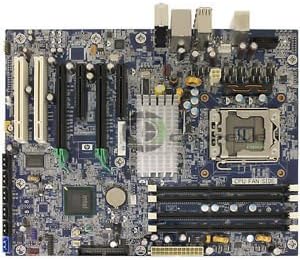
Figure 4: Rear I/O panel and internal connectors on the HPe 461438-001 Main System Board. This image helps in identifying ports for troubleshooting connectivity issues.
Specifications
Key technical specifications for the HPe 461438-001 Main System Board.
- Model Number: 461438-001
- Manufacturer: HPe
- Compatible Workstation: HP Z400 Workstation
- ASIN: B014S2HN96
- Form Factor: Proprietary (designed for Z400 Workstation)
- CPU Socket: LGA1366 (Common for HP Z400 Workstations)
- Chipset: Intel X58 Express (Common for HP Z400 Workstations)
- Memory Slots: 6 x DDR3 DIMM slots (Common for HP Z400 Workstations)
- Expansion Slots: 2 x PCIe x16, 2 x PCIe x8, 2 x PCI (Common for HP Z400 Workstations)
- Storage Ports: 6 x SATA 3Gb/s ports (Common for HP Z400 Workstations)
- Rear I/O Ports: USB 2.0, RJ-45 Ethernet, Audio Line-in/out, Microphone, PS/2 Keyboard/Mouse (Specific configuration may vary slightly)
Note: The detailed specifications for CPU socket, chipset, memory slots, expansion slots, storage ports, and rear I/O ports are based on typical configurations for the HP Z400 Workstation, for which this motherboard is a replacement part. Always refer to the official HP Z400 Workstation documentation for the most precise and comprehensive specifications.
Warranty Information
This HPe 461438-001 Main System Board is typically covered by a limited warranty provided by the seller or manufacturer. Please refer to your purchase documentation or contact your point of purchase for specific warranty terms and conditions, including duration and coverage details. Keep your proof of purchase for warranty claims.
Support
For technical assistance, driver downloads, or further information regarding the HPe 461438-001 Main System Board, please visit the official HPe support website or the HP Z400 Workstation support page. You may also contact your reseller for support.
- HPe Support Website: https://www.hpe.com/us/en/support.html
- HP Z400 Workstation Documentation: Search for "HP Z400 Workstation Manual" on the HP support website for system-specific guides.