
Product Overview
This vhbw battery adapter is designed to provide power to your Canon Selphy mobile printer, allowing it to operate without direct connection to a wall outlet. It is an essential accessory for users who wish to power their printer using a compatible battery. Please note that this adapter facilitates the use of a battery to power the printer; it does not recharge the battery itself. For battery charging, your original power supply unit is required.

Image 1: The vhbw battery adapter, showing the main unit with its attached power cable and the product label with specifications and warnings.
This high-quality compatible accessory from vhbw replaces original Canon parts such as CG-CP200 and 6203B001AA, ensuring reliable performance for your compatible Canon Selphy printer models.
Setup and Installation
- Check Battery Compatibility: Ensure you are using a compatible battery type, specifically NB-CP1L or NB-CP2L. This adapter is designed to work only with these battery models.
- Insert Battery: Carefully insert the compatible battery into the battery slot of the vhbw adapter. Ensure it is securely seated.
- Connect to Printer: Plug the round connector of the vhbw adapter's cable into the designated power input port on your Canon Selphy printer.
- Power On Printer: Once the battery is installed in the adapter and the adapter is connected to the printer, you can power on your Canon Selphy printer as usual.
- Battery Charging: Remember, this adapter does not charge the battery. To recharge the NB-CP1L or NB-CP2L battery, you must remove it from the adapter and use your original Canon power supply unit.
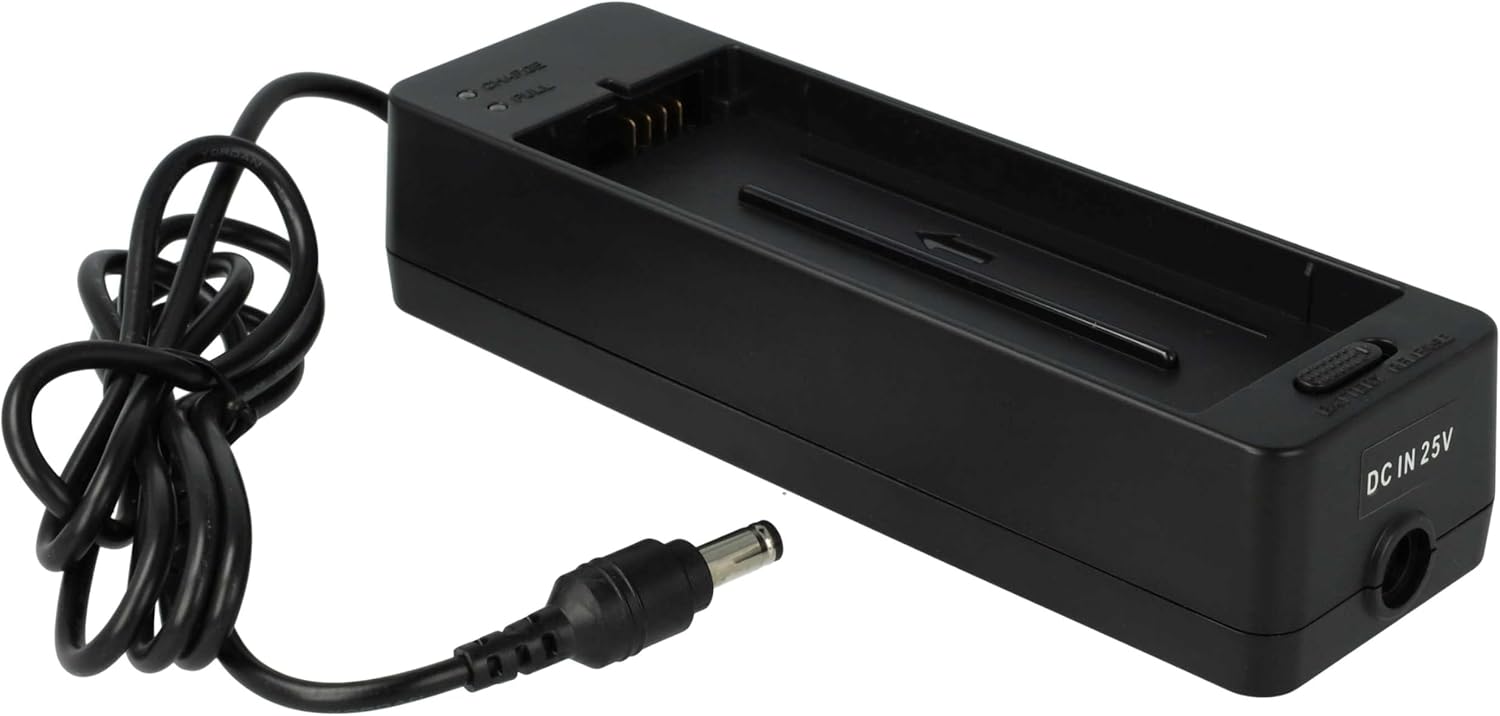
Image 2: Top view of the adapter, highlighting the slot where the compatible battery is inserted.
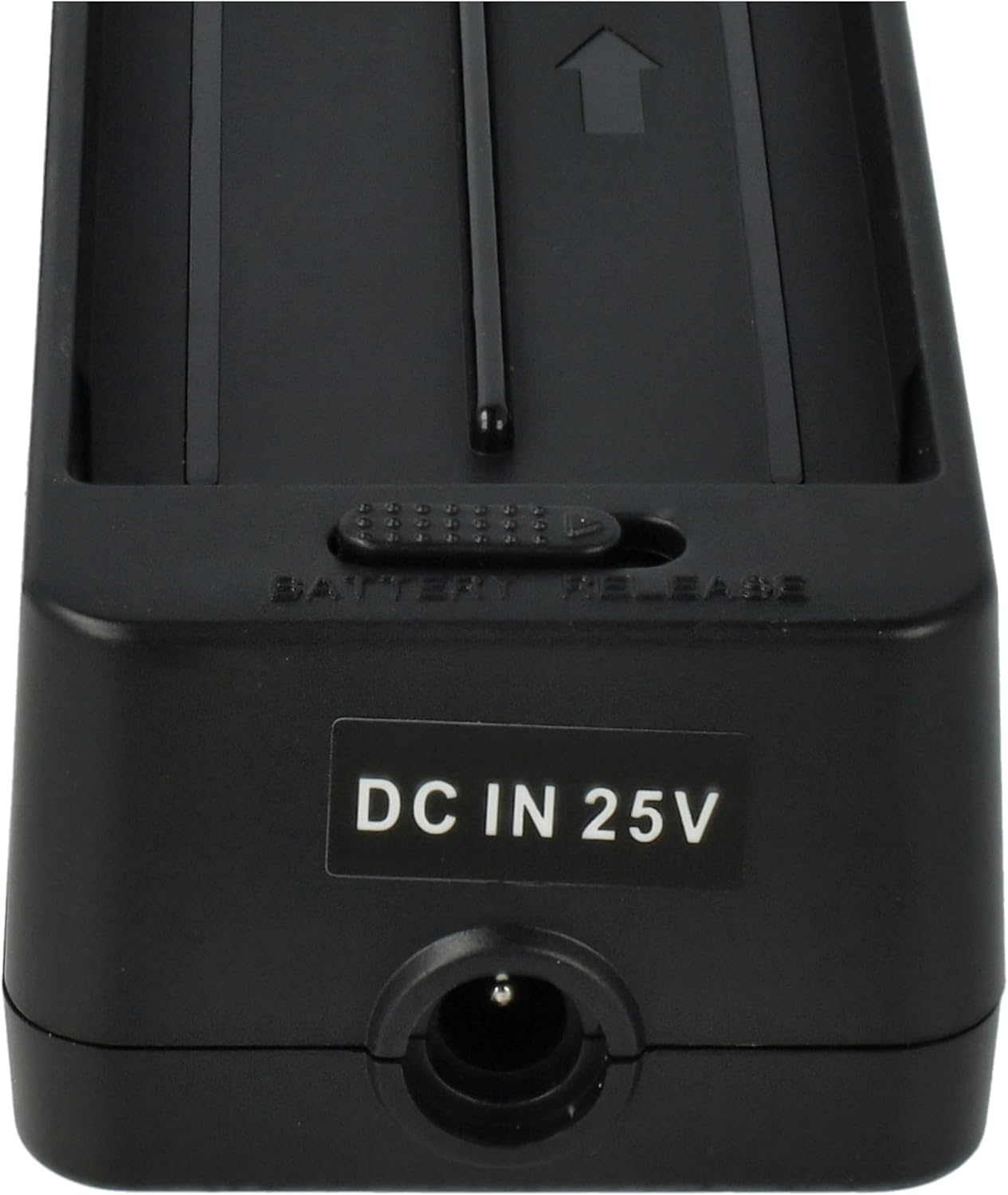
Image 3: Close-up view of the DC input port on the adapter, where the printer's power cable connects.
Operating Instructions
The vhbw battery adapter functions as a power source for your Canon Selphy printer when a compatible battery is inserted. It allows for portable operation of your printer without the need for a direct AC power connection. Simply ensure the battery is sufficiently charged before use. The adapter provides a stable power output to the printer, enabling printing functions as if it were connected to a wall outlet.
To maximize battery life and ensure continuous operation, it is recommended to fully charge your batteries using the original Canon charger before extended use with the adapter.
Maintenance and Care
- Storage: Store the adapter in a dry location. Avoid exposure to moisture, humidity, or extreme temperatures.
- Cleaning: Use a soft, dry cloth to clean the adapter. Do not use liquid cleaners or solvents.
- Handling: Handle the adapter and its cable with care. Avoid bending or twisting the cable excessively, which could damage internal wires.
- Safety: Do not attempt to disassemble the unit. Disassembly can lead to electronic shock or fire hazards and will void any potential warranty.
Troubleshooting
| Problem | Possible Cause | Solution |
|---|---|---|
| Printer does not power on with adapter. |
|
|
| Adapter feels unusually hot. |
|
|
| Visible damage to adapter or cable. | Physical damage. | Discontinue use immediately. Do not attempt to repair. Contact seller for replacement. |
Important Safety Warning: To prevent fire, moisture damage, or electronic shock, do not disassemble the unit. Use only in dry locations.
Specifications
| Brand | vhbw |
| Model Number | VHBW4251156556293 |
| Input Voltage | 24 V |
| Input Current | 2200 mA |
| Output Voltage | 22.2 V |
| Output Current | 1000 mA |
| Power | 22.20 W |
| Frequency | 50/60 Hz |
| Color | Black |
| Total Length (Cable) | Approx. 1.5 m |
| Connector Type | Round barrel connector |
| Special Features | Short-circuit protection |
| Compatible Printer Models | Canon Selphy CP100, CP200, CP220, CP300, CP330, CP400, CP500, CP510, CP600, CP710, CP720, CP730, CP740, CP750, CP760, CP770, CP780, CP790, CP800, CP810, CP900 |
| Replaces Original Parts | CG-CP200, 6203B001AA |
| Compatible Battery Types | NB-CP1L, NB-CP2L |

Image 4: The bottom label of the adapter, displaying the model number and safety warnings.
Warranty and Support
For information regarding warranty coverage, returns, or technical support for your vhbw battery adapter, please refer to the purchase documentation or contact the seller directly. Specific warranty terms and support procedures may vary depending on your region and point of purchase.
Always retain your proof of purchase for any warranty claims or support inquiries.