
Important Safety Instructions
Read all instructions before using the shredder. Keep this manual for future reference.
- Keep fingers, loose clothing, jewelry, and hair away from the paper entry slot.
- Unplug the shredder when not in use or before cleaning.
- Do not shred metal objects, large paper clips, or wet paper.
- Avoid exceeding the maximum sheet capacity of 6 sheets to prevent jams and overheating.
- The shredder has a limited continuous run time. After approximately 2 minutes of continuous use, allow the unit to cool down for 30 minutes to prevent overheating.
- Do not operate the shredder if the power cord is damaged.
- This shredder is designed for personal, light-duty use.
Product Overview
The Sentinel FS60B is a stripcut paper shredder designed for personal use, capable of shredding up to 6 sheets of paper or one credit card at a time.

Figure 1: Sentinel FS60B Shredder with its included wastebasket.
Components:
- Shredder Head: Contains the cutting mechanism and control switch.
- Paper Entry Slot: For inserting paper documents.
- Credit Card Entry Slot: A dedicated slot for shredding credit cards.
- Control Switch: Used to select ON, OFF, or REVERSE modes.
- Wastebasket: Collects shredded material.
Setup
Unpack the Shredder: Carefully remove all components from the packaging. Ensure all packing materials are removed from the shredder head and wastebasket.
Position the Shredder Head: Place the shredder head securely onto the rim of the included wastebasket. Ensure it sits flat and stable.

Figure 2: Shredder head properly seated on the wastebasket.
Connect Power: Plug the power cord into a standard electrical outlet. The shredder is now ready for operation.
Operating Instructions
Control Switch Settings:
- ON (Auto): The shredder motor runs continuously when switched to ON. Insert paper or a credit card into the appropriate slot to begin shredding.
- OFF: Turns the shredder off. Always switch to OFF when not in use or when emptying the wastebasket.
- REVERSE (REV): Reverses the shredder motor direction to help clear paper jams.
Shredding Paper:
- Ensure the shredder head is securely placed on the wastebasket and the power cord is plugged in.
- Set the control switch to the ON position. The motor will start running.
- Insert up to 6 sheets of paper straight into the paper entry slot. The shredder will pull the paper through and shred it.
- After shredding, switch the control to OFF.
Shredding Credit Cards:
- Ensure the shredder is powered on (control switch set to ON).
- Insert one credit card at a time into the dedicated credit card entry slot.
- The shredder will process the credit card.
- After shredding, switch the control to OFF.
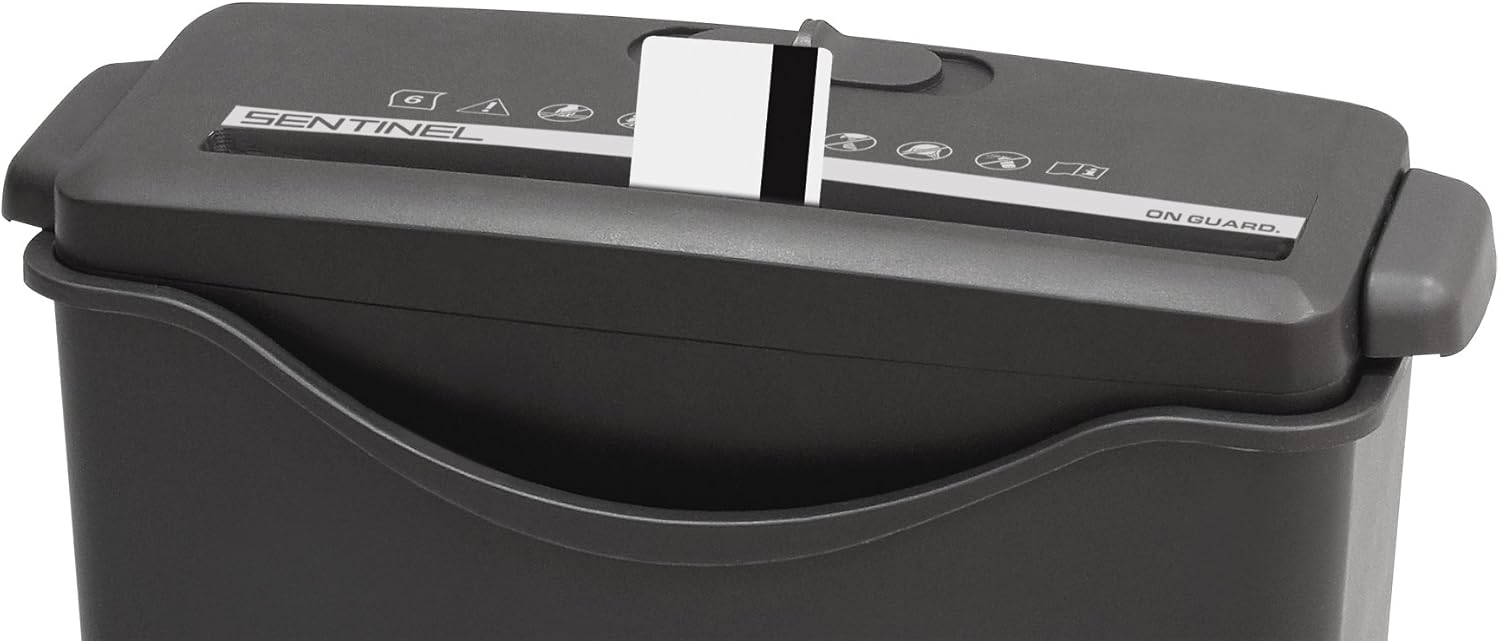
Figure 3: Shredding a credit card using the dedicated slot.
Run Time and Overheat Protection:
The Sentinel FS60B is designed for intermittent use. It can operate continuously for approximately 2 minutes. After this period, the motor may overheat and automatically shut off. If this occurs, allow the shredder to cool down for at least 30 minutes before resuming operation. This protects the motor from damage.
Maintenance
Emptying the Wastebasket:
- Switch the control to OFF and unplug the shredder from the power outlet.
- Carefully lift the shredder head off the wastebasket.
- Empty the shredded contents from the wastebasket into a trash receptacle.
- Replace the shredder head securely onto the wastebasket.
- Plug the shredder back into the power outlet.
Lubrication:
Regular lubrication helps maintain shredder performance and extends its lifespan. A sample ShredCare brand lubricant sheet is included with your shredder. Follow the instructions provided with the lubricant sheet for proper application.
General lubrication steps:
- With the shredder in ON mode, feed the lubricant sheet into the paper entry slot.
- Allow the sheet to be fully shredded.
- Switch the shredder to OFF.
Cleaning:
To clean the exterior of the shredder, wipe it with a soft, dry cloth. Do not use abrasive cleaners or solvents. Ensure the shredder is unplugged before cleaning.
Troubleshooting
| Problem | Possible Cause | Solution |
|---|---|---|
| Shredder does not turn on. |
|
|
| Paper jam. |
|
|
| Shredder runs slowly or makes unusual noise. |
|
|
Specifications
| Model Number | FS60B |
| Cut Type | Strip Cut |
| Sheet Capacity | 6 sheets (20 lb bond paper) |
| Credit Card Capacity | 1 card at a time |
| Wastebasket Capacity | 2.06 Gallons |
| Continuous Run Time | 2 minutes |
| Cool Down Time | 30 minutes |
| Product Dimensions (L x W x H) | 12.2 x 10.63 x 15.16 inches |
| Item Weight | 4.35 pounds |
Warranty and Support
The Sentinel FS60B shredder comes with a one-year warranty.
For any questions about the product, troubleshooting assistance, or warranty claims, please contact the seller directly. You can typically do so by clicking on the seller name (e.g., "PaperJet") on the product page and selecting the "Ask a question" button. Alternatively, a toll-free number may be found on the yellow tag attached to the power cord.
Most troubleshooting issues can be resolved with the support team.


