
1. Introduction
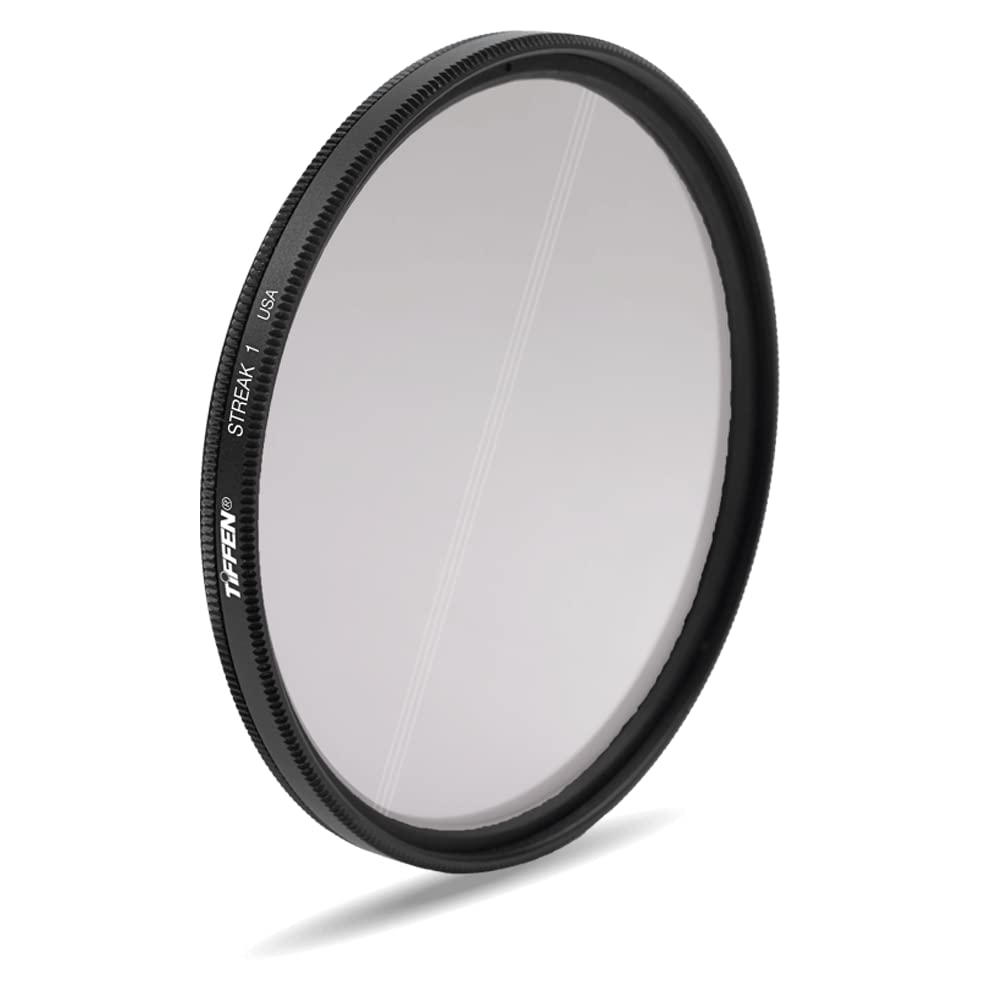
The Tiffen Streak Filter is an optical accessory designed to create a distinctive single light ray effect from point light sources within your photographic or video compositions. This filter is crafted from high-quality optical glass to ensure minimal impact on image quality while delivering its unique visual effect. It is compatible with lenses featuring a 77mm filter thread.
By introducing etched lines, the filter transforms bright points of light into elongated streaks, adding a dynamic and cinematic quality to your visuals. The orientation of this light streak can be precisely controlled by rotating the filter on your lens.
2. Setup
- Identify Lens Thread Size: Ensure your camera lens has a 77mm filter thread. This information is typically printed on the front of your lens or in its specifications.
- Attach the Filter: Gently screw the Tiffen 77mm Streak Filter onto the front filter thread of your lens. Turn clockwise until it is finger-tight. Avoid over-tightening to prevent damage to the filter or lens thread.
- Initial Orientation: Once attached, the filter can be rotated freely. For initial setup, you may align the etched lines horizontally or vertically, depending on your desired effect.
3. Operating
The Tiffen Streak Filter operates by utilizing precisely etched lines on its optical glass surface. These lines, spaced approximately 3mm apart, interact with intense light sources to create a distinct, elongated light streak.
- Effect Generation: The filter is most effective when used with point light sources, strong highlights, reflective materials, or metallic surfaces. These elements will be transformed into a single, prominent light ray.
- Adjusting Streak Orientation: To change the direction of the light streak, simply rotate the filter within its mounting ring on the lens. Rotate clockwise or counter-clockwise until the streak aligns with your desired composition. For example, rotating the filter will allow you to achieve horizontal, vertical, or diagonal light streaks.
- Composition Considerations: Experiment with different light sources and angles to achieve varied effects. The intensity and length of the streak will depend on the brightness of the light source and the overall lighting conditions.
4. Maintenance
Proper care and maintenance will prolong the life and performance of your Tiffen Streak Filter.
-
Cleaning the Filter:
- Use a blower brush to remove loose dust and debris from the filter surface.
- For smudges or fingerprints, apply a small amount of lens cleaning solution to a clean, soft microfiber cloth.
- Gently wipe the filter surface in a circular motion from the center outwards. Avoid applying excessive pressure.
- Do not use harsh chemicals, abrasive cloths, or paper towels, as these can scratch the optical glass or damage the coating.
- Storage: Always store the filter in its protective case when not in use. Keep it in a cool, dry place away from direct sunlight and extreme temperatures. This prevents dust accumulation and potential damage.
- Handling: Handle the filter by its metal rim to avoid touching the glass surface, which can leave fingerprints and require frequent cleaning.
5. Troubleshooting
If you encounter issues or the desired effect is not achieved, consider the following:
-
No Streak Effect:
- Ensure there are prominent point light sources or strong highlights in your scene. The filter requires bright, concentrated light to produce the streak effect.
- Check if the filter is clean. Smudges or dust can diffuse the light and reduce the effect's clarity.
- Unwanted Streak Orientation: Rotate the filter on your lens until the streak aligns with your creative vision. The filter's design allows for 360-degree adjustment of the streak direction.
- Reduced Image Sharpness: While designed to maintain image quality, ensure the filter is securely and correctly attached to your lens. Verify that your lens is properly focused. Excessive dust or smudges on the filter can also slightly impact sharpness.
- Filter Stuck on Lens: If the filter is difficult to remove, try using a rubber filter wrench for better grip. Avoid forcing it, as this can damage the lens or filter threads.
6. Specifications
| Brand | Tiffen |
| Model | Streak Filter |
| Material | Optical Glass |
| Photo Filter Thread Size | 77 Millimeters |
| Coating Description | Multi Coating |
| Photo Filter Effect Type | Enhancing |
| Water Resistance Level | Not Water Resistant |
| Product Dimensions (L x W) | 3.03"L x 3.03"W |
| UPC | 049383051551 |
| Manufacturer | Tiffen Filters |
| Color | Clear |
7. Warranty and Support
For detailed information regarding the warranty coverage for your Tiffen Streak Filter, please refer to the official Tiffen website or the warranty documentation included with your product packaging. Warranty terms and conditions may vary.
Should you require technical assistance, have questions about product usage, or need to report a defect, please contact Tiffen customer support directly. Contact information can typically be found on the official Tiffen website (www.tiffen.com) or within your product's packaging.