
1. Introduction
This manual provides essential instructions for the safe and efficient operation of your IDX VL-4SI Endura Lithium-Ion Battery Charger. The VL-4SI is a high-speed, 4-channel simultaneous charger designed for professional use. It features an LCD display for monitoring charge status and a PC interface for detailed battery data management via IDX's Battery Management System software. Please read this manual thoroughly before using the device.
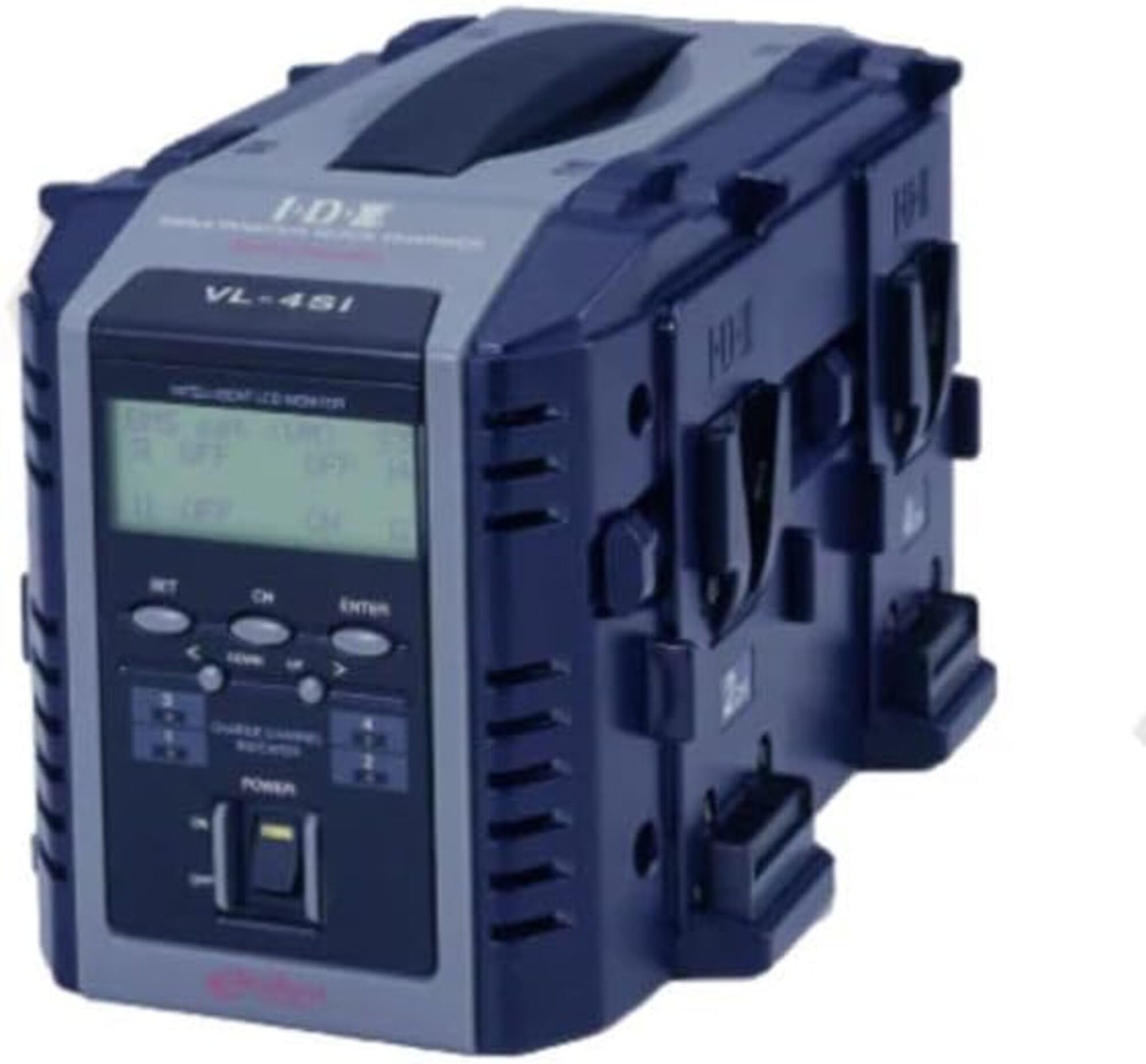
Figure 1: Front view of the IDX VL-4SI Endura Lithium-Ion Battery Charger.
2. Safety Information
Always observe the following safety precautions to prevent electric shock, fire, or damage to the charger or batteries.
- Do not expose the charger to rain or moisture. This device is designed for indoor use only.
- Ensure proper ventilation. Do not cover the charger's ventilation openings during operation.
- Use only compatible batteries. This charger is designed for Lithium-Ion batteries. Refer to battery specifications for compatibility.
- Input Voltage: The charger operates on 240 Volts. Ensure your power source matches this requirement.
- Avoid dropping or impacting the charger. Physical damage can compromise safety and functionality.
- Do not attempt to disassemble or repair the charger. Refer all servicing to qualified personnel.
- Keep out of reach of children.
3. Package Contents
Verify that all items are present in the package:
- IDX VL-4SI Endura Lithium-Ion Battery Charger Unit
- AC Power Cable
- User Manual (this document)
Note: NP-style batteries may be charged using the optional A-E2NP adapter (sold separately).
4. Setup
- Unpack the Charger: Carefully remove the VL-4SI charger from its packaging.
- Position the Charger: Place the charger on a stable, flat surface in a well-ventilated area, away from direct sunlight or heat sources.
- Connect Power: Insert the AC power cable into the charger's power input port, then plug the other end into a compatible 240V AC power outlet.
- Initial Power-On: The charger's LCD display should illuminate, indicating it is ready for operation.
5. Operating Instructions
The VL-4SI charger supports simultaneous charging of up to four compatible Lithium-Ion batteries.
- Insert Batteries: Align a compatible battery with one of the four charging channels and slide it into place until it clicks securely. Repeat for additional batteries.
- Monitor Charging Status: The LCD display on the front panel will show the continuous charging information for each individual battery. This includes charge percentage, voltage, and current.
- Advanced Battery Information: When charging ENDURA System E-10/E-80/E7/E50 batteries, the LCD display will provide advanced digital information specific to these battery models.
- PC Interface (Optional): Connect the VL-4SI to a computer via its PC interface. Using IDX's Battery Management System software, you can retrieve detailed battery data to manage and extend the life of your battery inventory. This feature is ideal for network operations and rental facilities.
- Charging Completion: The LCD display will indicate when a battery is fully charged. Remove batteries by pressing the release button (if present) and sliding them out.
6. Maintenance
- Cleaning: Disconnect the charger from the power outlet before cleaning. Use a soft, dry cloth to wipe the exterior of the charger. Do not use liquid cleaners or solvents.
- Storage: When not in use, store the charger in a cool, dry place, away from direct sunlight and extreme temperatures.
- Inspection: Periodically inspect the power cable and charger for any signs of damage. If damage is found, discontinue use and contact support.
7. Troubleshooting
- Charger not powering on:
- Ensure the power cable is securely connected to both the charger and the power outlet.
- Verify that the power outlet is functional.
- Battery not charging:
- Ensure the battery is correctly inserted into the charging channel.
- Check if the battery is compatible with the VL-4SI charger.
- Inspect the battery for any visible damage.
- LCD display not showing information:
- Ensure the charger is powered on.
- If the issue persists, contact customer support.
8. Specifications
| Brand | IDX |
| Model Number | VL-4SI |
| Input Voltage | 240 Volts |
| Charging Channels | 4 (Simultaneous) |
| Compatibility | Lithium-Ion Batteries (Multi-chemistry capable) |
| Manufacturer | IDX System Technology |
| UPC | 825781014202 |
| ASIN | B013TP7T56 |
9. Warranty and Support
Warranty: This product is sold with No Warranty as per manufacturer specifications.
Customer Support: For technical assistance, service, or inquiries regarding the IDX VL-4SI charger, please contact your local IDX distributor or visit the official IDX website for support resources.
