
Introduction
This manual provides essential information for the proper installation, operation, maintenance, and troubleshooting of your NetApp QSFP-QSFP 5M External SAS Cable, model 112-00178. This cable is designed to facilitate high-speed data transfer between compatible devices, such as SSDs and servers, utilizing QSFP (Quad Small Form-factor Pluggable) interfaces.
Safety Information
- Always handle the cable by its connectors, not by the cable itself, to prevent damage to the internal wiring.
- Avoid bending the cable sharply, especially near the connectors, as this can impair performance or cause permanent damage.
- Ensure that the cable is not pinched, stretched, or subjected to excessive force during installation or use.
- Keep the cable away from sources of extreme heat, cold, or moisture.
- Disconnect power from devices before connecting or disconnecting the cable to prevent electrical damage.
Setup
Follow these steps to properly connect your NetApp QSFP-QSFP External SAS Cable:
- Identify Compatible Ports: Locate the QSFP ports on your SSD, server, or other compatible storage devices. Ensure they are clean and free of debris.
- Orient the Connectors: Carefully align one end of the QSFP-QSFP cable with the corresponding port on your first device. The connectors are designed to fit in only one orientation.
- Insert the Connector: Gently push the connector into the port until it clicks into place or feels securely seated. Do not force the connection.
- Repeat for Second Device: Connect the other end of the cable to the QSFP port on your second device following the same procedure.
- Secure the Cable: Ensure the cable is routed in a way that avoids tension, sharp bends, or interference with other components.
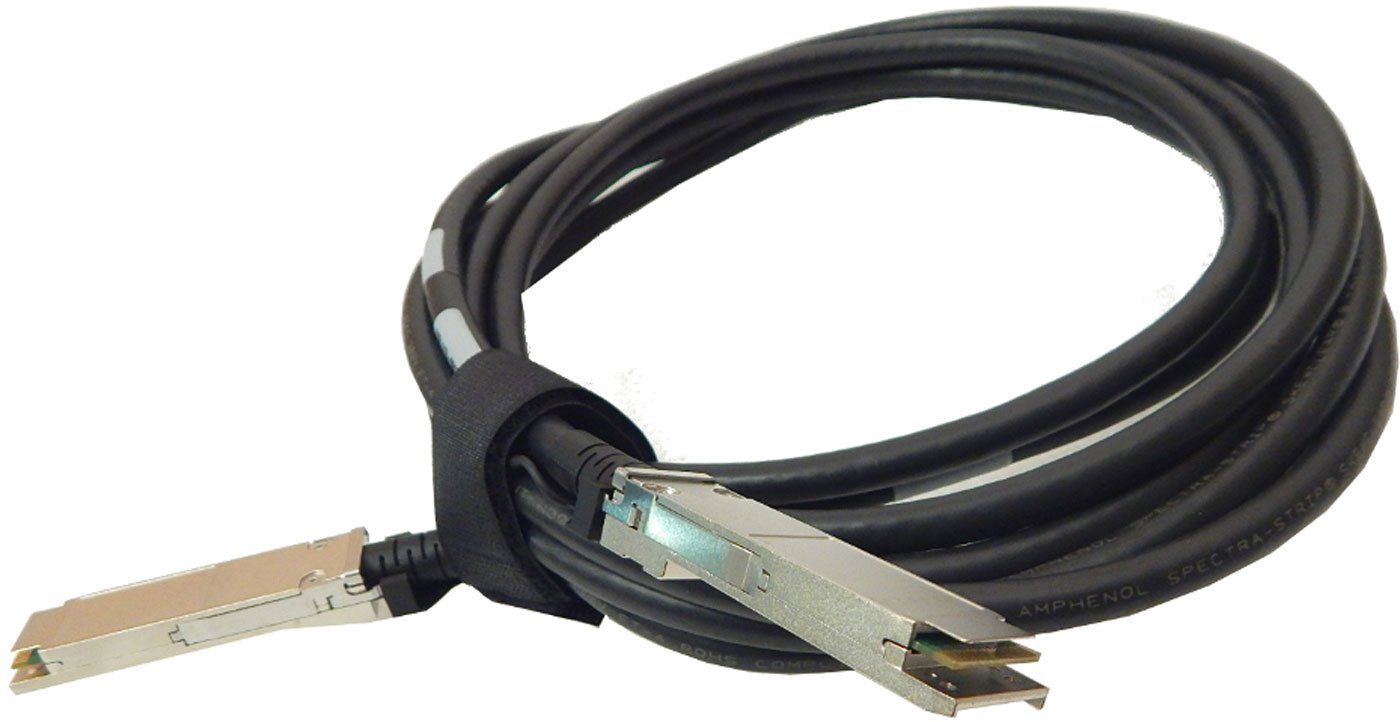
Image: NetApp QSFP-QSFP 5M External SAS Cable. This image displays the cable with its QSFP connectors on both ends, illustrating its design for external SAS connections.
Operating
Once the NetApp QSFP-QSFP External SAS Cable is securely connected between two compatible devices, it functions as a passive data conduit. No specific operational steps are required for the cable itself. Data transfer will commence automatically once the connected devices are powered on and configured for communication. Ensure that both connected devices are properly configured to recognize and utilize the SAS connection for optimal performance.
Maintenance
Proper maintenance ensures the longevity and reliable performance of your cable:
- Cleaning: Use a soft, dry, lint-free cloth to gently wipe the cable and connectors if they become dusty. Do not use liquid cleaners or solvents.
- Storage: When not in use, store the cable in a cool, dry place, away from direct sunlight and extreme temperatures. Avoid coiling the cable too tightly.
- Inspection: Periodically inspect the cable for any signs of physical damage, such as cuts, kinks, or frayed insulation. If damage is observed, replace the cable immediately.
Troubleshooting
If you encounter issues with your NetApp QSFP-QSFP External SAS Cable, consider the following troubleshooting steps:
- No Connection:
- Ensure both ends of the cable are fully and securely seated in their respective ports.
- Verify that the connected devices are powered on and functioning correctly.
- Check device documentation to confirm port compatibility with QSFP SAS cables.
- Intermittent Connection:
- Inspect the cable for any visible damage, such as kinks or cuts.
- Ensure the cable is not under tension or being pulled.
- Try reseating the connectors on both ends.
- Slow Data Transfer:
- Confirm that both connected devices support the expected data transfer speeds.
- Ensure device drivers and firmware are up to date.
- Check for other bottlenecks in your system configuration.
If issues persist after performing these steps, contact NetApp support or your system administrator for further assistance.
Specifications
| Brand | NetApp |
| Model Number | 112-00178 |
| Cable Type | SATA (External SAS) |
| Length | 5 Meters |
| Connector Type | QSFP-QSFP |
| Connector Gender | Male-to-Female |
| Compatible Devices | SSD, Server |
| Shape | Round |
| Number of Pins | 38 |
| Item Weight | 1.23 pounds (approx. 0.56 kg) |
| Product Dimensions | 5 x 5 x 2 inches (packaging) |
| Indoor/Outdoor Usage | Indoor, Outdoor |
Warranty and Support
This NetApp product is covered by the manufacturer's standard warranty. For detailed warranty terms and conditions, please refer to the documentation provided with your purchase or visit the official NetApp website. For technical support, service, or warranty claims, please contact NetApp customer support directly through their official channels.