
1. Introduction
This manual provides essential information for the installation, operation, and maintenance of the Rise of the Tomb Raider: 20 Year Celebration game for PlayStation 4. Developed by SQUARE ENIX, this edition includes the critically acclaimed game and all previously released downloadable content.
Game Title: Rise of the Tomb Raider: 20 Year Celebration
Platform: PlayStation 4
Publisher: SQUARE ENIX
Release Date: October 11, 2016
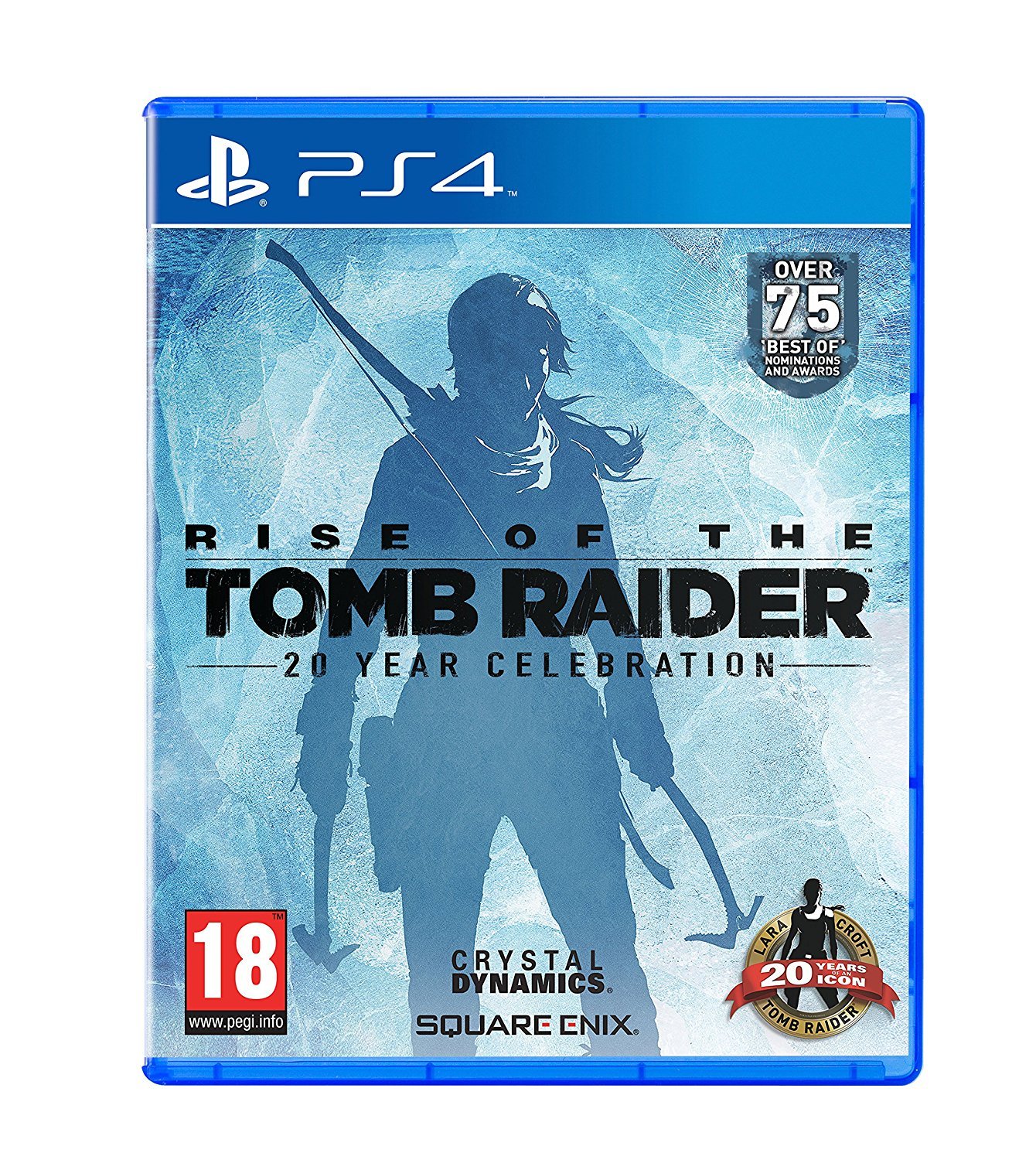
The game's cover art displays Lara Croft in a snowy environment, equipped with climbing gear, ready for adventure.
2. Setup and Installation
To begin playing Rise of the Tomb Raider: 20 Year Celebration, follow these steps:
- Insert the Game Disc: With your PlayStation 4 console powered on, insert the game disc into the disc slot. Ensure the disc is clean and free of scratches.
- Automatic Installation: The PlayStation 4 system will automatically begin installing the game data to your console's hard drive. This process may take some time depending on the game size and system speed.
- System Updates: Your PlayStation 4 console may require a system software update. Follow the on-screen prompts to download and install any necessary updates. An internet connection is required for this step.
- Game Updates: After the initial installation, the game may require additional updates (patches) to ensure optimal performance and access to online features. Allow these updates to download and install before playing. An internet connection is required.
- Launch the Game: Once installation and updates are complete, select the Rise of the Tomb Raider: 20 Year Celebration icon from your PlayStation 4 home screen to launch the game.
Note: Ensure your PlayStation 4 console has sufficient free storage space for the game installation and any future updates. Refer to your PlayStation 4 system manual for detailed console setup instructions.
3. Operating and Gameplay Basics
Rise of the Tomb Raider: 20 Year Celebration is an action-adventure game featuring exploration, combat, and puzzle-solving. The game is rated Ages 16 & Over.
Basic Controls (PlayStation 4 DualShock 4 Controller)
While specific controls can be customized and are detailed within the game's options menu, here is a general overview:
- Left Analog Stick: Character Movement
- Right Analog Stick: Camera Control
- X Button: Jump / Climb
- Square Button: Interact / Reload
- Circle Button: Dodge / Crouch
- Triangle Button: Use Survival Instinct / Contextual Action
- L2 Button: Aim Weapon
- R2 Button: Fire Weapon / Attack
- L1 Button: Crafting Menu / Secondary Action
- R1 Button: Use Item / Tertiary Action
- Touchpad: Map / Journal
- Options Button: Pause Menu / Game Options
In-Game Tutorials: The game features comprehensive in-game tutorials that will guide you through the controls and mechanics as you progress. It is recommended to pay attention to these prompts.
Saving Your Progress
The game features an auto-save system that regularly saves your progress at key checkpoints. You can also manually save your game from the pause menu in designated areas.
4. Maintenance
Proper care of your game disc and console will ensure a long-lasting gaming experience.
Game Disc Care
- Always hold the disc by its edges to avoid touching the playing surface.
- Store the disc in its original case when not in use to protect it from dust and scratches.
- To clean the disc, gently wipe it with a soft, lint-free cloth from the center outwards. Do not use abrasive cleaners or solvents.
- Avoid exposing the disc to direct sunlight, extreme temperatures, or high humidity.
Console Maintenance
- Ensure your PlayStation 4 console is placed in a well-ventilated area to prevent overheating.
- Keep the console and its vents free from dust accumulation. Use a soft brush or compressed air to gently clean dust.
- Regularly check for and install system software updates for your PlayStation 4 to maintain optimal performance and security.
5. Troubleshooting
If you encounter issues while playing Rise of the Tomb Raider: 20 Year Celebration, try the following solutions:
- Game Not Starting/Freezing:
- Ensure the game disc is clean and free of damage.
- Restart your PlayStation 4 console.
- Check for any pending game or system software updates and install them.
- If the issue persists, try deleting the game installation data (not save data) and reinstalling the game.
- Disc Read Error:
- Remove the disc and gently clean it with a soft, lint-free cloth.
- Ensure the disc is inserted correctly into the console.
- If other discs also show errors, there might be an issue with your console's disc drive.
- Graphical Glitches/Performance Issues:
- Ensure your PlayStation 4 system software is up to date.
- Close any other applications running in the background on your console.
- Check if your console is overheating. Ensure proper ventilation.
- Network Connection Issues:
- Verify your PlayStation 4's internet connection settings.
- Restart your router/modem.
- Check the PlayStation Network (PSN) status for any service outages.
For further assistance, refer to the official PlayStation support website or the game publisher's support channels.
6. Specifications
| Feature | Detail |
|---|---|
| Product Title | Rise of the Tomb Raider: 20 Year Celebration |
| Platform | PlayStation 4 |
| Manufacturer | Square Enix |
| Item Model Number | 91892 |
| ASIN | B013HMN66M |
| Release Date | 11 October 2016 |
| Rated | Ages 16 & Over |
| Language | English |
| Product Dimensions | 1.27 x 14.22 x 17.53 cm |
| Item Weight | 81.6 g |
7. Warranty and Support
For game-specific technical support or inquiries regarding Rise of the Tomb Raider: 20 Year Celebration, please contact the publisher:
Publisher: SQUARE ENIX
Website: square-enix-games.com (Please check their website for specific support contact information)
For issues related to your PlayStation 4 console, its hardware, or system software, please refer to Sony Interactive Entertainment's official support channels:
PlayStation Support: playstation.com/support/
Please note that game software typically does not come with an extended warranty beyond the standard consumer rights for defective products. Any extended warranty plans mentioned during purchase usually apply to the console hardware, not the game software itself.