
Introduction
The NIVEOLI Sound Tech GN-USB-2 Gooseneck Microphone is engineered for professional voice communication. Its design focuses on clarity and ease of use, making it suitable for various applications including hands-free dictation, PC recording, voice recognition software, and internet chat. This manual provides comprehensive instructions for setting up, operating, and maintaining your microphone to ensure optimal performance.
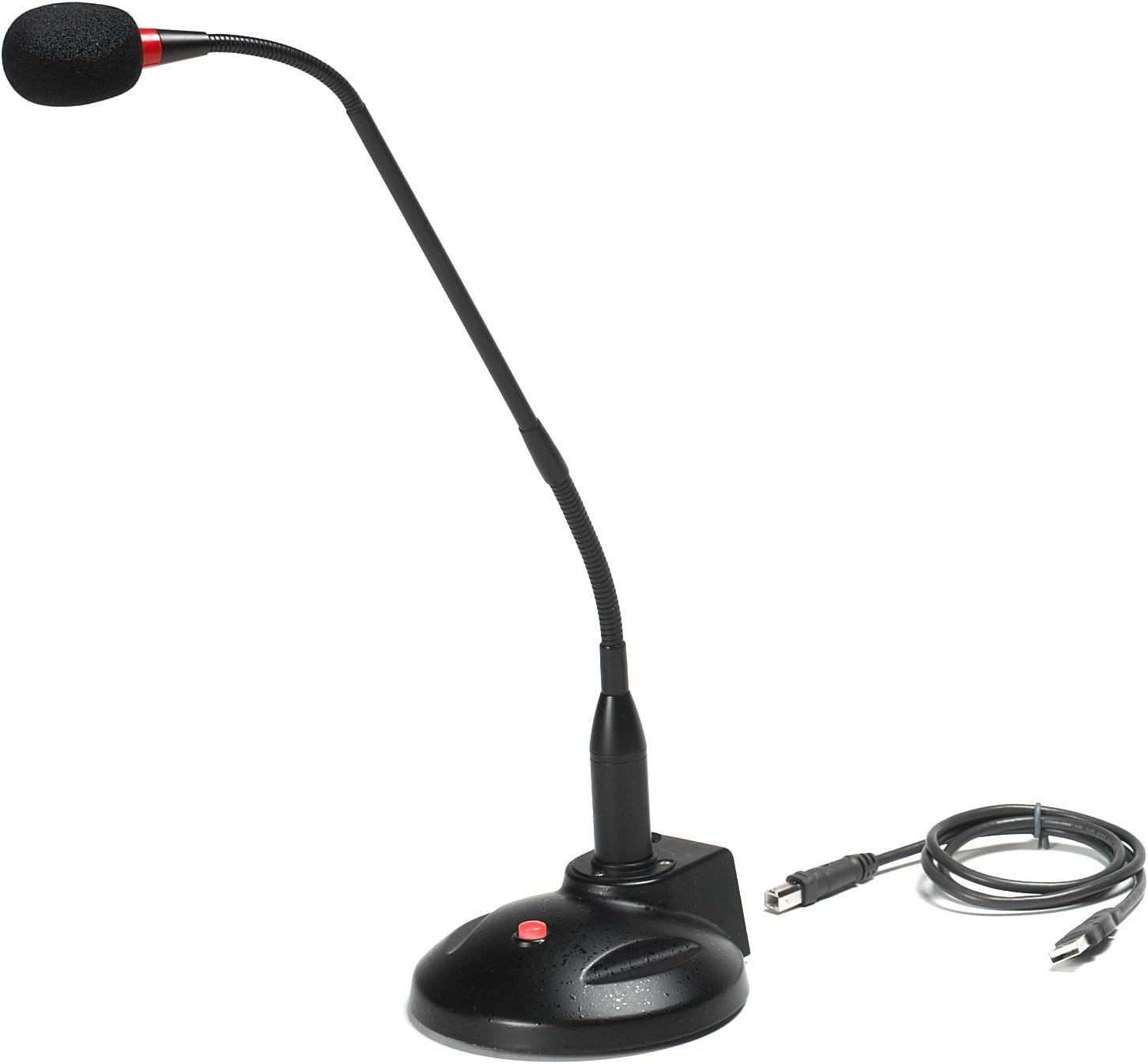
Image: The Sound Tech GN-USB-2 Gooseneck Microphone, featuring its black gooseneck design, stable base with a red mute button, and a detachable USB cable.
Setup
Follow these steps to set up your GN-USB-2 microphone:
- Unpack Components: Carefully remove the microphone, base, and USB A-B cable from the packaging.
- Connect Gooseneck to Base: Insert the base of the gooseneck microphone into the designated port on the weighted base. Ensure it is securely seated.
- Connect USB Cable: Attach the USB A-B cable to the corresponding port on the microphone base.
- Connect to Computer: Plug the USB-A end of the cable into an available USB port on your computer (PC or Mac).
- Driver Installation (Plug and Play): The GN-USB-2 is a Plug n Play device. Your operating system (Microsoft Windows 2000, XP, 7, 8, or Apple Mac OS9 and all OX X variations) should automatically detect and install the necessary drivers. No manual driver installation is typically required.
- Verify Connection: Once connected, the On/Off LED indicator on the microphone base should illuminate, indicating power and readiness.
Operating Instructions
The GN-USB-2 microphone is designed for straightforward operation:
- Power On/Off: The microphone powers on automatically when connected to a powered USB port. The LED indicator on the base will show its status.
- Noise Cancelling: The microphone features built-in noise cancelling technology to reduce background noise and enhance voice clarity.
- Adjusting Position: The 16-inch adjustable gooseneck allows you to position the microphone optimally for your voice. For best results, position the microphone approximately 6-12 inches from your mouth.
- Mute Function: The base includes an On/Off LED indicator button. Press this button to mute or unmute the microphone. The LED will change color or state to indicate the mute status.
- Software Compatibility: The microphone is compatible with various PC recording software, voice recognition applications (e.g., Dragon Naturally Speaking), and internet chat platforms. Ensure the GN-USB-2 is selected as the default input device in your software's audio settings.
Maintenance
To ensure the longevity and optimal performance of your microphone:
- Cleaning: Use a soft, dry cloth to wipe down the microphone and base. Avoid using liquid cleaners or abrasive materials.
- Storage: When not in use, store the microphone in a clean, dry environment. The detachable USB cable allows for easier storage.
- Handling: Avoid excessive bending or twisting of the gooseneck beyond its natural flexibility. Do not drop the microphone or expose it to extreme temperatures.
Troubleshooting
If you encounter issues with your GN-USB-2 microphone, refer to the following common problems and solutions:
| Problem | Possible Cause | Solution |
|---|---|---|
| No sound output from microphone. |
|
|
| Poor audio quality / Background noise. |
|
|
| LED indicator not lit. |
|
|
Specifications
| Element | Fixed-charge back plate, permanently polarized condenser |
| Polar Pattern | Hypercardioid |
| Sensitivity | -40 +/- 2dB (0dB=1V/Pa at 1KHz) |
| Frequency Response | 40Hz~16KHz |
| Output Impedance | 75-Ohm +/- 30% |
| Max Input S.P.L. | 138dB |
| Signal/Noise Ratio | 65dB |
| Output Connector | USB A~B |
| Power Supply | Phantom Power 3V DC (via USB) |
| Operating Systems | Microsoft Windows 2000, Windows XP, Windows 7, Windows 8; Apple Mac OS9 and all OX X variations |
| Adjustable Neck Length | 16 inches |
| Base | Weighted base with non-skid rubber mounts |
| Item Dimensions (L x W x H) | 16 x 3 x 10 inches |
| Item Weight | 2.77 pounds |
| Material | Metal |
Warranty and Support
For warranty information or technical support regarding your NIVEOLI Sound Tech GN-USB-2 microphone, please refer to the contact details provided with your purchase documentation or visit the official NIVEOLI support website. Keep your proof of purchase for warranty claims.


