
Introduction
This manual provides essential instructions for the safe and effective use of your HQRP 19V AC Adapter. Please read this manual thoroughly before using the product and retain it for future reference. This adapter is designed to provide power to compatible LG monitor models including IPS226V, IPS236V, M1950D, M2080D, M2080DF, and M2250D.
Product Overview
The HQRP 19V AC Adapter is a replacement power supply unit designed for specific LG monitors. It converts AC wall power to the DC voltage required by your monitor. The package includes the AC adapter unit, a standard US power cord, and a Euro plug adapter for international use.

Figure 1: HQRP 19V AC Adapter, US power cord, and Euro plug adapter.
This image displays the complete HQRP 19V AC Adapter kit. It includes the main adapter unit, a detachable power cord with a US plug, and a separate Euro plug adapter. The adapter unit features a barrel connector for output.
Safety Information
Observe the following safety precautions to prevent damage to the product or injury to yourself:
- Indoor Use Only: This adapter is designed for indoor use in dry locations. Do not expose it to rain, moisture, or extreme temperatures.
- Grounded Outlet: Connect the adapter only to a grounded outlet.
- Compatibility: Use this adapter only with information technology equipment that requires 19V DC power and a compatible barrel connector. Verify your device's power requirements before connecting.
- Ventilation: Ensure adequate ventilation around the adapter. Do not cover it or place it in an enclosed space during operation.
- Cable Handling: Do not place heavy objects on the power cord or adapter. Avoid bending, twisting, or pulling the cord excessively.
- Disconnection: Disconnect the adapter from the power outlet during lightning storms or when unused for extended periods.
- Damage: If the adapter or power cord is damaged, discontinue use immediately and seek a replacement. Do not attempt to repair it.

Figure 2: Adapter label showing input/output specifications and safety icons.
This image provides a detailed view of the HQRP AC Adapter's label. It clearly states the input voltage range (100-240V AC), output voltage (19V DC), and current (3.42A). Important safety symbols and warnings for indoor use and grounded outlets are also visible.
Setup Instructions
Follow these steps to properly connect your HQRP AC Adapter to your LG monitor:
- Unpack Components: Carefully remove the AC adapter unit, the US power cord, and the Euro plug adapter from their packaging.
- Connect Power Cord to Adapter: Insert the two-prong end of the US power cord firmly into the AC input port on the HQRP adapter unit.
- Connect Adapter to Monitor: Locate the DC input port on your LG monitor. This is typically a circular port. Insert the barrel connector from the HQRP adapter's output cable into this port. Ensure it is fully seated.
- Connect to Power Outlet:
- For US Outlets: Plug the US power cord directly into a standard 100-240V AC wall outlet.
- For European Outlets (Optional): If using in a region with European-style outlets, attach the provided Euro plug adapter to the US power cord's plug. Then, insert the Euro plug adapter into the wall outlet.
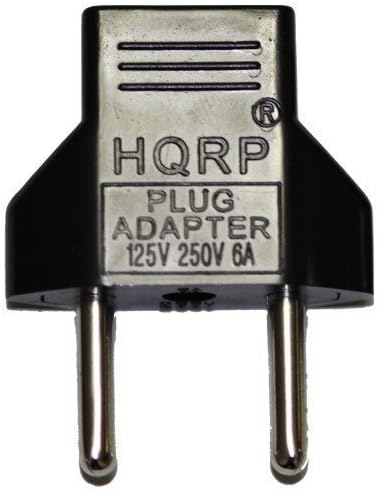
Figure 4: HQRP Euro Plug Adapter.
This image displays the HQRP Euro Plug Adapter. This accessory allows the standard US power cord to be used with European-style electrical outlets, providing versatility for international use.
- Verify Connection: Ensure all connections are secure. The monitor should now receive power.
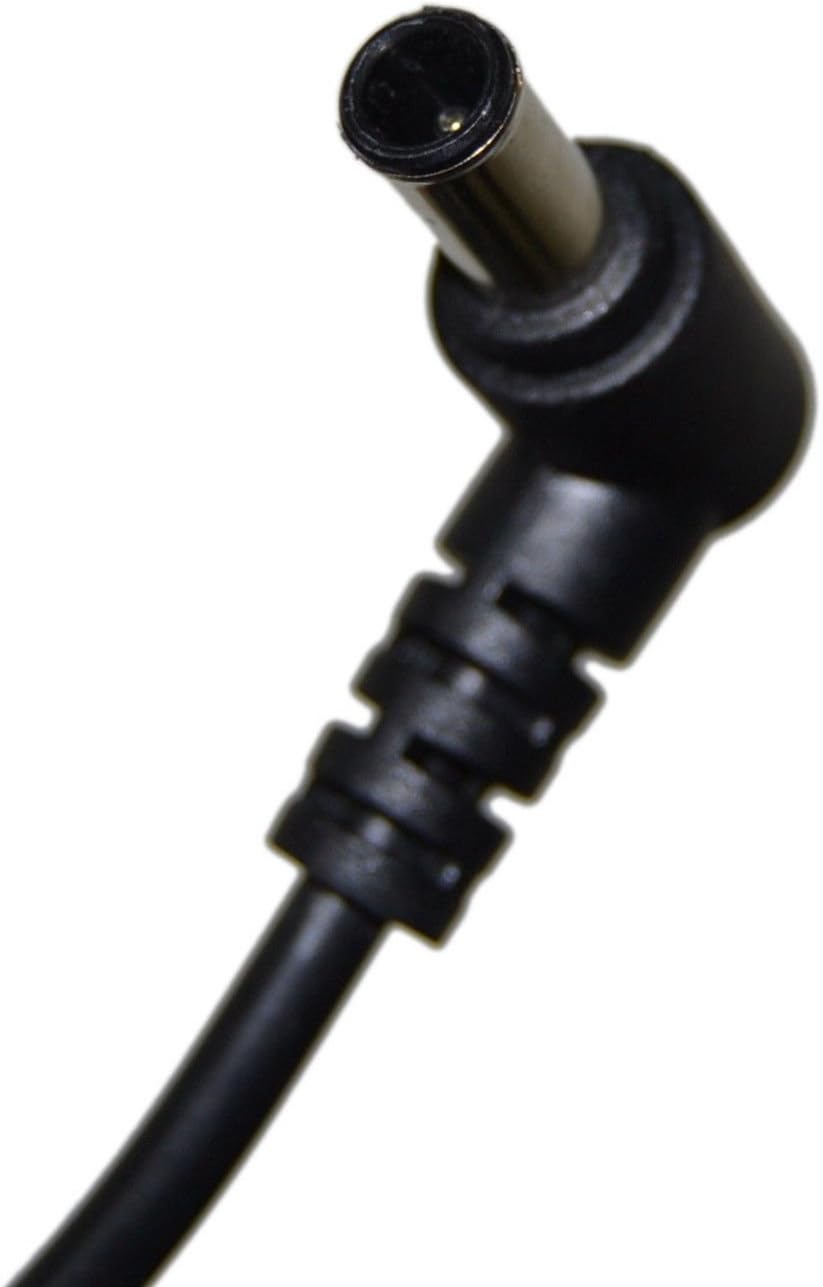
Figure 3: Barrel connector for monitor connection.
This image shows a close-up of the barrel connector, which is the output plug of the HQRP AC Adapter. This connector is designed to fit into the DC input port of compatible LG monitors.
Operating Instructions
Once properly connected, the HQRP AC Adapter will supply continuous power to your compatible LG monitor. The adapter is designed for reliable operation with built-in safety features.
- Automatic Overload Cut-off: The adapter will automatically shut down if an overload condition is detected, protecting both the adapter and your monitor.
- Automatic Thermal Cut-off: If the adapter's internal temperature exceeds safe limits, it will automatically power off to prevent overheating.
- Short Circuit and Over Voltage Protection: Integrated circuits protect against short circuits and excessive voltage, ensuring stable power delivery.
- Low Interference & Noise: Designed to operate with minimal electrical interference, providing a clean power supply to your monitor.
Maintenance and Care
Proper care extends the life of your AC adapter:
- Cleaning: Disconnect the adapter from the power outlet and monitor before cleaning. Use a soft, dry cloth to wipe the exterior. Do not use liquid cleaners or solvents.
- Storage: When not in use, store the adapter in a cool, dry place away from direct sunlight and extreme temperatures. Avoid tightly wrapping the cables. The included velcro strap can be used for neat cable management.
- Handling: Avoid dropping the adapter or subjecting it to strong impacts. Do not attempt to open the adapter casing.

Figure 5: HQRP AC Adapter showing the integrated velcro cable strap.
This image displays the HQRP AC Adapter unit with its attached output cable, which includes a convenient velcro strap for organizing the cable when not in use or for storage. This helps prevent tangles and damage.
Troubleshooting
If you encounter issues with your HQRP AC Adapter, refer to the following common problems and solutions:
- No Power to Monitor:
- Ensure the power cord is securely connected to both the adapter and the wall outlet.
- Verify the barrel connector is fully inserted into the monitor's DC input port.
- Test the wall outlet with another device to confirm it is functional.
- Check for any visible damage to the adapter or cables. If damaged, discontinue use.
- Adapter Overheating:
- Ensure the adapter has adequate ventilation and is not covered.
- Confirm that the monitor's power requirements (voltage and amperage) match the adapter's output specifications.
- If overheating persists, disconnect and contact support. The adapter has an automatic thermal cut-off for safety.
- Intermittent Power:
- Check all connections for looseness.
- Ensure the power cord is not damaged or frayed.
Specifications
| Feature | Detail |
|---|---|
| Brand | HQRP |
| Input Voltage | 100V-240V AC |
| Output Voltage | 19V DC |
| Current Rating | 3.42 Amps |
| Wattage | 65 Watts |
| Connector Type | Barrel Connector |
| Compatible Devices | LG Monitors (IPS226V, IPS236V, M1950D, M2080D, M2080DF, M2250D) |
| Model Number | 887774407261531 |
| Safety Features | Automatic Overload Cut-off, Automatic Thermal Cut-off, Short Circuit Protection, Over Voltage Protection |
Warranty and Support
Return Policy: This product is typically eligible for returns within 30 days of purchase, subject to the retailer's return policy.
For further assistance or inquiries, please visit the official HQRP store or contact their customer support.
Official HQRP Store: Visit HQRP Store on Amazon
Legal Disclaimer: This is not an Original Equipment Manufacturer (OEM) product; HQRP branded product is a replacement. All brand names and logos are registered trademarks of their respective owners. Any use of the brand names or model designations for this product are made solely for purposes of demonstrating compatibility.