1. Introduction
This manual provides detailed instructions for the CASIO Wave Ceptor WVA-M650-7AJF watch. This timepiece combines advanced technology with practical design, featuring Multi-Band 6 radio-controlled timekeeping for accuracy and Tough Solar power for reliable operation without frequent battery changes. Please read this manual thoroughly to understand the functions and proper use of your watch.
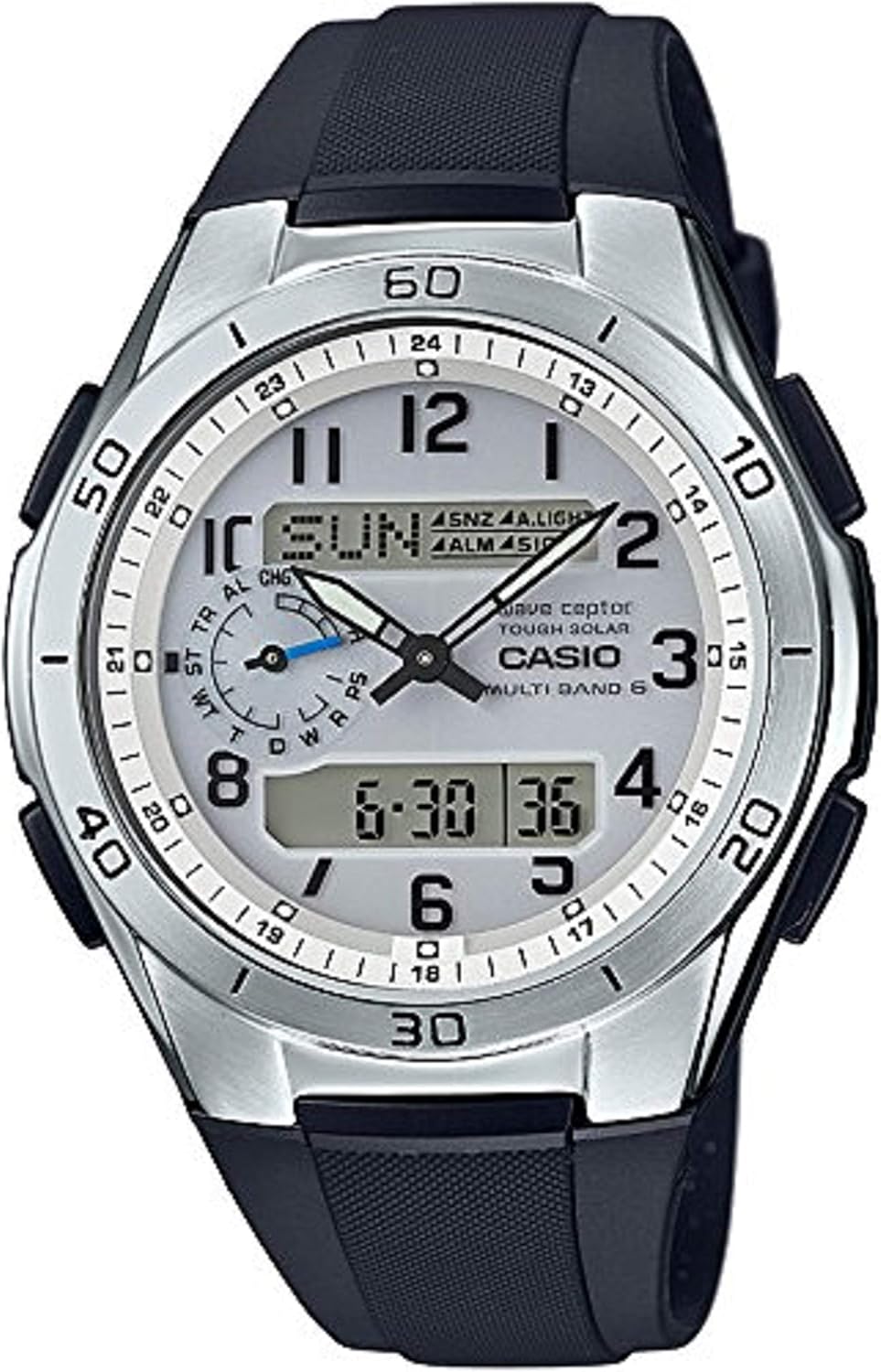
Figure 1: Front view of the CASIO Wave Ceptor WVA-M650-7AJF watch, showcasing its analog-digital display and robust design.
2. Setup
2.1 Initial Charging
Your watch is equipped with Tough Solar technology, which converts light into power. Before initial use, expose the watch face to bright light for several hours to ensure it is sufficiently charged. A low battery indicator may appear if the charge is insufficient.
2.2 Time Setting and Radio Wave Reception (Multi-Band 6)
The WVA-M650-7AJF automatically receives time calibration signals from six transmission stations around the world (Japan, North America, Europe, and China) to maintain accurate time. This feature eliminates the need for manual time adjustments in most regions.
- Automatic Reception: The watch attempts to receive the calibration signal automatically several times a day, typically during the night.
- Manual Reception: You can initiate manual reception if needed. Refer to the detailed operation guide for specific button sequences.
- Reception Environment: For optimal reception, place the watch near a window, away from metal objects and electronic devices that may interfere with the signal.

Figure 2: Map illustrating the global coverage of the Multi-Band 6 radio wave reception, including Japan, North America, Europe, and China. This ensures accurate timekeeping across various regions.
3. Operating the Watch
The WVA-M650-7AJF offers various modes and functions accessible via its buttons. Familiarize yourself with the button layout and their respective functions.
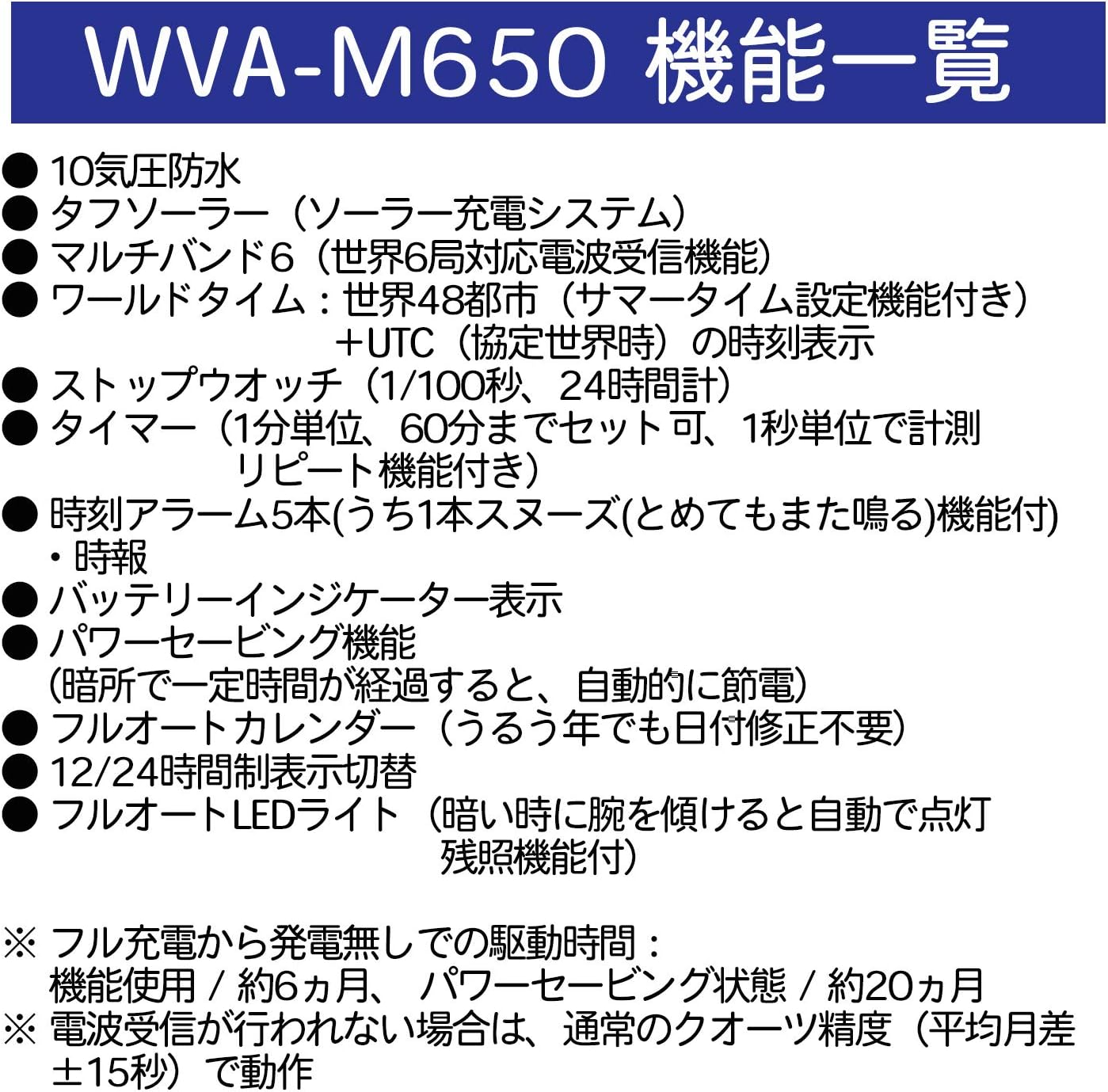
Figure 3: Overview of the WVA-M650's key functions, including 10 BAR water resistance, Tough Solar, Multi-Band 6, World Time, Stopwatch, Timer, Alarms, Battery Indicator, Power Saving, Full Auto Calendar, and Full Auto LED Light.
3.1 Mode Navigation
Press the "MODE" button (typically located on the bottom left) to cycle through the different modes: Timekeeping, World Time, Stopwatch, Timer, and Alarm.
3.2 Timekeeping Mode
Displays the current time, day of the week, and date. The analog hands and digital display are synchronized by the radio signal.
3.3 World Time Mode
Allows you to view the current time in 48 cities (31 time zones) around the world. You can easily switch between different city codes.
3.4 Stopwatch
Measures elapsed time with 1/100-second accuracy for up to 24 hours. Use the designated buttons to start, stop, and reset the stopwatch.
3.5 Timer
A countdown timer that can be set in 1-minute increments up to 60 minutes. It features an auto-repeat function.
3.6 Alarms
The watch includes 5 daily alarms, one of which has a snooze function. An hourly time signal can also be activated.
3.7 Illumination (Full Auto LED Light)
The watch features a Full Auto LED light with afterglow. In low light conditions, tilting your wrist towards your face will automatically illuminate the display.

Figure 4: The CASIO Wave Ceptor WVA-M650-7AJF watch worn on a man's wrist, demonstrating its comfortable fit and clear display.
4. Maintenance
4.1 Charging the Watch (Tough Solar)
To ensure continuous operation, regularly expose your watch to light. The solar panel, located on the watch face, converts light into electrical energy, which is stored in a rechargeable battery. Avoid prolonged storage in dark places to prevent the battery from depleting.

Figure 5: Diagram illustrating the Tough Solar charging system, showing how the solar panel charges the internal rechargeable battery, eliminating the need for regular battery replacement.
4.2 Water Resistance
This watch is rated for 10 BAR water resistance, meaning it is suitable for swimming and snorkeling. Do not operate buttons underwater. Avoid exposing the watch to hot water or steam, as this can compromise its water resistance.
4.3 Cleaning
Wipe the watch regularly with a soft, dry cloth to remove dirt and moisture. For resin bands, you can wash them with water and mild soap, then dry thoroughly. Avoid using chemical cleaners or solvents.
5. Troubleshooting
| Problem | Solution |
|---|---|
| Time is incorrect or not synchronizing. | Ensure the watch is exposed to light for charging. Attempt manual radio wave reception, placing the watch near a window. Check if your current location is within a Multi-Band 6 reception area. |
| Display is blank or dim. | The battery charge may be low. Expose the watch to bright light for an extended period. If the issue persists, the rechargeable battery may need servicing. |
| Buttons are unresponsive. | Ensure the watch is not in a locked mode (if applicable). If the watch was recently exposed to water, ensure it is completely dry. A full reset might be necessary (refer to the detailed module manual for your specific module number). |
| Analog hands do not match digital time. | Perform a hand home position correction. This procedure is typically found in the detailed module manual. |
6. Specifications
- Model Number: WVA-M650-7AJF
- Brand: CASIO Wave Ceptor
- Case Material: Resin
- Band Material: Resin
- Power Source: Tough Solar (Solar Charging System)
- Timekeeping: Multi-Band 6 (Radio-controlled time calibration)
- Water Resistance: 10 BAR (100 meters)
- Dimensions: Approximately 4.33 x 4.02 x 3.31 inches (Package Dimensions)
- Weight: Approximately 1.66 ounces
- Battery Type: Rechargeable (1 LR44 battery included, for initial setup/backup, but primarily solar-powered)
- Functions: World Time (48 cities), Stopwatch (1/100 sec, 24 hr), Countdown Timer (1 min to 60 min, auto-repeat), 5 Daily Alarms (1 with snooze), Hourly Time Signal, Battery Indicator, Power Saving Function, Full Auto Calendar, 12/24-hour format, Full Auto LED Light with Afterglow.
- Manufacturer: CASIO
- First Available Date: August 25, 2015

Figure 6: Rear view of the CASIO Wave Ceptor WVA-M650-7AJF watch, showing the stainless steel back and model engravings.
7. Warranty & Support
Your CASIO Wave Ceptor WVA-M650-7AJF watch is covered by a manufacturer's warranty. Please refer to the warranty card included with your purchase for specific terms and conditions, including the warranty period and coverage details. For technical support, repairs, or further assistance, please contact CASIO customer service or an authorized service center in your region. Contact information can typically be found on the CASIO official website or in the documentation provided with your watch.
For additional resources and detailed module-specific instructions, visit the official CASIO support website: www.casio.com/support