
Donco Kids 760-TCP
Donco Kids Study & Sleep Twin Cappuccino Low Loft Bed User Manual
Model: 760-TCP
1. Product Overview
The Donco Kids Study & Sleep Twin Cappuccino Low Loft Bed is designed to maximize space in children's bedrooms. This multi-functional furniture piece integrates a comfortable twin-sized sleeping area with a built-in study desk, a 3-drawer chest, and a bookcase, all finished in a rich dark cappuccino. Its thoughtful design provides a dedicated space for sleeping, studying, and storage, making it an ideal solution for smaller rooms.

Figure 1.1: The Donco Kids Study & Sleep Twin Cappuccino Low Loft Bed, showcasing the integrated desk, drawers, and bookcase.
2. Safety Information
- This bed meets or surpasses ASTM/CPSC standards, ensuring a secure environment.
- Maximum weight limit for the bed is 200 pounds.
- Always ensure all hardware is securely tightened before use. Periodically check and re-tighten as needed.
- Do not use power tools for assembly unless specifically instructed, as this may damage the wood and void warranty.
- Ensure the bed is placed on a level surface.
- Keep small children away from the assembly area during setup.
- Only use a standard twin-size mattress. Mattress thickness should not exceed 8 inches to maintain guardrail effectiveness.
3. Components and Specifications
3.1 Included Components
- Loft Bed Frame (Headboard, Footboard, Guardrails)
- Integrated Study Desk (pull-out design)
- 3-Drawer Storage Chest
- Bookcase
- Ladder
- All necessary tools and hardware for assembly.
3.2 Product Specifications
| Brand | Donco Kids |
| Model Number | 760-TCP |
| Color | Dark Cappuccino |
| Size | Twin |
| Product Dimensions | 80"L x 41"W x 43"H |
| Item Weight | 180 Pounds |
| Weight Limit | 200 Pounds |
| Material | Pine |
| Finish Type | Painted |
| Assembly Required | Yes |

Figure 3.1: Detailed dimensions of the loft bed and its integrated components.
4. Setup and Assembly
Assembly of the Donco Kids Low Loft Bed is required. For detailed, step-by-step instructions, please refer to the official Installation Manual provided with your product. A digital version of the manual can be accessed here.
4.1 General Assembly Tips
- Carefully unpack all components and verify against the parts list in the manual.
- Follow the instructions precisely, paying close attention to diagrams.
- Take your time during assembly, as there are many pieces.
- Avoid using power tools for assembly, as this can cause damage to the wood and is not covered by warranty. Hand tools are recommended.
- The desk and bookcase components can be configured to suit your room layout and preferences.

Figure 4.1: The loft bed assembled in a room, demonstrating its compact footprint.
4.2 Assembly Overview Video
Video 4.1: An overview from Donco Kids, showcasing various products including loft beds, highlighting the brand's focus on quality children's furniture. This video provides a general sense of the product line and brand values.
5. Operating and Usage
The Donco Kids Low Loft Bed is designed for versatile use in a child's room.
5.1 Integrated Study Desk
The study desk is designed to slide in and out from under the bed. When extended, it provides a convenient surface for homework, drawing, or other activities. When not in use, it can be pushed back to save space. A chair can be placed in front of the desk when extended.

Figure 5.1: The integrated study desk extended for use, with the bookcase visible.
5.2 Storage and Bookcase
The 3-drawer chest offers ample storage for clothing or other items. The integrated bookcase provides shelves for books, toys, or decorative items. The space underneath the bed, particularly when the desk is pushed in, can also be utilized for additional storage or as a play area.

Figure 5.2: A close-up view of the three-drawer chest and the integrated bookcase, highlighting the storage solutions.
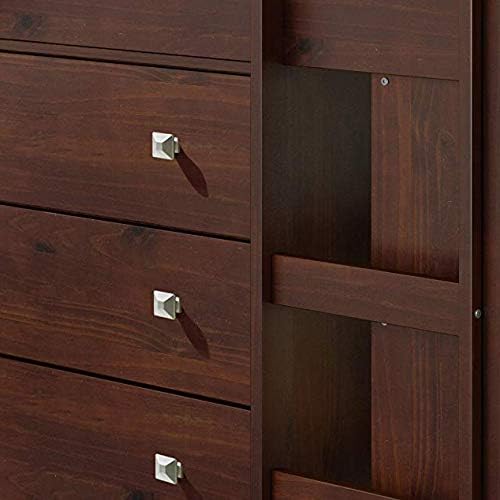
Figure 5.3: Detail of the drawer handles and the side panel of the bed's integrated storage unit.
6. Maintenance
To maintain the appearance and longevity of your Donco Kids Low Loft Bed, regularly wipe surfaces with a dry, soft cloth. Avoid using harsh chemicals or abrasive cleaners, as these may damage the finish. Periodically check all screws and fasteners to ensure they remain tight and secure.
7. Troubleshooting
7.1 Common Issues and Solutions
| Issue | Possible Cause | Solution |
|---|---|---|
| Drawers getting stuck or not closing smoothly. | Improper assembly of drawer slides or drawer box; obstruction in the drawer path. | Review the assembly instructions for the dresser drawers. Ensure all slides are correctly aligned and free of debris. Reassemble if necessary. |
| Missing or misaligned pre-drilled holes. | Manufacturing inconsistency. | If a part has misaligned or missing pre-drilled holes that prevent proper assembly, contact Donco Kids customer support for a replacement part. Do not attempt to force screws or drill new holes without guidance. |
| Bed frame feels wobbly or shakes. | Loose fasteners; uneven floor surface. | Ensure all screws and bolts are securely tightened. If the issue persists, check if the bed is on a level surface and adjust as needed. |
8. Warranty and Support
Donco Kids offers a limited warranty on this product. For specific details regarding warranty coverage and claims, please refer to the documentation included with your purchase or contact customer support.
For any questions, concerns, or assistance with assembly or parts, please contact Donco Kids Customer Support. You can find contact information on the official Donco Kids website or through your retailer.
Additional support resources, including the full installation manual, are available online:
Ask a question about this manual
Ask about setup, troubleshooting, compatibility, parts, safety, or missing instructions. Manuals+ will review the question and use this page’s manual context to help answer it.