1. Introduction
This manual provides essential information for the safe and efficient installation, operation, and maintenance of the SICK CDM420-0101 PLC Module. Please read this document thoroughly before attempting to install or operate the device. Retain this manual for future reference.
2. Safety Instructions
Observe all local and national safety regulations, as well as general safety rules for working with electrical equipment. Improper installation or operation can result in serious injury or damage to the device and connected systems.
- Ensure power is disconnected before installation or maintenance.
- Only qualified personnel should install, operate, and maintain this device.
- Protect the module from moisture, dust, and extreme temperatures.
- Do not open the module housing unless explicitly instructed.
3. Product Overview
The SICK CDM420-0101 is a compact DC connection module designed for industrial automation applications. It serves as an interface for Programmable Logic Controllers (PLCs) and other control systems, facilitating reliable data and power transmission. The module is housed in a robust enclosure suitable for industrial environments.

Figure 3.1: SICK CDM420-0101 PLC Module. This image shows the module with its transparent top cover, revealing internal components and connection terminals.
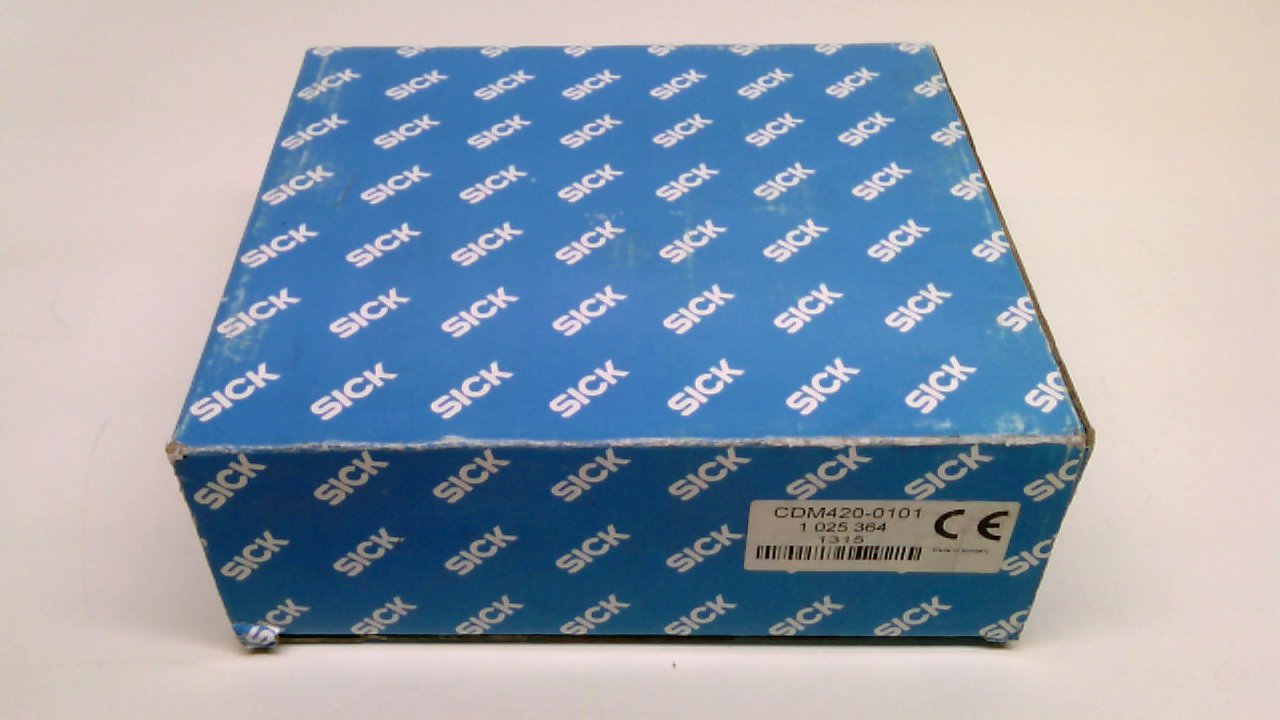
Figure 3.2: SICK CDM420-0101 PLC Module in original packaging. The module is shown within its blue SICK branded box, indicating its new condition.
4. Specifications
Detailed technical specifications for the CDM420-0101 module are provided below:
| Parameter | Value |
|---|---|
| Model Number | CDM420-0101 |
| Part Number (P/N) | 1 025 364 |
| Serial Number (S/N) | 1315 |
| Manufacturer | SICK |
| Input Voltage | 10-30 VDC |
| Power Consumption | <30W |
| Product Dimensions (L x W x H) | 0.31 x 0.28 x 0.12 inches (approximate, based on packaging) |
| Weight | 1.92 Pounds |
| Date First Available | July 7, 2015 |
| Manufactured Date | April 2013 |

Figure 4.1: Product Label for SICK CDM420-0101. This label displays critical information including model number, part number, serial number, DC voltage range, power consumption, and manufacturing details.
5. Setup and Installation
Proper installation is crucial for the reliable operation of the CDM420-0101 module.
5.1 Mounting
The module is designed for secure mounting within an industrial control cabinet. Use appropriate fasteners to secure the module to a DIN rail or mounting plate, ensuring adequate ventilation around the unit to prevent overheating.
5.2 Wiring Connections
The CDM420-0101 module requires a 10-30 VDC power supply. Connect the power supply to the designated terminals, observing correct polarity. Connect input and output signals to the respective terminals as per your system's wiring diagram. Ensure all connections are secure to prevent intermittent operation or damage.
- Power Supply: Connect 10-30 VDC to the power input terminals.
- Signal Connections: Connect PLC I/O or other control signals to the module's designated terminals. Refer to your system's specific wiring schematics.
- Grounding: Ensure proper grounding of the module and associated equipment to minimize electrical noise and ensure safety.
6. Operating Instructions
Once installed and wired, the CDM420-0101 module operates as an integral part of your control system. Its operation is typically managed by the connected PLC or control unit.
6.1 Power-Up
After verifying all connections, apply power to the module. The module should power on, and any status indicators (if present) should illuminate, indicating normal operation or a specific status.
6.2 Status Indicators
The module may feature LED indicators to display its operational status, power status, or communication activity. Consult your system's documentation or the module's specific data sheet for a detailed explanation of indicator meanings.
7. Maintenance
The SICK CDM420-0101 module is designed for minimal maintenance. Regular inspection and cleaning can help ensure long-term reliability.
- Cleaning: Periodically clean the exterior of the module with a soft, dry cloth. Do not use abrasive cleaners or solvents. Ensure power is off before cleaning.
- Inspection: Regularly check for loose connections, damaged wiring, or signs of physical damage. Address any issues promptly.
- Environmental Conditions: Ensure the operating environment remains within the specified temperature and humidity ranges.
8. Troubleshooting
If the CDM420-0101 module is not functioning as expected, consider the following troubleshooting steps:
- No Power: Verify the 10-30 VDC power supply is connected correctly and providing the specified voltage. Check fuses or circuit breakers in the power circuit.
- No Communication: Check all signal wiring for proper connection and continuity. Ensure the connected PLC or control system is configured correctly to communicate with the module.
- Incorrect Operation: Review the system's programming and configuration to ensure it aligns with the module's expected behavior.
- Physical Damage: Inspect the module for any visible signs of damage. If damage is present, the module may need replacement.
If issues persist after performing these checks, contact SICK technical support for further assistance.
9. Support and Warranty
For technical support, service, or warranty inquiries, please contact SICK directly through their official website or customer service channels. Specific warranty terms and conditions are provided with the product purchase documentation.


