
Kaper II L03-0063
Kaper II L03-0063 White LED Utility Light User Manual
Model: L03-0063 | Brand: Kaper II
1. Introduction
This manual provides comprehensive instructions for the installation, operation, maintenance, and troubleshooting of your Kaper II L03-0063 White LED Utility Light. This 4-inch round utility light features 10 white diodes and is designed for heavy-duty and commercial vehicle interior lighting applications.
Key features include:
- Long life LED technology
- Low energy draw

Figure 1: Kaper II L03-0063 White LED Utility Light. This image displays the front of the round LED light, highlighting its clear lens and the arrangement of the ten white LED diodes.
2. Safety Information
Always observe the following safety precautions to prevent injury or damage to the product:
- Ensure the power source is disconnected before installation or maintenance to prevent electrical shock.
- Verify the voltage of the power supply matches the light's specifications (12.8 Volts).
- Do not modify the light or its wiring. Unauthorized modifications can lead to malfunction or fire.
- Install the light in a location where it will not be exposed to excessive heat or direct mechanical stress.
- If the light is damaged, discontinue use immediately and contact customer support.
3. What's in the Box
Upon opening the product packaging, please verify that all components are present and undamaged:
- 1 x Kaper II L03-0063 White LED Utility Light
No additional accessories or mounting hardware are included unless specified on the packaging.
4. Setup and Installation
The Kaper II L03-0063 LED Utility Light is designed for grommet mounting and features a hard-wired 3-way molded plug for connection.
4.1 Tools Required
- Wire strippers/crimpers
- Electrical tape or heat shrink tubing
- Appropriate grommet (not included)
- Drill with hole saw (if creating a new mounting hole)
4.2 Installation Steps
- Prepare Mounting Location: Identify a suitable flat surface for mounting. Ensure there is enough space behind the mounting surface for the light's depth and wiring. If a new hole is required, use a hole saw to create a circular opening appropriate for a 4-inch round light and its grommet.
- Install Grommet: Insert the appropriate rubber grommet (not supplied) into the prepared mounting hole. Ensure it is seated securely.
- Wire Connection: The light comes with a hard-wired 3-way molded plug. Identify the positive, negative, and ground wires from your vehicle's electrical system. Connect the light's wires to the corresponding vehicle wires. Typically, the white wire is ground, and the black or red wire is positive. Refer to your vehicle's wiring diagram for specific color codes. Ensure all connections are secure and insulated using electrical tape or heat shrink tubing.
- Mount the Light: Carefully push the LED utility light into the grommet until it is fully seated and flush with the mounting surface. The grommet should hold the light firmly in place.
- Test Functionality: Once installed, reconnect the power source and test the light to ensure it functions correctly.
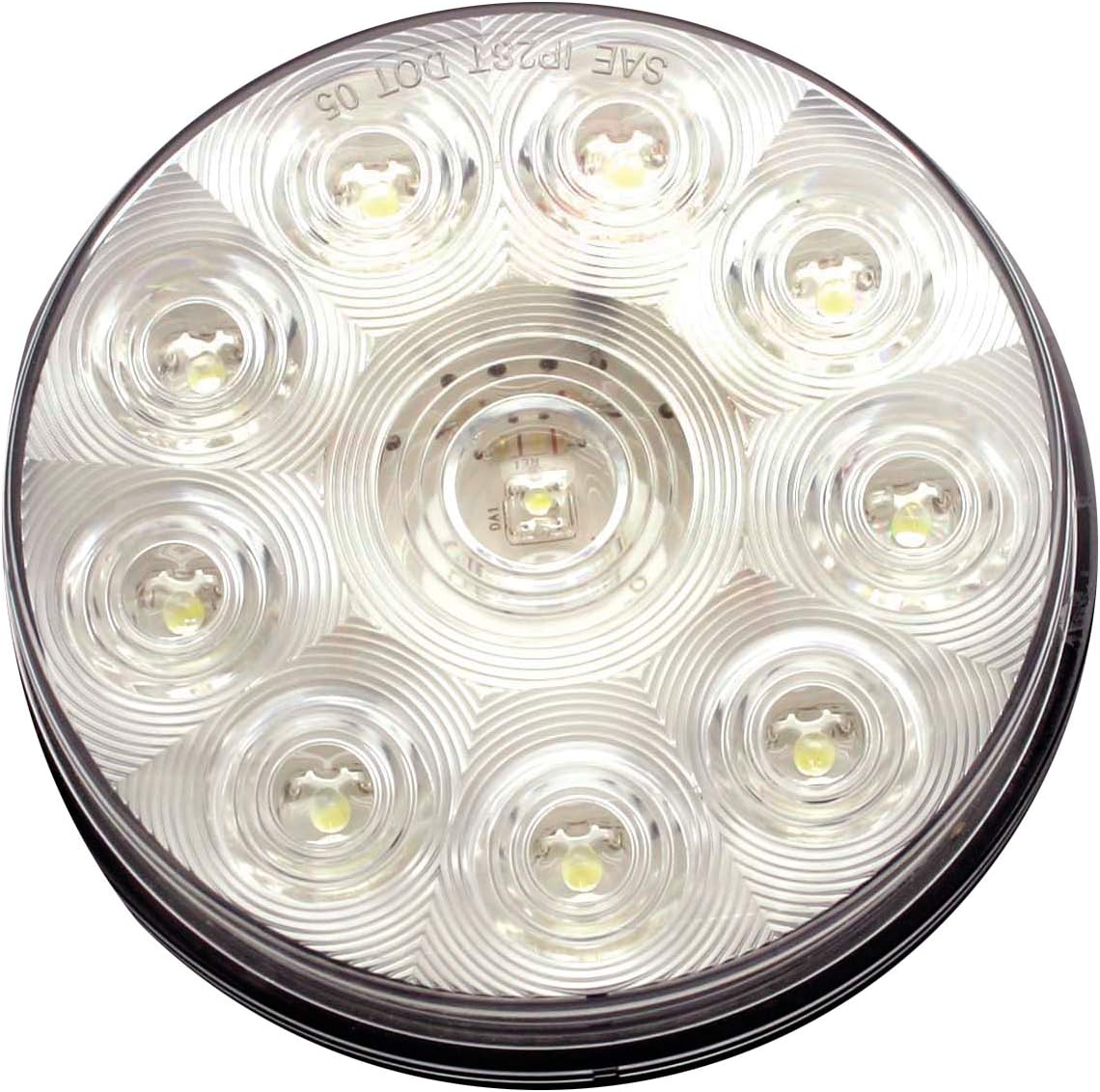
Figure 2: Kaper II L03-0063 LED Utility Light side view. This image provides a view of the light's side profile, illustrating its depth and the hard-wired connection point, which is crucial for understanding installation requirements.
5. Operating Instructions
The Kaper II L03-0063 White LED Utility Light operates simply by receiving power from the vehicle's electrical system.
- Power On: Once properly installed and wired to a switched power source (e.g., a cabin light switch or a dedicated utility light switch), activate the corresponding switch in your vehicle. The LED light will illuminate instantly.
- Power Off: Deactivate the switch to turn off the light.
This light is designed for auxiliary use and provides consistent illumination when powered.
6. Maintenance
The Kaper II L03-0063 LED Utility Light requires minimal maintenance due to its durable construction and long-life LED technology.
- Cleaning: Periodically clean the lens with a soft, damp cloth to remove dirt and debris. Avoid abrasive cleaners or solvents, as they may damage the PMMA lens material.
- Inspection: Regularly inspect the light and its wiring for any signs of damage, loose connections, or corrosion. Address any issues promptly to ensure continued safe operation.
- No User-Serviceable Parts: The light contains no user-serviceable parts. Do not attempt to open or repair the unit.
7. Troubleshooting
If you encounter issues with your Kaper II L03-0063 LED Utility Light, refer to the following common problems and solutions:
| Problem | Possible Cause | Solution |
|---|---|---|
| Light does not illuminate. | No power supply. Loose or incorrect wiring. Blown fuse in vehicle circuit. | Check vehicle's power source and ensure it is active. Verify all wire connections are secure and correctly matched (positive to positive, negative to negative). Inspect and replace any blown fuses in the vehicle's electrical system related to the light circuit. |
| Light flickers or is dim. | Insufficient voltage. Poor connection. Corrosion on terminals. | Ensure the vehicle's electrical system is providing stable 12.8 Volts. Check all wiring connections for looseness and re-secure. Clean any corrosion from wire terminals or connectors. |
| Light is loose in mounting. | Improperly installed grommet. Damaged grommet. | Ensure the grommet is fully seated in the mounting hole. Replace the grommet if it is worn or damaged. |
If the problem persists after attempting these solutions, contact Kaper II customer support.
8. Specifications
| Attribute | Detail |
|---|---|
| Model | L03-0063 |
| Brand | Kaper II |
| Light Source Type | LED (10 Diodes) |
| Color | White |
| Shape | Round (4 inches) |
| Material | PMMA lens, ABS housing |
| Voltage | 12.8 Volts |
| Connection | Hard wired 3-way molded plug |
| Mounting Type | Grommet mount |
| Item Weight | 4.8 ounces (0.3 Pounds) |
| Product Dimensions | 5.2 x 1.25 x 4.65 inches |
| UPC | 767817023379 |
| Manufacturer | Kaper II |
| Date First Available | July 7, 2015 |
9. Warranty and Support
Kaper II products are manufactured to high-quality standards. For specific warranty information regarding your L03-0063 LED Utility Light, please refer to the warranty card included with your purchase or visit the official Kaper II website.
For technical support, troubleshooting assistance beyond what is covered in this manual, or to inquire about replacement parts, please contact Kaper II customer service:
- Website: www.kaperii.com (Note: This is a placeholder URL, please refer to official product documentation for actual contact details.)
- Phone: Refer to the Kaper II website or product packaging for current contact numbers.
Please have your product model number (L03-0063) and purchase date available when contacting support.
Ask a question about this manual
Ask about setup, troubleshooting, compatibility, parts, safety, or missing instructions. Manuals+ will review the question and use this page’s manual context to help answer it.