
1. Introduction
This manual provides comprehensive instructions for the HD-LINE AHE-1 universal remote control. This remote is designed to be compatible with various satellite receivers, including Amstrad 19700, md-115, HD-Line 250, Echo Sat 315, and 20700 models. Please read this manual carefully before use to ensure proper operation and to maximize the lifespan of your device.
The HD-LINE AHE-1 remote control offers a convenient way to manage your compatible satellite receiver with a user-friendly layout and essential functions.
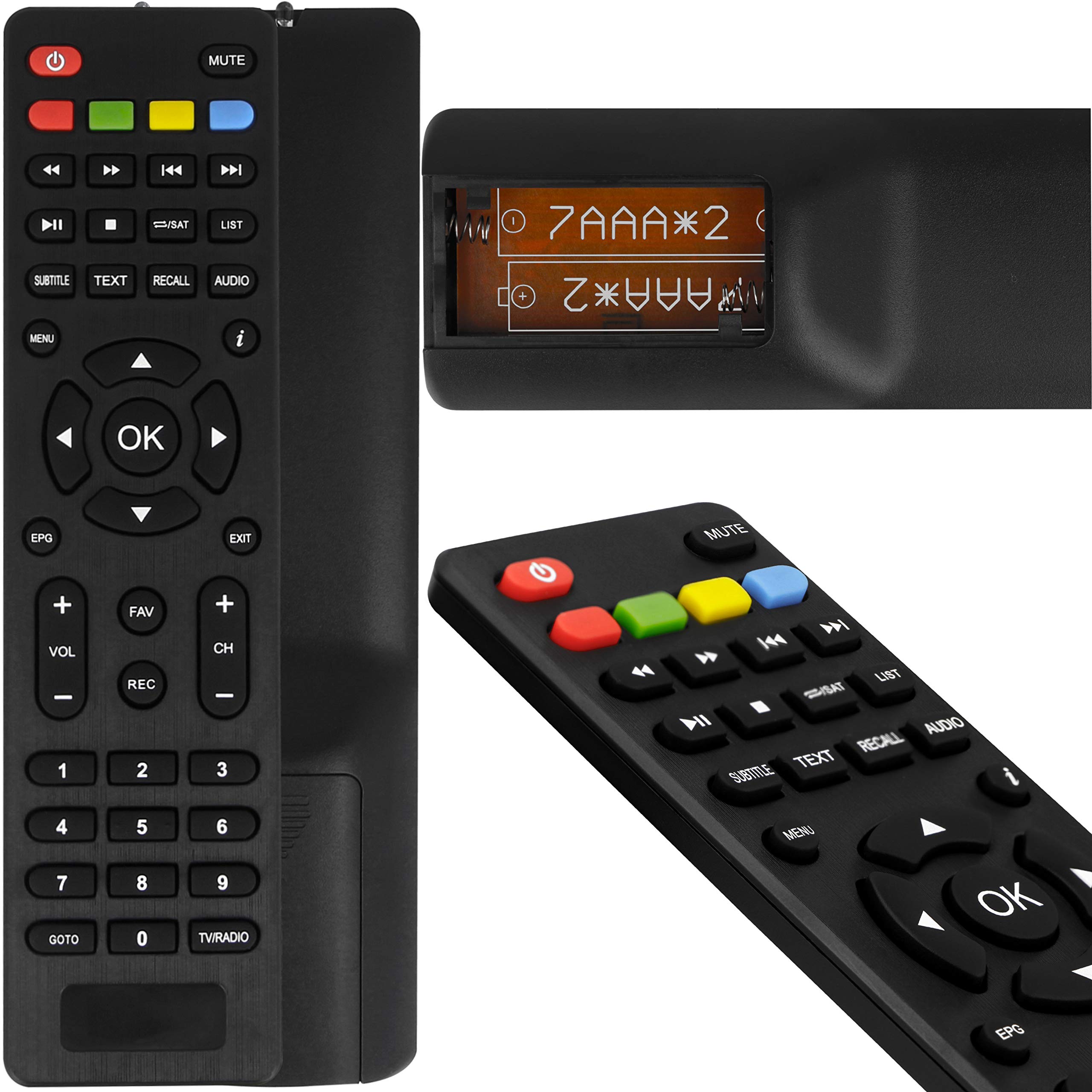
Image 1.1: Front view of the HD-LINE AHE-1 universal remote control, showing all buttons and its ergonomic design.
2. Setup
2.1. Battery Installation
The remote control requires two AAA batteries (not included). Follow these steps to install the batteries:
- Locate the battery compartment cover on the back of the remote control.
- Press down on the tab and slide the cover downwards to open the compartment.
- Insert two AAA batteries, ensuring that the positive (+) and negative (-) terminals align correctly with the markings inside the compartment. Incorrect installation can prevent the remote from functioning.
- Slide the battery compartment cover back into place until it clicks securely.

Image 2.1: Close-up view of the remote control's open battery compartment, showing the correct orientation for AAA batteries.
2.2. Initial Use
This remote control is designed as a direct replacement for the specified satellite receiver models. No complex programming or code entry is typically required. Once batteries are installed, point the remote control towards your satellite receiver and begin operation.
3. Operating Instructions
The HD-LINE AHE-1 remote control features a standard layout for easy navigation and control of your compatible satellite receiver. Below is a general overview of common button functions:
- Power Button (●): Turns the satellite receiver on or off.
- Mute Button: Mutes or unmutes the audio output.
- Number Buttons (0-9): Directly select channels or input numerical values.
- VOL +/-: Adjusts the volume level.
- CH +/-: Changes the channel up or down.
- Navigation Buttons (Up, Down, Left, Right, OK): Used to navigate menus and confirm selections.
- MENU Button: Accesses the main menu of the satellite receiver.
- EXIT Button: Exits the current menu or screen.
- EPG Button: Displays the Electronic Program Guide.
- REC Button: Initiates recording (if supported by the receiver).
- FAV Button: Accesses favorite channel lists.
- Colored Buttons (Red, Green, Yellow, Blue): These buttons often have context-sensitive functions within menus or specific applications. Refer to your satellite receiver's manual for their specific uses.
- Playback Controls (Play, Pause, Stop, Rewind, Fast Forward, Skip): Control media playback functions.
- SUBTITLE, TEXT, RECALL, AUDIO: Access specific functions related to subtitles, teletext, last channel recall, and audio track selection.
- LIST, /SAT: Access channel lists or switch between satellite modes.
- TV/RADIO: Switches between TV and Radio modes.
For detailed functionality of specific buttons, refer to the user manual of your satellite receiver model.
4. Maintenance
4.1. Cleaning
To clean the remote control, use a soft, dry cloth. For stubborn dirt, lightly dampen the cloth with water or a mild, non-abrasive cleaner. Avoid using harsh chemicals, solvents, or abrasive materials, as these can damage the remote's surface and internal components.
4.2. Battery Replacement
Replace batteries when the remote control becomes unresponsive or its range decreases significantly. Always replace both batteries at the same time with new AAA batteries. Do not mix old and new batteries, or different types of batteries, as this can lead to leakage or malfunction. Dispose of used batteries according to local regulations.
4.3. Storage
When not in use for extended periods, it is recommended to remove the batteries from the remote control to prevent potential leakage and damage. Store the remote in a cool, dry place away from direct sunlight and extreme temperatures.
5. Troubleshooting
| Problem | Possible Cause | Solution |
|---|---|---|
| Remote control is not working. |
|
|
| Buttons are unresponsive or sticky. |
|
|
| Remote works intermittently. |
|
|
6. Specifications
- Brand: hd-line
- Model Number: 3760211227494
- Compatible Devices: Amstrad 19700, md-115, HD-Line 250, Echo Sat 315, 20700 satellite receivers
- Connectivity Technology: Infrared
- Controller Type: Button Control
- Maximum Range: 10 Meters
- Power Source: 2 x AAA Batteries (not included)
- Package Dimensions: 17.8 x 4.4 x 1 cm
- Item Weight: 60 g
7. Warranty and Support
Specific warranty information for the HD-LINE AHE-1 remote control is not provided in this manual. For details regarding warranty coverage, technical support, or service inquiries, please refer to the documentation included with your purchase or contact the manufacturer directly.
You may also visit the official HD-LINE website or contact your retailer for assistance.