
1. Introduction
The De Dietrich AD304 is a wired modulating room thermostat designed to provide precise and efficient control over your heating system. This programmable thermostat communicates with your boiler to optimize energy consumption and maintain a comfortable indoor temperature. This manual provides essential information for the proper installation, operation, and maintenance of your AD304 thermostat.
2. Safety Information
- Electrical Safety: Installation and wiring must be performed by a qualified electrician or heating engineer in accordance with local regulations. Ensure the main power supply to the heating system is disconnected before commencing any electrical work.
- Product Integrity: Do not attempt to open or repair the thermostat yourself. Refer all servicing to qualified personnel.
- Environmental Conditions: Do not expose the thermostat to direct water, excessive humidity, or extreme temperatures.
- Disposal: Dispose of the product and any batteries (if applicable) responsibly, following local environmental regulations.
3. Product Overview
The De Dietrich AD304 thermostat features a clear display and intuitive push-button controls for easy temperature adjustment and programming. Its compact design allows for discreet wall mounting.
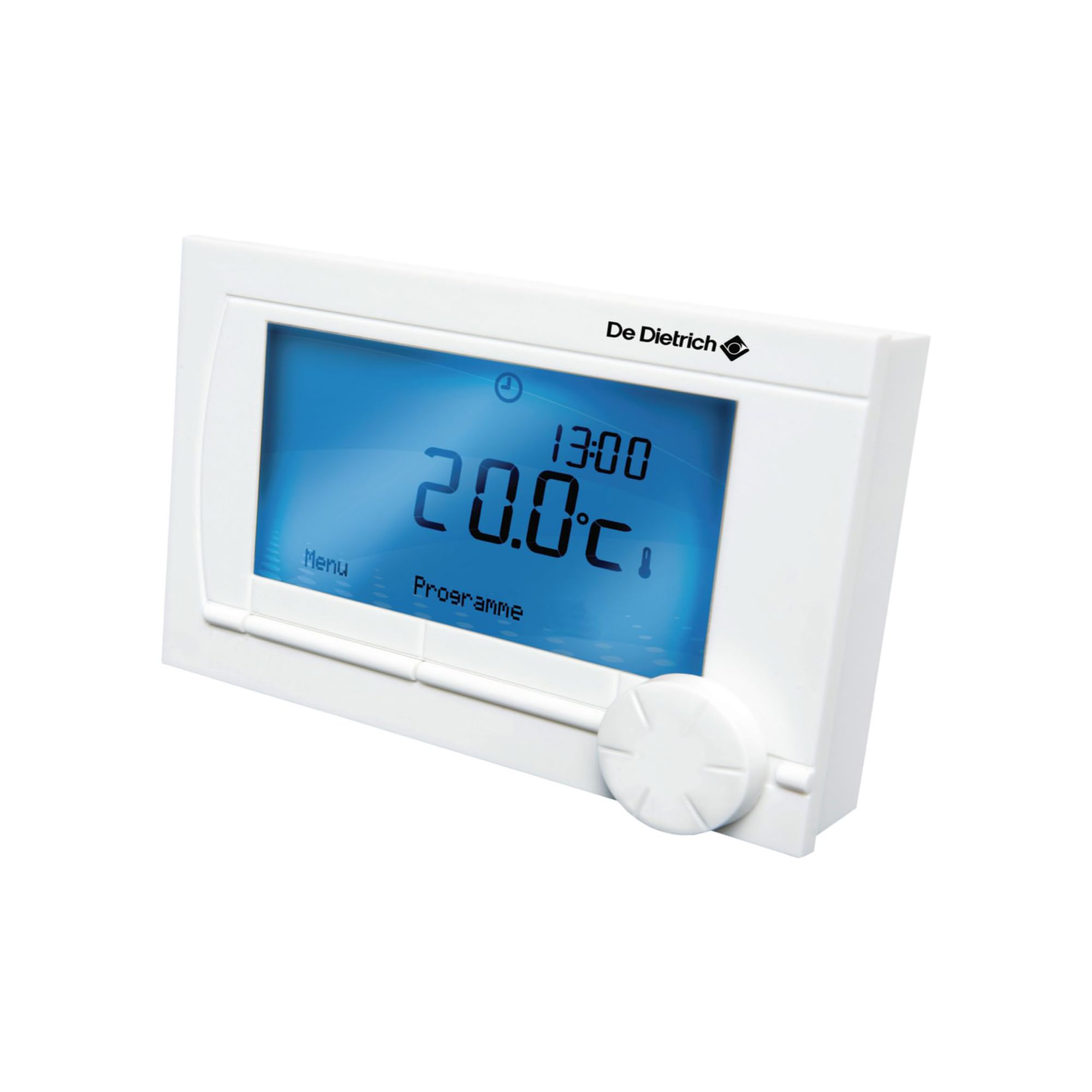
Image 3.1: The De Dietrich AD304 thermostat installed on a wall, displaying current temperature and settings. The thermostat is white with a blue backlit screen, blending into a contemporary interior.
3.1. Components
- AD304 Room Thermostat Unit
- Mounting Plate (if separate)
- Fixing Screws and Wall Plugs
- User Manual (this document)
3.2. Display and Controls
The thermostat features a digital display showing current temperature, set temperature, operating mode, and programming indicators. Control buttons are typically located on the front or sides of the unit for navigation and setting adjustments.
4. Setup and Installation
The De Dietrich AD304 is a wired thermostat requiring a physical connection to your boiler. Professional installation is highly recommended to ensure correct wiring and optimal performance.
4.1. Choosing a Location
Select an interior wall in a main living area, away from direct sunlight, drafts, heat sources (e.g., radiators, lamps), and external walls. The ideal height is approximately 1.5 meters (5 feet) from the floor to ensure accurate temperature sensing.
4.2. Wiring Instructions
- Disconnect Power: Before starting, ensure the main power supply to your heating system and boiler is completely switched off at the consumer unit.
- Mounting: Secure the thermostat's mounting plate to the chosen wall location using the provided screws and wall plugs.
- Connect Wires: Connect the thermostat to your boiler using a two-wire connection, typically following the OpenTherm (OT) protocol. Refer to your boiler's manual for specific wiring terminals. The AD304 operates with a voltage of 230 Volts for its main power and communication. Ensure correct polarity if specified.
- Attach Thermostat: Carefully attach the thermostat unit to the mounted plate, ensuring all connections are secure.
- Restore Power: Once installation is complete and verified, restore power to your heating system.
Note: Incorrect wiring can damage the thermostat or boiler. If you are unsure, consult a qualified professional.
4.3. Initial Power-Up
Upon first power-up, the thermostat may display a default temperature or prompt you to set the date and time. Follow the on-screen instructions to configure initial settings.
5. Operating Instructions
The AD304 thermostat is designed for user-friendly operation, allowing you to easily manage your home's heating.
5.1. Setting the Desired Temperature
- Press the '+' or '-' buttons to adjust the target temperature.
- The new temperature will be displayed, and the thermostat will automatically adjust the heating to reach this setting.
5.2. Operating Modes
The AD304 typically offers several operating modes:
- Comfort Mode: Maintains a higher, comfortable temperature.
- Economy Mode: Maintains a lower, energy-saving temperature.
- Frost Protection Mode: Prevents pipes from freezing by maintaining a minimum temperature (e.g., 5°C).
- Program Mode: Follows a pre-set heating schedule.
- Manual Mode: Overrides the program to maintain a constant temperature until changed.
Use the 'Mode' button (or similar) to cycle through and select your desired operating mode.
5.3. Programming a Heating Schedule
The programmable feature allows you to set different temperatures for various times of the day and days of the week.
- Access the programming menu by pressing the 'Program' or 'Menu' button.
- Use the navigation buttons to select the day (e.g., Monday, Everyday, Weekday/Weekend).
- Set the desired time periods and corresponding temperatures for each period.
- Confirm and save your settings.
Refer to the detailed programming section in the full product manual for advanced scheduling options.
5.4. Modulating Function
The AD304 is a modulating thermostat, meaning it communicates intelligently with your OpenTherm compatible boiler. Instead of simply turning the boiler on or off, it tells the boiler exactly how much heat is needed. This allows the boiler to adjust its output, leading to more stable temperatures, increased comfort, and improved energy efficiency compared to traditional on/off thermostats.
6. Maintenance
The De Dietrich AD304 thermostat requires minimal maintenance to ensure long-term performance.
6.1. Cleaning
Wipe the thermostat's exterior with a soft, dry, or slightly damp cloth. Do not use abrasive cleaners, solvents, or chemical sprays, as these can damage the casing or internal components.
6.2. Battery Replacement (if applicable)
While the AD304 is primarily wired for power and communication, some models may include a small backup battery to retain settings during power outages. If your thermostat indicates a low battery, carefully open the battery compartment (usually on the back or side) and replace the old batteries with new ones of the specified type (e.g., AA or AAA). Ensure correct polarity.
7. Troubleshooting
If you encounter issues with your AD304 thermostat, try the following troubleshooting steps:
| Problem | Possible Cause | Solution |
|---|---|---|
| Thermostat display is blank. | No power supply; loose wiring; flat backup battery. | Check main power to heating system. Verify thermostat wiring connections. Replace backup batteries if applicable. |
| Heating not turning on/off as expected. | Incorrect mode selected; programming error; boiler fault; wiring issue. | Check operating mode (e.g., ensure it's not in Frost Protection). Review heating schedule. Check boiler status. Inspect wiring for damage (only by qualified personnel). |
| Inaccurate temperature readings. | Thermostat location affected by drafts or heat sources. | Ensure thermostat is not exposed to direct sunlight, drafts, or heat sources. Recalibrate if the option is available in advanced settings. |
| Thermostat not communicating with boiler. | Wiring fault; boiler communication error. | Verify wiring connections. Consult boiler manual for communication error codes. Contact a qualified technician. |
If the problem persists after attempting these solutions, please contact De Dietrich customer support or a qualified heating engineer.
8. Specifications
| Feature | Detail |
|---|---|
| Brand | De Dietrich |
| Model Name | AD304 |
| Model Number (Reference) | 7609763 |
| Connectivity Technology | Wired (OpenTherm) |
| Controller Type | Push-button |
| Special Feature | Programmable |
| Color | White |
| Material | Metal |
| Voltage | 230 Volts |
| Item Weight | 380 g |
| Package Dimensions | 15 x 10.2 x 5.6 cm |
| Specific Uses for Product | Boiler Control |
9. Warranty and Support
For warranty information, technical support, or spare parts availability, please refer to the documentation provided with your purchase or contact your local De Dietrich dealer or customer service. Information regarding spare parts availability is not directly provided in this manual.