
Introduction
Thank you for purchasing the Funcilit Nintendo 64 Wired Controller. This manual provides essential information for setting up, operating, maintaining, and troubleshooting your new controller. This controller is designed for use with the Nintendo 64 console, offering a familiar gaming experience with all standard N64 buttons and a multi-directional pad.
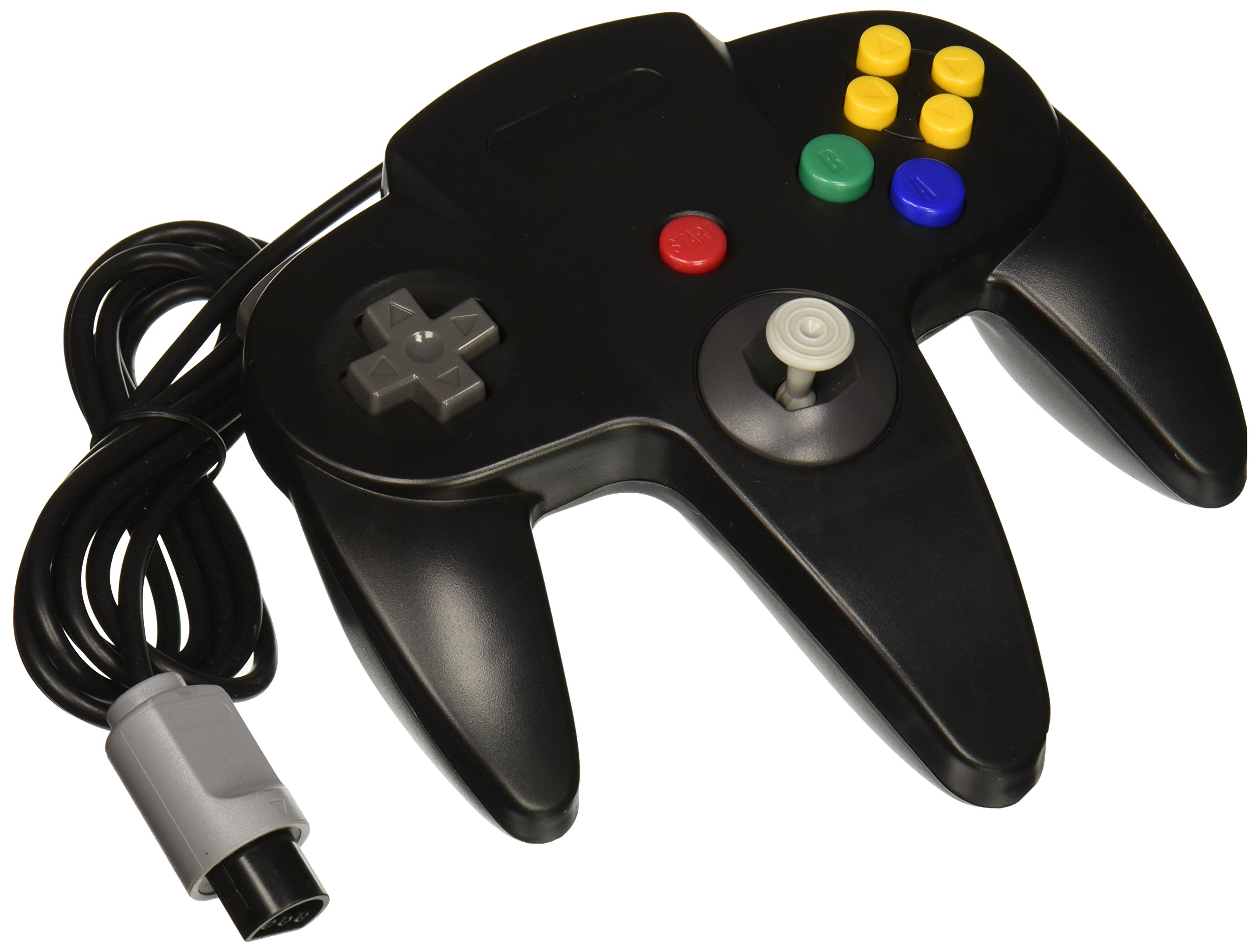
Image: The Funcilit Nintendo 64 Wired Controller, black in color, showcasing its design and button layout.
Setup
- Unpack the Controller: Carefully remove the controller from its packaging.
- Locate Controller Port: Identify an available controller port on your Nintendo 64 console. N64 consoles typically have four controller ports located on the front.
- Connect the Controller: Align the connector of the Funcilit controller with the chosen port on the N64 console. Gently push the connector firmly into the port until it is securely seated. Do not force the connection.
- Power On Console: Ensure your Nintendo 64 console is connected to power and a display, then power it on. The controller should be recognized automatically.
For optimal performance, ensure the controller cable is not kinked or strained during connection.
Operating Instructions
The Funcilit Nintendo 64 Wired Controller features all the standard buttons and controls found on an original N64 controller.
- Analog Joystick: Located at the center, this provides precise 360-degree movement for in-game character control.
- A Button (Green): Typically used for primary actions like jumping or confirming selections.
- B Button (Blue): Often used for secondary actions, attacking, or canceling selections.
- C Buttons (Yellow, 4 directions): Used for camera control, specific item usage, or other context-sensitive actions.
- Start Button: Located in the center, used to pause games, access menus, or begin gameplay.
- Z-Trigger (Bottom): Located on the underside of the middle handle, typically used for aiming, shielding, or specific actions.
- L and R Shoulder Buttons: Located on the top left and right, used for various in-game functions like strafing or cycling through items.
- Directional Pad (D-Pad): Located on the left, used for menu navigation or specific game controls.
Familiarize yourself with the button layout for your specific game titles to enhance your gaming experience.
Maintenance
Proper care will extend the life of your Funcilit Nintendo 64 Wired Controller.
- Cleaning: Use a soft, slightly damp cloth to wipe the surface of the controller. Avoid using harsh chemicals, abrasive cleaners, or excessive moisture, as these can damage the plastic and internal components.
- Storage: Store the controller in a dry place away from direct sunlight and extreme temperatures. Avoid wrapping the cable too tightly around the controller to prevent damage to the wiring.
- Cable Care: Do not pull the controller by its cable. Always grasp the connector when plugging or unplugging it from the console. Inspect the cable periodically for any signs of wear or damage.
- Avoid Drops: Protect the controller from drops or impacts, which can cause internal damage.
Troubleshooting
If you encounter issues with your controller, please refer to the following common solutions:
- Controller Not Responding:
- Ensure the controller cable is securely plugged into the N64 console port.
- Try plugging the controller into a different port on the console.
- Verify that the N64 console is powered on and functioning correctly.
- Joystick Issues (Stiff, Loose, or Unresponsive):
- New joysticks may feel stiff initially; continued use can help break them in.
- Check for any visible debris or obstructions around the base of the joystick.
- If the joystick feels excessively loose or unresponsive, it may indicate internal wear.
- Buttons Not Working:
- Ensure no debris is lodged under the buttons.
- Press the buttons firmly to ensure proper contact.
- General Performance:
- This is an aftermarket controller and may have a different feel or response compared to original Nintendo-manufactured controllers.
Specifications
| Brand Name | Funcilit |
| Model Number (ASIN) | B00ZADPY7G |
| UPC / GTIN | 035127686035 |
| Compatible Devices | Nintendo 64 Console |
| Controller Type | Wired Gamepad |
| Additional Features | Ergonomic Design |
| Hardware Platform | Gaming Console |
| Power Source | Corded Electric |
| Package Quantity | 1 |
| Item Dimensions | 7.6 x 6.7 x 2.7 inches |
| Color | Black |
Warranty and Support
Specific warranty information for this product is not provided in the available data. For details regarding warranty coverage, returns, or technical support, please contact Funcilit directly through their official channels or the retailer from whom the product was purchased.
You may visit the Funcilit Store for additional product information or contact options: Funcilit Store on Amazon