
Nikon L35AF
Nikon L35AF Camera Instruction Manual
Model: L35AF
1. Introduction
Welcome to the instruction manual for your Nikon L35AF Film Camera. This manual provides essential information for setting up, operating, maintaining, and troubleshooting your camera to ensure optimal performance and longevity. The Nikon L35AF is a classic 35mm point-and-shoot camera known for its sharp images and user-friendly design, featuring programmed electronic shutter control, automatic exposure, and an integrated flash.

Figure 1.1: Front view of the Nikon L35AF Camera alongside its protective leather case. This image highlights the camera's compact design and the lens assembly.
2. Setup
2.1 Battery Installation
The Nikon L35AF requires two AA batteries for operation. Ensure you use fresh, high-quality batteries for reliable performance.
- Locate the battery compartment on the bottom of the camera.
- Slide the battery compartment cover open.
- Insert two AA batteries, ensuring correct polarity (+/-) as indicated inside the compartment.
- Close the battery compartment cover securely until it clicks into place.

Figure 2.1: Bottom view of the Nikon L35AF, illustrating the location of the battery compartment.
2.2 Film Loading
Loading film correctly is crucial for proper camera function. The L35AF uses standard 35mm film cartridges.
- Open the camera back by pulling up the film rewind knob (located on the top left side of the camera).
- Place a new 35mm film cartridge into the film chamber on the left side.
- Pull the film leader across to the take-up spool on the right side, ensuring it engages with the teeth of the spool.
- Close the camera back firmly until it latches.
- Advance the film by pressing the shutter button once or twice until the frame counter shows '1'.

Figure 2.2: The Nikon L35AF with its back cover open, revealing the film chamber and take-up spool for film loading.
3. Operating the Camera
3.1 Power On/Off
To power on the camera, slide the ON/OFF switch, typically located on the top plate, to the 'ON' position. Slide it to 'OFF' when not in use to conserve battery life.
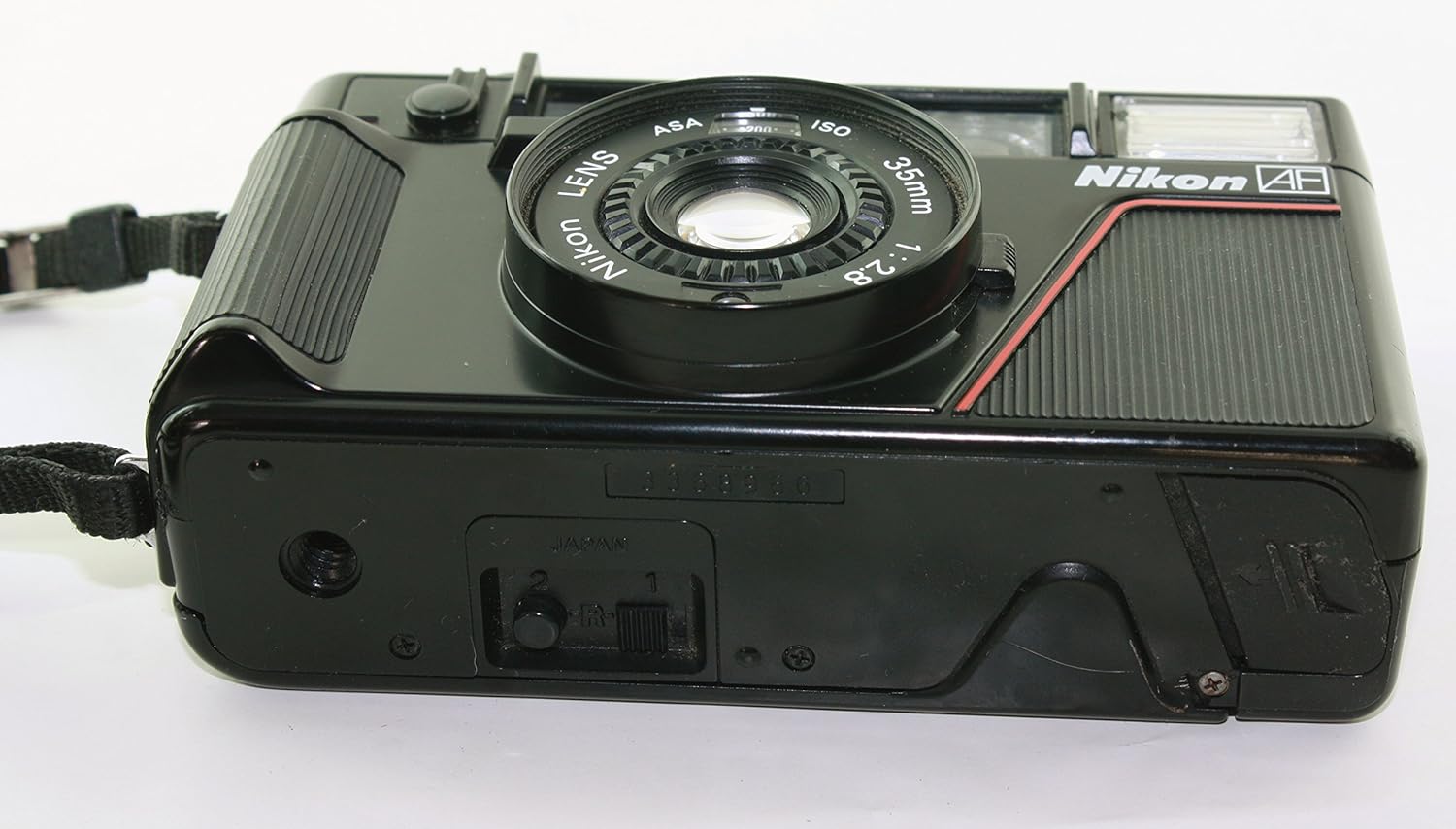
Figure 3.1: Top view of the Nikon L35AF, highlighting the power ON/OFF switch and shutter button.
3.2 Taking a Picture
The L35AF features automatic exposure and autofocus for simple point-and-shoot operation.
- Look through the viewfinder to compose your shot.
- Gently press the shutter button halfway down to activate the autofocus and exposure metering. A green light in the viewfinder indicates focus lock.
- Press the shutter button fully down to take the picture. The camera will automatically advance the film to the next frame.
3.3 Using the Built-in Flash
The camera's built-in flash activates automatically in low-light conditions. You can also manually control the flash.
- Automatic Flash: The flash will fire automatically when the camera detects insufficient light.
- Flash Off: To prevent the flash from firing, locate the flash control lever (often a red lever near the flash unit) and slide it to the 'OFF' position.
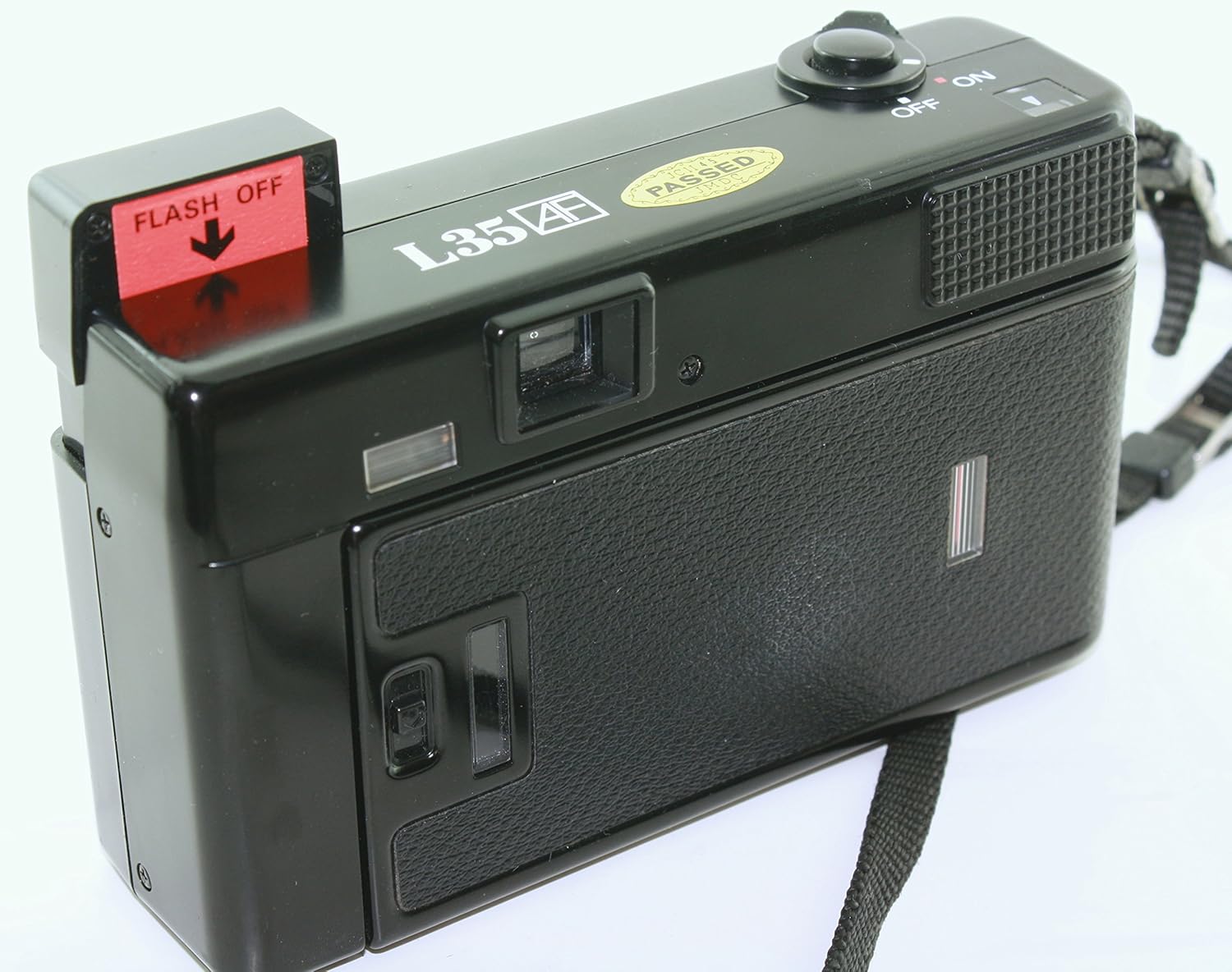
Figure 3.2: Rear view of the Nikon L35AF, showing the flash off lever in its activated position.
3.4 Self-Timer Function
The self-timer allows you to be in your own photos. It typically provides a delay before the shutter fires.
- Locate the self-timer switch or button on the camera body.
- Activate the self-timer.
- Press the shutter button. The self-timer lamp will blink, indicating the countdown has begun.
- After the set delay (e.g., 10 seconds), the shutter will release.
4. Maintenance
Proper care will extend the life of your Nikon L35AF camera.
- Cleaning the Lens: Use a soft, lint-free cloth or a lens brush to gently remove dust and smudges. Avoid touching the lens surface with your fingers.
- Cleaning the Camera Body: Wipe the camera body with a soft, dry cloth. Do not use solvents or abrasive cleaners.
- Storage: When not in use, store the camera in a cool, dry place, away from direct sunlight and extreme temperatures. Remove batteries if storing for extended periods to prevent leakage.
- Film Chamber: Keep the film chamber clean and free of dust or debris to prevent scratches on your film.
5. Troubleshooting
Here are some common issues and their potential solutions:
| Problem | Possible Cause | Solution |
|---|---|---|
| Camera does not power on. | Dead or incorrectly installed batteries. | Replace batteries with fresh AA batteries, ensuring correct polarity. |
| Shutter does not fire. | No film loaded, film not advanced, or low battery. | Check film loading and advance. Replace batteries if necessary. Ensure flash is not charging if in auto mode. |
| Flash does not fire. | Flash is turned off, or batteries are low. | Check flash control lever. Replace batteries. Allow time for flash to charge. |
| Film does not advance. | Film not properly loaded onto take-up spool. | Open camera back in a dark room (or with exposed film removed) and re-load film, ensuring it catches the take-up spool. |
| Battery compartment cover is loose. | Wear and tear on the latch mechanism. | Ensure it is fully closed. If it consistently opens, consider a small piece of tape to secure it, or seek professional repair. |
6. Specifications
| Feature | Detail |
|---|---|
| Model Name | L35AF |
| Brand | Nikon |
| Film Format | 35mm |
| Lens | 35mm f/2.8 |
| Focus Type | Auto Focus (Hybrid) |
| Shutter Speed | Automatic (Minimum 0.5 seconds) |
| Exposure Control | Automatic |
| Flash | Built-In, Automatic Mode |
| Self-Timer | Yes (Multiple delay options) |
| Power Source | 2 x AA Batteries |
| Item Weight | 0.9 Pounds (approx. 408 grams) |
| UPC | 701142703841 |
7. Warranty and Support
7.1 Limited Warranty
This Nikon L35AF camera comes with a limited warranty. Please refer to the original purchase documentation or contact your retailer for specific terms and conditions regarding warranty coverage. The warranty typically covers manufacturing defects under normal use.
7.2 Customer Support
For technical assistance, service, or further inquiries, please contact Nikon's official customer support channels. You can find contact information on the official Nikon website or through your local Nikon distributor.
For more information, visit the Nikon Store on Amazon.
Related documentsL35AF

Ask a question about this manual
Ask about setup, troubleshooting, compatibility, parts, safety, or missing instructions. Manuals+ will review the question and use this page’s manual context to help answer it.