
PHILIPS HC9450/13
Philips Series 9000 Hair Clipper
Model: HC9450/13
Introduction
Thank you for choosing the Philips Series 9000 Hair Clipper. This advanced grooming tool is designed to provide precise and controlled haircuts with ease. Featuring innovative DualCut technology and a motorized comb system, it ensures consistent performance and a comfortable user experience. Please read this instruction manual carefully before first use to ensure proper operation and maintenance of your device.
Important Safety Information
- Always check the appliance before use. Do not use the appliance if it is damaged, as this may cause injury.
- This appliance is not intended for use by persons (including children) with reduced physical, sensory or mental capabilities, or lack of experience and knowledge, unless they have been given supervision or instruction concerning use of the appliance by a person responsible for their safety.
- Children should be supervised to ensure that they do not play with the appliance.
- Do not immerse the appliance in water. The appliance is not waterproof.
- Only use the original charging adapter supplied with the appliance.
- Keep the appliance and its cord away from heated surfaces.
- For hygiene reasons, the appliance should only be used by one person.
Package Contents
Carefully unpack the box and ensure all items are present and in good condition.
- Philips Series 9000 Hair Clipper (HC9450/13)
- Charging Stand
- 3 Adjustable Hair Combs (for lengths 1-42mm)
- Hard Travel Case
- Cleaning Brush
- Power Adapter

Image: The Philips Series 9000 Hair Clipper, its charging stand, three adjustable hair combs, and the product packaging, illustrating the complete contents of the box.

Image: A close-up view of the three clear plastic adjustable hair combs included with the clipper, designed to provide various cutting lengths.
Setup
- Initial Charge: Before first use, fully charge the clipper. Connect the power adapter to the charging stand and place the clipper in the stand. The battery indicator will show charging progress. A full charge takes approximately 1 hour and provides up to 120 minutes of cordless use.
- Attaching a Comb: Select the desired adjustable hair comb. Align the comb with the grooves on the clipper head and push it firmly until it clicks into place.
- Detaching a Comb: To remove a comb, gently pull it away from the clipper head.

Image: The Philips Series 9000 Hair Clipper, showcasing its sleek design and the illuminated digital display indicating a 0.5mm cutting length setting.
Operating Instructions
- Power On/Off: Press the power button to turn the clipper on or off.
- Adjusting Cutting Length: The Series 9000 features a Digital Swipe action for precise length adjustment. Swipe your finger up or down on the touch-sensitive panel to cycle through 400 length settings, from 0.5mm (without comb) to 42mm. The selected length will be displayed on the digital screen. The clipper also has a memory function to recall your last used setting.
- Cutting Techniques:
- For an even cut, always move the clipper against the direction of hair growth.
- Ensure the flat part of the comb is always in contact with the scalp.
- Use a slow, steady motion.
- For a very close trim (0.5mm), use the clipper without any comb attached.

Image: A detailed view of the clipper's digital display showing '6.3mm' and the illuminated touch-sensitive panel, highlighting the intuitive control for length adjustment.
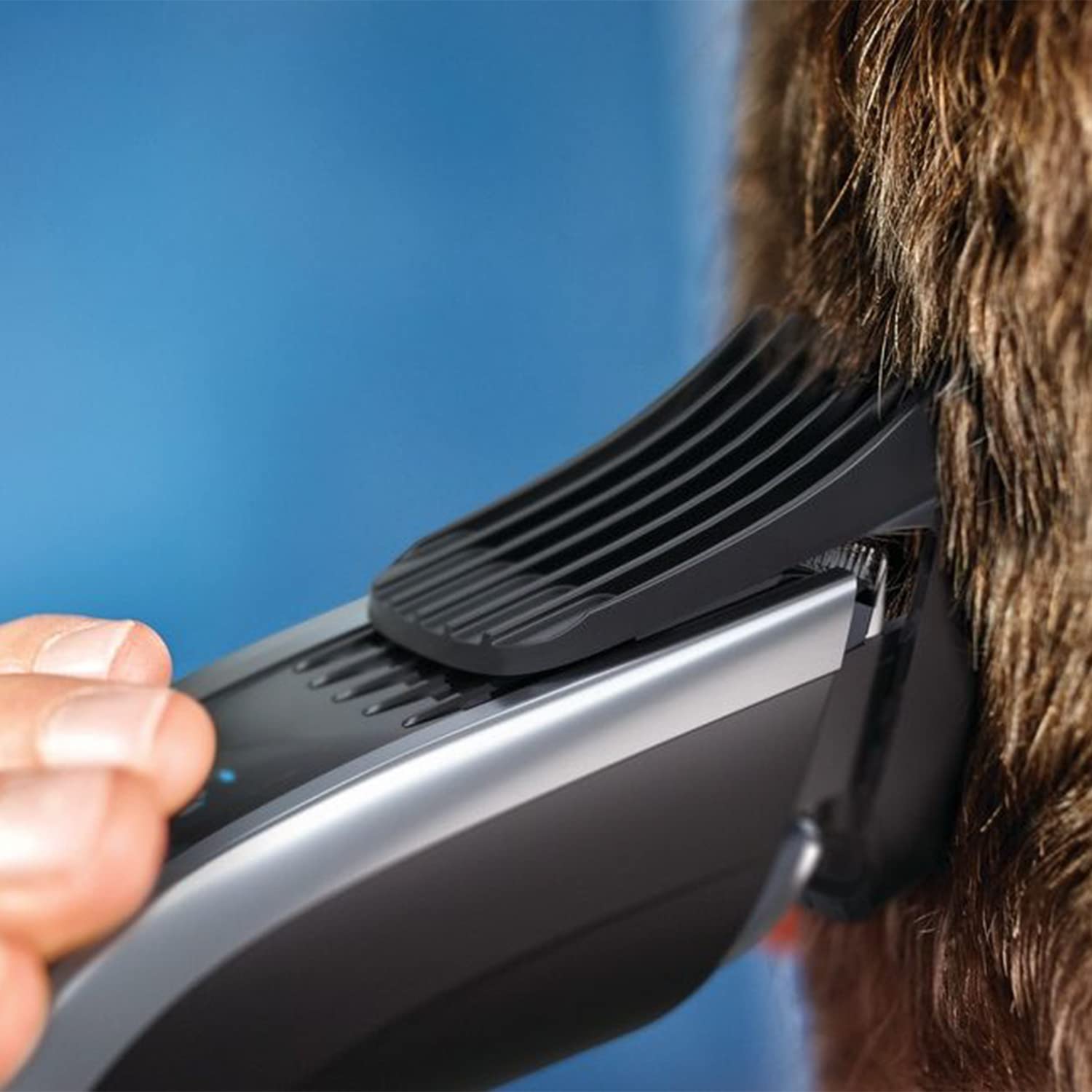
Image: A person demonstrating the use of the Philips Series 9000 Hair Clipper to trim hair, showing the comb attachment in contact with the head.

Image: A visual representation of the different cutting lengths achievable with the Philips Series 9000 Hair Clipper's combs, ranging from 0.5mm to 42mm.
Maintenance
- Cleaning the Clipper: After each use, turn off the clipper and detach the comb. The cutting element can be easily detached for cleaning. Use the supplied cleaning brush to remove any hair from the cutting element and the clipper body. The cutting element can also be rinsed under running water. Ensure it is completely dry before reattaching.
- No Oiling Required: The Philips Series 9000 Hair Clipper features self-sharpening titanium blades and low-friction engineering, meaning it does not require oiling for maintenance.
- Storage: Store the clipper and its accessories in the hard travel case provided to protect them from damage and dust. Ensure the clipper is fully charged before storing for extended periods to maintain battery health.
Troubleshooting
| Problem | Possible Cause | Solution |
|---|---|---|
| Clipper does not turn on. | Battery is empty. | Charge the clipper for at least 1 hour. |
| Clipper does not cut effectively. | Hair accumulation in the cutting unit; Blades are dull. | Clean the cutting unit thoroughly. If problem persists, contact customer support. |
| Comb attachment is loose. | Comb not properly attached. | Ensure the comb is firmly clicked into place. |
Specifications
- Model Number: HC9450/13
- Power Source: Battery Powered (1 Lithium Ion battery included)
- Battery Life: Up to 120 minutes cordless use
- Charging Time: 1 hour for full charge
- Cutting Length Settings: 400 settings, 0.5mm to 42mm
- Blades: Self-sharpening Titanium blades
- Technology: DualCut technology, Digital Swipe action
- Item Weight: 11.85 Ounces
- Package Dimensions: 9.65 x 7.36 x 2.83 inches
Warranty and Support
Philips offers a manufacturer's warranty for this product. Please refer to the warranty card included in your package for specific terms and conditions. For product support, troubleshooting assistance, or to inquire about replacement parts, please visit the official Philips website or contact Philips customer service in your region. Keep your purchase receipt as proof of purchase for warranty claims.
For more information, visit: www.philips.com
Related documentsHC9450/13


Ask a question about this manual
Ask about setup, troubleshooting, compatibility, parts, safety, or missing instructions. Manuals+ will review the question and use this page’s manual context to help answer it.