
1. Product Overview
The Iris Ohyama Pet Playpen CLS-960 is designed to provide a safe and comfortable enclosure for small pets such as puppies, rabbits, and small dogs. Its robust construction and thoughtful design make it suitable for both training and general containment.
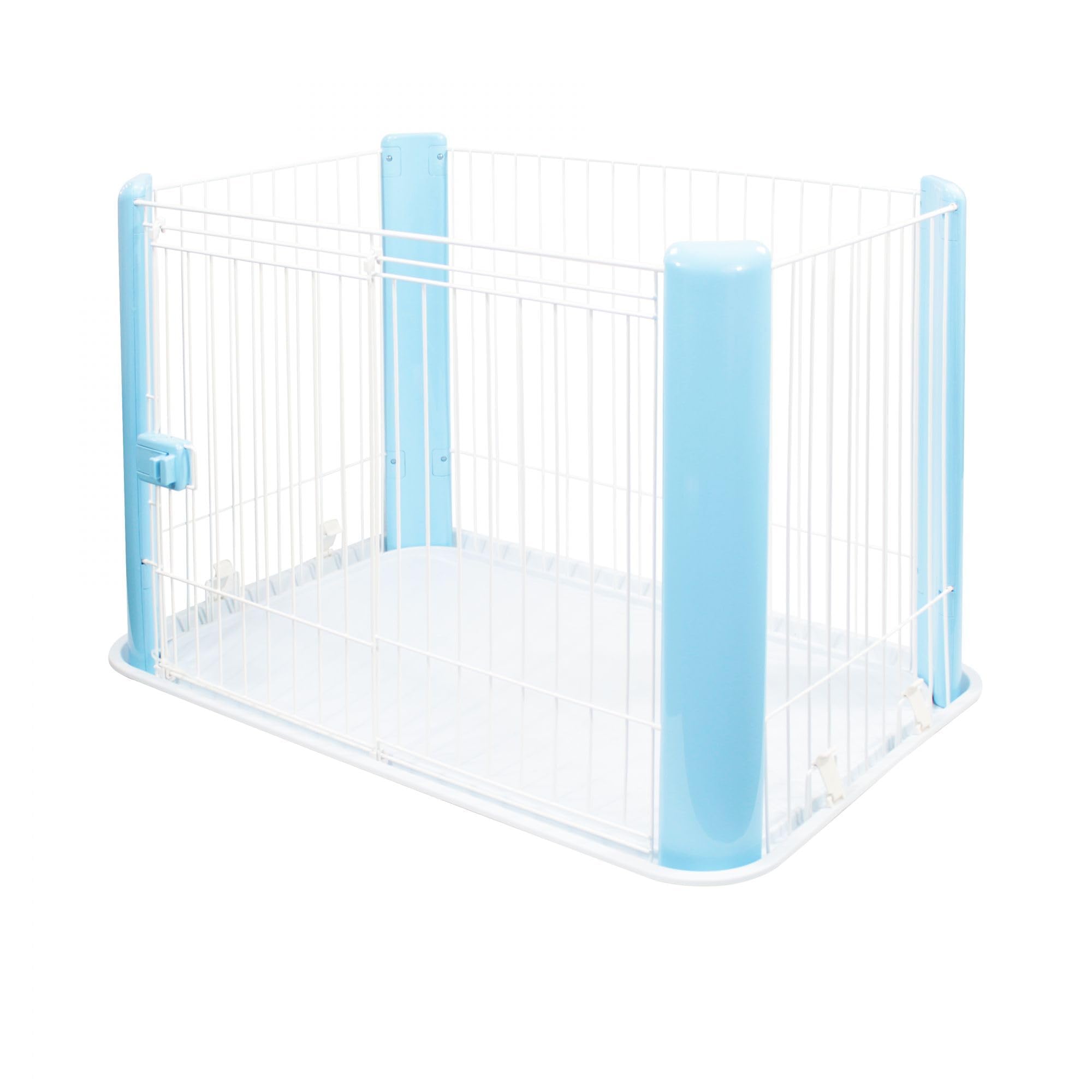
Image: The Iris Ohyama Pet Playpen CLS-960, showcasing its design and suitability for small pets.
- Easy Training: Ideal for house-training small pets, complete with pet pad trays and absorbent mats.
- Ideal Safety: Features a robust structure with an epoxy coating, free from sharp elements, ensuring your pet's safety.
- Controlled Autonomy: Equipped with a lockable sliding door (35 x 40 cm) for easy access and secure containment.
- Easy Assembly and Disassembly: Designed for convenient transport and storage.
2. Safety Information
Always ensure the playpen is assembled correctly and all components are securely fastened before placing your pet inside. Regularly inspect the playpen for any damage or loose parts that could pose a hazard. This playpen is designed for indoor use.
- Keep small children away from the playpen during assembly and disassembly.
- Do not leave pets unattended for extended periods.
- Ensure the playpen is placed on a stable, flat surface.
- The epoxy coating is resistant to weather conditions, but the playpen is primarily intended for indoor use.
3. Setup and Assembly
The Iris Ohyama Pet Playpen is designed for straightforward assembly. Follow these general steps and refer to the provided videos for visual guidance.
Assembly Steps:
- Unpack all components and ensure all parts are present.
- Connect the side panels using the provided hinges/connectors.
- Ensure all connections are secure and the structure is stable.
- Place the base tray into the assembled frame.
- Install the lockable sliding door into its designated opening.

Image: Detail of the easy-to-assemble connectors for the playpen panels.
Assembly Videos:
Video: General guide on how to install a dog crate, demonstrating similar assembly principles.
Video: Installation guide for a clear acrylic dog playpen, showing panel connection methods.
Video: Assembly and usage demonstration of a dog playpen.
4. Operating Instructions
The playpen features a user-friendly design for daily use.
Using the Lockable Sliding Door:
- To open, slide the door upwards and then outwards.
- To close, slide the door back into place and ensure the lock mechanism engages securely.
- The door allows for controlled access, giving your pet autonomy while ensuring their safety.

Image: Detail of the secure lockable sliding door.
Usage Video:
Video: Demonstration of how to use a foldable dog playpen, including entry and exit.
5. Maintenance and Care
Maintaining the cleanliness of your pet's playpen is essential for their health and hygiene. The Iris Ohyama Pet Playpen is designed for easy cleaning.
- Regular Cleaning: Wipe down all surfaces with a damp cloth and mild, pet-safe detergent. Rinse thoroughly to remove any residue.
- Base Tray: The base tray can be easily removed for thorough cleaning. Use pet-safe cleaning products.
- Absorbent Mats: Replace or clean absorbent mats regularly to maintain hygiene.
- Inspection: Periodically check all connections and components for wear and tear. Tighten any loose screws if necessary.
6. Troubleshooting
If you encounter any issues with your Iris Ohyama Pet Playpen, consider the following common solutions:
- Instability: Ensure all panel connectors are fully engaged and tightened. Verify the playpen is on a flat, even surface.
- Door Malfunction: Check for any obstructions in the sliding track of the door. Ensure the lock mechanism is clean and free of debris.
- Missing Parts: If any parts are missing upon arrival, please contact customer support immediately.
7. Specifications
| Feature | Detail |
|---|---|
| Product Dimensions | 92 x 63 x 60 cm |
| Item Weight | 4 kg |
| Material | Steel and Wire |
| Color | Blue |
| Pet Type | Cat, Dog, Small Animals |
| Breed Recommendation | Small Breeds |
| Closure Type | Snap |
| Special Features | Comfortable, Lockable Rod |
| Specific Uses | Indoor |
8. Warranty and Support
For warranty information or customer support, please refer to the product packaging or contact Iris Ohyama customer service directly. Contact details can typically be found on the manufacturer's website or within the purchase documentation.
- Customer Service: Please visit the official Iris Ohyama website for the most up-to-date contact information.
- Product Registration: Registering your product may provide additional warranty benefits and support.


