
1. Introduction
This manual provides essential information for the proper use and care of your Case Logic Intrata 11.6-Inch Laptop Bag. Designed for portability and protection, this bag offers a secure and convenient way to transport your laptop and essential accessories.
Key features include:
- Slim, compact design with protective foam tubing around the bottom and corners for laptops up to 11.6 inches.
- Front pocket for power cords and other small items.
- Dedicated phone pocket and elastic pen storage within the front slip pocket.
- Keystone shape for easier access to contents.
- Swiveling hardware for a comfortable, adjustable carry.
2. Setup
The Case Logic Intrata laptop bag is designed for immediate use. Follow these steps to prepare your bag:
- Unpack the Bag: Remove the bag from its packaging.
- Attach the Shoulder Strap: Locate the adjustable shoulder strap. Attach the swivel clips on each end of the strap to the D-rings located on the back of the bag. Ensure both clips are securely fastened.
- Adjust the Shoulder Strap: Adjust the length of the shoulder strap to your preferred carrying height for optimal comfort.
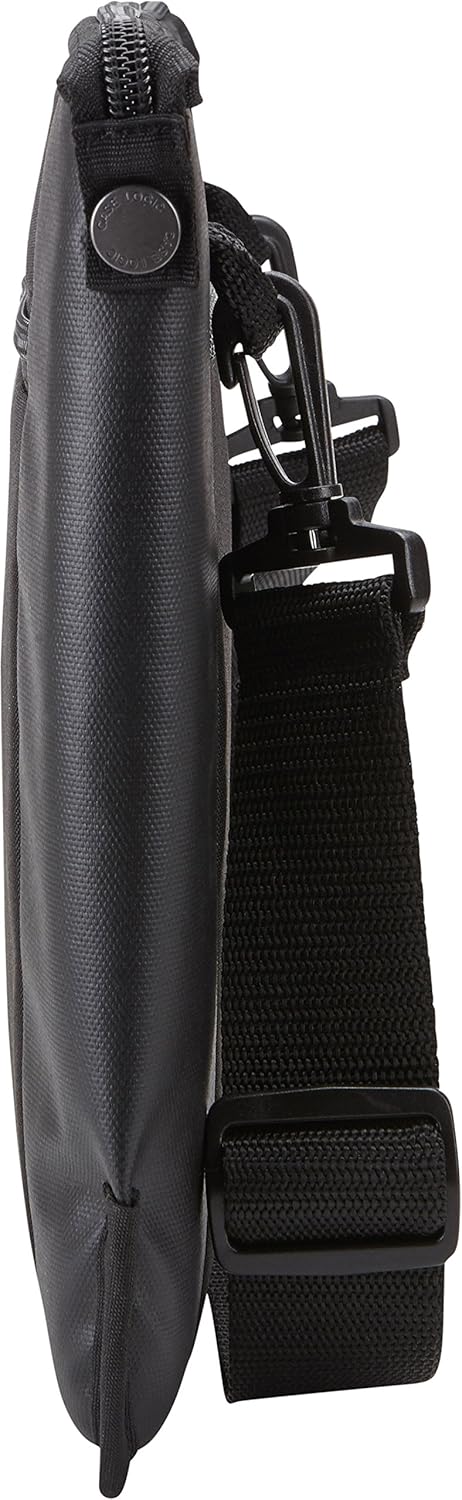
Figure 2.1: Back view showing strap attachment points.
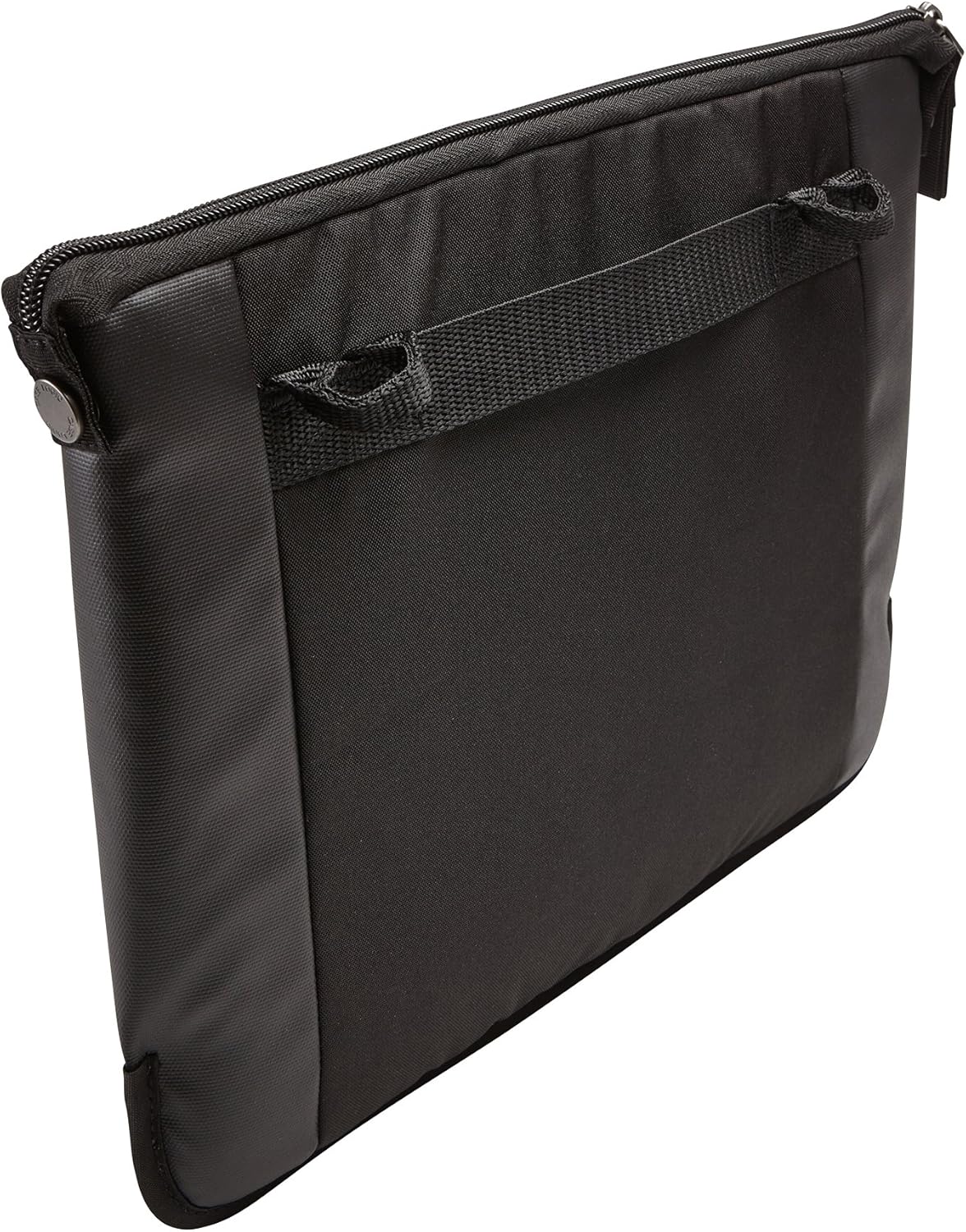
Figure 2.2: Detail of the strap's swivel clip.
3. Operating Instructions
This section details how to effectively use your laptop bag for daily transport and storage.
3.1. Inserting Your Laptop
- Open Main Compartment: Unzip the main compartment of the bag.
- Insert Laptop: Carefully slide your laptop (up to 11.6 inches) into the padded main compartment. The protective foam tubing around the bottom and corners provides cushioning.
- Secure Laptop: Zip the main compartment closed to secure your device.

Figure 3.1: Laptop insertion into the main compartment.

Figure 3.2: Main compartment with laptop secured.
3.2. Utilizing Front Pockets
The front zippered pocket offers organized storage for accessories.
- Power Cords: Store power adapters and cables in the main section of the front pocket.
- Phone and Pens: Use the dedicated phone pocket and elastic loops for pens or styluses for quick access.

Figure 3.3: Front pocket with phone and pen.

Figure 3.4: Front pocket with multiple accessories.
4. Maintenance
Proper care will extend the life and appearance of your Case Logic Intrata laptop bag.
- Cleaning: For general cleaning, wipe the exterior with a damp cloth and mild soap. Do not use harsh detergents or abrasive cleaners.
- Drying: Allow the bag to air dry completely before storing or using it. Do not machine wash or tumble dry.
- Storage: Store the bag in a cool, dry place away from direct sunlight when not in use.
- Zipper Care: Periodically check zippers for smooth operation. If a zipper becomes stiff, a small amount of zipper lubricant or wax can be applied.
5. Troubleshooting
This section addresses common questions or issues you might encounter.
- Q: My laptop does not fit in the main compartment.
- A: Ensure your laptop's dimensions are within the specified maximum of 11.8 x 0.9 x 8.5 inches (30 x 2.3 x 21.6 cm). This bag is designed for laptops up to 11.6 inches screen size. Larger devices may not fit properly.
- Q: The shoulder strap feels uncomfortable.
- A: Adjust the strap length using the buckle to find a comfortable carrying position. The swiveling hardware is designed to adapt to your movement.
- Q: The front pocket seems too small for my accessories.
- A: The front pocket is designed for slim items like power cords, a smartphone, and pens. Bulky items may not fit or may distort the bag's shape. Consider the bag's slim profile for its intended use.
6. Specifications
| Feature | Detail |
|---|---|
| Brand | Case Logic |
| Model Name | Intrata |
| Model Number | 3203074 |
| Compatible Screen Size | Up to 11.6 Inches |
| Device Compartment Dimensions | 11.8 x 0.9 x 8.5 inches (30 x 2.3 x 21.6 cm) |
| Product Dimensions (External) | 13 x 1.6 x 10.2 inches (33 x 4.1 x 25.9 cm) |
| Item Weight | 8.4 ounces (238 grams) |
| Color | Black |
| Material | Durable Fabric |
| Features | Padded laptop compartment, front accessory pocket, dedicated phone pocket, pen loops, adjustable shoulder strap. |
7. Warranty and Support
For warranty information or customer support, please refer to the official Case Logic website or contact their customer service department. Keep your purchase receipt as proof of purchase.
Website: www.caselogic.com


