
1. Introduction
This manual provides detailed instructions for the installation, operation, and maintenance of your Pioneer AVIC-ZH0999 Car Navigation System. Please read this manual thoroughly before using the product to ensure correct and safe operation. Keep this manual for future reference.
2. Product Overview
The Pioneer AVIC-ZH0999 is a 7-inch 2D (180mm) AV integrated HDD navigation system designed for in-car entertainment and navigation. It features a 7V wide VGA monitor with a brilliant finish flat panel and LED backlight, a 100GB HDD, and a Crystal 3D hybrid sensor for precise positioning.
Key Features:
- 7-inch Wide VGA Touchscreen Display
- Integrated HDD Navigation with 100GB Storage
- Free Map Data Updates (up to 3 years)
- Terrestrial Digital TV (Full Seg)
- DVD-V/CD Playback
- Bluetooth Connectivity
- USB and SD Card Support
- HDMI Input (AUX1)
- 5.1ch Audio Output with DSP
- Music Cruise Channel (1 year usage fee included)
- Voice Recognition Microphone
- Acoustic Characteristic Measurement Microphone
Included Components:
- GPS Antenna
- Terrestrial Digital TV Film Antenna
- Voice Recognition Microphone
- Acoustic Characteristic Measurement Microphone
- Power Cable
- USB Connection Cable
- Set of Mounting Parts
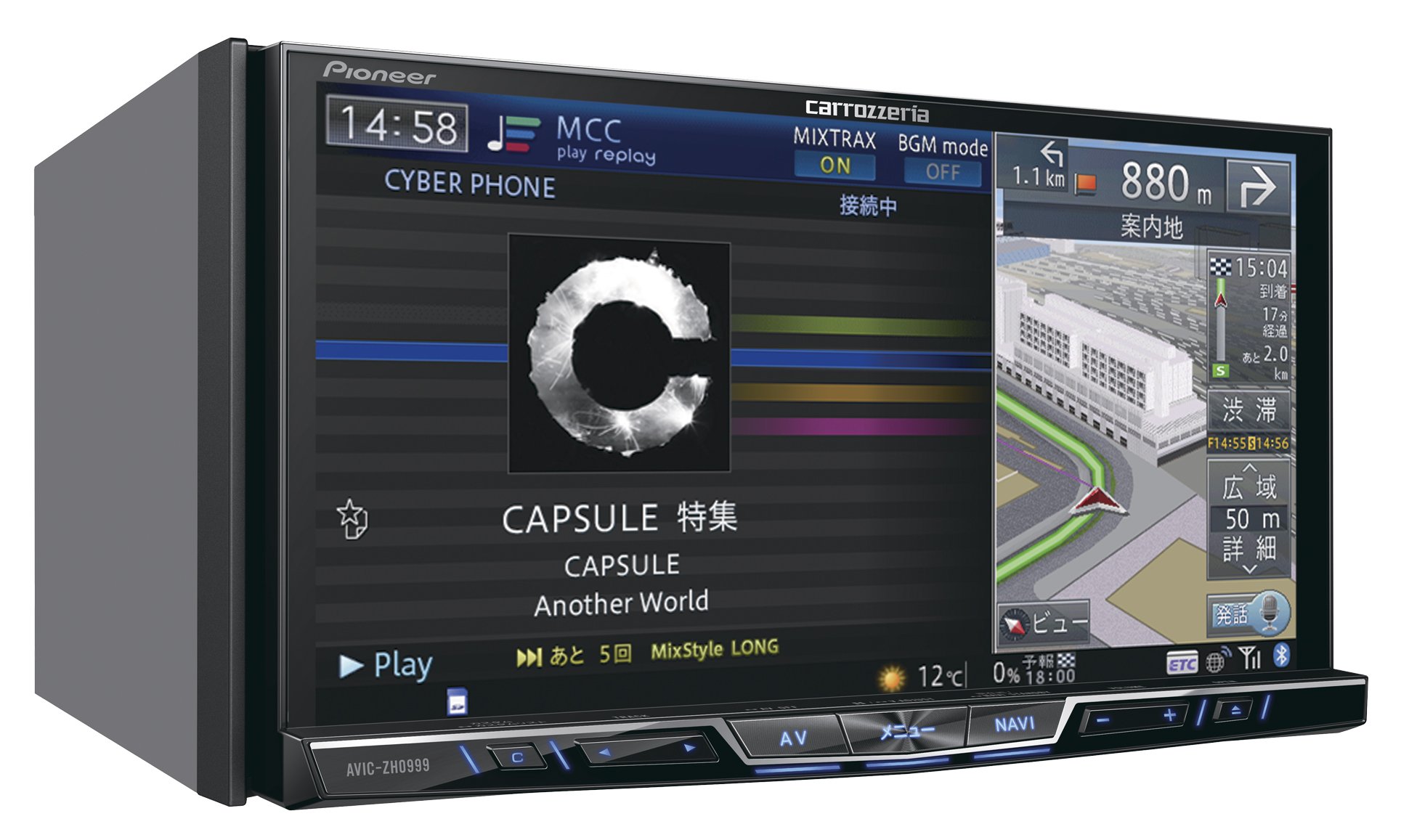
Figure 1: Front view of the Pioneer AVIC-ZH0999 Car Navigation System.

Figure 2: Pioneer AVIC-ZH0999 displaying navigation and media playback simultaneously.
3. Setup
Installation of the Pioneer AVIC-ZH0999 requires technical expertise and should ideally be performed by a qualified professional. Incorrect installation can lead to damage to the unit or vehicle, and may void your warranty.
3.1 Initial Setup:
- Connect Power and Antennas: Ensure all power cables, GPS antenna, and terrestrial digital TV antenna are securely connected according to the included wiring diagram.
- Mounting: Securely mount the unit in the dashboard using the provided mounting parts.
- First Power On: Turn on your vehicle's ignition. The system will initiate the first-time setup wizard.
- Language and Region Settings: Follow the on-screen prompts to select your preferred language and region.
- Map Data Initialization: The system will initialize the pre-loaded map data. This may take a few minutes.
For detailed wiring and mounting instructions, refer to the separate installation guide provided with your unit.
4. Operating Instructions
The AVIC-ZH0999 features a responsive touchscreen interface and physical buttons for intuitive control.
4.1 Touchscreen Gestures:
- Tap: Select items, confirm actions.
- Flick: Quickly scroll through lists or pan maps.
- Drag: Move the map view or rearrange home screen icons.
- Pinch-in/Pinch-out: Zoom in or out on the map.
- Double-tap: Quickly zoom in on a specific area of the map.
4.2 Home Screen Customization:
The home screen can be customized to display frequently used functions and information. To customize:
- Press and hold an icon on the home screen.
- Drag the icon to a desired position or to the trash icon to remove it.
- Select 'Complete' to save changes.
4.3 Smart Commander (Optional Remote Control):
If equipped with the optional Smart Commander, you can control various functions using its rotary dial and buttons. Rotate the dial to navigate menus and press to select. Use the AV/NAVI buttons to switch between audio/video and navigation modes.
5. Media Playback
The AVIC-ZH0999 supports a variety of media sources for your entertainment.
5.1 DVD/CD Playback:
- Insert a DVD or CD into the disc slot. Playback will start automatically.
- Use the on-screen controls or physical buttons to play, pause, skip tracks, or adjust volume.
5.2 Bluetooth Audio:
- Pair your Bluetooth-enabled device with the AVIC-ZH0999 via the Bluetooth settings menu.
- Once paired, select Bluetooth Audio as the source to stream music from your device.
5.3 USB/SD Playback:
- Insert a USB drive into the USB port or an SD card into the SD card slot.
- Select USB or SD as the audio/video source. The system will display playable files.
5.4 HDMI Input:
- Connect an external device (e.g., smartphone, media player) to the HDMI input terminal (AUX1).
- Select HDMI as the source to display content from the connected device.
6. Navigation Features
The AVIC-ZH0999 provides advanced navigation capabilities to guide you to your destination.
6.1 Destination Search:
- From the NAVI menu, select 'Destination Search'.
- Enter your destination using the on-screen keyboard or voice recognition.
- You can search by address, facility name, phone number, or frequently visited locations.
6.2 Route Guidance:
- After setting a destination, the system will calculate the optimal route.
- Follow the voice prompts and on-screen directions.
- The map display can be switched between 2D, 3D, and other views for better clarity.
6.3 Map Updates:
The AVIC-ZH0999 supports free map data updates for up to 3 years from the date of purchase. Refer to the Pioneer website or contact customer support for instructions on how to perform map updates.
7. Maintenance
Regular maintenance ensures optimal performance and longevity of your navigation system.
7.1 Cleaning the Display:
- Use a soft, dry cloth to gently wipe the touchscreen.
- For stubborn smudges, slightly dampen the cloth with water or a screen-safe cleaner. Avoid harsh chemicals.
7.2 Software Updates:
Periodically check the Pioneer website for software updates. Updates may provide new features, performance improvements, or bug fixes. Follow the instructions provided with the update package carefully.
8. Troubleshooting
If you encounter issues with your AVIC-ZH0999, refer to the following common troubleshooting steps:
| Problem | Possible Cause | Solution |
|---|---|---|
| No power | Loose power connection, blown fuse | Check power cable connections. Inspect and replace fuses if necessary. |
| No sound | Volume too low, incorrect audio source, mute activated | Increase volume. Select correct audio source. Deactivate mute function. |
| GPS signal lost | Obstructed view of sky, faulty GPS antenna | Move to an open area. Check GPS antenna connection. |
| Touchscreen unresponsive | System freeze, dirty screen | Restart the unit. Clean the screen. If issue persists, contact support. |
For more complex issues, please consult a qualified service technician or contact Pioneer customer support.
9. Specifications
| Feature | Detail |
|---|---|
| Brand | Pioneer |
| Model Name | AVIC-ZH0999 |
| Screen Size | 7 inches (7V wide VGA) |
| Display Type | LED, Brilliant Finish Flat Panel |
| Touchscreen Type | Capacitive |
| Memory Storage Capacity | 100 GB (HDD) |
| Connectivity Technology | USB, Bluetooth, HDMI (AUX1) |
| Features | Bluetooth, DSP, Voice Recognition, Music Server, Music Cruise Channel |
| Map Type | Street, Crystal 3D Hybrid Sensor |
| Mounting Type | Dashboard Mount |
| Compatible Satellite System | GPS |
| Compatible Vehicle Type | Passenger Car |
| Control Method | Remote (Smart Commander optional) |
| Battery Included | No |
10. Warranty and Support
Pioneer provides a limited warranty for this product. Please refer to the warranty card included with your purchase for specific terms and conditions. For technical support, service, or inquiries regarding map updates and Music Cruise Channel subscriptions, please visit the official Pioneer website or contact your local authorized Pioneer service center.
Keep your proof of purchase for warranty claims.