
1. Introduction
This manual provides essential information for the proper installation, operation, and maintenance of your Pioneer Carrozzeria AVIC-VH0999 7-inch Cyber Navi system. Please read this manual thoroughly before using the product to ensure safe and optimal performance. Keep this manual for future reference.
The AVIC-VH0999 is an advanced car navigation and entertainment system featuring a 7-inch wide VGA display, integrated HDD, DVD/CD playback, Bluetooth connectivity, USB/SD card support, HDMI input, and terrestrial digital TV (Full-Seg) reception. It also includes a Music Cruise Channel and Bi-amp mode for enhanced audio quality, along with network connectivity for extensive information services and free map updates for up to 3 years.
2. Safety Information
WARNING:
- Do not operate the navigation system or any functions that require visual attention while driving. Distraction can lead to accidents.
- Always observe traffic laws and regulations.
- Ensure proper installation by a qualified professional to prevent electrical shock, short circuits, or other hazards.
- Do not disassemble or modify the unit. This may cause damage, fire, or electric shock.
- Keep the volume at a level that allows you to hear outside sounds, such as emergency vehicle sirens.
- Avoid blocking ventilation openings to prevent overheating.
For detailed safety instructions, refer to the separate safety manual included with your product.
3. Setup and Installation
The Pioneer Carrozzeria AVIC-VH0999 is designed for professional installation. Incorrect installation can lead to product malfunction or vehicle damage. It is highly recommended to have this unit installed by a certified technician.
3.1 Included Accessories
Before installation, verify that all included accessories are present:
- GPS Antenna
- Terrestrial Digital TV Film Antenna
- Voice Recognition Microphone
- Sound Characteristic Measurement Microphone
- Power Cable
- USB Connection Cable
- Installation Parts List
3.2 Installation Overview
The AVIC-VH0999 is an AV integrated HDD navigation system. Ensure your vehicle's dashboard has adequate space for a 1DIN x 2 unit. Connect all necessary cables (power, ground, speaker, antenna, GPS, TV antenna, microphone, USB, HDMI) according to the wiring diagram provided in the detailed installation manual. Secure the unit firmly in the vehicle's dashboard using the supplied mounting hardware.
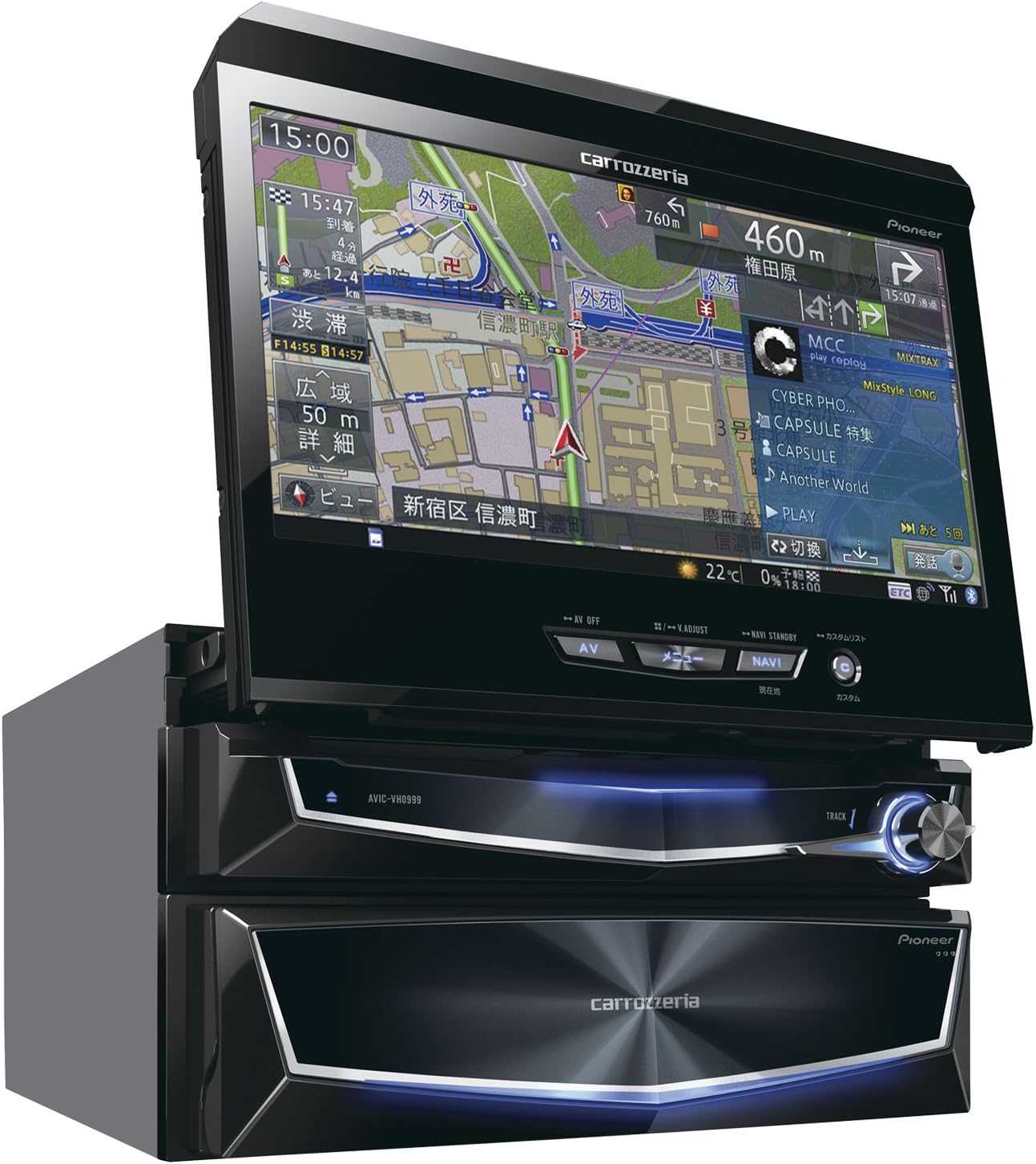
Figure 1: Pioneer Carrozzeria AVIC-VH0999 unit with the 7-inch display extended, showing the navigation interface. This image illustrates the main unit and its retractable screen.
4. Operating Instructions
This section covers the basic operation of your AVIC-VH0999 system.
4.1 Power On/Off
To power on the unit, turn your vehicle's ignition key to the ACC (Accessory) or ON position. The unit will automatically power on. To power off, turn the ignition key to the OFF position.
4.2 Navigation System
- Map Display: The 7-inch wide VGA monitor displays detailed maps. Use the touchscreen to zoom in/out, scroll, and change viewing angles. The Crystal 3D Hybrid Sensor enhances positioning accuracy.
- Destination Search: Access the navigation menu to search for destinations by address, point of interest (POI), or coordinates.
- Route Guidance: Once a destination is set, the system will calculate and provide turn-by-turn voice and visual guidance.
- Map Updates: The system supports free map data updates for up to 3 years. Refer to the Pioneer website or contact customer support for detailed instructions on how to perform these updates.

Figure 2: Front view of the Pioneer Carrozzeria AVIC-VH0999 with the screen extended, displaying a detailed map. This image highlights the user interface and physical controls.
4.3 Audio and Entertainment
- DVD/CD Playback: Insert a DVD or CD into the disc slot. The system will automatically detect and begin playback.
- Bluetooth: Pair your Bluetooth-enabled device (e.g., smartphone) to the AVIC-VH0999 for hands-free calling and audio streaming. Access the Bluetooth menu in the system settings to initiate pairing.
- USB/SD Card: Connect a USB device or insert an SD card containing audio or video files. Select the USB or SD source from the main menu to browse and play media.
- HDMI Input: The unit is equipped with an HDMI input terminal (AUX1). Connect compatible external devices via HDMI to display their content on the 7-inch screen.
- Music Cruise Channel: This feature allows access to various music channels. A 1-year usage fee is included. Refer to the specific Music Cruise Channel guide for activation and usage details.
- Music Server: The 100GB HDD allows you to store and manage your music collection directly on the unit.
- Terrestrial Digital TV (Full-Seg): Access digital television broadcasts. Ensure the TV antenna is properly installed for optimal reception.
- Audio Settings: Utilize the DSP (Digital Signal Processor) and Bi-amp mode for advanced sound customization and high-quality audio output. The sound characteristic measurement microphone can be used for automatic sound field optimization.
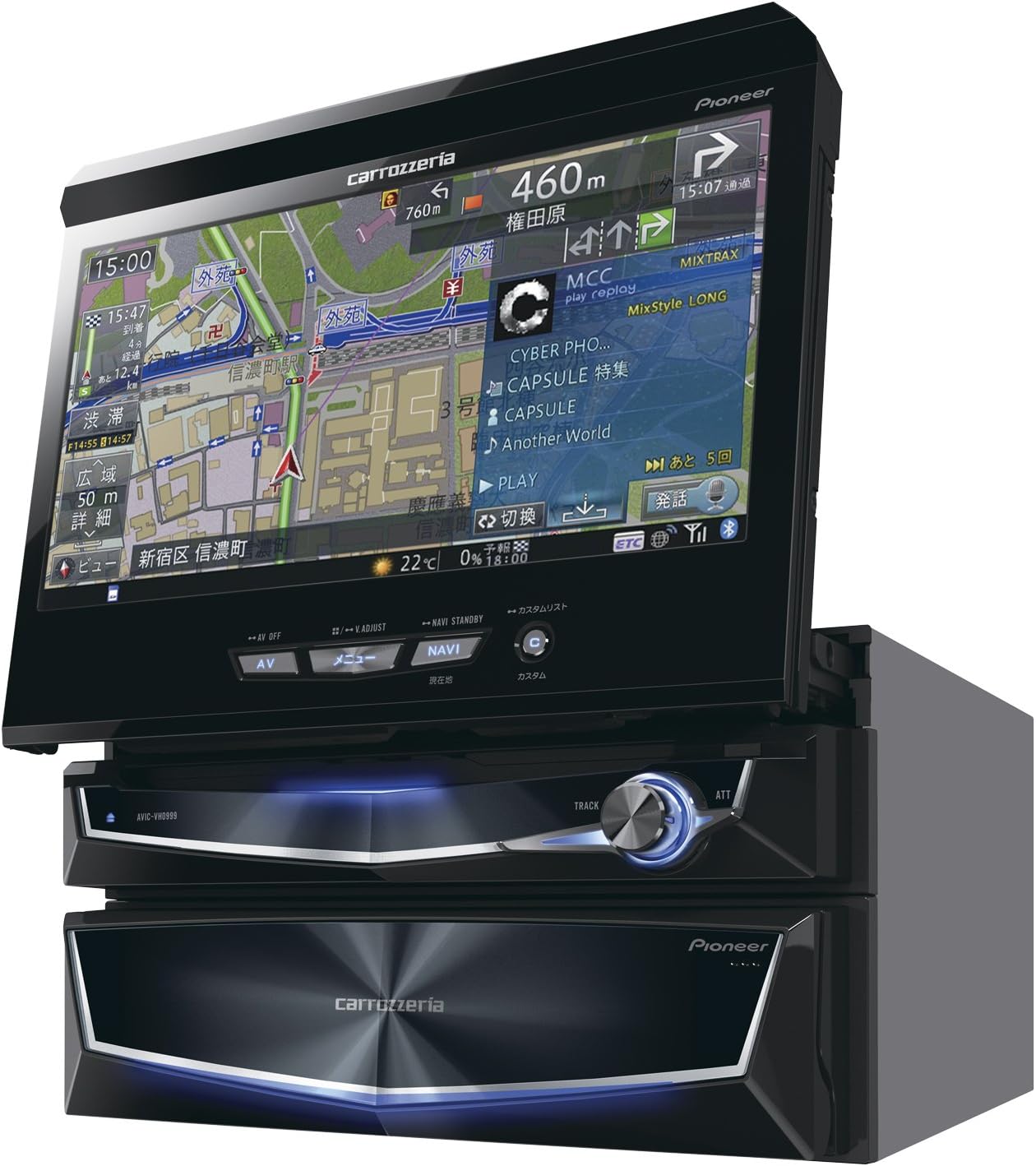
Figure 3: Pioneer Carrozzeria AVIC-VH0999 unit with the 7-inch display retracted, showing the main control panel. This image demonstrates the compact form factor when the screen is not in use.
5. Maintenance
Regular maintenance ensures the longevity and optimal performance of your AVIC-VH0999 system.
- Cleaning the Screen: Use a soft, dry cloth to gently wipe the display screen. For stubborn smudges, slightly dampen the cloth with water or a screen cleaner specifically designed for electronic displays. Do not use abrasive cleaners or solvents.
- Cleaning the Unit: Wipe the exterior of the unit with a soft, dry cloth. Avoid getting liquids inside the unit.
- Disc Slot: Keep the disc slot free from dust and debris. Do not insert foreign objects.
- Software Updates: Periodically check the Pioneer website for firmware updates to ensure your system has the latest features and bug fixes.
6. Troubleshooting
If you encounter issues with your AVIC-VH0999, refer to the following common troubleshooting steps. For more complex problems, consult a qualified service technician.
| Problem | Possible Cause | Solution |
|---|---|---|
| No power | Ignition off; blown fuse; incorrect wiring | Turn ignition on; check vehicle's fuse box; verify wiring connections (professional inspection recommended) |
| No sound | Volume too low; mute activated; incorrect speaker wiring | Increase volume; deactivate mute; check speaker connections |
| Navigation not accurate | Poor GPS signal; outdated map data | Ensure clear view of the sky for GPS antenna; update map data (refer to section 4.2) |
| Bluetooth connection fails | Device not in pairing mode; interference; incorrect pairing procedure | Ensure device is discoverable; move closer to unit; re-attempt pairing from system settings |
| Disc cannot be played | Disc dirty or scratched; incorrect disc format | Clean disc; try a different disc; ensure disc format is supported (DVD-V, CD) |
7. Specifications
| Brand | Pioneer (Carrozzeria) |
| Model Name | AVIC-VH0999 |
| Screen Size | 7 Inches (Wide VGA, Brilliant Finish Panel, LED Backlight) |
| Storage | 100GB HDD (for navigation data and music server) |
| Media Playback | DVD-V, CD, USB, SD Card |
| Connectivity | Bluetooth, HDMI Input (AUX1), USB |
| Navigation Features | Crystal 3D Hybrid Sensor, Free Map Updates (up to 3 years), Network Linkage |
| Audio Features | DSP, 5.1ch compatible, Bi-amp mode, Music Cruise Channel, Music Server |
| TV Tuner | Terrestrial Digital TV (Full-Seg) |
| Human Interface Input | Microphone (Voice Recognition, Sound Measurement) |
| Control Method | Remote Control, Touchscreen |
| Item Weight | 4.6 Kilograms |
| Package Dimensions | 35 x 27 x 22.4 cm |
8. Warranty and Support
Pioneer provides a limited warranty for this product. Please refer to the warranty card included with your purchase for specific terms and conditions, including warranty period and coverage details. Keep your proof of purchase for warranty claims.
For technical support, service, or inquiries regarding your AVIC-VH0999, please contact Pioneer customer service or visit the official Pioneer website. You can find contact information and support resources on the Pioneer Brand Store or the main Pioneer support portal.


