
1. Introduction
The Aiwa Exos-9 is a portable Bluetooth speaker designed to deliver powerful, home-stereo class audio performance. This manual provides essential information for setting up, operating, and maintaining your speaker to ensure an optimal listening experience.
Key features include 200 watts of continuous power, a 6.5-inch dual-voice coil subwoofer, up to 9 hours of battery life, Bluetooth 4.2 connectivity, and a 5-band graphic equalizer for sound customization.
2. What's in the Box
- Aiwa Exos-9 Portable Bluetooth Speaker
- Power Cable
3. Product Overview
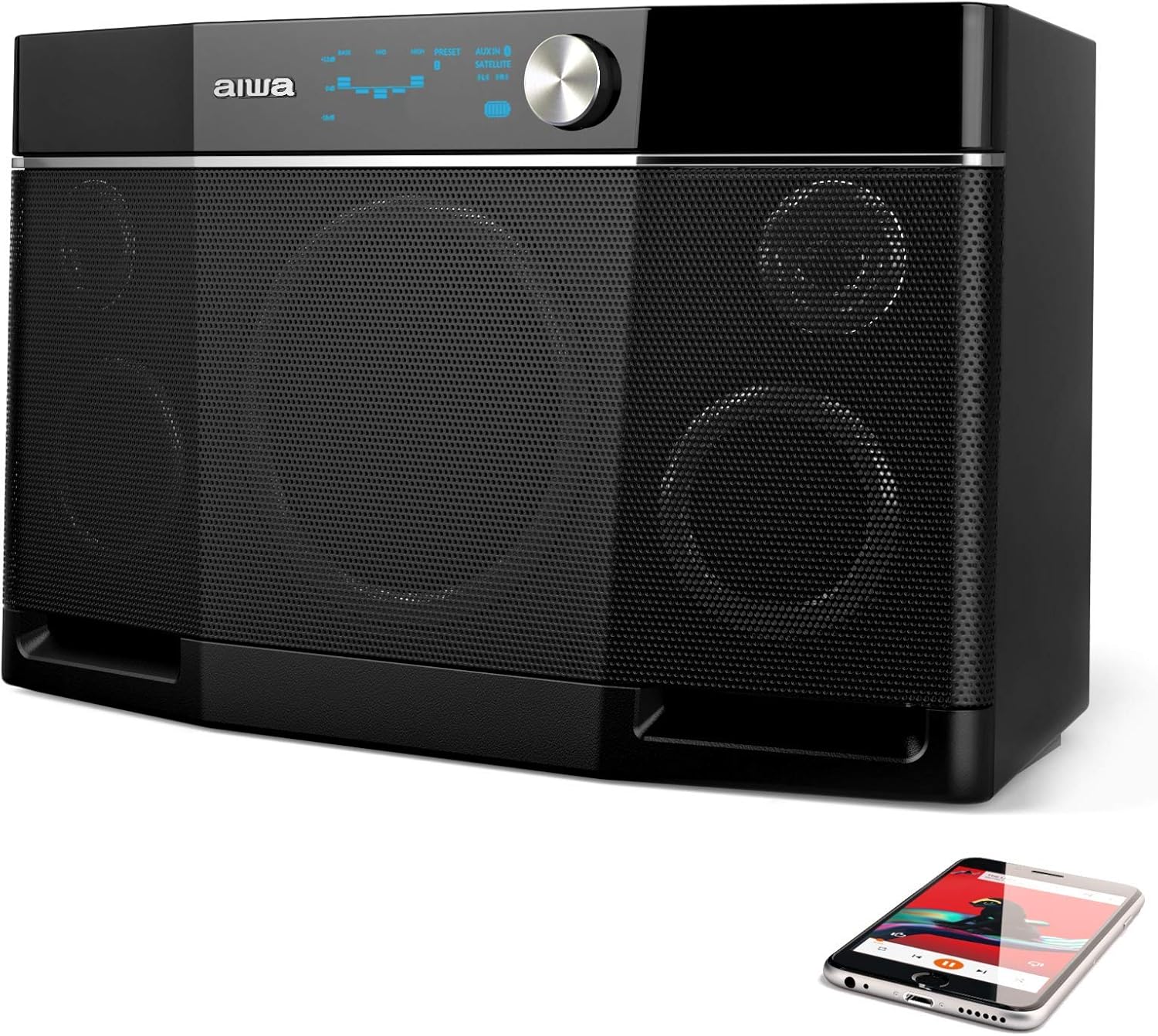
Figure 1: Front view of the Aiwa Exos-9 Portable Bluetooth Speaker, showcasing its sleek black design and speaker grilles.

Figure 2: Angled view of the Aiwa Exos-9, highlighting its robust construction and portable form factor.

Figure 3: Diagram illustrating the internal components of the Exos-9, including the 6.5-inch subwoofer and other drivers.

Figure 4: Top panel of the speaker, featuring the intuitive controls and the 5-band graphic equalizer for sound customization.

Figure 5: Two Aiwa Exos-9 speakers wirelessly linked together, demonstrating the stereo pairing capability.

Figure 6: Close-up of the connectivity options, including Bluetooth and the 3.5mm audio jack.
4. Setup
4.1 Initial Charging
Before first use, fully charge your Aiwa Exos-9 speaker. Connect the provided power cable to the speaker's power input and a wall outlet. A full charge takes approximately 9 hours.
4.2 Bluetooth Pairing
- Ensure the Exos-9 is powered on.
- Activate Bluetooth on your connecting device (e.g., smartphone, tablet).
- Search for "Exos-9" in your device's Bluetooth menu and select it to pair.
- The speaker will indicate successful pairing.
5. Operating the Speaker
5.1 Basic Controls
The top panel of the Exos-9 features intuitive controls for power, volume, playback, and equalizer settings. Refer to Figure 4 for a visual guide.
5.2 Adjusting the Equalizer (EQ)
The Exos-9 features a 5-band onboard graphic equalizer. You can select from 4 available pre-set options or fine-tune the bass, mids, and highs to your preference. Consult the Quick Start Guide for detailed instructions on EQ adjustments.
5.3 Stereo Pairing (Link Mode)
Two Aiwa Exos-9 speakers can be wirelessly linked for true stereo sound. Follow these steps:
- Ensure both Exos-9 units are powered on and not connected to any Bluetooth device.
- On one speaker, press and hold the "LINK" button for 3 seconds until you hear a beep.
- Repeat the process on the second speaker.
- The speakers will automatically connect to each other, indicated by a specific sound or light pattern.
- Now, connect your Bluetooth device to one of the linked speakers.
6. Connectivity
6.1 Bluetooth
The Exos-9 utilizes Bluetooth 4.2 for instant pairing and maintains a strong connection up to 80 feet. It remembers your last connected device for effortless reconnection.
6.2 3.5mm Audio Jack
For wired connections, use the 3.5mm audio jack to connect devices without Bluetooth capability.
6.3 USB Charging
The speaker features a USB port that can be used for charging phones and tablets, making it convenient for outdoor use.
7. Battery Management
The Exos-9 is equipped with a quick-swap Lithium-ion battery pack, providing up to 9 hours of unplugged sound. Battery capacity is rated for up to 12 hours under specific conditions. To maximize battery life, ensure the unit is fully charged before extended use. The charging time is approximately 9 hours.
8. Maintenance
To ensure the longevity and optimal performance of your Aiwa Exos-9 speaker, follow these guidelines:
- Keep the speaker clean by wiping it with a soft, dry cloth.
- Avoid exposing the speaker to extreme temperatures or direct sunlight for prolonged periods.
- While durable, the speaker is not waterproof. Protect it from water and excessive moisture.
- Store the speaker in a cool, dry place when not in use.
9. Troubleshooting
9.1 Refreshing Bluetooth Connections
If you experience connectivity issues or need to reset the Bluetooth connection, follow these steps:
- On your connecting device, go to the Bluetooth menu and "Forget" or "Unpair" the Exos-9 speaker.
- Power on your Exos-9 unit using its battery.
- Press and hold the "PLAY" and "LINK" buttons simultaneously for 3 seconds, or until you hear the unit beep.
- Search for "Exos-9" in your device's Bluetooth menu again, then add and connect.
10. Specifications
| Feature | Detail |
|---|---|
| Model Name | AI6020 (Item model number: Aiwa-9002) |
| Speaker Type | Subwoofer |
| Speaker Maximum Output Power | 400 Watts |
| Audio Output Mode | Stereo |
| Wireless Communication Technology | Bluetooth, NFC |
| Bluetooth Range | 80 Feet |
| Power Source | Battery Powered |
| Battery Life (Playback) | Up to 9 hours (12 hours capacity) |
| Charging Time | 9 Hours |
| Product Dimensions | 7.5"D x 11.7"W x 19.4"H |
| Item Weight | 13 Pounds |
| Material | Plastic, Paper/Polypropylene (Components), Metal/Plastic (Enclosure) |
| Special Feature | Micro-USB for firmware updates, Stereo Pairing, USB charging for phones and tablets |
| Is Waterproof | False |
11. Warranty and Support
11.1 Limited Warranty
The Aiwa Exos-9 comes with a 1-year limited warranty. Please refer to your product's welcome letter or the official Aiwa website for full warranty details and registration information.
11.2 Customer Support
For any questions, technical support, or assistance, the Aiwa Customer Service team is available. Please contact them through the email address provided in your product's welcome letter.
12. Official Product Video
Video 1: An official product video from Aiwa Corp. showcasing the Exos-9 Bluetooth Speaker, emphasizing its powerful sound and portability. This video highlights the speaker's ability to deliver high-quality audio without compromising on mobility.


