1. Introduction
The Icy Box IB-112StU3-B is a versatile docking station designed for quick and easy access to 2.5-inch and 3.5-inch SATA I/II/III hard drives and Solid State Drives (SSDs). It connects to your computer via a high-speed USB 3.0 interface, offering reliable data transfer rates up to 5 Gbit/s. This device provides a convenient solution for managing multiple drives without the need for internal installation, making it ideal for data recovery, backups, and drive cloning.
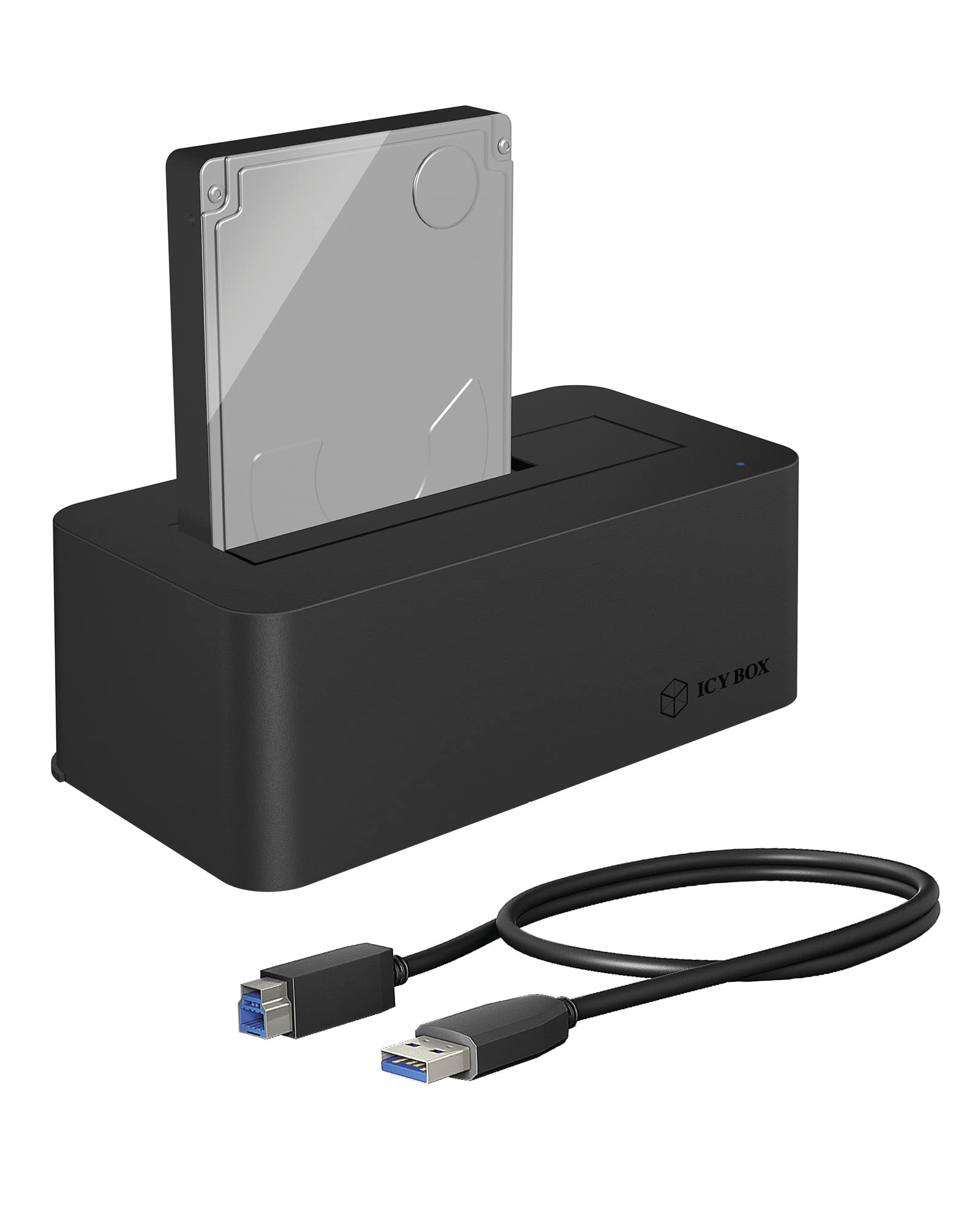
Image 1.1: The Icy Box IB-112StU3-B docking station. This image shows the compact design of the docking station, ready to accept a 2.5-inch or 3.5-inch SATA drive.
2. Package Contents
Please verify that all items are present in the package:
- Icy Box IB-112StU3-B Docking Station
- USB 3.0 Cable (Type-A to Type-B)
- Power Adapter
- User Manual (this document)
3. Product Overview
Familiarize yourself with the components of your docking station:

Image 3.1: Top view of the docking station. This image highlights the drive insertion slot and the LED status indicator.
- Drive Slot: Accepts 2.5" or 3.5" SATA HDDs/SSDs.
- LED Status Indicator: Indicates power and data activity.
- USB 3.0 Port (Type-B): Connects to your computer.
- DC Power Input: Connects to the power adapter.
- Power On/Off Switch: Controls the power supply to the unit.

Image 3.2: Rear view of the docking station. This image displays the USB 3.0 port, DC power input, and the power switch.
4. Setup
Follow these steps to set up your Icy Box docking station:
- Connect Power: Connect the provided power adapter to the DC Power Input port on the back of the docking station. Plug the power adapter into a wall outlet.
- Connect to Computer: Connect one end of the USB 3.0 cable to the USB 3.0 port on the docking station and the other end to an available USB 3.0 port on your computer.
- Insert Hard Drive/SSD: Gently slide your 2.5-inch or 3.5-inch SATA hard drive or SSD into the drive slot of the docking station, ensuring the SATA connector aligns correctly. Apply gentle pressure until the drive is fully seated.
- Power On: Flip the Power On/Off switch on the back of the docking station to the 'On' position. The LED status indicator should illuminate.
- Driver Installation: The docking station is plug-and-play and typically does not require additional drivers for Windows, macOS, or Linux operating systems. Your computer should automatically detect the connected drive.
5. Operating Instructions
Once set up, you can begin using your docking station:
- Accessing Data: After the drive is detected, it will appear as a removable storage device in your operating system's file explorer (e.g., 'My Computer' on Windows, 'Finder' on macOS). You can then access, copy, or move files as you would with any other storage device.
- Hot-Swapping Drives: The Icy Box IB-112StU3-B supports hot-swapping. To safely remove a drive, first ensure no data transfer is in progress. Then, use your operating system's 'Safely Remove Hardware' or 'Eject' function before physically pulling the drive out of the slot. To insert a new drive, simply slide it into the slot.
- LED Indicator: The LED indicator will typically show a steady light when powered on and blink during data transfer activity.
- Power Management: Always use the power switch to turn off the docking station when not in use or before disconnecting it from the power outlet.
6. Maintenance
To ensure the longevity and optimal performance of your docking station:
- Keep the device clean and free from dust. Use a soft, dry cloth for cleaning.
- Avoid exposing the docking station to extreme temperatures, humidity, or direct sunlight.
- Do not block the ventilation openings (if any) to prevent overheating.
- Handle the device and inserted drives with care to prevent physical damage.
7. Troubleshooting
If you encounter issues, refer to the following common problems and solutions:
- Drive Not Detected:
- Ensure the power adapter is securely connected and the docking station is powered on.
- Verify the USB cable is firmly connected to both the docking station and the computer.
- Try a different USB port on your computer.
- Ensure the hard drive/SSD is correctly seated in the docking station's slot.
- Check if the drive is initialized and formatted in your computer's Disk Management (Windows) or Disk Utility (macOS). New drives may need to be initialized and formatted before use.
- Slow Data Transfer Speed:
- Ensure you are connected to a USB 3.0 port on your computer. Connecting to a USB 2.0 port will result in slower speeds.
- Verify the USB 3.0 cable is not damaged.
- The actual transfer speed can also depend on the performance of the hard drive/SSD itself.
- Docking Station Not Powering On:
- Check the power adapter connection to both the docking station and the wall outlet.
- Ensure the power switch is in the 'On' position.
- Try a different power outlet.
8. Specifications
| Model Number | IB-112STU3-B |
| Brand | ICY BOX |
| Compatible Drive Types | 2.5" and 3.5" SATA I/II/III HDDs/SSDs |
| Interface to PC | USB 3.0 (backward compatible with USB 2.0/1.1) |
| Data Transfer Rate | Up to 5 Gbit/s (USB 3.0) |
| Material | Plastic |
| Operating System Support | Windows, macOS, Linux |
| Power Supply | External Power Adapter |
| Color | Black |
9. Safety Information
Please read and follow these safety guidelines:
- Do not open the device casing. There are no user-serviceable parts inside.
- Keep the device away from water, moisture, and high humidity.
- Use only the provided power adapter. Using an unauthorized adapter may damage the device and void the warranty.
- Avoid dropping or subjecting the device to strong impacts.
- Disconnect the power adapter from the wall outlet during lightning storms or when unused for long periods.
10. Warranty and Support
This product comes with a manufacturer's warranty. For specific warranty terms and conditions, please refer to the documentation included with your purchase or visit the official ICY BOX website. For technical support or further assistance, please contact your retailer or the ICY BOX customer service department.


