
1. Introduction
This manual provides comprehensive instructions for the installation, operation, and maintenance of your Robertshaw 9200H Deluxe Mechanical Heat and Cool Thermostat. This 24-volt thermostat is designed for single-stage heating and cooling systems, including gas, oil, electric, and heat pump systems without auxiliary heat. It features hermetically sealed contacts and a heavy-duty heat anticipator for reliable performance. Please read this manual thoroughly before installation and use to ensure proper function and safety.

Figure 1: Front view of the Robertshaw 9200H thermostat, showing the temperature slider and system switch. Dimensions are approximately 3.6 inches (9 cm) in height.
2. Safety Information
WARNING: Always disconnect power to the heating and cooling system at the main fuse or circuit breaker panel before installing or servicing the thermostat. Failure to do so could result in electrical shock or equipment damage.
- Ensure all wiring complies with local electrical codes and ordinances.
- This thermostat is designed for 24 VAC systems only. Do not use it with line voltage systems (120V or 240V).
- Do not short out terminals on the gas valve or at the system control to test the thermostat. This can damage the thermostat and/or the system.
- Keep the thermostat clean and free from dust.
3. Installation
3.1 Tools Required
- Screwdriver (Phillips and/or flathead)
- Wire strippers/cutters
- Drill with appropriate bit (if new mounting holes are needed)
3.2 Mounting Location
Install the thermostat on an inside wall, approximately 5 feet (1.5 meters) above the floor. Avoid locations that are:
- Near windows or doors that may cause drafts.
- Near heat sources such as lamps, radiators, or appliances.
- In direct sunlight.
- Near supply registers or air ducts.
- In areas with poor air circulation.
3.3 Wiring Instructions
- Disconnect Power: Turn off the electricity to the heating and cooling system at the main fuse or circuit breaker panel.
- Remove Old Thermostat: Carefully remove the cover of your old thermostat. Note the wire connections to each terminal. It is recommended to label each wire with the terminal designation (e.g., R, W, Y, G) before disconnecting.
- Mount New Thermostat Base: Remove the new thermostat's cover. Position the thermostat base against the wall and mark the mounting holes. Drill pilot holes if necessary, then secure the base to the wall using the provided screws.
- Connect Wires: Connect the wires from your system to the corresponding terminals on the Robertshaw 9200H thermostat. This thermostat is designed for 1-stage heat, 1-stage cool systems. Typical connections are:
- R: 24V Power (often Red wire)
- W: Heat Call (often White wire)
- Y: Cool Call (often Yellow wire)
- G: Fan Call (often Green wire)
- Install Thermostat Cover: Once wiring is complete and secure, carefully snap the thermostat cover onto the base.
- Restore Power: Turn the electricity back on at the main fuse or circuit breaker panel.
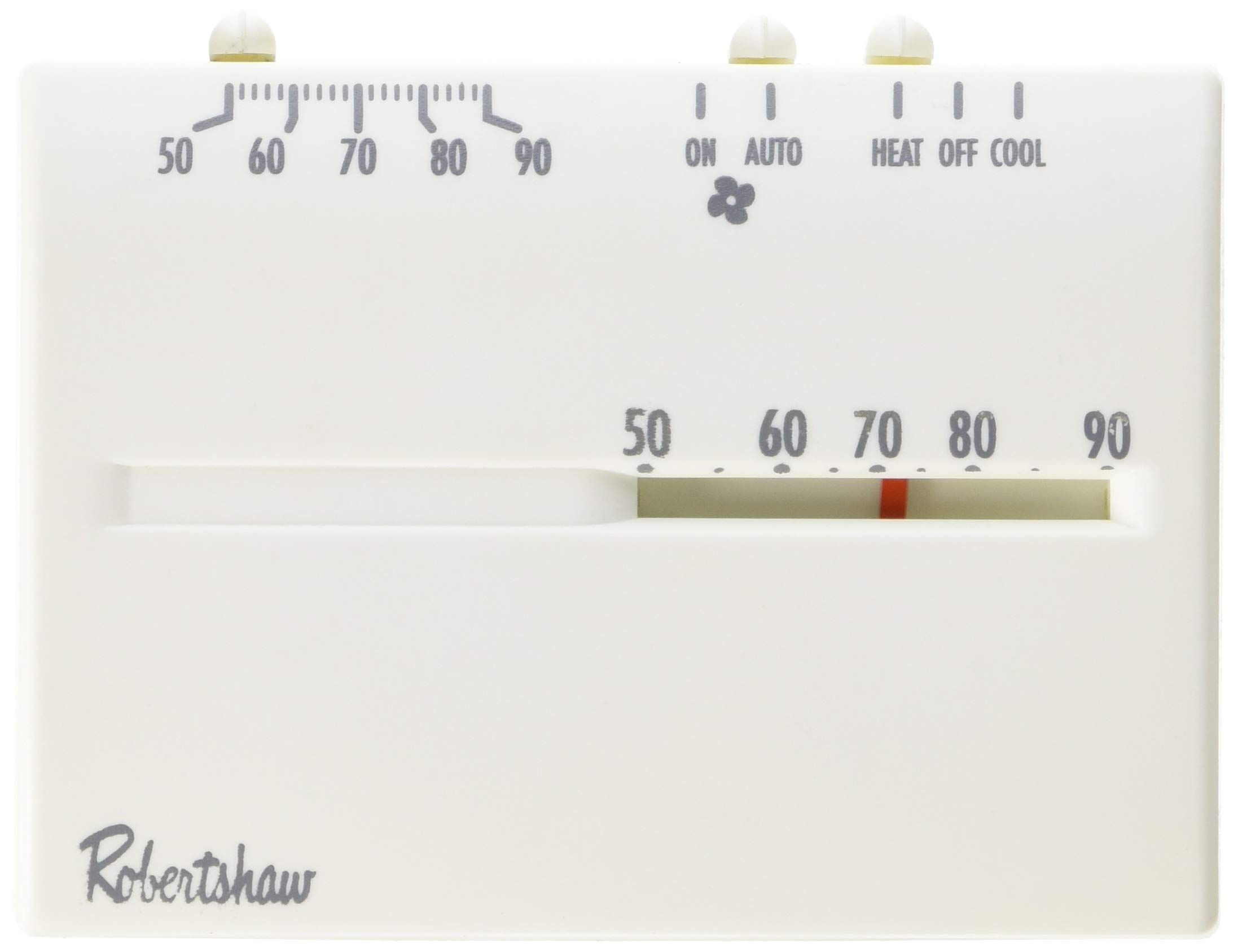
Figure 2: Internal view of the Robertshaw 9200H thermostat, illustrating the circuit board and wiring connection points. Note the terminals for R, W, Y, and G connections.
4. Operation
The Robertshaw 9200H thermostat features simple mechanical controls for temperature and system mode selection.
4.1 Setting the Temperature
- Locate the temperature slider on the front of the thermostat (refer to Figure 1).
- Slide the indicator to your desired temperature setting. The thermostat will maintain this temperature within its operating range.
4.2 System Mode Selection
The system mode switch allows you to select between heating, cooling, or turning the system off.
- HEAT: Select this mode for heating operation. The system will turn on when the room temperature falls below your set temperature.
- OFF: Select this mode to turn off both heating and cooling functions.
- COOL: Select this mode for cooling operation. The system will turn on when the room temperature rises above your set temperature.
4.3 Fan Operation
This mechanical thermostat typically operates the fan automatically with the heating or cooling call. There is no separate fan switch for continuous fan operation.
5. Maintenance
The Robertshaw 9200H thermostat requires minimal maintenance to ensure continued reliable operation.
- Cleaning: Periodically wipe the exterior of the thermostat with a soft, damp cloth. Do not use abrasive cleaners or solvents. Ensure no moisture enters the internal components.
- Airflow: Ensure that the vents on the thermostat casing are not obstructed by dust or debris, as this can affect temperature sensing accuracy.
- No Batteries Required: This mechanical thermostat does not require batteries for operation.
6. Troubleshooting
If you experience issues with your thermostat, refer to the following common problems and solutions:
| Problem | Possible Cause | Solution |
|---|---|---|
| No heat or cool |
|
|
| Inaccurate temperature reading |
|
|
| System runs continuously or not at all |
|
|
If problems persist after attempting these solutions, contact a qualified HVAC service technician.
7. Specifications
- Model: 9200H
- Voltage: 24 VAC
- System Compatibility: Single-stage (1 Heat / 1 Cool) gas, oil, electric, or heat pump systems (without auxiliary heat)
- Control Type: Mechanical, Push Button (for system mode)
- Display Type: Analog
- Special Features: Heavy Duty Heat Anticipator, Hermetically Sealed Contacts
- Dimensions: Approximately 1.8 x 4.5 x 3.5 inches (4.57 x 11.43 x 8.89 cm)
- Item Weight: Approximately 2.72 ounces (77 grams)
- UPC: 662013212469
8. Warranty and Support
For warranty information or technical support regarding your Robertshaw 9200H thermostat, please refer to the warranty card included with your product or visit the official Robertshaw website. You may also contact Robertshaw customer service directly for assistance with product inquiries, troubleshooting, or replacement parts.
Manufacturer: Robertshaw


