
1. Introduction
Thank you for choosing the Rockford RFBTRCA Universal Bluetooth to RCA Adaptor. This device allows you to stream audio wirelessly from any Bluetooth-enabled device to an audio system with RCA inputs. Please read this manual carefully before installation and operation to ensure proper use and to maximize the performance of your adaptor.
What's in the Box:
- Rockford RFBTRCA Universal Bluetooth to RCA Adaptor
- Power Cable (12V)
- RCA Audio Cable
- 3.5mm Audio Cable
2. Safety Information
Always observe the following safety precautions when installing and operating the RFBTRCA adaptor:
- Power Source: Connect the adaptor only to a 12-volt DC power source. Incorrect voltage can damage the device.
- Installation: Ensure all connections are secure and properly insulated to prevent short circuits.
- Moisture: Do not expose the adaptor to water or excessive moisture.
- Temperature: Avoid extreme temperatures. Operate the device within its specified temperature range.
- Servicing: Do not attempt to open or repair the unit yourself. Refer all servicing to qualified personnel.
3. Product Overview
The Rockford RFBTRCA is a compact and efficient Bluetooth audio receiver designed for seamless integration into existing audio systems. It features a simple 12V power input and audio output options for RCA or 3.5mm connections.
Key Features:
- Universal Bluetooth streaming receiver
- 12V wired connection for power
- RCA and 3.5mm audio output options
- Compact design
Component Identification:

Image 1: Front view of the Rockford RFBTRCA Universal Bluetooth to RCA Adaptor. The device is black with the 'Rockford Fosgate' logo and a blue LED indicator light at the bottom.

Image 2: Rear view of the Rockford RFBTRCA adaptor. Clearly visible are the 'AUDIO' port (3.5mm jack) and the '12V' power input port.

Image 3: The included RCA audio cable and 3.5mm audio cable. These cables are used to connect the adaptor to your audio system.
4. Setup and Installation
Follow these steps to properly install your Rockford RFBTRCA adaptor:
- Power Connection:
- Connect the supplied 12V power cable to the '12V' input port on the RFBTRCA adaptor.
- Connect the other end of the 12V power cable to a suitable 12-volt DC power source in your vehicle or audio system. Ensure proper polarity (red wire to positive, black wire to negative/ground).
- Audio Output Connection:
- Using RCA: Connect the supplied RCA audio cable to the RCA outputs of the RFBTRCA adaptor. Connect the other end of the RCA cable to an available RCA input on your amplifier or audio receiver.
- Using 3.5mm: Alternatively, connect the supplied 3.5mm audio cable to the 'AUDIO' output port on the RFBTRCA adaptor. Connect the other end of the 3.5mm cable to an available 3.5mm auxiliary input on your audio system.
- Secure Placement: Mount the RFBTRCA adaptor in a secure location, away from direct heat, moisture, and moving parts.
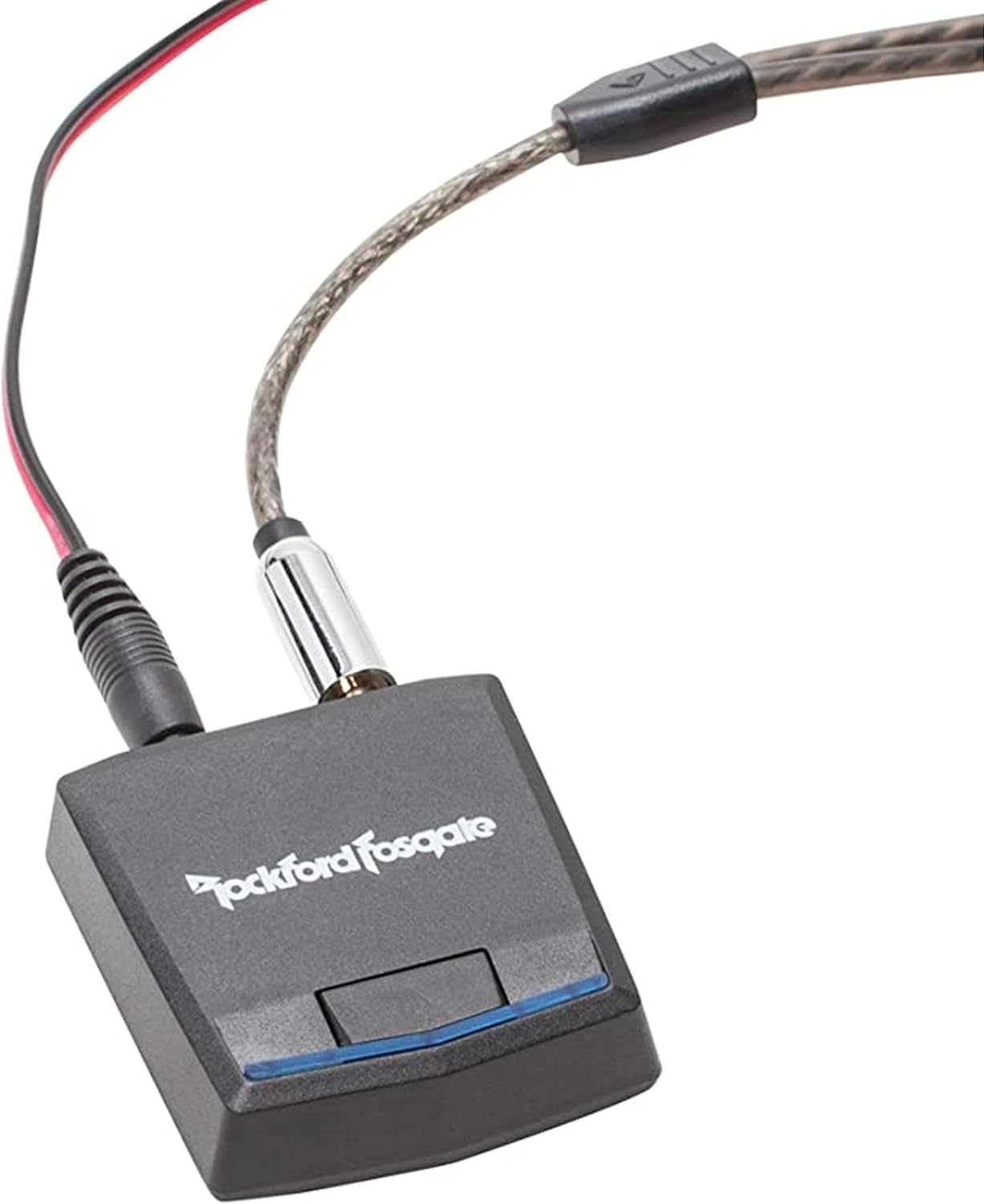
Image 4: The Rockford RFBTRCA adaptor shown with both the 12V power cable and the 3.5mm audio cable connected, ready for integration into an audio system.
5. Operating Instructions
Power On/Off:
The RFBTRCA adaptor powers on automatically when it receives 12V power. There is no manual power button. The blue LED indicator on the front of the unit will illuminate when powered on.
Bluetooth Pairing:
- Ensure the RFBTRCA adaptor is powered on. The blue LED will blink, indicating it is in pairing mode.
- On your Bluetooth-enabled device (e.g., smartphone, tablet), go to the Bluetooth settings.
- Search for available devices. You should see 'RFBTRCA' or a similar name in the list.
- Select 'RFBTRCA' to pair. Once paired, the blue LED on the adaptor will become solid, indicating a successful connection.
- If prompted for a passcode, enter '0000'.
Audio Streaming:
Once paired, any audio played on your Bluetooth device will be streamed wirelessly to the RFBTRCA adaptor and output through the connected RCA or 3.5mm cables to your audio system. Adjust the volume on your Bluetooth device and your audio system for optimal sound.
6. Maintenance
The Rockford RFBTRCA adaptor requires minimal maintenance:
- Cleaning: Use a soft, dry cloth to clean the exterior of the unit. Do not use liquid cleaners or solvents.
- Storage: If storing the unit for an extended period, disconnect it from the power source and store it in a cool, dry place.
- Connections: Periodically check all cable connections to ensure they are secure and free from corrosion.
7. Troubleshooting
If you encounter issues with your RFBTRCA adaptor, refer to the following common problems and solutions:
| Problem | Possible Cause | Solution |
|---|---|---|
| No power / LED not lit | Incorrect 12V connection or no power supply. | Check the 12V power cable connection and ensure the power source is active. Verify correct polarity. |
| Cannot pair Bluetooth device | Adaptor not in pairing mode; device too far; interference; previously paired device connected. | Ensure the adaptor's LED is blinking. Move your device closer. Turn off Bluetooth on other nearby devices. Disconnect from any previously paired devices. |
| No audio output | Incorrect audio cable connection; audio system input not selected; volume too low; device not playing audio. | Verify RCA or 3.5mm cable connections. Select the correct input on your audio system. Increase volume on both your device and audio system. Ensure audio is playing on your Bluetooth device. |
| Poor audio quality / Static | Bluetooth range issue; interference; ground loop. | Move your Bluetooth device closer to the adaptor. Avoid placing the adaptor near other electronic devices that may cause interference. Consider a ground loop isolator if static persists. |
8. Specifications
| Feature | Detail |
|---|---|
| Model Number | RFBTRCA |
| Brand | Rockford |
| Compatible Devices | Smartphone, Speaker |
| Connector Type | Auxiliary (3.5mm), RCA |
| Color | BLACK |
| Item Dimensions (L x W x H) | 1 x 1 x 1 inches |
| Item Weight | 4 Ounces |
| Number of Ports | 3 (12V Power, Audio 3.5mm, RCA L/R) |
| Power Plug Type | Type A - 2 pin (Japanese) for 12V input |
| UPC | 780687345716 |
9. Warranty Information
The Rockford RFBTRCA Universal Bluetooth to RCA Adaptor is covered by a manufacturer's warranty. Please refer to the warranty card included with your product or visit the official Rockford Fosgate website for detailed warranty terms and conditions. Keep your purchase receipt as proof of purchase for any warranty claims.
10. Customer Support
If you have any questions, require technical assistance, or need to report an issue that is not covered in this manual, please contact Rockford Fosgate customer support:
- Website: Visit the official Rockford Fosgate website for support resources, FAQs, and contact information.
- Phone: Refer to the contact section on the Rockford Fosgate website for regional support phone numbers.
Please have your product model number (RFBTRCA) and purchase details ready when contacting support.