
PHILIPS SHB3075BK/00
Philips SHB3075BK/00 Wireless On-Ear Headphones User Manual
Model: SHB3075BK/00
Introduction
This manual provides essential information for the safe and efficient use of your Philips SHB3075BK/00 Wireless On-Ear Headphones. Please read it thoroughly before using the product and retain it for future reference.
The Philips SHB3075BK/00 headphones are designed to deliver powerful bass and clear audio in a compact, wireless form factor. They feature Bluetooth connectivity for seamless pairing with your devices and are built for comfort and portability.
Package Contents
Ensure all items are present in the package:
- Philips SHB3075BK/00 Wireless On-Ear Headphones
- USB Charging Cable
- User Manual (this document)

Image: Philips SHB3075BK/00 Wireless On-Ear Headphones, black, shown from a three-quarter front view, highlighting the earcups and headband.
Product Overview
Familiarize yourself with the components and controls of your headphones.

Image: Close-up view of the right earcup of the Philips SHB3075BK/00 headphones, showing the power button, volume controls, and charging port.
Controls and Indicators:
- Power Button: Used to turn the headphones on/off and for Bluetooth pairing.
- Volume Controls: Adjust audio playback volume.
- Multi-function Button: Manages calls (answer/end), plays/pauses music.
- Microphone: For hands-free calling.
- USB Charging Port: For connecting the charging cable.
- LED Indicator: Displays power, charging, and Bluetooth status.
Setup
1. Charging the Headphones
Before first use, fully charge the headphones. A full charge provides up to 12 hours of playback.
- Connect the small end of the supplied USB charging cable to the USB charging port on the headphone earcup.
- Connect the larger end of the USB cable to a powered USB port (e.g., computer, USB wall adapter).
- The LED indicator will illuminate during charging and turn off when charging is complete.
2. Pairing with a Bluetooth Device
The headphones can be paired with Bluetooth-enabled devices such as smartphones, tablets, or computers.
- Ensure the headphones are turned off.
- Press and hold the power button for approximately 5-7 seconds until the LED indicator flashes blue and red alternately. This indicates pairing mode.
- On your Bluetooth device, enable Bluetooth and search for available devices.
- Select "Philips SHB3075BK/00" from the list of found devices.
- Once paired, the LED indicator on the headphones will flash blue slowly.
- If prompted for a password, enter "0000".
Note: The headphones will automatically attempt to reconnect to the last paired device when powered on, if that device is within range and has Bluetooth enabled.
Operating Instructions
Power On/Off
- To Power On: Press and hold the power button for 2 seconds. The LED indicator will flash blue.
- To Power Off: Press and hold the power button for 3 seconds. The LED indicator will turn off.
Music Playback
- Play/Pause: Press the multi-function button once.
- Volume Up: Press the '+' button.
- Volume Down: Press the '-' button.
- Next Track: Press and hold the '+' button.
- Previous Track: Press and hold the '-' button.
Call Management
- Answer/End Call: Press the multi-function button once.
- Reject Call: Press and hold the multi-function button for 2 seconds.
- Redial Last Number: Double-press the multi-function button.
Wearing the Headphones
Adjust the headband and ear shells for a comfortable and secure fit. The ear shells are designed to provide sound isolation for an enhanced listening experience.
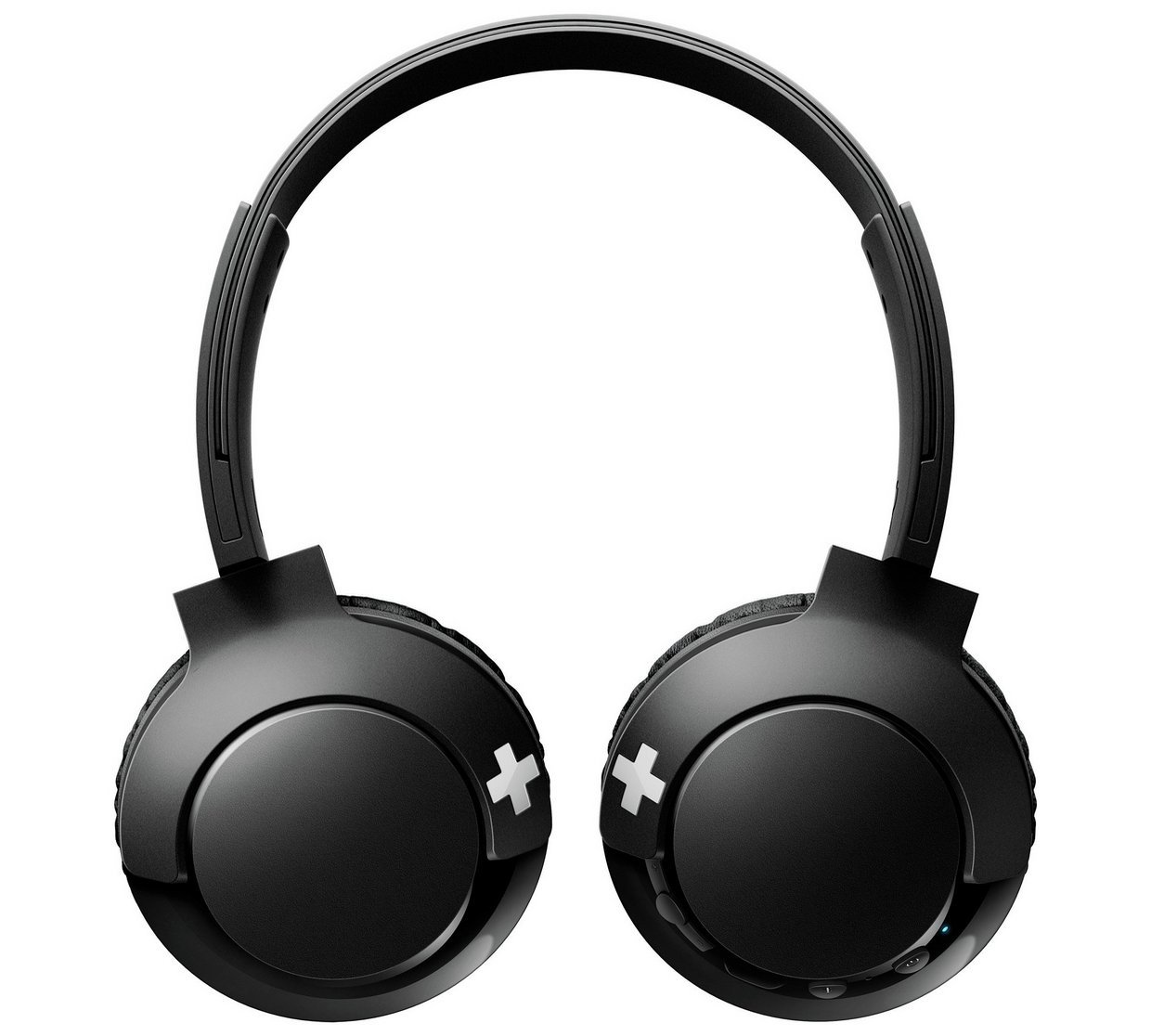
Image: Top-down view of the Philips SHB3075BK/00 headphones, showcasing the adjustable headband and the flat-folding design of the earcups.
The headphones feature a flat-folding design for easy portability and storage.
Maintenance and Care
- Clean the headphones with a soft, dry cloth. Do not use abrasive cleaners or solvents.
- Avoid exposing the headphones to extreme temperatures, humidity, or dust.
- Do not immerse the headphones in water.
- Store the headphones in a cool, dry place when not in use. The flat-folding design allows for compact storage.
- Do not attempt to disassemble or modify the headphones. This will void the warranty.
Troubleshooting
| Problem | Possible Cause | Solution |
|---|---|---|
| Headphones do not power on. | Battery is depleted. | Charge the headphones using the supplied USB cable. |
| Cannot pair with Bluetooth device. | Headphones not in pairing mode; device Bluetooth off; too far from device. | Ensure headphones are in pairing mode (flashing blue/red). Turn on Bluetooth on your device. Move headphones closer to the device (within 10 meters). |
| No sound or low volume. | Volume too low on headphones or device; headphones not connected. | Increase volume on both headphones and connected device. Ensure headphones are successfully paired and connected. |
| Poor sound quality. | Interference; device too far; low battery. | Move closer to the Bluetooth device. Avoid strong electromagnetic interference. Charge the headphones. |
| Microphone not working during calls. | Microphone muted on device; headphones not selected as audio input. | Check microphone settings on your connected device. Ensure the headphones are selected as the audio input source. |
Specifications
| Feature | Detail |
|---|---|
| Model | SHB3075BK/00 |
| Connectivity | Bluetooth |
| Driver Size | 32mm |
| Frequency Response | 9 Hz - 21 kHz |
| Impedance | 32 Ohm |
| Sensitivity | 103 dB |
| Maximum Power Input | 40mW |
| Battery Type | Lithium Polymer (LiPo) |
| Battery Life (Playback) | Up to 12 hours |
| Weight | Approximately 110 g |
| Dimensions (L x W x H) | 4.06 x 13.46 x 18.54 cm |
| Microphone | Built-in |
| Noise Control | Sound Isolation |
Warranty and Support
This Philips product is covered by a 1-year limited warranty from the date of purchase. This warranty covers manufacturing defects in materials and workmanship under normal use.
The warranty does not cover damages caused by misuse, accident, unauthorized modification, or normal wear and tear. Please retain your proof of purchase for warranty claims.
For technical support, warranty claims, or further assistance, please refer to the official Philips support website or contact their customer service in your region. Contact information can typically be found on the Philips official website or product packaging.
Safety Information
- Do not listen at high volume levels for long periods to prevent hearing damage.
- Do not use headphones while driving, cycling, or walking in traffic, as it may cause a hazard and is illegal in some areas.
- Keep out of reach of children.
- Dispose of the product and batteries according to local regulations. Do not dispose of with household waste.