
1. Introduction
Thank you for choosing the sourcing map TS-09B AC 125V 3A 2-Position Black Plastic Cord Switch. This cord switch is designed for simple ON/OFF control of electrical devices, commonly used for applications such as Christmas lamps or bedroom lighting. Its compact design and rotary gear mechanism provide reliable operation.
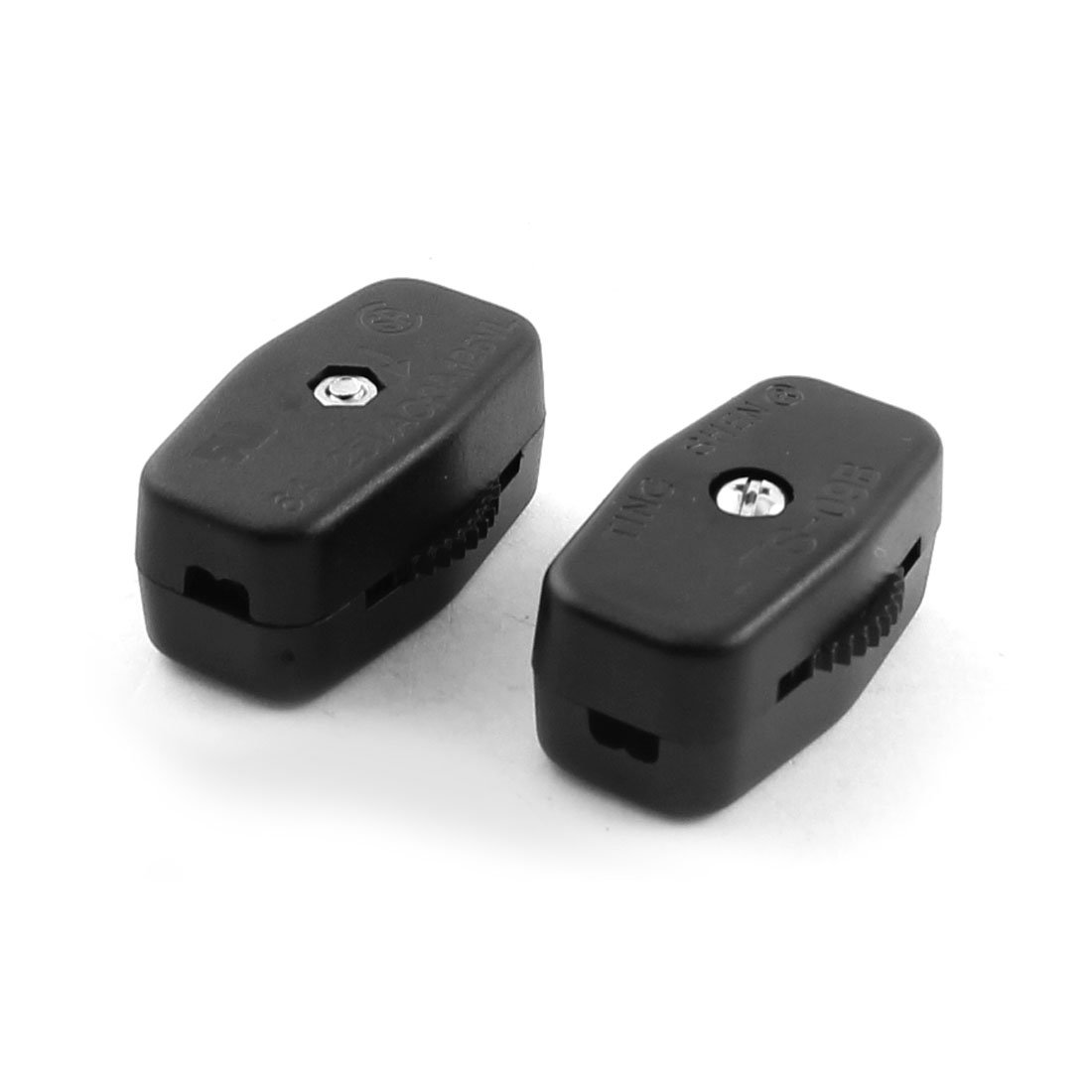
Figure 1: sourcing map TS-09B Cord Switch. This image displays the compact black plastic housing of the cord switch, highlighting its two-position rotary control for ON/OFF functionality.
2. Important Safety Information
WARNING: Risk of electric shock. Installation should only be performed by a qualified electrician or a person with a thorough understanding of electrical wiring and safety procedures. Always disconnect power at the circuit breaker or fuse box before installation or servicing.
- Ensure the power supply is completely disconnected before handling the switch or wires.
- Verify that the voltage and current ratings of your application do not exceed the switch's specifications (AC 125V, 3A).
- Do not use this switch in wet or damp environments unless specifically rated for such conditions.
- Keep out of reach of children.
- Inspect the switch for any damage before installation. Do not install a damaged switch.
3. Setup and Installation
This cord switch is designed for inline installation on a power cord. Follow these steps carefully:
- Disconnect Power: Ensure the power cord is unplugged from the wall outlet or the main power supply is turned off at the circuit breaker.
- Prepare the Cord: Carefully cut the power cord at the desired installation point. Strip approximately 1/2 inch (1.2 cm) of insulation from the ends of the two cut wires.
- Open the Switch Casing: The TS-09B switch typically has a two-part plastic casing. Gently pry open the casing to expose the internal terminals.
- Connect Wires: Identify the two terminals inside the switch. Connect one end of the cut power cord to one terminal and the other end of the cut power cord to the second terminal. Ensure a secure connection by tightening any screws or using appropriate connectors. The switch is a simple ON/OFF type, so the polarity of the wires (live/neutral) typically does not matter for its basic function, but always follow local electrical codes.
- Secure the Cord: Many cord switches include a strain relief mechanism. Ensure the cord is properly secured within the switch casing to prevent accidental pulling on the wire connections.
- Close the Casing: Carefully reassemble the two halves of the switch casing, ensuring no wires are pinched and the casing snaps or screws securely shut.
- Test: Once fully assembled, plug the power cord back into the outlet or restore power. Test the switch to ensure proper ON/OFF functionality.
Refer to local electrical codes and regulations for proper wiring practices.
4. Operating Instructions
The sourcing map TS-09B cord switch features a simple 2-position rotary mechanism for controlling power to your connected device.
- To Turn ON: Rotate the gear or knob on the switch to the "ON" position. This will complete the electrical circuit, supplying power to the connected device.
- To Turn OFF: Rotate the gear or knob on the switch to the "OFF" position. This will break the electrical circuit, cutting power to the connected device.
The switch provides a tactile click or resistance when moving between positions, indicating a clear ON or OFF state.
5. Maintenance
The sourcing map TS-09B cord switch requires minimal maintenance.
- Cleaning: If the switch becomes dirty, wipe it with a dry, soft cloth. Do not use abrasive cleaners or solvents, as these may damage the plastic casing. Ensure the switch is unplugged before cleaning.
- Inspection: Periodically inspect the switch and the connected cord for any signs of damage, such as cracks in the casing, frayed wires, or discoloration. If any damage is observed, discontinue use immediately and replace the switch.
- Storage: Store the switch in a dry environment, away from direct sunlight and extreme temperatures, when not in use.
6. Troubleshooting
If you experience issues with your cord switch, refer to the following common problems and solutions:
| Problem | Possible Cause | Solution |
|---|---|---|
| Device does not turn ON when switch is in ON position. |
|
|
| Switch feels loose or does not click into position. | Internal mechanism wear or damage. | Replace the switch. |
| Switch casing is cracked or damaged. | Physical impact or material fatigue. | (WARNING: Risk of electric shock!) Discontinue use immediately and replace the switch. |
If the problem persists after attempting these solutions, consult a qualified electrician.
7. Specifications
| Feature | Detail |
|---|---|
| Product Name | Cord Switch |
| Model | TS-09B |
| Brand | sourcing map |
| Material | Plastic |
| Main Color | Black |
| Switch Rated Voltage | AC 125V |
| Switch Rated Current | 3A |
| Position | 2 (ON/OFF) |
| Fit Cable Diameter | 2.5mm / 0.1" |
| Total Size (L*W*T) | 36 x 23 x 16.5mm / 1.4" x 0.9" x 0.65" |
| Net Weight | 12g (per switch) |
| Operation Mode | ON-OFF |
| Switch Type | Rotary |
| Circuit Type | 2-way |
8. Warranty and Support
Specific warranty information for the sourcing map TS-09B Cord Switch is not provided in this manual. For details regarding warranty coverage, returns, or technical support, please refer to the retailer or the manufacturer's official website where the product was purchased.
Always retain your proof of purchase for any warranty claims.