
1. Introduction
This instruction manual provides essential information for the safe and correct use of the OMRON E3Z-D61 Compact Photoelectric Sensor. Please read this manual thoroughly before using the product to ensure optimal performance and to prevent potential hazards. Keep this manual in a safe place for future reference.
2. Safety Information
Always observe the following safety precautions to prevent injury or damage to the product.
- Do not use the product in environments where flammable or explosive gases are present.
- Do not disassemble, repair, or modify the product. This may lead to electric shock, fire, or malfunction.
- Ensure that the power supply is turned off before performing any wiring or maintenance work.
- Verify correct wiring before applying power. Incorrect wiring can cause damage to the sensor or connected equipment.
- This product is designed for industrial applications. Do not use it for applications requiring extreme safety, such as medical devices or nuclear power control systems, without additional safety measures.
3. Product Overview
The OMRON E3Z-D61 is a compact, diffuse-reflective photoelectric sensor with a built-in amplifier and NPN output. It is designed for reliable object detection in various industrial automation applications.
3.1 Key Features
- Diffuse-Reflective Sensing: Detects objects by sensing the light reflected from their surface.
- Compact Design: Small form factor for easy integration into tight spaces.
- Built-in Amplifier: Simplifies wiring and installation.
- Pre-Wired Type: Comes with a 2-meter cable for convenient connection.
- NPN Output: Standard NPN open-collector output for compatibility with various control systems.
- Wide Voltage Range: Operates on 12 to 24V DC power supply.
3.2 Product Identification
The sensor is typically supplied in packaging that includes product details such as model number, voltage, and quantity. The following images illustrate typical product packaging and identification labels.
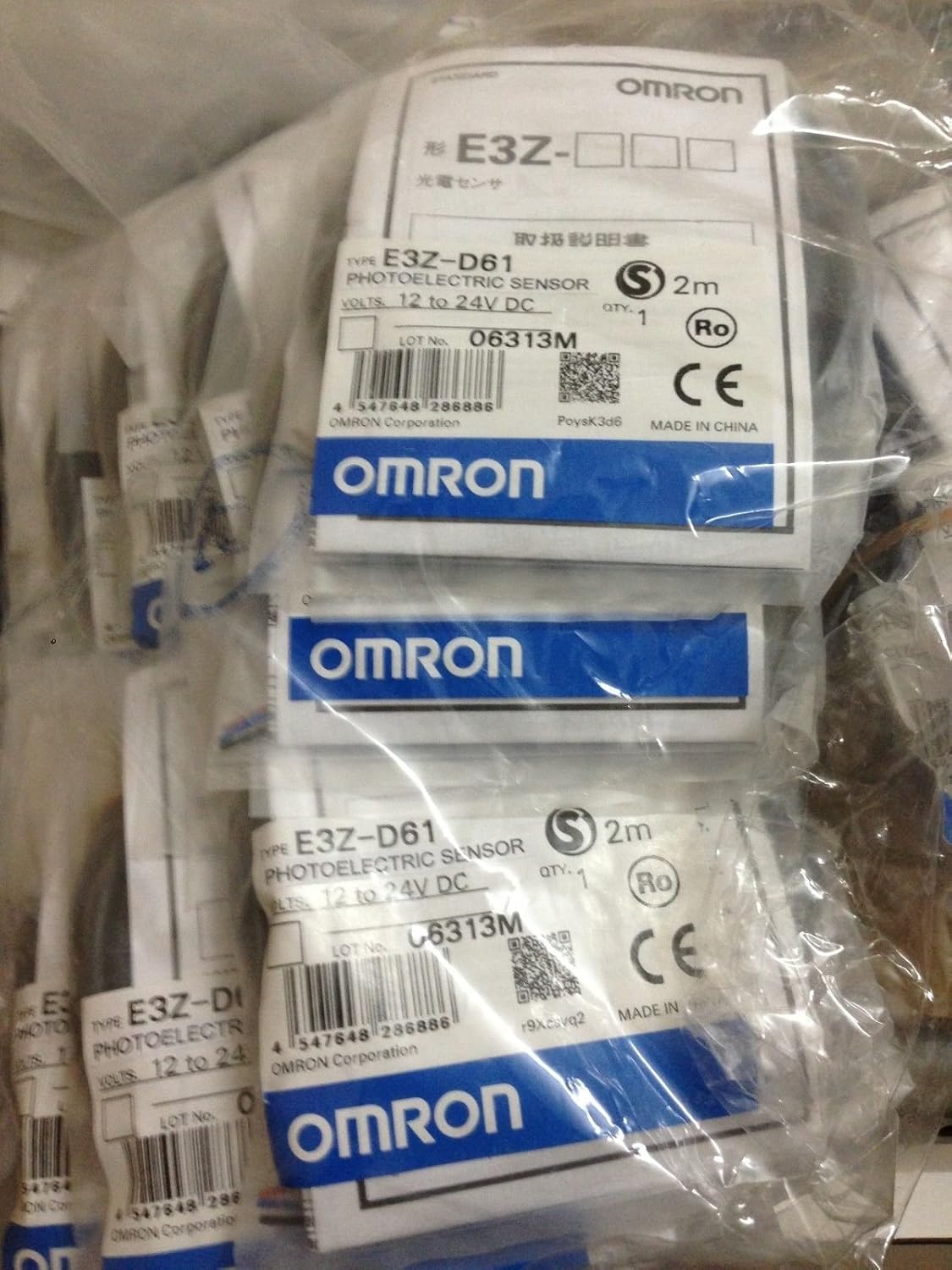
Image 1: Multiple OMRON E3Z-D61 sensors in their original packaging. The labels clearly display the model type E3Z-D61, voltage range (12 to 24V DC), and quantity (QTY. 1). A barcode with the number 4547648286886 is visible on the label, along with the CE mark and 'MADE IN CHINA' origin.

Image 2: A detailed view of the OMRON E3Z-D61 sensor packaging label. It specifies 'TYPE E3Z-D61 PROXIMITY SENSOR' and 'VOLTS. 12 to 24V DC'. The label also shows 'LOT No. 10615M' and a barcode with the number 4547648286886. The CE mark and 'MADE IN CHINA' are also present, confirming compliance and manufacturing origin.
4. Specifications
| Parameter | Value |
|---|---|
| Model Number | E3Z-D61 |
| Sensing Method | Diffuse-Reflective |
| Sensing Distance | 5 to 100 mm (adjustable) |
| Output Type | NPN Open Collector |
| Power Supply Voltage | 12 to 24V DC |
| Connection Type | Pre-wired (2 meters) |
| Product Dimensions | 4.5 x 4.5 x 0.7 inches |
| Item Weight | 2.46 ounces |
| Manufacturer | OMRON |
| ASIN | B00VE3KADY |
| UPC/EAN (from packaging) | 4547648286886 |
5. Setup
5.1 Mounting
- Mount the sensor securely using appropriate brackets and fasteners.
- Ensure the sensing surface is clear of obstructions and aligned correctly with the target detection area.
- Avoid mounting the sensor in direct sunlight or strong artificial light sources, as this may affect performance.
- Minimize vibration and shock at the mounting location.
5.2 Wiring
The E3Z-D61 sensor is a pre-wired NPN output type. Connect the wires as follows:
- Brown Wire: Connect to the positive (+) terminal of the 12-24V DC power supply.
- Blue Wire: Connect to the negative (-) terminal (0V) of the 12-24V DC power supply.
- Black Wire: This is the NPN output. Connect it to the load (e.g., PLC input, relay coil). The other side of the load should be connected to the positive (+) terminal of the power supply. When an object is detected, the NPN output switches ON, providing a path for current from the load to the sensor's 0V line.
Important: Always ensure the power supply is disconnected before performing any wiring to prevent electric shock or damage to the sensor.
6. Operating Instructions
6.1 Power On
After completing the mounting and wiring, apply power to the sensor. The sensor will typically have an indicator LED (often green) to show power status.
6.2 Sensing Distance Adjustment
The E3Z-D61 is a diffuse-reflective sensor, and its sensing distance can often be adjusted. Refer to the sensor body for a sensitivity adjuster (e.g., a potentiometer). Rotate the adjuster to set the desired sensing range. Test the detection by presenting and removing the target object within the desired range. An output indicator LED (often orange or red) will illuminate when an object is detected.
6.3 Target Object Considerations
- The color and reflectivity of the target object will affect the sensing distance. Darker, less reflective objects may reduce the effective sensing range.
- Ensure the target object is stable and does not wobble or vibrate excessively during detection.
7. Maintenance
Regular maintenance helps ensure the longevity and reliable operation of your OMRON E3Z-D61 sensor.
- Cleaning: Periodically clean the sensing surface (lens) with a soft, dry cloth. Do not use abrasive cleaners or solvents, as they may damage the lens.
- Inspection: Regularly inspect the sensor for any physical damage, loose wiring, or excessive dust/dirt accumulation.
- Cable Integrity: Check the sensor cable for cuts, abrasions, or signs of wear. Replace if damaged.
8. Troubleshooting
If you encounter issues with your sensor, refer to the following table for common problems and solutions.
| Problem | Possible Cause | Solution |
|---|---|---|
| Sensor not powering on (Power LED off) | No power supply; Incorrect wiring; Faulty sensor. | Check power supply voltage and connections; Verify wiring according to section 5.2; Replace sensor if faulty. |
| Sensor not detecting objects (Output LED off when object present) | Sensing distance too short; Dirty lens; Object too dark/non-reflective; Incorrect wiring; Sensor malfunction. | Adjust sensing distance (sensitivity); Clean the lens; Use a more reflective target or different sensor type; Verify wiring; Replace sensor. |
| Sensor continuously detects (Output LED always on) | Sensing distance too long; Background interference; Sensor malfunction. | Reduce sensing distance (sensitivity); Remove reflective objects from background; Replace sensor. |
| Intermittent detection | Unstable target; Loose wiring; Electrical noise; Vibration. | Ensure target stability; Check all wiring connections; Shield cables from noise sources; Secure mounting to reduce vibration. |
9. Warranty and Support
This OMRON E3Z-D61 sensor is supplied as new OEM stock. For specific warranty terms and conditions, please refer to the documentation provided by your supplier or contact OMRON customer support directly. OMRON provides technical support and resources to assist with product inquiries, installation, and troubleshooting.
For further assistance, please visit the official OMRON website or contact their authorized distributors.


