
1. Introduction
The VILTROX JY-120-C1 is a wireless remote shutter release system designed for Canon EOS cameras. It consists of a transmitter (JY-120 TX) and a receiver (JY-120 RX) that communicate via a 2.4 GHz radio frequency system, offering a working distance of approximately 50-80 meters. This system allows for remote camera control, reducing camera shake and enabling the photographer to be included in shots.
2. Package Contents
- JY-120 TX Transmitter x1
- JY-120 RX Receiver x1
- Connecting Cable (C1 type for Canon) x1
- Instruction Manual x1
3. Product Features
- Wireless Operation: Utilizes FSK 2.4 GHz radio frequency for reliable remote control without line-of-sight requirements.
- Extended Range: Operates effectively up to 50-80 meters.
- Multiple Shooting Modes: Supports single shot, BULB mode for long exposures, and a 3-second delay mode.
- Two-Stage Shutter Button: The transmitter's shutter button functions like a camera's shutter button, allowing for autofocus (half-press) and shutter release (full-press).
- Battery Saving Design: Both transmitter and receiver include on/off switches with indicator lights.
- Interchangeable Cables: Compatible with other camera brands by purchasing a different connecting cable (sold separately).
4. Compatibility
The VILTROX JY-120-C1 is compatible with the following Canon EOS camera models:
- EOS 80D, 77D, 70D, 60D, 60Da
- EOS 800D, 760D, 750D, 700D, 650D, 600D, 550D, 500D, 450D
- EOS 100D, 1300D, 1200D, 1100D, 1000D
- EOS M5, M6
- Rebel T6s, T6i, T5i, T3i, T5, T3
5. Components Overview

Figure 5.1: Labeled diagram showing the VILTROX JY-120 TX transmitter and JY-120 RX receiver with their respective buttons, switches, and ports. The transmitter features a shutter button, delay mode, bulb mode, single mode, and an on/off switch. The receiver has a shutter cord socket, power switch, and indicator light.
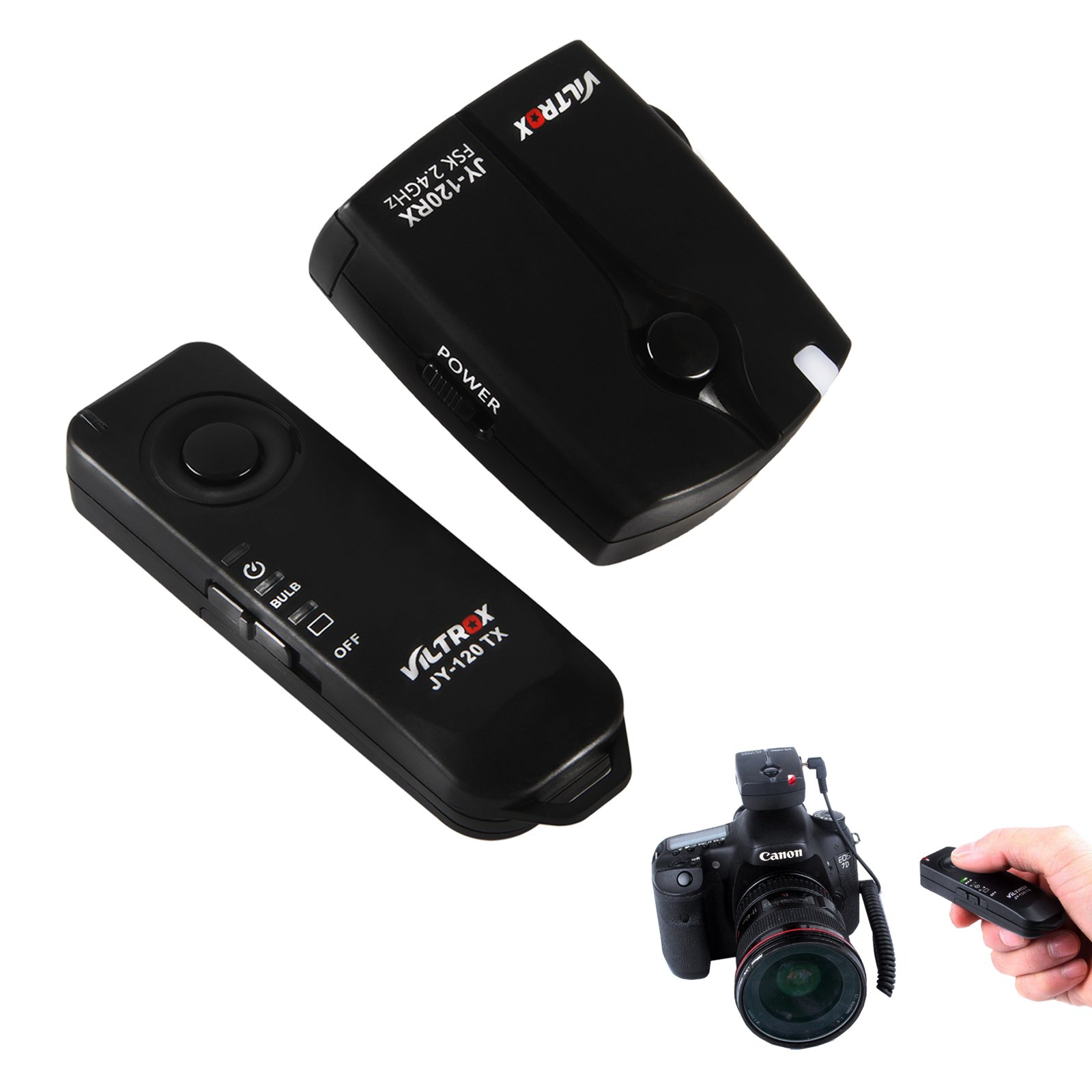
Figure 5.2: The complete VILTROX JY-120-C1 wireless remote shutter release system, including the transmitter, receiver, and connecting cable.
6. Setup
6.1 Battery Installation
Both the transmitter (JY-120 TX) and the receiver (JY-120 RX) require AAA batteries for operation. Each unit uses one AAA 1.5V battery.
- Locate the battery compartment on the back of both the transmitter and the receiver.
- Open the battery compartment cover.
- Insert one AAA battery into each unit, ensuring correct polarity (+ and - ends match the markings inside the compartment).
- Close the battery compartment cover securely.
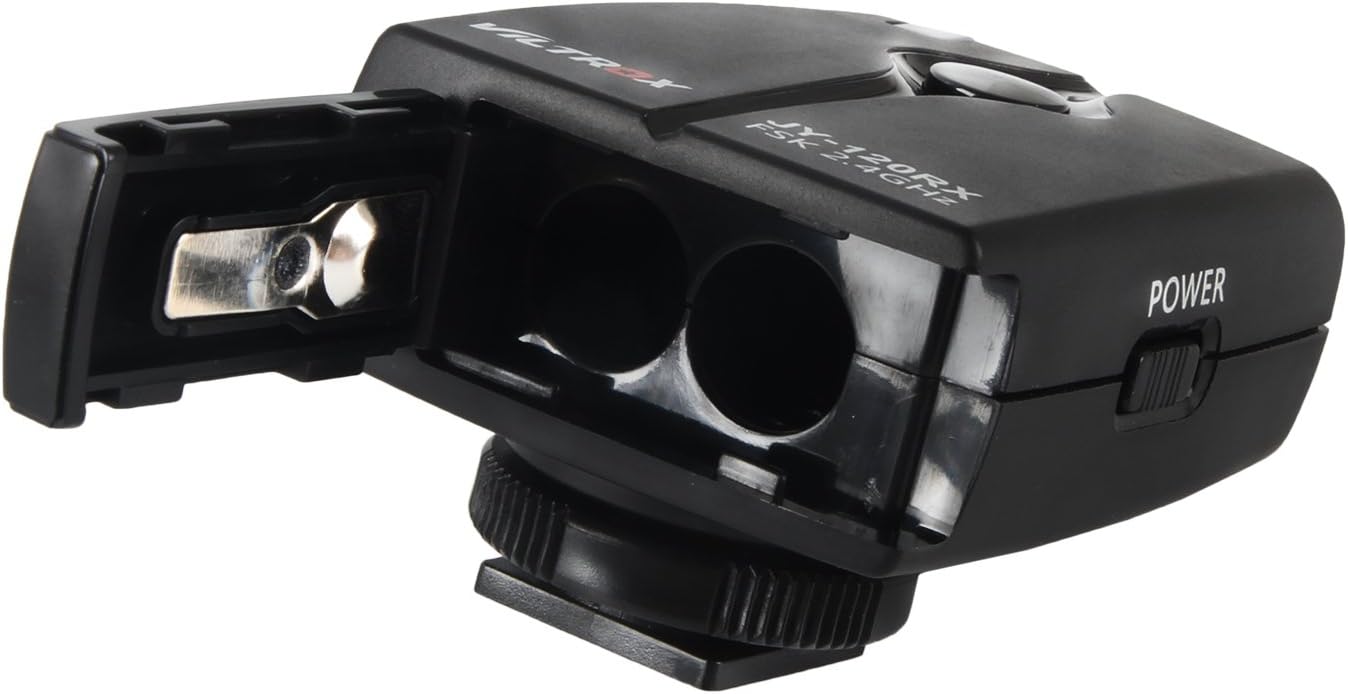
Figure 6.1: Open battery compartment of the JY-120 RX receiver, showing where to insert AAA batteries.
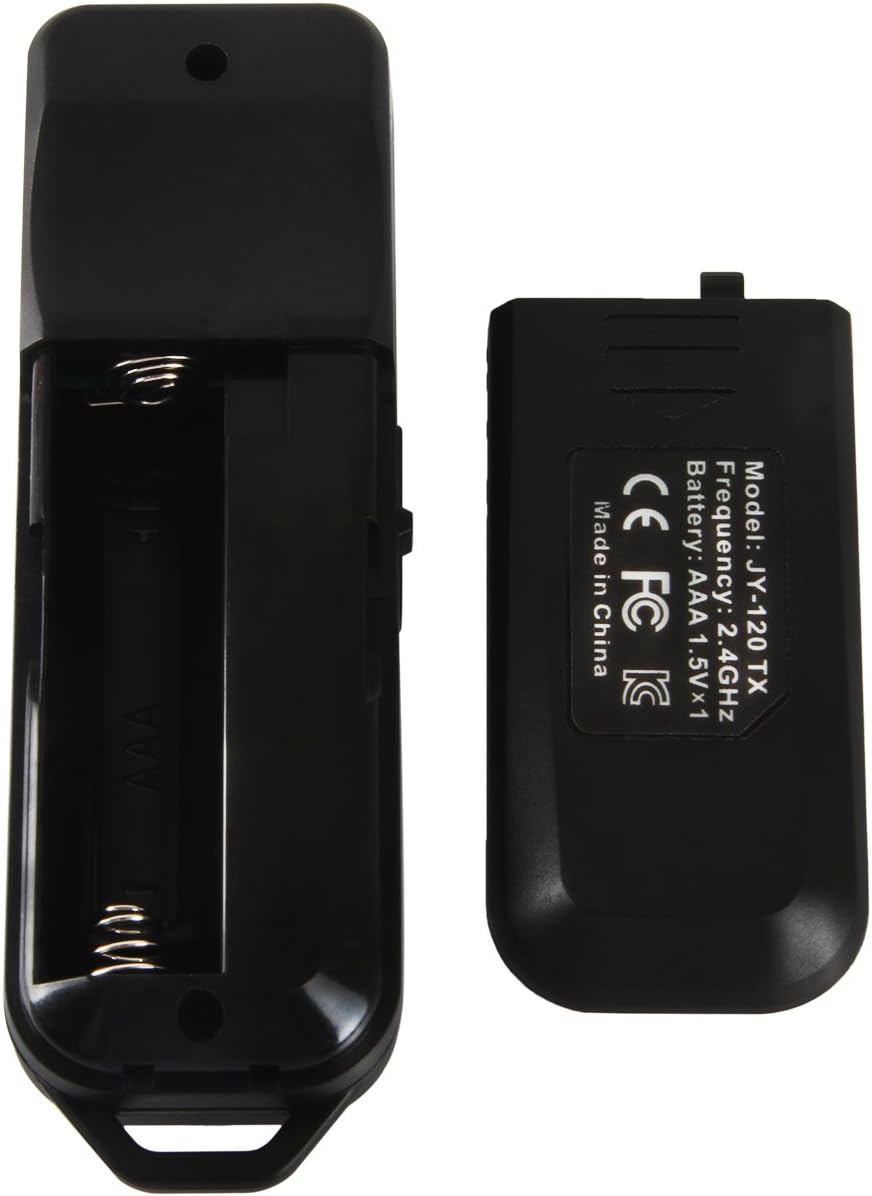
Figure 6.2: Open battery compartment of the JY-120 TX transmitter, showing where to insert the AAA battery.
6.2 Connecting the Receiver to Your Camera
- Ensure your camera is turned off.
- Locate the remote control terminal on your Canon EOS camera. This is typically a small port on the side of the camera, often covered by a rubber flap.
- Connect one end of the provided C1 connecting cable to the receiver's shutter cord socket.
- Connect the other end of the C1 cable to your camera's remote control terminal. Ensure the connection is firm and fully seated.
- Mount the receiver onto your camera's hot shoe (if desired) or attach it to a strap.
- Turn on both the receiver and the transmitter using their respective ON/OFF switches. The indicator lights should illuminate.
7. Operating Instructions
Before operation, ensure both the transmitter and receiver are powered on and correctly connected to your camera.
7.1 Shutter Button Functionality
The shutter button on the JY-120 TX transmitter operates similarly to your camera's shutter button:
- Half-Press: Press the shutter button halfway down to activate your camera's autofocus and metering system.
- Full-Press: Press the shutter button fully down to release the camera's shutter and take a photo.
7.2 Shooting Modes
The transmitter offers three distinct shooting modes, selectable via the mode switch:
- Single Shot Mode (□):
Select this mode for taking individual photos. Each full press of the shutter button will capture one image.
- BULB Mode (⌘):
This mode is used for long exposure photography. To use BULB mode:
- Set your camera to BULB mode.
- Press the transmitter's shutter button fully once to open the camera's shutter.
- Press the shutter button fully a second time to close the camera's shutter and end the exposure.
- 3-Second Delay Mode (⏱):
When this mode is selected, pressing the shutter button fully will initiate a 3-second countdown before the camera's shutter is released. This is useful for self-portraits or to ensure maximum stability before the shot.
8. Maintenance
- Keep the device dry. Do not handle with wet hands.
- Clean the units with a soft, dry cloth. Avoid using harsh chemicals or abrasive cleaners.
- If the device will not be used for an extended period, remove the batteries from both the transmitter and receiver to prevent leakage.
- Store the device in a cool, dry place away from direct sunlight and extreme temperatures.
9. Troubleshooting
| Problem | Possible Cause | Solution |
|---|---|---|
| Device does not power on. | Batteries are dead or incorrectly inserted. | Replace batteries with fresh AAA batteries, ensuring correct polarity. Check that the ON/OFF switch is in the 'ON' position. |
| Camera does not respond to shutter release. |
|
|
| Limited operating range or inconsistent connection. |
|
|
10. Specifications
| Model Number | JY120-C1 |
| Connectivity Technology | Radio Frequency (FSK 2.4 GHz) |
| Working Distance | Approximately 50-80 meters |
| Power Source (Transmitter) | 1 x AAA 1.5V Battery |
| Power Source (Receiver) | 1 x AAA 1.5V Battery |
| Special Feature | Ergonomic design |
| Compatible Devices | Canon EOS Cameras (specific models listed in Section 4) |
| Item Weight | 3.98 ounces (total for system) |
| Package Dimensions | 5.75 x 5.67 x 1.73 inches |
11. Warranty and Support
For warranty information and technical support, please refer to the documentation included with your product or visit the official VILTROX website. Keep your purchase receipt as proof of purchase for any warranty claims.
