
Introduction
Thank you for choosing the ORION XTR65.SC 6.5-inch 2-Way Component Speaker System. This system is designed to deliver high-quality audio performance in your vehicle. This manual provides essential information for proper installation, operation, and maintenance to ensure optimal performance and longevity of your speakers.
Safety Information
Please read all instructions carefully before installation and use. Improper installation can result in damage to the speakers, vehicle, or personal injury. Always disconnect the vehicle's battery before beginning any electrical work.
- Professional Installation Recommended: If you are unsure about any part of the installation process, consult a qualified car audio professional.
- Hearing Protection: Prolonged exposure to high volume levels can cause permanent hearing damage. Use caution when adjusting volume.
- Electrical Safety: Ensure all wiring is properly insulated and secured to prevent short circuits and electrical hazards.
- Vehicle Safety: Do not install speakers in locations that obstruct airbags, seatbelts, or other safety features.
Package Contents
Verify that all items are present in the package:
- 2 x 6.5-inch Woofers
- 2 x Tweeters
- 2 x Passive Crossovers
- Mounting Hardware (screws, clips, grilles)
- User Manual
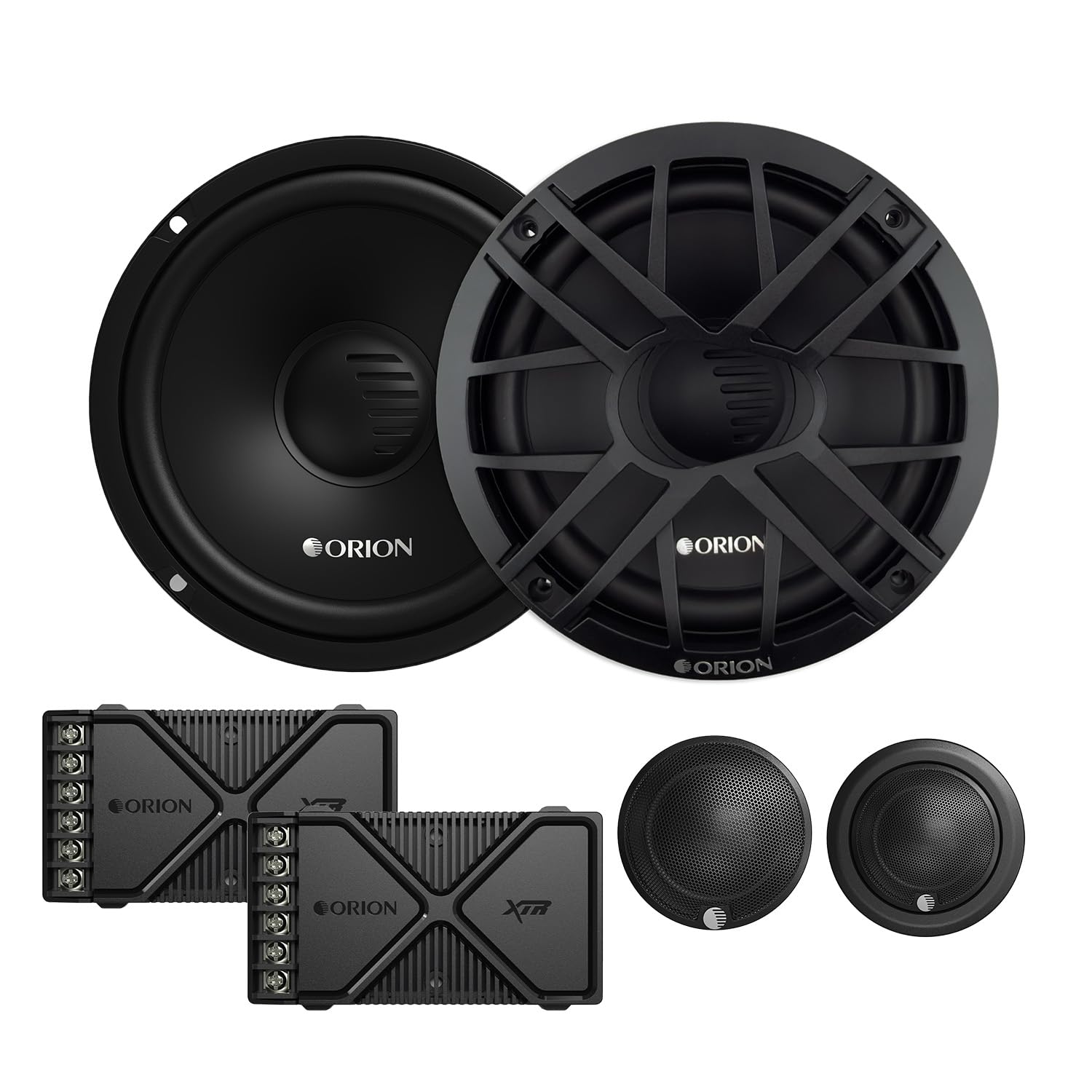
Image: The complete ORION XTR65.SC 6.5-inch 2-Way Component Speaker System, showing woofers, tweeters, and crossovers.
Setup and Installation
Proper installation is crucial for optimal sound quality and system reliability. Plan your installation carefully before beginning.
1. Mounting the Woofers
The 6.5-inch woofers are designed for standard vehicle speaker locations. Ensure the mounting surface is flat and secure. Use the provided screws to firmly attach the woofers. The stamped steel baskets with Euro mounting configurations allow for flexible installation.

Image: A 6.5-inch woofer with its protective grille installed.

Image: An angled view of the 6.5-inch woofer without its grille, showing the cone and surround.
2. Mounting the Tweeters
The tweeters can be flush-mounted or surface-mounted using the included hardware. Choose a location that provides optimal sound imaging, typically near the woofers or higher up on the dashboard/A-pillars. Ensure the mounting location is clear of any obstructions behind the panel.

Image: A tweeter shown with its flush-mount housing.

Image: A tweeter shown with its surface-mount housing, ready for installation.
3. Installing the Crossovers
The passive crossovers separate the audio signal, sending appropriate frequencies to the woofers and tweeters. Mount the crossovers in a dry, accessible location, away from heat sources and moisture. Ensure the wiring connections are secure and clearly labeled.
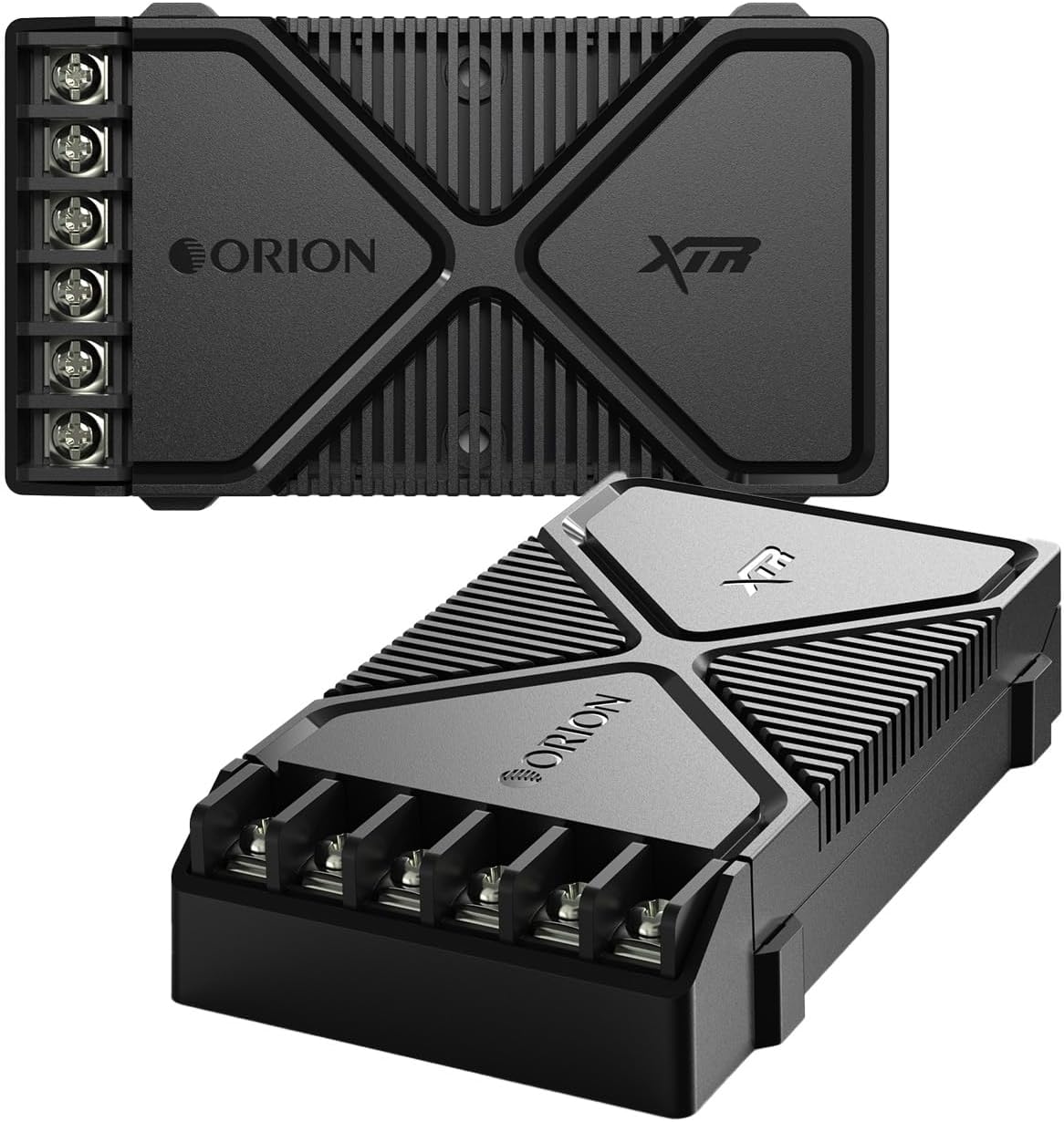
Image: The ORION XTR65.SC passive crossover network, showing input and output terminals.
4. Wiring Connections
Connect the speaker wires from your amplifier to the input terminals of the passive crossovers. Then, connect the woofer and tweeter outputs from the crossovers to their respective speakers. Pay close attention to polarity (+ and -) to ensure correct phase and optimal sound quality. Use appropriate gauge speaker wire for your installation.
- Connect amplifier output to crossover input.
- Connect crossover 'Woofer' output to 6.5-inch woofer.
- Connect crossover 'Tweeter' output to tweeter.
- Ensure all connections are tight and insulated.
Operating Instructions
Once installed, follow these steps for initial operation:
- Initial Power-On: After verifying all connections, reconnect your vehicle's battery. Turn on your car audio head unit.
- Volume Adjustment: Start with the volume at its lowest setting. Gradually increase the volume to a comfortable listening level.
- System Tuning: Adjust the amplifier gain settings according to the amplifier's manual. Avoid setting the gain too high, which can lead to distortion and speaker damage.
- Sound Customization: Use your head unit's equalizer and sound processing features to fine-tune the audio to your preference.
The XTR65.SC system is designed for high-resolution audio, providing clear and dynamic sound reproduction.
Maintenance
The ORION XTR65.SC component speakers require minimal maintenance to ensure long-lasting performance.
- Cleaning: Use a soft, dry cloth to gently wipe dust from the speaker cones and grilles. Avoid using harsh chemicals or abrasive cleaners.
- Inspection: Periodically check all wiring connections to ensure they remain secure. Inspect speaker surrounds for any signs of wear or damage.
- Environmental Factors: While durable, avoid exposing speakers to extreme temperatures, direct sunlight for extended periods, or excessive moisture. The speakers are not water-resistant.
Troubleshooting
If you experience issues with your speaker system, refer to the following common problems and solutions:
| Problem | Possible Cause | Solution |
|---|---|---|
| No sound from speakers |
|
|
| Distorted or unclear sound |
|
|
| Weak or no bass |
|
|
If the problem persists after trying these solutions, contact Orion customer support or a qualified car audio technician.
Specifications
| Brand | Orion |
| Model | XTR65.SC |
| Speaker Type | Component |
| Speaker Size | 6.5 Inches (Woofer) |
| Woofer Diameter | 16.51 Centimeters |
| Tweeter Diameter | 1 Inch |
| Peak Power Output | 350 Watts per pair |
| RMS Power Output | 130 Watts per pair |
| Frequency Response | 75 Hz |
| Impedance | 3.24 Ohms |
| Signal-to-Noise Ratio | 92 dB |
| Audio Channels | 2.0 |
| Housing Material | Fiber, Butyl Rubber |
| Mounting Type | Flush Mount |
| Item Dimensions (DxWxH) | 13.3 x 13.3 x 7.6 centimeters |
| Item Weight | 5 Pounds |
| Compatible Vehicle Type | Car |
| Power Source (for amplifier) | 12 Volts (Vehicle Electrical System) |
| Water Resistance Level | Not water resistant |
| UPC | 818550010871 |
Warranty and Support
The ORION XTR65.SC 6.5-inch 2-Way Component Speaker System comes with a Limited Warranty. Please refer to the warranty card included in your package for specific terms and conditions, including coverage duration and claim procedures.
For technical assistance, troubleshooting beyond this manual, or warranty inquiries, please contact Orion customer support through their official website or the retailer where the product was purchased.


