
1. Introduction
This instruction manual provides essential information for the proper installation, operation, and maintenance of your IMC Audio 16-Pin Wire Harness. This harness is designed to connect specific JVC KWV series car stereos to your vehicle's electrical system, simplifying the installation process by providing a direct plug-and-play solution to the stereo's wiring port. Please read this manual thoroughly before beginning installation.
2. Safety Information
- Always disconnect the vehicle's negative battery terminal before performing any electrical work to prevent short circuits and electrical shock.
- Ensure all connections are secure and properly insulated to prevent electrical shorts and potential damage to the stereo or vehicle.
- Consult a professional car audio installer if you are unsure about any part of the installation process.
- Do not modify the wire harness. Unauthorized modifications can void the warranty and create safety hazards.
- Route wires carefully to avoid pinching, chafing, or interference with moving parts of the vehicle.
3. Package Contents
Verify that all items are present before proceeding with installation:
- 1x IMC Audio 16-Pin Wire Harness

Image 1: The IMC Audio 16-Pin Wire Harness, shown coiled. This harness provides the necessary connections for your JVC stereo.
4. Setup (Installation Guide)
This section outlines the general steps for installing the wire harness. Specific vehicle wiring may vary. Refer to your vehicle's service manual for detailed wiring diagrams.
4.1 Pre-Installation Steps
- Gather Tools: You will need wire strippers, crimpers, electrical tape or heat shrink tubing, and possibly a multimeter for testing.
- Disconnect Battery: Always disconnect the negative terminal of your vehicle's battery before starting any electrical work.
- Remove Old Stereo: Carefully remove the existing car stereo from the dashboard.
4.2 Wiring Connections
Match the wires from the IMC Audio harness to the corresponding wires from your vehicle's wiring harness. Use appropriate connectors (crimp caps, solder, or heat shrink connectors) for secure and reliable connections. Insulate all connections properly.
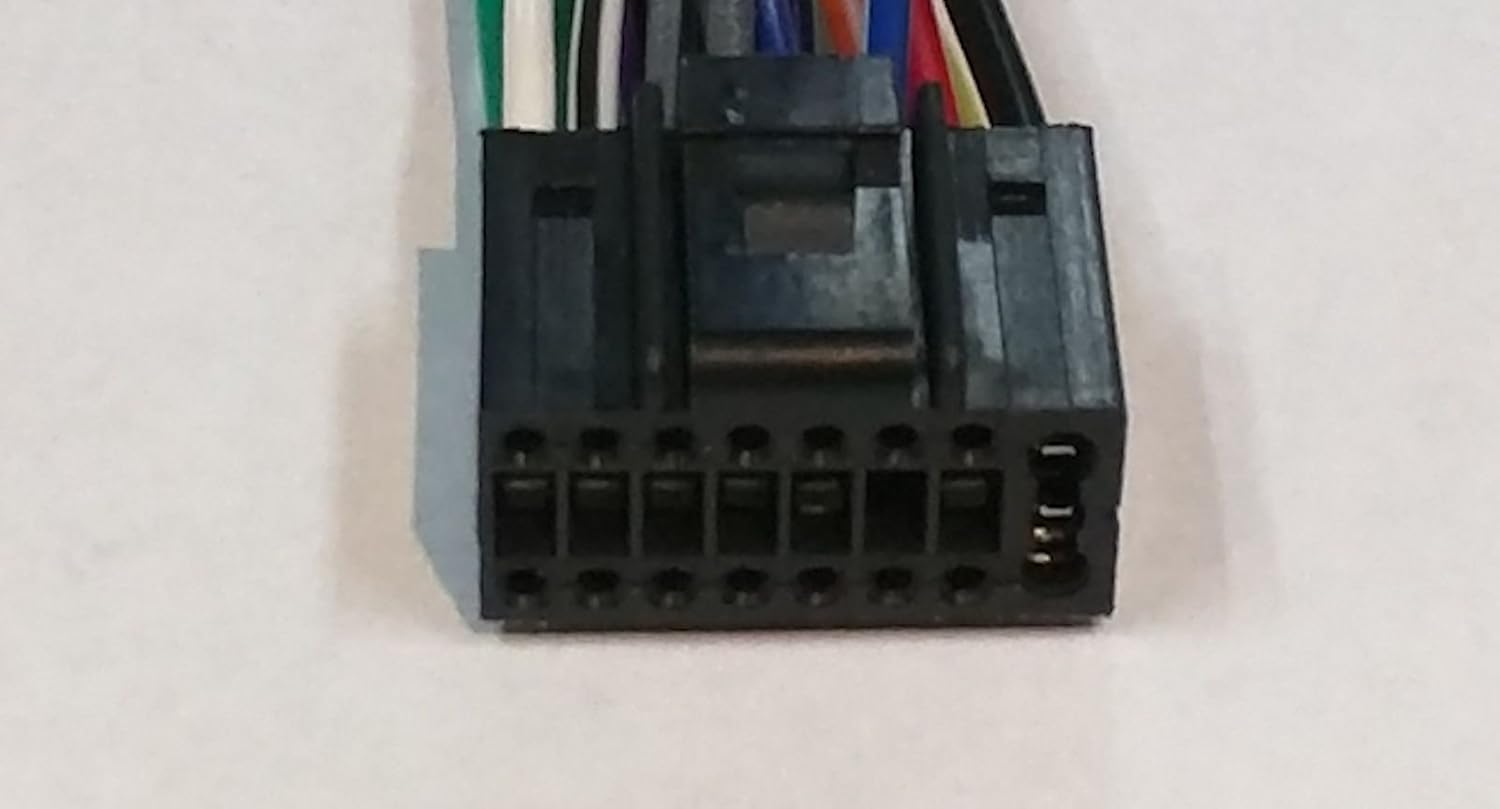
Image 2: Close-up of the 16-pin connector on the IMC Audio wire harness, which plugs directly into compatible JVC stereos.
Common Wire Color Code (Standard Aftermarket)
| Wire Color | Function | Connect To |
|---|---|---|
| Yellow | Constant 12V (Battery/Memory) | Vehicle's constant 12V wire |
| Red | Switched 12V (Accessory/Ignition) | Vehicle's switched 12V wire |
| Black | Ground | Vehicle's chassis ground or ground wire |
| Blue | Power Antenna / Remote Turn-On | Vehicle's power antenna or amplifier remote turn-on wire |
| Orange | Illumination / Dimmer | Vehicle's illumination/dimmer wire (if applicable) |
| White | Front Left Speaker (+) | Vehicle's Front Left Speaker (+) |
| White/Black | Front Left Speaker (-) | Vehicle's Front Left Speaker (-) |
| Gray | Front Right Speaker (+) | Vehicle's Front Right Speaker (+) |
| Gray/Black | Front Right Speaker (-) | Vehicle's Front Right Speaker (-) |
| Green | Rear Left Speaker (+) | Vehicle's Rear Left Speaker (+) |
| Green/Black | Rear Left Speaker (-) | Vehicle's Rear Left Speaker (-) |
| Violet | Rear Right Speaker (+) | Vehicle's Rear Right Speaker (+) |
| Violet/Black | Rear Right Speaker (-) | Vehicle's Rear Right Speaker (-) |
Note: Always verify your vehicle's specific wiring diagram. Wire colors can vary between vehicle manufacturers.
4.3 Final Connection and Testing
- Connect Harness to Stereo: Plug the 16-pin connector of the IMC Audio harness into the corresponding port on the back of your JVC KWV series stereo.
- Reconnect Battery: Reconnect the negative terminal of your vehicle's battery.
- Test Stereo: Turn on the vehicle's ignition and test the stereo's functions (power, audio, balance, fade, radio, CD/USB/Bluetooth, etc.).
- Secure Stereo: Once confirmed working, carefully slide the stereo back into the dashboard opening and secure it.
5. Operating Instructions
The IMC Audio 16-Pin Wire Harness is a passive component designed to facilitate the electrical connection between your JVC stereo and your vehicle. Once correctly installed, its operation is seamless and integrated with your stereo's functionality. Ensure all connections are firm to guarantee consistent power and audio signal transmission to your JVC stereo.
6. Maintenance
The wire harness requires minimal maintenance. Follow these guidelines to ensure longevity:
- Periodic Inspection: If you experience issues, periodically check the harness connections behind the stereo for any loose wires or signs of corrosion.
- Cleanliness: Keep the area around the stereo and harness free from excessive dust or moisture.
- Avoid Stress: Ensure the wires are not under tension or pinched, which could lead to damage over time.
7. Troubleshooting
If you encounter issues after installation, consider the following troubleshooting steps:
- No Power to Stereo:
- Check the vehicle's fuse for the stereo.
- Verify that the yellow (constant 12V) and red (switched 12V) wires are correctly connected and receiving power using a multimeter.
- Ensure the black (ground) wire has a solid connection to the vehicle's chassis.
- No Sound from Speakers:
- Confirm all speaker wires (e.g., white, gray, green, violet and their black-striped counterparts) are correctly matched and securely connected.
- Check stereo settings (balance, fade, mute).
- Intermittent Power/Sound:
- Inspect all connections for looseness or poor insulation.
- Ensure the 16-pin connector is fully seated into the JVC stereo.
- Stereo Not Turning Off with Ignition:
- Verify the red (switched 12V) wire is connected to a true accessory/ignition source in the vehicle that turns off with the key.
8. Specifications
| Feature | Detail |
|---|---|
| Brand | IMC Audio |
| Material | Polyvinyl Chloride (PVC) |
| Connector Type | JVC-specific 16-pin |
| Item Weight | 0.04 Kilograms (approx. 1.55 ounces) |
| Package Dimensions | 11.14 x 4.06 x 0.59 inches |
| Compatible JVC Models | KWV10, KWV100, KWV200BT, KWV20BT, KWV21BT, KWV30BT, KWV40BT, KWV41BT, KWV50BT |
9. Warranty and Support
For warranty information and technical support regarding your IMC Audio 16-Pin Wire Harness, please refer to the manufacturer's official website or contact their customer service directly. Keep your purchase receipt as proof of purchase for any warranty claims.
Manufacturer: IMC Audio


