
Braven BPROSCB
Braven BRV-PRO Wireless Bluetooth Speaker User Manual
Model: BPROSCB
Brand: Braven
Introduction
The Braven BRV-PRO is a rugged, portable wireless Bluetooth speaker designed for outdoor adventures. It delivers powerful sound and bass projection, making it suitable for various environments. Its durable construction and versatile features ensure an enhanced audio experience wherever you go, allowing you to stream audio endlessly with options for solar panel chargers and versatile mounting.
What's in the Box
- Braven BRV-PRO Wireless Bluetooth Speaker
- USB cable
Product Overview and Features

Front view of the Braven BRV-PRO speaker, showcasing its robust black mesh grille and silver housing. This image highlights the speaker's primary audio output area.

Top-down view of the Braven BRV-PRO speaker, illustrating its compact and rugged design. Visible are the control buttons on the top surface, indicating power and volume functions.

A diagrammatic view of the Braven BRV-PRO speaker, with numbered callouts pointing to its key features: (01) Four HD drivers and a low frequency resonator for immersive sound, (02) Personalizable treble and bass settings, (03) Universal mic port, and (04) Ergonomic grab handle for easy transport.

Bottom view of the Braven BRV-PRO speaker, displaying multiple screw mounts for accessories and regulatory markings such as FCC ID and CE. This view emphasizes its modular and customizable nature.

Rear view of the Braven BRV-PRO speaker, showing a securely sealed port cover. This cover protects the internal connections from water and dust, highlighting the speaker's rugged and waterproof design.
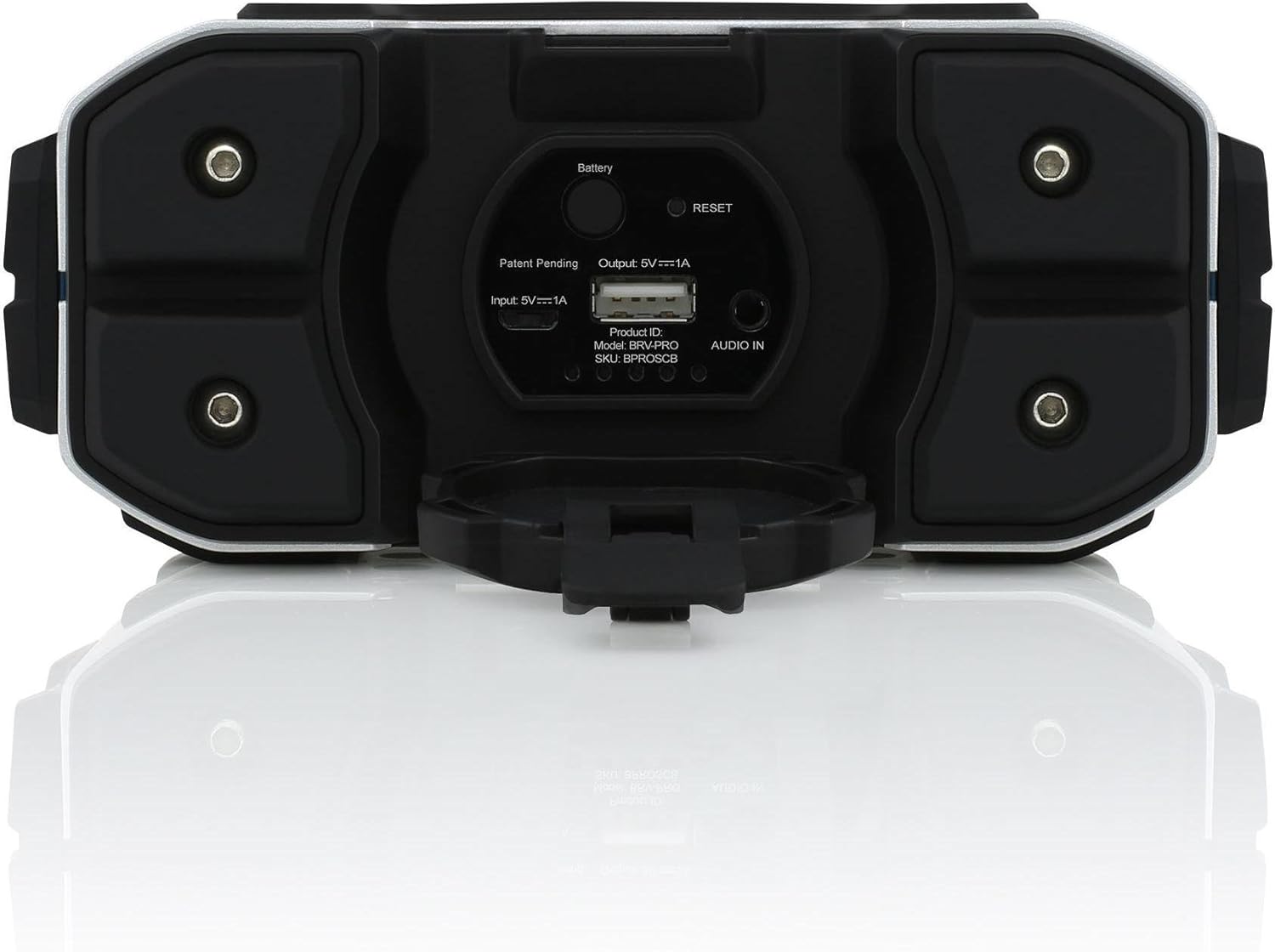
Rear view of the Braven BRV-PRO speaker with its protective port cover opened. This reveals the charging input (Input: 5V⋭1A), USB output for charging mobile devices (Output: 5V⋭1A), a battery indicator button, a reset button, and an Audio In port, along with product ID and SKU information.
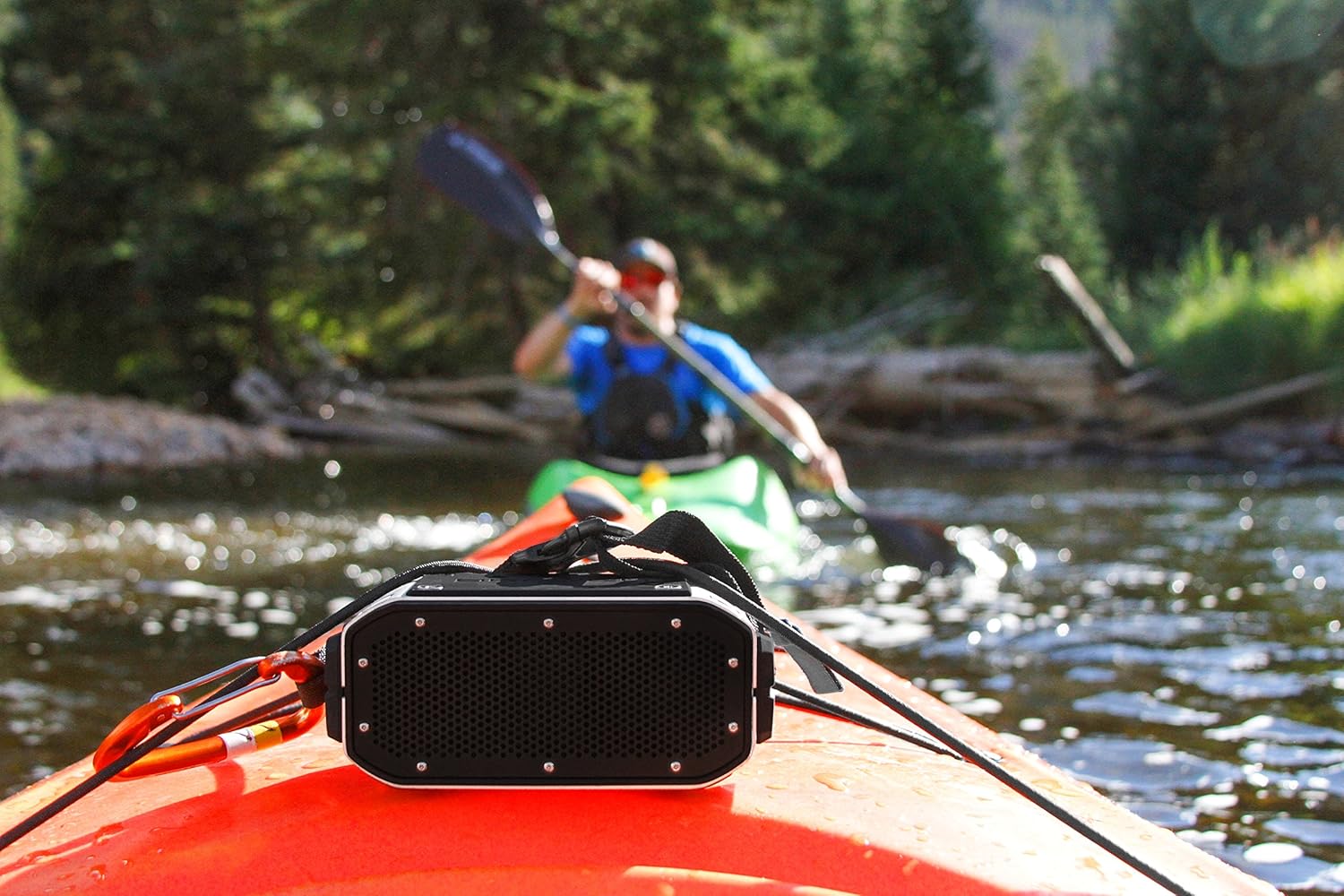
The Braven BRV-PRO speaker securely mounted on the front of a kayak, demonstrating its outdoor utility. A person is seen kayaking in the background on a river, emphasizing the speaker's suitability for water-based activities.

The Braven BRV-PRO speaker positioned on a rugged rock surface, with a person engaged in rock climbing in the blurred background. This image highlights the speaker's durability and suitability for extreme outdoor environments.
Key Features:
- Impressive 15 hours of wireless playtime: Enjoy extended audio playback on a single charge.
- Charge your mobile device: Built-in 2200mAh Lithium-ion battery allows for convenient device charging.
- Built-in noise-canceling microphone: Enables hands-free calls.
- Customizable with BRV ecosystem: Features threaded mounts, swappable housing covers, and modular options for personalization.
- Rugged and Waterproof Design: Built to withstand outdoor conditions and splashes.
Setup
Charging the Speaker
Before first use, fully charge your BRV-PRO speaker.
- Open the protective port cover on the rear of the speaker.
- Connect the included USB cable to the "Input: 5V⋭1A" port on the speaker.
- Connect the other end of the USB cable to a USB power adapter (not included) or a computer's USB port.
- The battery indicator light will show charging status. A full charge provides approximately 15 hours of playtime.
Bluetooth Pairing
- Power on the BRV-PRO speaker by pressing and holding the power button until you hear an audible cue.
- The speaker will automatically enter Bluetooth pairing mode, indicated by a flashing LED light.
- On your mobile device (smartphone, tablet, or laptop), navigate to the Bluetooth settings.
- Select "BRV-PRO" from the list of available devices.
- Once paired, the speaker will confirm with an audible cue, and the LED light will become solid.
Operating Instructions
Audio Playback
- Volume Control: Use the volume buttons on the speaker or your connected device to adjust the audio level.
- Play/Pause: Press the play/pause button on the speaker (if available) or control playback from your device.
- Auxiliary Input: For non-Bluetooth devices, connect a 3.5mm audio cable (not included) from your device's headphone jack to the "AUDIO IN" port on the speaker.
Hands-Free Calling
- Answer/End Call: When a call comes in, press the call button (often the play/pause button) to answer. Press again to end the call.
- Reject Call: Press and hold the call button to reject an incoming call.
- Microphone: The built-in noise-canceling microphone allows for clear communication during calls.
Charging External Devices
The BRV-PRO can act as a power bank for your mobile devices.
- Open the protective port cover.
- Connect your device's charging cable to the "Output: 5V⋭1A" USB port on the speaker.
- Your device will begin charging.
Maintenance
- Cleaning: Wipe the speaker with a soft, damp cloth. Do not use harsh chemicals or abrasive cleaners.
- Water Resistance: Ensure all port covers are securely closed before exposing the speaker to water. While designed for outdoor use, avoid prolonged submersion.
- Storage: Store the speaker in a cool, dry place when not in use.
- Battery Care: To prolong battery life, avoid fully discharging the speaker frequently. Charge it regularly, even if not in use for extended periods.
Troubleshooting
| Problem | Solution |
|---|---|
| Speaker does not turn on. | Ensure the speaker is charged. Connect it to a power source using the USB cable. If unresponsive, try pressing the reset button located under the port cover. |
| Cannot pair via Bluetooth. | Make sure the speaker is in pairing mode (flashing LED). Ensure Bluetooth is enabled on your device and it's within range (10 meters). Forget "BRV-PRO" from your device's Bluetooth list and try pairing again. |
| No sound or low volume. | Check volume levels on both the speaker and your connected device. Ensure the speaker is properly paired or the auxiliary cable is fully inserted. |
| Battery life is shorter than expected. | Battery life can vary based on volume level and usage. Ensure the speaker is fully charged before use. High volume levels and charging external devices will reduce playtime. |
Specifications
| Feature | Detail |
|---|---|
| Model Name | BRV-PRO |
| Speaker Type | Outdoor |
| Connectivity Technology | Bluetooth |
| Wireless Communication Technology | Bluetooth |
| Bluetooth Range | 10 Meters |
| Power Source | Battery Powered |
| Battery Life | Up to 15 Hours (Wireless Playtime) |
| Battery Capacity | 2200mAh Lithium-ion |
| Speaker Maximum Output Power | 10 Watts |
| Audio Output Mode | Stereo |
| Number of Microphones | 1 (Noise-canceling) |
| Item Weight | 1.4 Pounds (0.63 kg) |
| Product Dimensions | 6.1 x 3.3 x 2.7 inches (15.5 x 8.4 x 6.9 cm) |
| Color | Black / Silver / Cyan |
| Included Components | USB cable |
| Model Number | BPROSCB |
| UPC | 817729011923 |
Note: Some specifications in raw data, such as 'Battery Life: 2.25 Hours' and 'Is Waterproof: FALSE', may contradict advertised features and product descriptions. This manual prioritizes the widely promoted features of 15 hours playtime and rugged, outdoor-friendly design.
Warranty and Support
For warranty information and customer support, please refer to the official Braven website or contact their customer service directly. Keep your proof of purchase for warranty claims.
Manufacturer: Incipio
Date First Available: June 26, 2015
Ask a question about this manual
Ask about setup, troubleshooting, compatibility, parts, safety, or missing instructions. Manuals+ will review the question and use this page’s manual context to help answer it.