
Quartet ECM32P2
Quartet Prestige 2 Easel Instruction Manual
Model: ECM32P2 | Brand: Quartet
Introduction
The Quartet Prestige 2 Easel is a versatile and durable magnetic whiteboard designed for presentations, teaching, and collaborative work. Featuring a Total Erase surface, mobile wheeled base, adjustable height, and magnetic display arms, this easel provides a flexible solution for various professional and educational environments. This manual provides essential information for setting up, operating, maintaining, and troubleshooting your easel.

Figure 1: The Quartet Prestige 2 Easel, showcasing its main whiteboard surface and extended flipchart arms.
Product Features
- Total Erase Surface: The proprietary Total Erase surface allows for writing, erasing, and rewriting without ghosting or staining, ensuring a clean presentation every time.
- Wheeled Base: Equipped with smooth-rolling wheels and locking casters, the easel can be easily moved between locations and secured in place during use.
- Adjustable Height: The easel's height can be adjusted up to 77 inches (195.6 cm) to optimize viewing for various users and presentation settings.
- Magnetic Posting: The board's magnetic surface allows for easy attachment of documents and papers. It also features extendable magnetic display arms for additional display space.
- Flipchart Holder: Integrated flipchart holder supports standard flipchart pads for expanded presentation options.
- Durable Construction: Built with a sturdy frame and durable surface, designed for long-term performance and heavy daily use.
What's in the Box
Upon unpacking, please ensure all the following components are present:
- Quartet Prestige 2 Easel (Whiteboard with integrated stand)
- Accessory Tray
- 1 Dry-Erase Marker
- Flipchart Holder

Figure 2: Key components included with your Quartet Easel, such as the flipchart holder, dry-erase marker, and full-length accessory tray.
Setup Instructions
While specific assembly steps may vary, the general setup involves attaching the whiteboard panel to the mobile base. Refer to the included assembly guide for detailed, step-by-step instructions and diagrams.
- Unpack Components: Carefully remove all parts from the packaging and lay them out on a clean, flat surface. Verify all components listed in the "What's in the Box" section are present.
- Assemble Base: Attach the wheeled base components as per the assembly guide. Ensure all casters are securely fastened.
- Attach Upright Supports: Secure the vertical support poles to the assembled base.
- Mount Whiteboard Panel: Carefully lift and attach the whiteboard panel to the top of the upright supports. Ensure it is securely fastened and can pivot freely if designed to do so.
- Install Accessory Tray and Flipchart Holder: Attach the full-length accessory tray to the bottom of the whiteboard panel and the flipchart holder to the top, as indicated in the instructions.
- Check Stability: Once assembled, gently test the easel's stability and ensure all connections are tight.

Figure 3: The Quartet Easel fully assembled and ready for use in a professional setting.
Operating Instructions
Using the Whiteboard Surface
The Total Erase surface is designed for use with dry-erase markers. Write clearly and apply moderate pressure. For optimal results, use Quartet brand dry-erase markers and accessories.
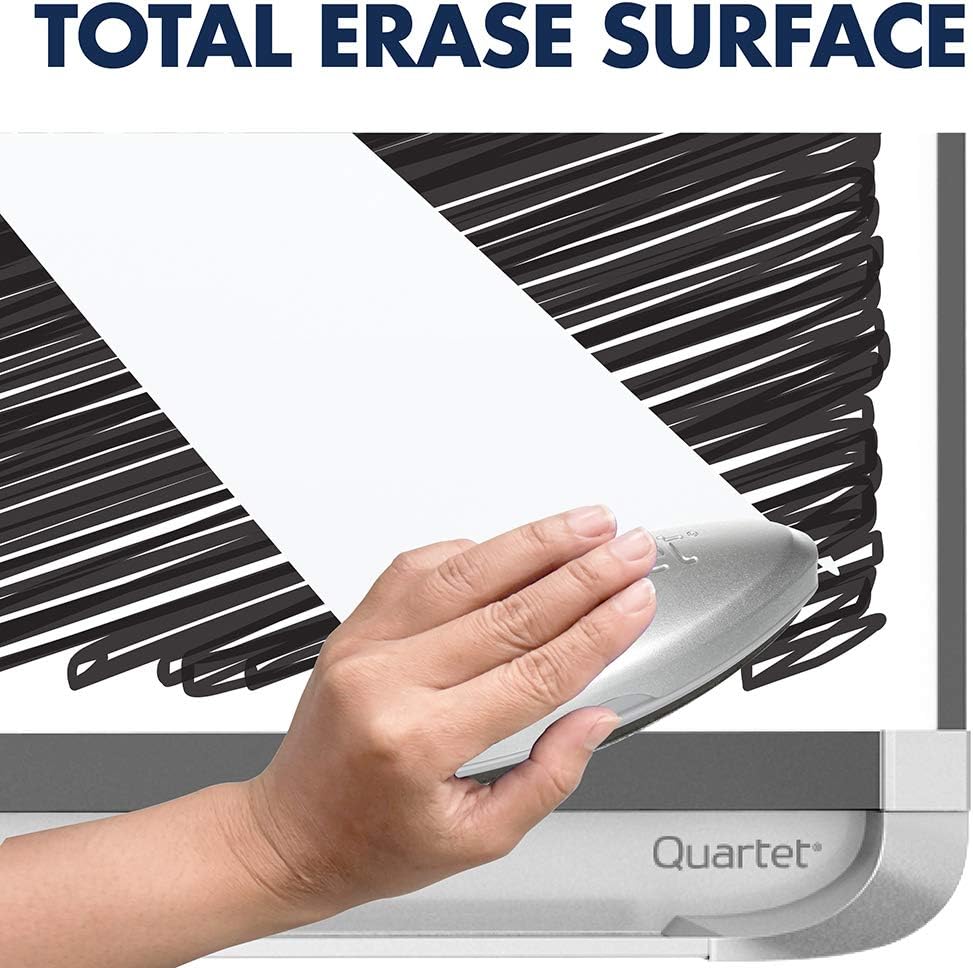
Figure 4: Demonstrating the Total Erase surface, which allows for clean and complete erasure of dry-erase marker ink.
Adjusting Height
To adjust the easel's height, locate the adjustment mechanism on the vertical support pole. Loosen the locking knob, raise or lower the board to the desired height (up to 77 inches), and then securely tighten the knob to lock it in place.

Figure 5: The easel's height can be easily adjusted to suit various presentation needs and user preferences.
Mobility and Locking Casters
The easel is equipped with a wheeled base for easy movement. To move the easel, ensure the locking casters are disengaged. To secure the easel in a stationary position, engage the locking mechanism on each caster by pressing down on the lever.
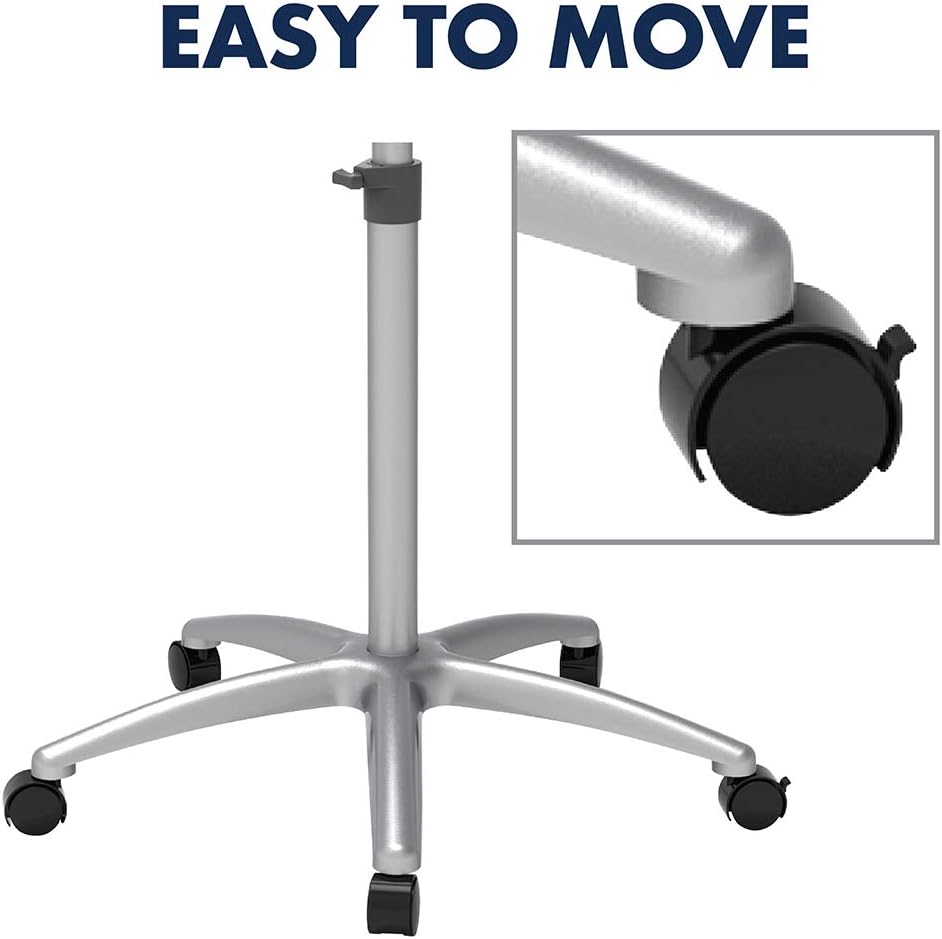
Figure 6: The wheeled base allows for effortless relocation, while locking casters ensure stability during use.
Magnetic Surface and Display Arms
Utilize the magnetic surface to attach notes, charts, or other documents using magnets. The easel also features extendable magnetic display arms that can be pulled out from the sides to provide additional space for hanging materials.

Figure 7: The magnetic surface allows for easy attachment of documents and visual aids.

Figure 8: The two extendable display arms provide ample space for additional materials during presentations.
Using the Flipchart Holder
The integrated flipchart holder at the top of the easel is designed to hold standard-sized flipchart pads. Simply lift the top clamp, insert the pad, and secure the clamp to hold the pages in place.
Maintenance
Cleaning the Whiteboard Surface
To maintain the Total Erase surface and prevent ghosting, always use a clean dry-erase eraser after each use. For more thorough cleaning or to remove stubborn marks, use a specialized dry-erase board cleaner. Apply the cleaner to a soft cloth and wipe the surface clean. Avoid abrasive cleaners or materials that could damage the surface.

Figure 9: For best results, use Quartet brand dry-erase markers and erasers.
General Care
- Regularly check all screws and fasteners to ensure they remain tight for stability.
- Keep the easel in a dry environment to prevent damage to materials.
- Clean the frame and base with a damp cloth as needed.
Troubleshooting
- Marker Ghosting/Stains: If marks remain after erasing, use a dry-erase board cleaner. Ensure you are using only dry-erase markers on the surface.
- Easel Instability: Check that all assembly screws are tightened. Ensure locking casters are engaged when the easel needs to be stationary.
- Difficulty Adjusting Height: Loosen the height adjustment knob completely before attempting to raise or lower the board. Ensure no obstructions are present in the adjustment mechanism.
Specifications
| Brand | Quartet |
| Model Number | ECM32P2 |
| Board Dimensions | 24"W x 36"H (61 cm x 91.4 cm) |
| Adjustable Height | Up to 77" (195.6 cm) |
| Material Type | Glass (Surface) |
| Color | Black Frame |
| Item Weight | 34.5 pounds (15.6 kg) |
| Product Dimensions | 46 x 7 x 32 inches (116.8 x 17.8 x 81.3 cm) - Packaged/Shipping |
Warranty Information
The Quartet Prestige 2 Easel comes with a 15-year warranty, reflecting its durable construction and design for long-term performance. This warranty covers defects in materials and workmanship under normal use. Please retain your proof of purchase for warranty claims.

Figure 10: The Quartet Easel is built to last, backed by a comprehensive 15-year warranty.
Support
For further assistance, product inquiries, or warranty claims, please contact Quartet customer support through their official website or the retailer where the product was purchased. Always provide your model number (ECM32P2) when seeking support.
Visit the official Quartet website for more information: Quartet Store
Ask a question about this manual
Ask about setup, troubleshooting, compatibility, parts, safety, or missing instructions. Manuals+ will review the question and use this page’s manual context to help answer it.