
PHILIPS BS4B1927B/00
Philips Mounting Bracket BS4B1927B/00 User Manual
Model: BS4B1927B/00
1. Introduction
This user manual provides essential information for the safe and effective installation and use of your Philips Mounting Bracket, model BS4B1927B/00. This bracket is designed to securely attach compatible Philips monitors to their stands, ensuring stability and proper display positioning. Please read this manual thoroughly before installation and retain it for future reference.
2. Safety Information
Always follow these basic safety precautions when installing or handling the mounting bracket:
- Ensure the monitor and stand are compatible with this bracket model (BS4B1927B/00).
- Handle the bracket and monitor with care to prevent damage or injury.
- Do not attempt to modify the bracket in any way.
- Keep small parts away from children.
- If you encounter any difficulties, refer to the troubleshooting section or contact Philips support.
3. Package Contents
Verify that all components are present in the package:
- Philips Mounting Bracket (BS4B1927B/00)
Note: Specific screws or tools required for monitor attachment are typically supplied with the monitor or stand, not the bracket itself.
4. Setup and Installation
Follow these steps to properly install the Philips Mounting Bracket. Ensure the monitor is powered off and disconnected from all cables before beginning.
4.1. Bracket Overview
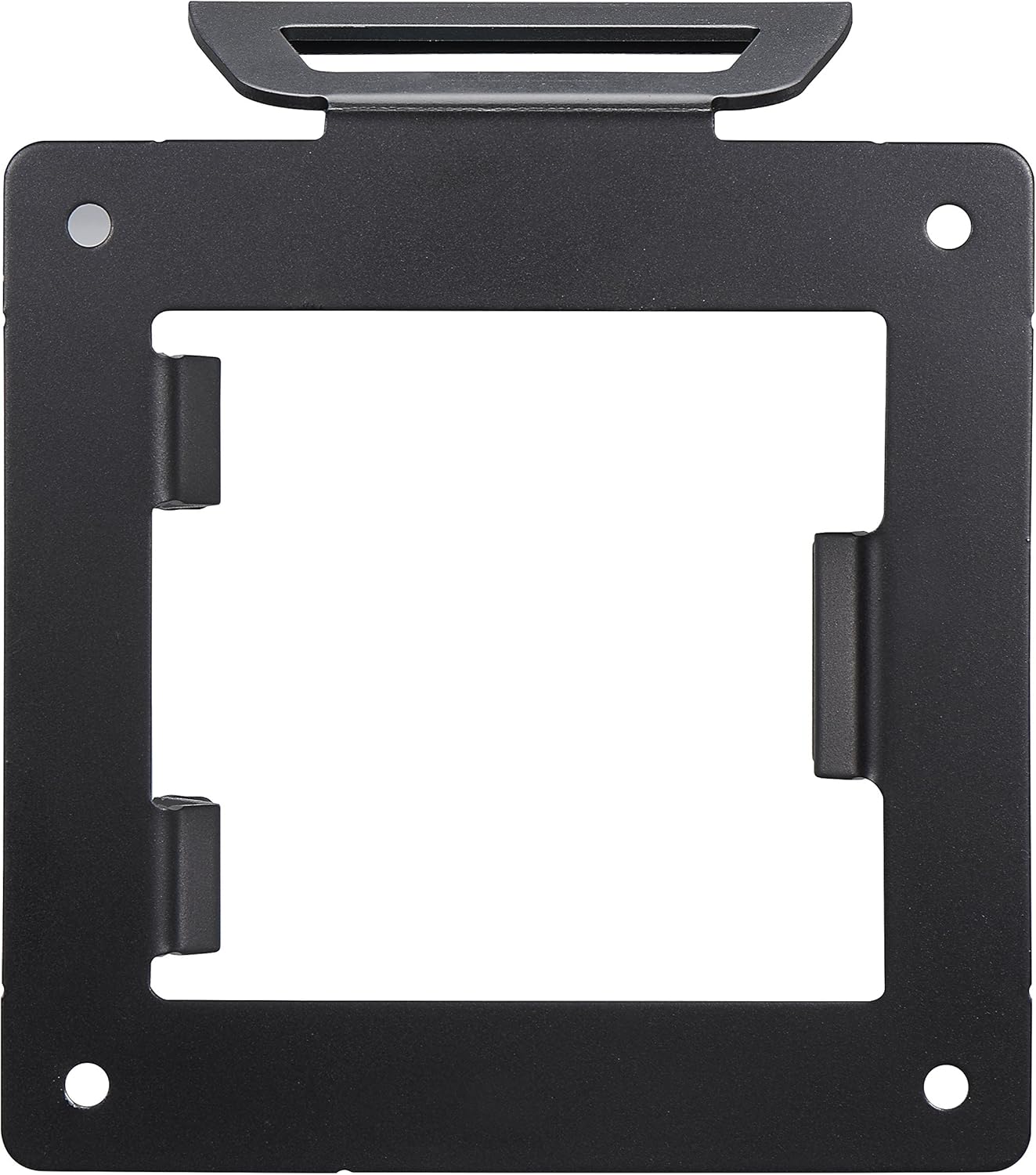
Figure 4.1: Front view of the Philips BS4B1927B/00 mounting bracket. This image shows the square frame of the bracket with four screw holes at the corners and internal clips designed to secure the monitor.

Figure 4.2: Side view of the Philips BS4B1927B/00 mounting bracket. This perspective highlights the profile of the bracket and the robust clips that engage with the monitor's VESA mounting points.
4.2. Attaching the Bracket to the Monitor
- Carefully place the monitor face down on a soft, clean surface to protect the screen.
- Align the Philips mounting bracket with the VESA mounting holes on the back of your monitor. The bracket is designed to fit standard VESA patterns, typically 100x100mm or 75x75mm, depending on the monitor model.
- Secure the bracket to the monitor using the appropriate screws (usually M4 or M6, provided with the monitor or stand). Ensure the screws are tightened firmly but do not overtighten.

Figure 4.3: The Philips mounting bracket securely attached to the rear of a compatible monitor. This shows the bracket flush against the monitor's back panel, ready for connection to the stand.
4.3. Attaching the Monitor (with Bracket) to the Stand
- With the bracket now attached to the monitor, align the bracket with the receiving slot on your Philips monitor stand.
- Gently slide the monitor, with the attached bracket, downwards into the stand's slot until it clicks securely into place. Ensure it is fully seated and stable.

Figure 4.4: Illustration of the monitor, with the mounting bracket already attached, being lowered into the Philips monitor stand. The red arrows indicate the downward motion for secure engagement.
Once installed, gently test the stability of the monitor on its stand before connecting power and video cables.
5. Operation
The Philips Mounting Bracket BS4B1927B/00 is a passive component designed to facilitate the secure attachment of a compatible Philips monitor to its original stand. Once installed, its function is to maintain the monitor's position. No active operation is required from the bracket itself.
For instructions on adjusting your monitor's tilt, swivel, or height, please refer to the user manual provided with your Philips monitor or monitor stand.
6. Maintenance
The Philips Mounting Bracket requires minimal maintenance.
- Cleaning: If necessary, wipe the bracket with a soft, dry cloth. Do not use abrasive cleaners or solvents.
- Inspection: Periodically check that the bracket remains securely attached to both the monitor and the stand. Ensure all screws are tight.
7. Troubleshooting
If you encounter issues during or after installation, refer to the following common problems and solutions:
| Problem | Possible Cause | Solution |
|---|---|---|
| Bracket does not fit monitor. | Incompatible monitor model or VESA pattern. | Verify your monitor's model number and VESA compatibility with the BS4B1927B/00 bracket. |
| Monitor is wobbly on the stand. | Bracket not fully seated or screws loose. | Ensure the bracket is fully inserted into the stand's slot and all screws attaching the bracket to the monitor are tightened. |
| Cannot attach bracket to monitor. | Incorrect screws or misalignment. | Use the correct VESA screws (typically M4 or M6) and ensure the bracket is correctly aligned with the monitor's mounting holes. |
8. Specifications
| Feature | Detail |
|---|---|
| Brand | PHILIPS |
| Model | BS4B1927B/00 |
| Product Dimensions (L x W x H) | 49.5 x 30.71 x 6.5 cm (19.5 x 12.1 x 2.6 inches) |
| Item Weight | 200 grams (0.44 lbs) |
| Color | Black |
| Compatible Screen Size (Reference) | Up to 24 Inches (as per product listing context) |
| ASIN | B00UEMF1YY |
| Model Year | 2015 |
9. Warranty and Support
For warranty information specific to your Philips Mounting Bracket BS4B1927B/00, please refer to the warranty card included with your original purchase or visit the official Philips support website.
If you require technical assistance or have questions not covered in this manual, please contact Philips Customer Support:
- Online Support: Visit www.philips.com/support
- Phone Support: Refer to your region's Philips website for local contact numbers.
When contacting support, please have your product model number (BS4B1927B/00) and ASIN (B00UEMF1YY) ready.
Ask a question about this manual
Ask about setup, troubleshooting, compatibility, parts, safety, or missing instructions. Manuals+ will review the question and use this page’s manual context to help answer it.