1. Introduction
This manual provides detailed instructions for the proper installation, operation, and maintenance of your Bosch D8103 Universal Enclosure Control Panel. Please read this manual thoroughly before beginning installation or use to ensure safe and efficient operation. Retain this manual for future reference.
2. Safety Information
Always observe the following safety precautions to prevent injury or damage to the product:
- Ensure all electrical connections are made by a qualified professional and comply with local electrical codes.
- Disconnect power before performing any installation, maintenance, or troubleshooting.
- Do not expose the enclosure to extreme temperatures, humidity, or corrosive environments unless specified for such conditions.
- Use appropriate personal protective equipment (PPE) during installation and maintenance.
- Verify the mounting surface can support the weight of the enclosure and its contents.
3. Package Contents
Carefully unpack the product and verify that all items listed below are present and undamaged. If any items are missing or damaged, contact your supplier immediately.
- 1 x Bosch D8103 Universal Enclosure Control Panel
- Mounting Hardware (screws, anchors)
- Instruction Manual (this document)

Figure 3.1: Product packaging showing the Bosch D8103 model number and security signaling label.
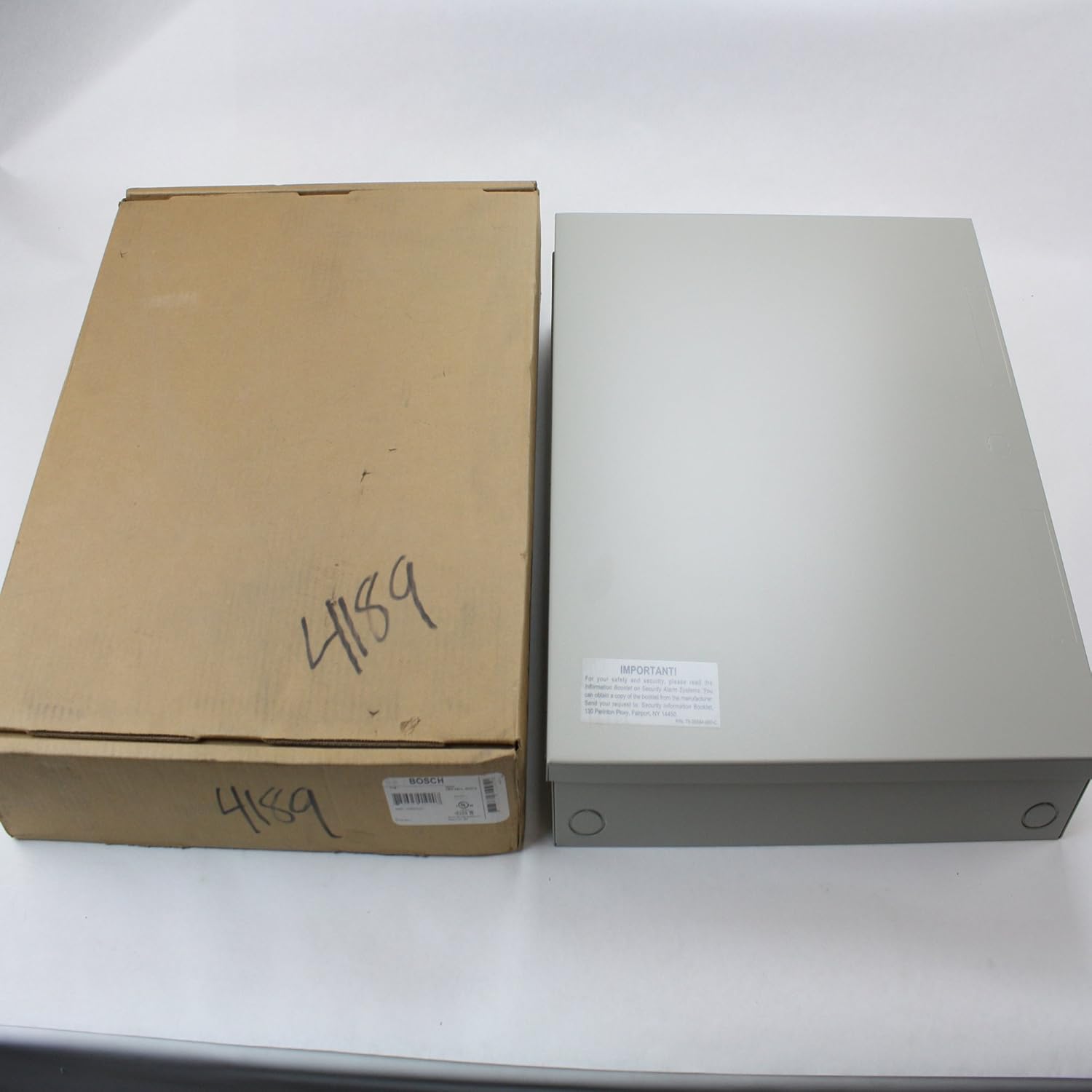
Figure 3.2: Rear view of the enclosure, displaying an important safety and information sticker.
4. Setup
4.1 Unpacking and Inspection
- Carefully remove the enclosure from its packaging.
- Inspect the enclosure for any signs of damage during transit. Report any damage to your supplier immediately.
- Ensure all components listed in Section 3 are present.
4.2 Mounting the Enclosure
The Bosch D8103 enclosure is designed for secure wall mounting. Follow these steps for proper installation:
- Choose a suitable mounting location that is clean, dry, and provides adequate support for the enclosure's weight.
- Open the enclosure door to access the pre-drilled mounting holes on the back panel.
- Using the enclosure as a template, mark the positions for the mounting screws on the wall.
- Drill pilot holes at the marked locations, ensuring the drill bit size is appropriate for the provided mounting hardware or chosen anchors.
- Secure the enclosure to the wall using appropriate screws and anchors. Ensure the enclosure is level and securely fastened.

Figure 4.1: Interior view of the D8103 enclosure, highlighting the pre-drilled mounting holes and internal layout.
5. Operating the Enclosure
The Bosch D8103 is a universal enclosure designed to house various control panels and electronic components. Its operation primarily involves securing and protecting the internal equipment.
- Access: The hinged door provides easy access to the internal components. Ensure the door is securely closed and latched after accessing the interior.
- Cable Management: Utilize the knockouts or pre-drilled holes for cable entry and exit, ensuring proper strain relief and sealing to maintain environmental integrity.
- Component Installation: The internal mounting pattern is designed to accommodate various standard control panels and mounting plates. Refer to the specific instructions for the components you are installing within the enclosure.

Figure 5.1: Front view of the Bosch D8103 Universal Enclosure in its closed state.
6. Maintenance
The Bosch D8103 enclosure requires minimal maintenance to ensure its longevity and continued protection of internal components.
- Cleaning: Periodically wipe the exterior of the enclosure with a soft, damp cloth. Avoid abrasive cleaners or solvents that could damage the finish.
- Inspection: Regularly inspect the enclosure for any signs of physical damage, corrosion, or loose mounting hardware. Tighten any loose screws as needed.
- Seals: If the enclosure is used in environments requiring specific ingress protection, periodically check the door seals for wear or damage and replace if necessary.
7. Troubleshooting
This section addresses common issues you might encounter with the enclosure. For problems not listed here, please contact Bosch customer support.
| Problem | Possible Cause | Solution |
|---|---|---|
| Enclosure not securely mounted | Loose screws or inadequate anchors. | Tighten all mounting screws. Use appropriate wall anchors for the mounting surface. |
| Door does not close properly | Hinges are bent or obstructed; enclosure is warped. | Check hinges for damage or obstructions. Ensure the enclosure is mounted on a flat surface. |
| Corrosion on surface | Exposure to harsh chemicals or excessive moisture. | Clean with a mild solution and dry thoroughly. Consider relocating if environment is unsuitable. |
8. Specifications
| Model Number | D8103 |
| Brand | Bosch |
| Material | Steel |
| Color | Grey |
| Dimensions (L x W x D) | 16 in. x 16 in. x 3.5 in. (40.64 cm x 40.64 cm x 8.89 cm) |
| Item Weight | 11.1 pounds (5.03 kg) |
| Manufacturer | Bosch |
| UPC/EAN | 0782695019207, 8717332310951 |
9. Warranty and Support
Bosch products are manufactured to the highest quality standards. For specific warranty terms and conditions applicable to your D8103 Universal Enclosure, please refer to the warranty card included with your purchase or visit the official Bosch Security Systems website.
For technical support, service, or to inquire about replacement parts, please contact Bosch customer service:
- Website: www.boschsecurity.com
- Phone: Refer to your regional Bosch contact information.
Note: Product specifications and information are subject to change without notice.


