
1. Product Overview
The Penn-Plax Cascade 20 Mini Power Hang-On Filter is designed to provide efficient filtration for small aquariums. It quietly delivers crystal clear water and is suitable for tanks up to 7 gallons in size, processing water at 20 gallons per hour (GPH). This filter is compatible with both freshwater and saltwater aquarium setups.

Figure 1: Exploded view of the Penn-Plax Cascade 20 Mini Power Filter components, including the main filter body, motor, intake tube, filter cartridge, and cover.
The filter utilizes a quad filtration system, incorporating mechanical, chemical, and biological filtration through its disposable, double-sided media cartridges. These cartridges contain poly fiber floss for mechanical filtration and activated carbon for chemical filtration, effectively trapping particulate matter, removing harmful chemicals, clearing discolorations, and reducing odors.
2. Setup Instructions
- Unpack Components: Carefully remove all parts from the packaging. Verify that all components are present: filter body, motor, intake tube with extension, filter cartridge, and cover.
- Assemble Intake Tube: Attach the extension piece to the main intake tube. The lift tube can be adjusted between 5 inches (minimum) and 6.5 inches (maximum) to suit your tank depth.
- Install Filter Cartridge: Insert the disposable filter cartridge into the designated slot within the filter body. Ensure it sits securely.
- Mount Filter: Hang the filter unit securely on the rim of your aquarium. The hang-on design is built for stable placement.
- Prime the Filter: Crucially, before plugging in the filter, pour enough water into the filter reservoir to completely immerse the impeller cover. This prevents the motor from running dry and potential damage.
- Connect Power: Once the impeller is submerged, plug the filter into a suitable power outlet. The filter should begin operating quietly.
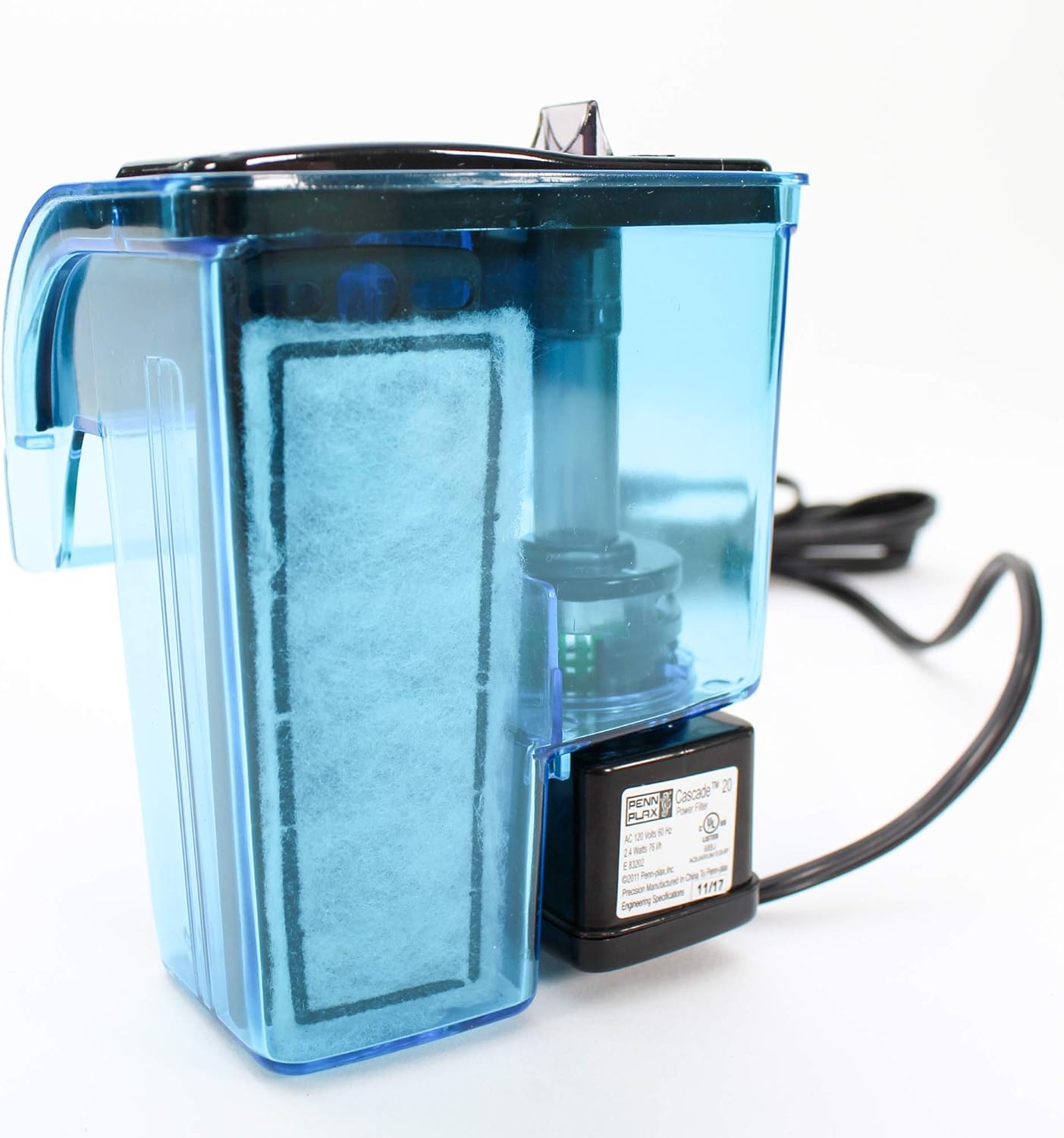
Figure 2: Side view of the filter body with a new filter cartridge correctly installed.
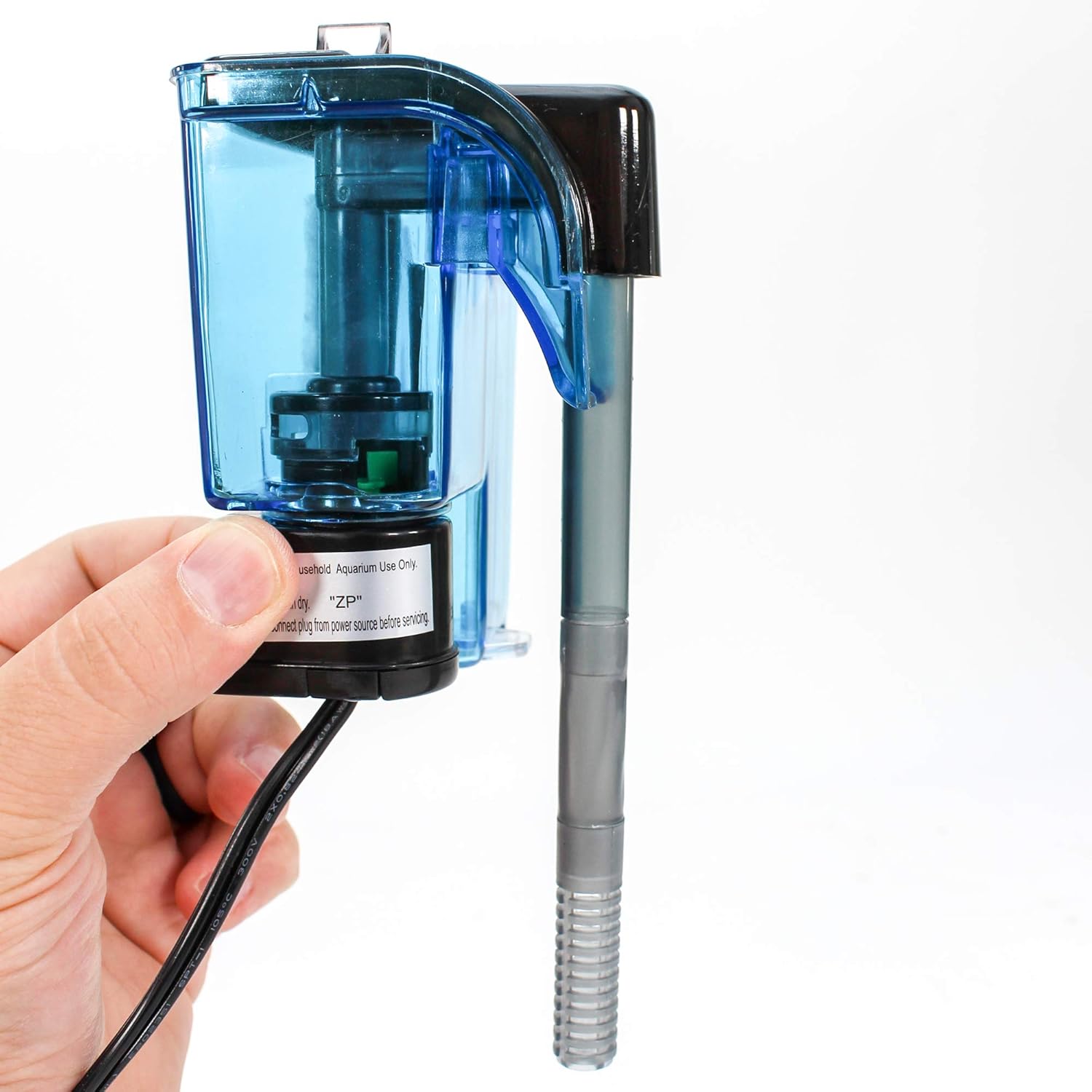
Figure 3: A hand holding the filter, illustrating how it hangs on the aquarium rim.
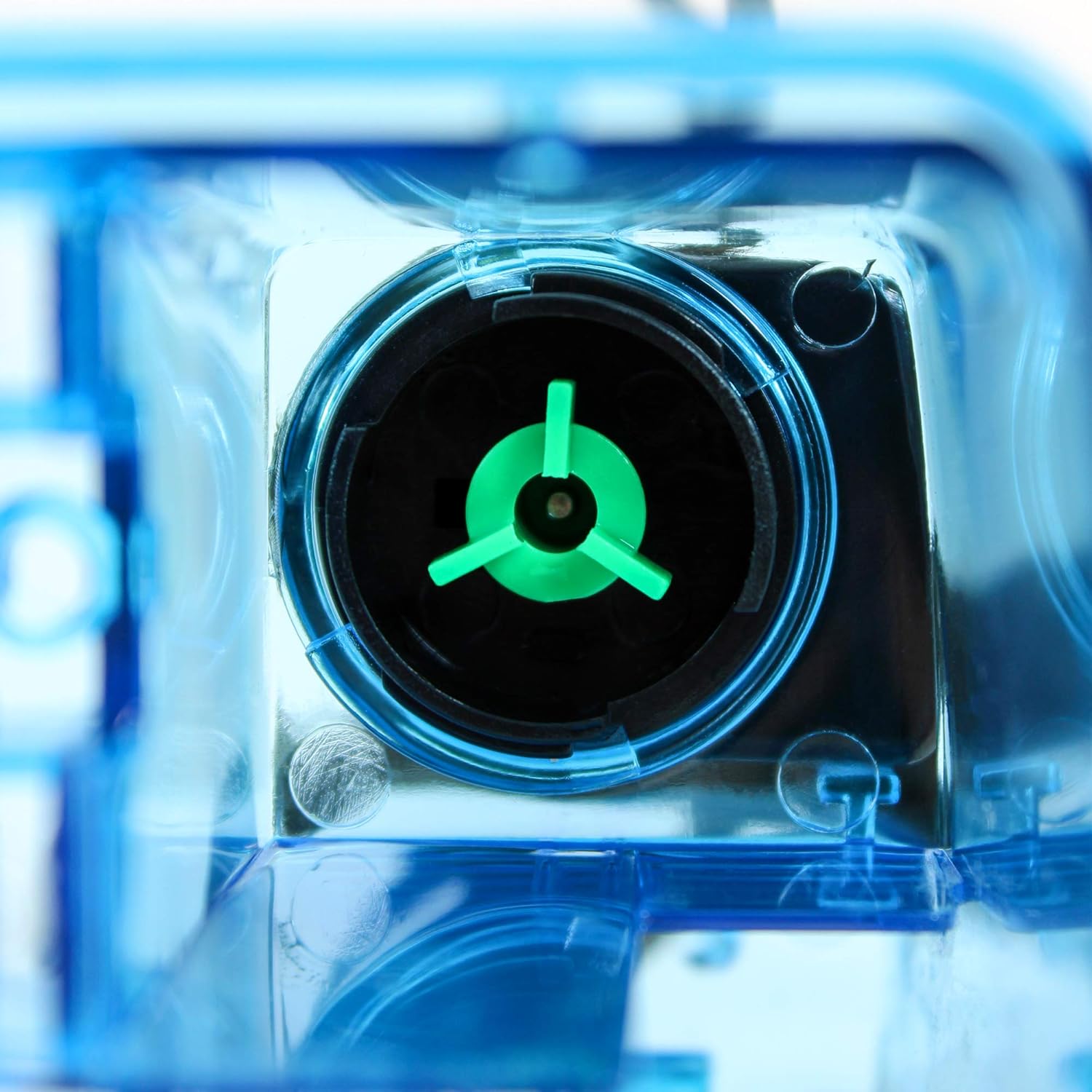
Figure 4: Close-up of the impeller, which must be fully submerged in water before operation.

Figure 5: The Cascade 20 filter properly installed and operating on a small aquarium.
3. Operating Instructions
The Cascade 20 filter is designed for continuous operation to maintain water quality. It is suitable for aquariums up to 7 gallons.
Adjusting Water Flow
The filter features an adjustable flow knob located on the top of the unit. This knob allows you to increase or decrease the water flow rate as needed. Adjusting the flow can be particularly useful during feeding times to prevent food from being immediately drawn into the filter, or to create a gentler current for certain fish species.

Figure 6: The water outflow nozzle, where flow can be adjusted.
4. Maintenance
Regular maintenance is essential for the optimal performance and longevity of your Cascade 20 filter and the health of your aquarium inhabitants.
Filter Cartridge Replacement
- The Cascade 20 filter uses disposable, double-sided media cartridges. These cartridges contain poly fiber floss for mechanical filtration and activated carbon for chemical filtration.
- It is recommended to change these disposable filter cartridges once a month to ensure effective removal of particulate matter, harmful chemicals, and odors.
- To replace, unplug the filter, remove the old cartridge, and insert a new one. Ensure the new cartridge is seated correctly before restarting the filter.

Figure 7: A new filter cartridge, featuring poly fiber floss for mechanical filtration.
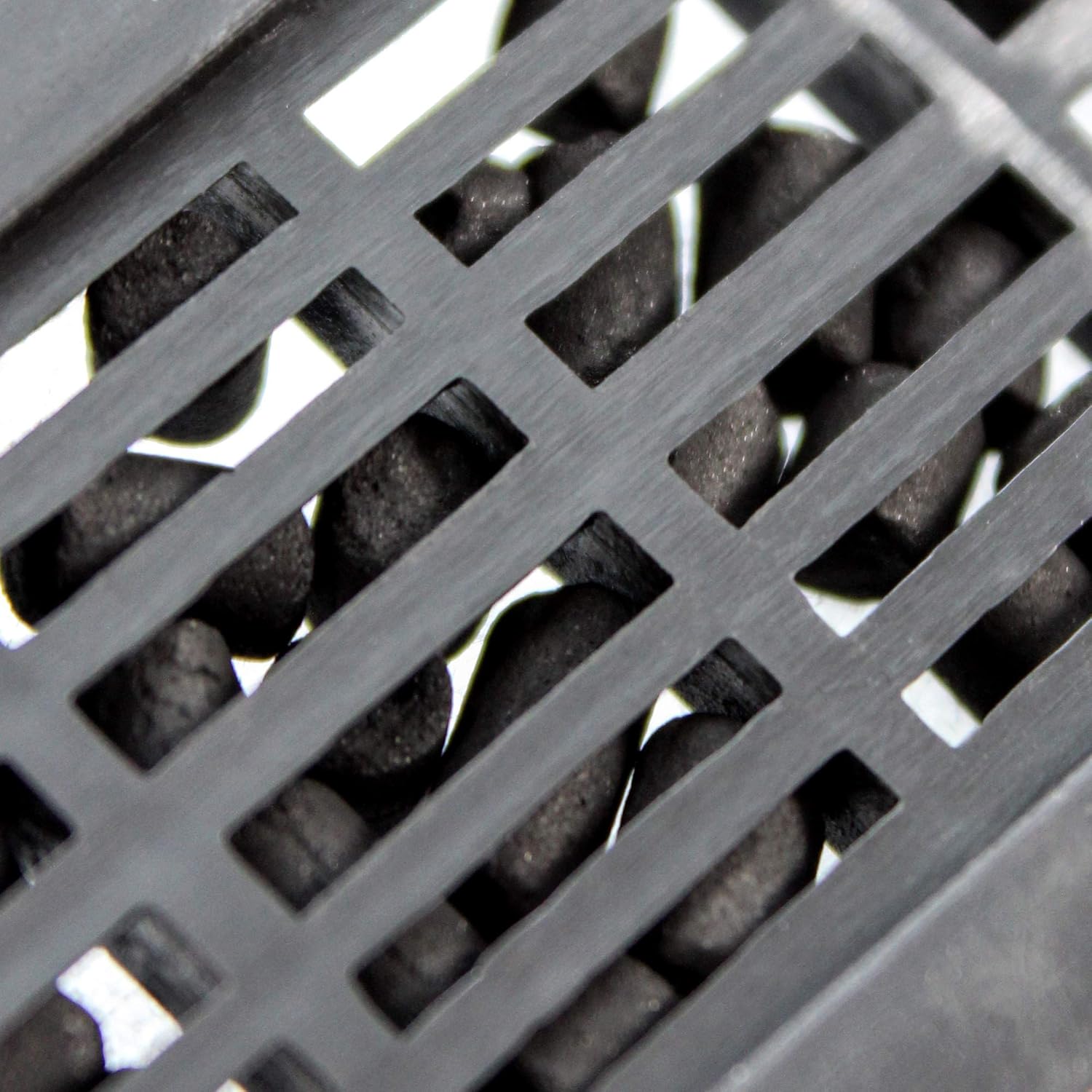
Figure 8: The activated carbon media, responsible for chemical filtration and odor reduction.
Impeller Cleaning
- Periodically, the impeller may accumulate debris, leading to reduced flow or increased noise.
- Unplug the filter, remove the intake tube and filter cartridge, then carefully remove the impeller cover and impeller.
- Clean the impeller and its housing with a small brush under running water. Reassemble carefully.
5. Troubleshooting
- Filter Not Starting: Ensure the filter is properly plugged into a working outlet. Verify that the impeller area is completely submerged in water before plugging in. If the motor runs dry, it may not start or could be damaged.
- Reduced Water Flow: Check if the filter cartridge is clogged and needs replacement. Inspect the intake tube for blockages. Clean the impeller and its housing for any debris accumulation.
- Excessive Noise/Buzzing: A common cause is debris in the impeller or the impeller shaft needing lubrication. Unplug the filter, remove and clean the impeller. Applying a small amount of petroleum jelly to the impeller shaft can help reduce noise. Ensure the filter is properly primed with water before restarting.
- Water Leaking: Ensure the filter is securely mounted on the aquarium rim and all components are correctly assembled. Check for cracks in the filter housing.
6. Specifications
| Feature | Specification |
|---|---|
| Model Number | CPF6 |
| Tank Capacity | Up to 7 Gallons |
| Flow Rate | 20 Gallons Per Hour (GPH) |
| Filtration Type | Quad Filtration (Mechanical, Chemical, Biological) |
| Media Type | Poly Fiber Floss, Activated Carbon |
| Product Dimensions (H x W x D) | 4.5” x 3.75” x 3” (approx. 11.43 x 9.53 x 7.62 cm) |
| Overall Dimensions (L x W x H) | 8.89 x 13.21 x 12.19 cm |
| Weight | 317.51 g |
| Manufacturer | Penn Plax, INC. |
7. Warranty and Support
Information regarding the product warranty is not available in this document. For specific warranty details, please refer to the product packaging or visit the official Penn-Plax website. For further assistance or technical support, please contact Penn-Plax customer service directly.