
1. Setup
This section provides instructions for the initial setup of your Symphony Silver-i Air Cooler.
1.1 Unpacking and Placement
Carefully remove the air cooler from its packaging. Place the unit on a flat, stable surface. For optimal cooling performance, ensure that doors and windows are open to allow for cross-ventilation.
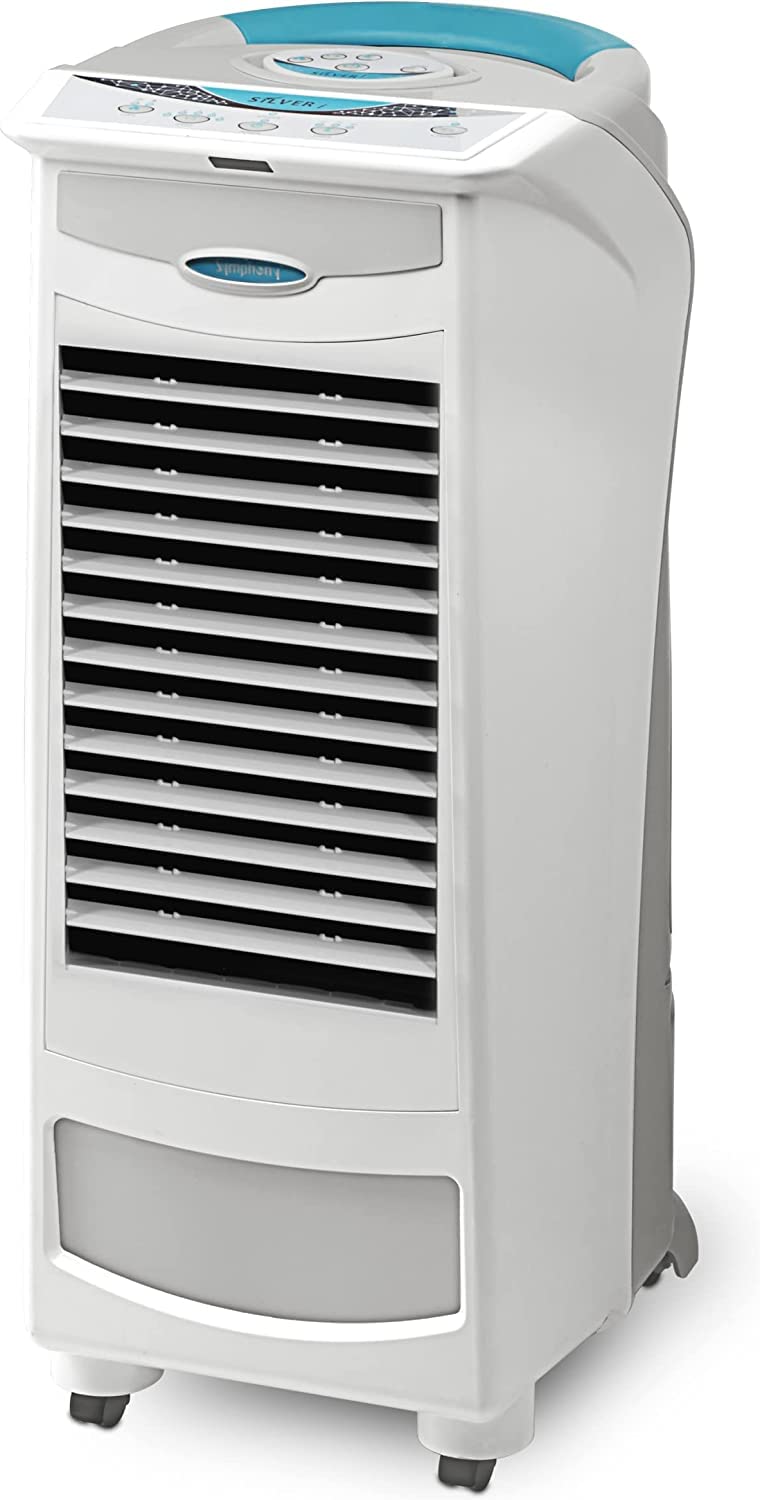
Image: Front view of the Symphony Silver-i Air Cooler.
1.2 Filling the Water Tank
The Symphony Silver-i features a removable water tank for easy filling and cleaning. Locate the water tank at the bottom of the unit. Rotate the knob to unlock and gently pull out the tank. Fill the tank with clean water up to the maximum fill line. For enhanced cooling, you may add ice cubes or the provided Insta-chiller gel pack to the dedicated ice and water chamber. After filling, push the tank back into the cooler and lock it securely.

Image: Dimensions of the Symphony Silver-i Air Cooler, indicating its compact size and low power consumption.
1.3 Power Connection
Plug the power cord into a suitable electrical outlet (230 Volts). Ensure the power switch is in the 'Off' position before plugging in. The unit is now ready for operation.
2. Operation
Your Symphony Silver-i Air Cooler can be operated using the feather touch digital control panel on the unit or the intelligent remote control.
2.1 Control Panel and Remote
The control panel and remote allow you to manage all functions of the air cooler. The remote can be stored in the designated slot on top of the unit when not in use.

Image: Close-up of the feather touch digital control panel on the Symphony Silver-i Air Cooler.
2.2 Power On/Off
Press the 'Power' button on the control panel or remote to turn the unit on or off.
2.3 Fan Speed Adjustment
Press the 'Speed' button to cycle through the three fan speed settings: High (H), Medium (M), and Low (L). The corresponding indicator light will illuminate.
2.4 Cooling Mode and Electronic Humidity Control (EHC)
Press the 'Cool' button once to activate the standard cooling mode, which circulates water over the cooling pads. Press the 'Cool' button a second time to engage the Electronic Humidity Control (EHC) mode. This mode is recommended for environments with high humidity levels to optimize cooling efficiency.
2.5 Natural and Sleep Modes
- Natural Mode: This mode simulates natural breeze by varying the fan speed automatically every 90 seconds.
- Sleep Mode: Designed for comfortable sleep, the fan operates at high speed for the first two hours, then switches to medium speed for one hour, and finally continues at low speed.
2.6 Timer Function
The cooler features an off-timer function. Press the 'Timer' button repeatedly to set the desired operating duration up to 7 hours. The unit will automatically turn off after the set time.
2.7 Louver Control (Horizontal and Vertical Swing)
The Symphony Silver-i has automatic horizontal (H. Swing) and vertical (V. Swing) louvers for multi-directional airflow. Press the 'H. Swing' button to activate or deactivate horizontal oscillation. Press the 'V. Swing' button to activate or deactivate vertical oscillation. When the cooler is switched off, the louvers close completely to prevent dust and insects from entering.

Image: Detailed view of the control panel icons, illustrating various functions.
2.8 Empty Water Tank Alarm
The unit is equipped with an empty water tank alarm. When the water level becomes low, the 'Water' indicator on the control panel will blink, and the pump will automatically stop to prevent damage from overheating or burning. Refill the water tank to resume cooling.
3. Maintenance
Regular maintenance ensures optimal performance and longevity of your Symphony Silver-i Air Cooler.
3.1 Water Tank Cleaning
The removable water tank is designed for easy cleaning. Periodically remove the tank, empty any remaining water, and clean it thoroughly with mild soap and water to prevent algae or mold growth. Rinse well before refilling.
3.2 Cooling Pads and Filters Cleaning
The air cooler features a multistage air purification system with various filters (dust, smell, allergy, bacteria, PM 2.5 wash) and honeycomb cooling pads. The back panel can be easily removed for access to these components. Regularly clean the cooling pads and filters to maintain efficient cooling and clean air delivery. Refer to the detailed instructions in the full manual for specific cleaning procedures for each filter type.

Image: Side view of the Symphony Silver-i Air Cooler, showing the removable back panel for filter access.
4. Troubleshooting
If you encounter issues with your air cooler, refer to the following common troubleshooting steps:
- No Power: Ensure the power cord is securely plugged into a working outlet and the main power switch is on. Check for tripped circuit breakers.
- No Cooling: Verify that the water tank is filled and the 'Cool' mode is activated. Ensure there is adequate cross-ventilation in the room. Clean the cooling pads if they are clogged.
- Water Leakage: Check if the water tank is properly seated and locked. Inspect the water pump and hoses for any disconnections or damage.
- Unusual Noise: Ensure the unit is on a flat surface. Check for any obstructions in the fan or water pump area. Clean the water tank and pump if debris is present.
For persistent issues, please contact customer support.
5. Specifications
| Feature | Detail |
|---|---|
| Model Name | Silveri |
| Brand | Symphony |
| Capacity | 9 Liters |
| Coverage Area | Up to 23 cubic meters (215 sq ft) |
| Product Dimensions (LxWxH) | 29.5 cm x 31.8 cm x 69.2 cm |
| Control Type | Feather Touch Digital Control Panel, Remote |
| Fan Speed Settings | 3 (High, Medium, Low) + Natural Mode + Sleep Mode |
| Cooling Media | Highly-effective honeycomb cooling pads, Cool flow dispenser |
| Air Purification Technology | i-Pure console with multistage filters (allergy, bacteria, smell, PM 2.5 wash, dust) |
| Power Consumption | 132 watts |
| Operating Voltage | 230 Volts |
| Mounting Type | Freestanding |
| Color | White |
| Item Weight | 6 kg 160 g |
| Included Components | 1 unit air cooler, 1 unit remote, 1 unit insta-chiller |
6. Warranty
The Symphony Silver-i Air Cooler comes with a 1-year warranty on manufacturing defects. The warranty is applicable from the date of invoice.
7. Support
For any product-related queries, assistance, or warranty claims, please contact Symphony customer support:
- Phone: +91 79 6621 1111 (Manufacturer's contact) or [79-313111 / 9517111] (Product-specific contact)
- Manufacturer Address: Symphony Limited, Symphony House, FP12-TP50 Bodakdev, Ahmedabad 380059
8. Product Video Demonstration
Watch the official product video for a visual guide on the features and operation of your Symphony Silver-i Air Cooler.
Official demonstration video for the Symphony Silver-i Personal and Kitchen Air Cooler, showcasing its features, operation, and maintenance.