
Introduction
The TechSpark Studio software provides comprehensive service, repair, and maintenance information for your Kawasaki Vulcan 1700 Nomad Classic Tourer motorcycle, covering model years 2009 through 2014. This digital manual is designed to offer an authentic paper manual experience on your computer, enhanced with digital functionalities.
It includes detailed instructions for basic vehicle maintenance up to expert overhauls, along with access to an online parts catalog and complete wiring diagrams. The software operates directly on your computer, eliminating the need for an internet connection after installation.
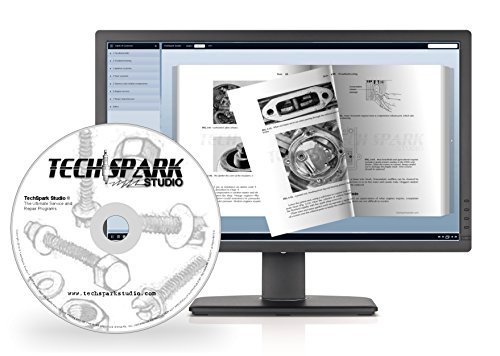
Figure 1: The TechSpark Studio digital manual displayed on a laptop screen, showcasing its interactive "flipping book" interface with detailed diagrams.
System Requirements and Setup
To install and use the TechSpark Studio software, ensure your computer meets the following minimum requirements:
- Operating System: Windows XP or later, or MAC OSX 10.4 or later.
- Storage: Sufficient disk space for software installation.
- Optical Drive: CD-ROM drive for installation (if applicable, as this is a CD-ROM product).
Installation Process:
- Insert the TechSpark Studio CD-ROM into your computer's optical drive.
- Follow the on-screen prompts to begin the installation.
- Once installed, the program runs directly from your computer, requiring no internet access for operation.

Figure 2: The main interface of the TechSpark Studio software, demonstrating its menu structure for accessing various types of information.
Operating the Software
The TechSpark Studio software is designed for intuitive navigation and efficient information retrieval. Key features include:
- Digital Flipping Book: Experience an authentic paper manual feel with pages that can be "flipped" digitally.
- Search Functionality: Quickly locate specific terms, procedures, or diagrams using the integrated search tool. This eliminates the need to manually browse through pages.
- Custom Bookmarks: Create and save bookmarks for frequently accessed information, allowing for rapid recall.
- Zoom and Pan: Utilize the integrated zoom and pan tools to examine intricate details of diagrams and illustrations with clarity.
- Printing Capability: Print individual pages or the entire manual. This feature is useful for having physical copies in the workshop, which can be easily replaced if soiled.

Figure 3: Example of detailed diagrams and instructions available within the digital manual, illustrating component breakdown and assembly.

Figure 4: A collection of manual pages highlighting the breadth of information, including detailed repair steps, electrical schematics, and tuning guides.
Maintenance and Repair Information
This software serves as a comprehensive guide for all maintenance and repair tasks for your Kawasaki Vulcan 1700 Nomad Classic Tourer. It covers:
- Scheduled Maintenance: Detailed schedules and procedures for routine checks and services.
- Engine Overhaul: Step-by-step instructions for engine disassembly, inspection, repair, and reassembly.
- Chassis and Suspension: Guides for maintaining and repairing the frame, suspension components, and steering.
- Electrical Systems: Complete wiring diagrams and troubleshooting for electrical components.
- Fuel System: Information on carburetor tuning, fuel injection, and related components.
- Brakes: Procedures for brake system inspection, fluid replacement, and component repair.
- General Service: Extensive basic service and maintenance information applicable to various general repairs.
The manual provides clear illustrations and diagrams to assist in understanding complex procedures.
Troubleshooting
This section addresses common issues you might encounter with the TechSpark Studio software itself. For vehicle-specific troubleshooting, please refer to the relevant sections within the digital manual.
- Software Not Installing:
Ensure your computer meets the minimum system requirements (Windows XP / MAC OSX 10.4 or higher). Verify that your CD-ROM drive is functioning correctly and the disc is clean and free from scratches. Try running the installer as an administrator on Windows.
- Program Not Launching:
Confirm that the software was installed successfully. Restart your computer and try launching the program again. Check for any error messages that might provide clues.
- Search Function Not Working:
Ensure you are typing the correct terms. If the issue persists, try restarting the application. The search function relies on the installed database, so a complete installation is crucial.
- Printing Issues:
Verify your printer is correctly connected and configured. Check printer drivers and ensure there is sufficient paper and ink/toner. Try printing a test page from another application.
If you encounter persistent software issues, refer to the support section for assistance.
Specifications
| Feature | Detail |
|---|---|
| Product Type | Digital Service and Repair Manual Software (CD-ROM) |
| Supported Models | Kawasaki Vulcan 1700 Nomad Classic Tourer |
| Supported Model Years | 2009, 2010, 2011, 2012, 2013, 2014 |
| Minimum OS (Windows) | Windows XP |
| Minimum OS (MAC) | MAC OSX 10.4 |
| Offline Access | Yes, full access without online connection after installation |
| Key Features | Interactive flip book, searchable content, custom bookmarks, zoom/pan, printable pages, online parts catalog access, wiring diagrams. |
Support
For technical assistance or inquiries regarding your TechSpark Studio software, please contact the manufacturer, TechSpark Studio, or the seller, TechSpark Workshop. You can typically find contact information through your purchase platform or the software's help menu.
For general information about TechSpark Workshop, you may visit their seller page: TechSpark Workshop on Amazon.
Warranty Information
Specific warranty details for the TechSpark Studio Service and Repair Manual Software are not provided within the product description. Please refer to the packaging or contact TechSpark Studio directly for any warranty-related inquiries.