Introduction
The Sinotech GD025 electric blender is an essential kitchen appliance designed for blending and grinding a wide variety of foods. It is ideal for preparing soups, smoothies, baby food, milkshakes, and cocktails. This manual provides detailed instructions for the safe and efficient operation, maintenance, and troubleshooting of your new blender.

Figure 1: Sinotech GD025 Blender - Main Unit. This image shows the complete blender assembly, including the base, carafe, and lid.
Important Safety Information
Please read all instructions carefully before using the appliance. Failure to follow these instructions may result in electric shock, fire, or serious injury.
- Always ensure the blender is unplugged before assembling, disassembling, or cleaning.
- Do not immerse the motor base in water or any other liquid.
- Keep hands and utensils out of the carafe while blending to prevent injury and damage to the blades.
- Ensure the lid is securely in place before operating the blender.
- This appliance is equipped with a safety system that prevents activation if not correctly assembled. Do not attempt to bypass this safety feature.
- Do not blend hot liquids that exceed the maximum fill line, as this may cause overflow and scalding.
- Supervise children when the appliance is in use.
- Do not operate the blender with a damaged cord or plug, or if the appliance malfunctions or has been damaged in any way.
- For household use only.
Product Components
Familiarize yourself with the parts of your Sinotech GD025 Blender:
- Motor Base: Contains the motor and control knob.
- Graduated Plastic Carafe: 1.5-liter capacity with measurement markings.
- Stainless Steel Blades: Durable blades located at the bottom of the carafe.
- Lid: Securely fits onto the carafe.
- Removable Cap/Measuring Cup: Located in the center of the lid for adding ingredients during operation.
- Control Knob: For selecting speed settings and pulse function.
- Non-slip Feet: Located on the bottom of the motor base for stability.

Figure 2: Carafe and Blades. This image highlights the durable stainless steel blades at the base of the graduated plastic carafe.
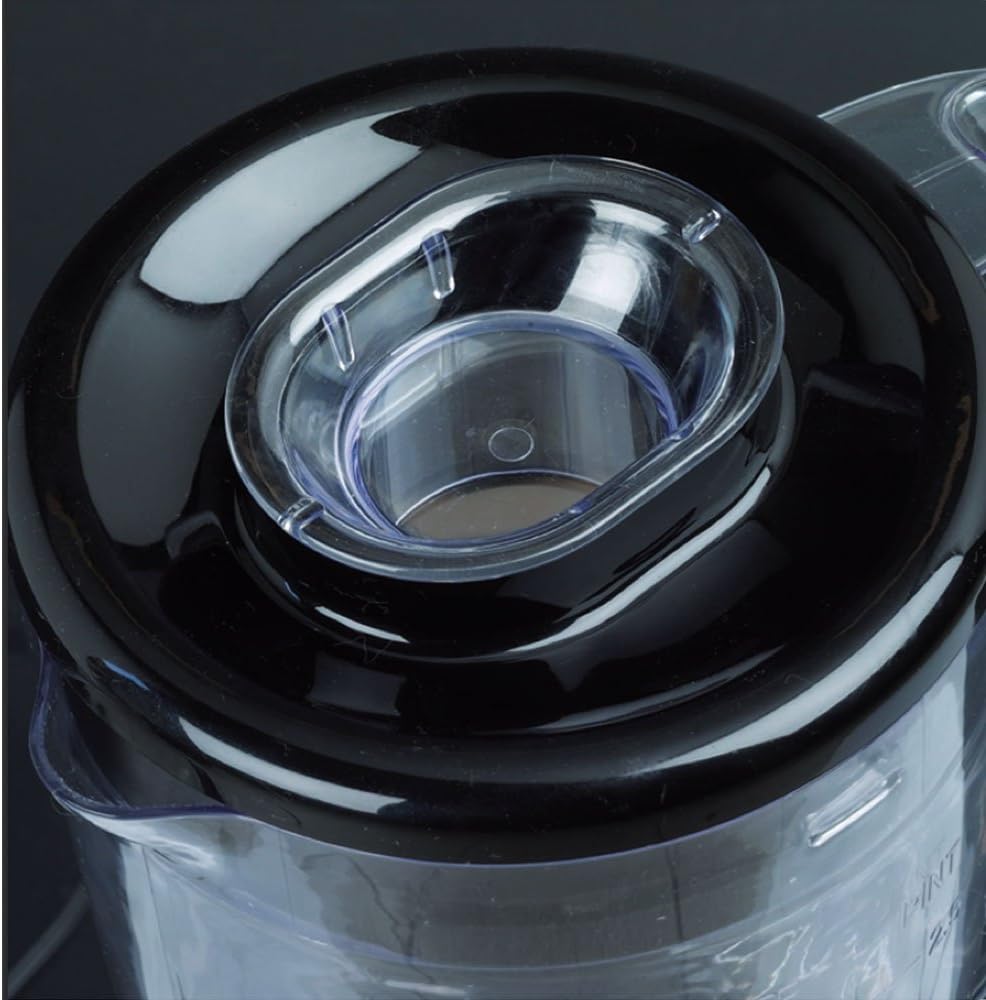
Figure 3: Lid with Removable Cap. This image shows the lid with its central removable cap, designed for easy addition of ingredients.
Setup
- Unpack: Carefully remove all components from the packaging.
- Clean: Before first use, wash the carafe, lid, and removable cap in warm soapy water. Rinse thoroughly and dry. Wipe the motor base with a damp cloth.
- Assemble:
- Place the motor base on a stable, flat, and dry surface.
- Ensure the carafe is properly seated and locked onto the motor base. The blender features a safety system that prevents operation if the carafe is not correctly mounted.
- Add your ingredients to the carafe. Do not exceed the maximum fill line.
- Securely place the lid onto the carafe. Ensure the removable cap is inserted into the lid opening.
- Connect: Plug the power cord into a suitable electrical outlet (230 Volt).
Operating Instructions
The Sinotech GD025 Blender offers two speed settings and a pulse function for versatile blending.

Figure 4: Control Panel. This image displays the control knob with settings '0' (off), '1' (low speed), '2' (high speed), and the 'Pulse Auto-Clean' button.
- Adding Ingredients: Place all desired ingredients into the carafe. For best results, add liquids first, then soft ingredients, and finally harder ingredients or ice.
- Selecting Speed:
- Turn the control knob to position '1' for low speed blending.
- Turn the control knob to position '2' for high speed blending.
- To stop blending, turn the control knob back to position '0'.
- Using the Pulse Function:
- The pulse function provides short bursts of power at maximum speed. This is ideal for chopping, crushing ice, or for quick blending tasks.
- Press and hold the "Pulse Auto-Clean" button for short intervals. Release the button to stop.
- Adding Ingredients During Operation: If you need to add ingredients while the blender is running, carefully remove the small removable cap from the center of the lid and add ingredients through the opening. Replace the cap immediately after adding.
- After Use: Once blending is complete, turn the control knob to '0' and unplug the appliance from the power outlet.
Maintenance and Cleaning
Regular cleaning will ensure the longevity and optimal performance of your blender.
- Immediate Cleaning: For quick cleaning of the carafe after use, add a small amount of warm water and a drop of dish soap to the carafe. Secure the lid and press the "Pulse Auto-Clean" button for a few seconds. This will help dislodge food particles.
- Thorough Cleaning:
- Unplug the blender from the power outlet.
- Remove the carafe from the motor base.
- Disassemble the lid and removable cap.
- Wash the carafe, lid, and removable cap in warm soapy water. Use a brush for thorough cleaning around the blades.
- Rinse all parts thoroughly under running water.
- Dry all parts completely before reassembling or storing.
- Wipe the motor base with a damp cloth. Never immerse the motor base in water or other liquids.
- Storage: Store the blender in a clean, dry place, away from direct sunlight and heat.
Troubleshooting
If you encounter issues with your Sinotech GD025 Blender, refer to the following common problems and solutions:
| Problem | Possible Cause | Solution |
|---|---|---|
| Blender does not turn on. |
|
|
| Motor runs, but blades do not spin. |
|
|
| Loud noise or burning smell. |
|
|
Specifications
| Feature | Detail |
|---|---|
| Brand | SINOTECH |
| Model | GD025 |
| Product Dimensions | 16 x 16 x 42.5 cm |
| Item Weight | 1.8 Kilograms |
| Carafe Capacity | 1.5 Liters (1500 Milliliters) |
| Voltage | 230 Volt |
| Number of Speeds | 2 |
| Components Included | Graduated plastic carafe, Lid with opening for food introduction with measuring cup |
| Recommended Uses | Emulsify, Blend, Mix, Ice Crush |
| Power Source | Corded Electric |
Warranty and Support
For information regarding warranty coverage, product registration, or technical support, please refer to the warranty card included with your product or visit the official SINOTECH website. Keep your purchase receipt as proof of purchase for any warranty claims.
Note: Specific warranty terms and conditions may vary by region.