
1. Introduction and Overview
The ChenYang USB 2.0 Micro SD Card Reader is a compact and portable device designed for reading and writing data to Micro SD (TF) and Micro SDHC memory cards. It provides high-speed data transmission, making it ideal for transferring files between your mobile phone, tablet, PC, or laptop and your memory cards. Its mini size and plug-and-play functionality ensure ease of use and portability.

Image: Two ChenYang USB 2.0 Micro SD card readers, highlighting their compact design.
2. Key Features
- SDHC Micro Card Reader/Writer capability.
- Supports USB version Micro SD 1.1/2.0 and Micro SDHC 2.0.
- Plug and play hot swapping for easy installation and use.
- High-speed data transmission for efficient file transfers.
- Power supply directly via USB port, no external power needed.
- Single card reader with a slim size, designed for easy portability.
- Includes a rope hole for convenient attachment to keychains or lanyards.
3. Setup Guide
The ChenYang USB 2.0 Micro SD Card Reader is designed for plug-and-play operation, requiring no additional drivers for most operating systems (Windows, macOS, Linux) or compatible mobile devices.
3.1. Inserting a Memory Card
- Locate the Micro SD card slot on the side of the card reader.
- Gently slide your Micro SD (TF) or Micro SDHC card into the designated slot until it clicks into place. Ensure the card is inserted with the correct orientation, typically with the gold contacts facing down towards the USB connector.
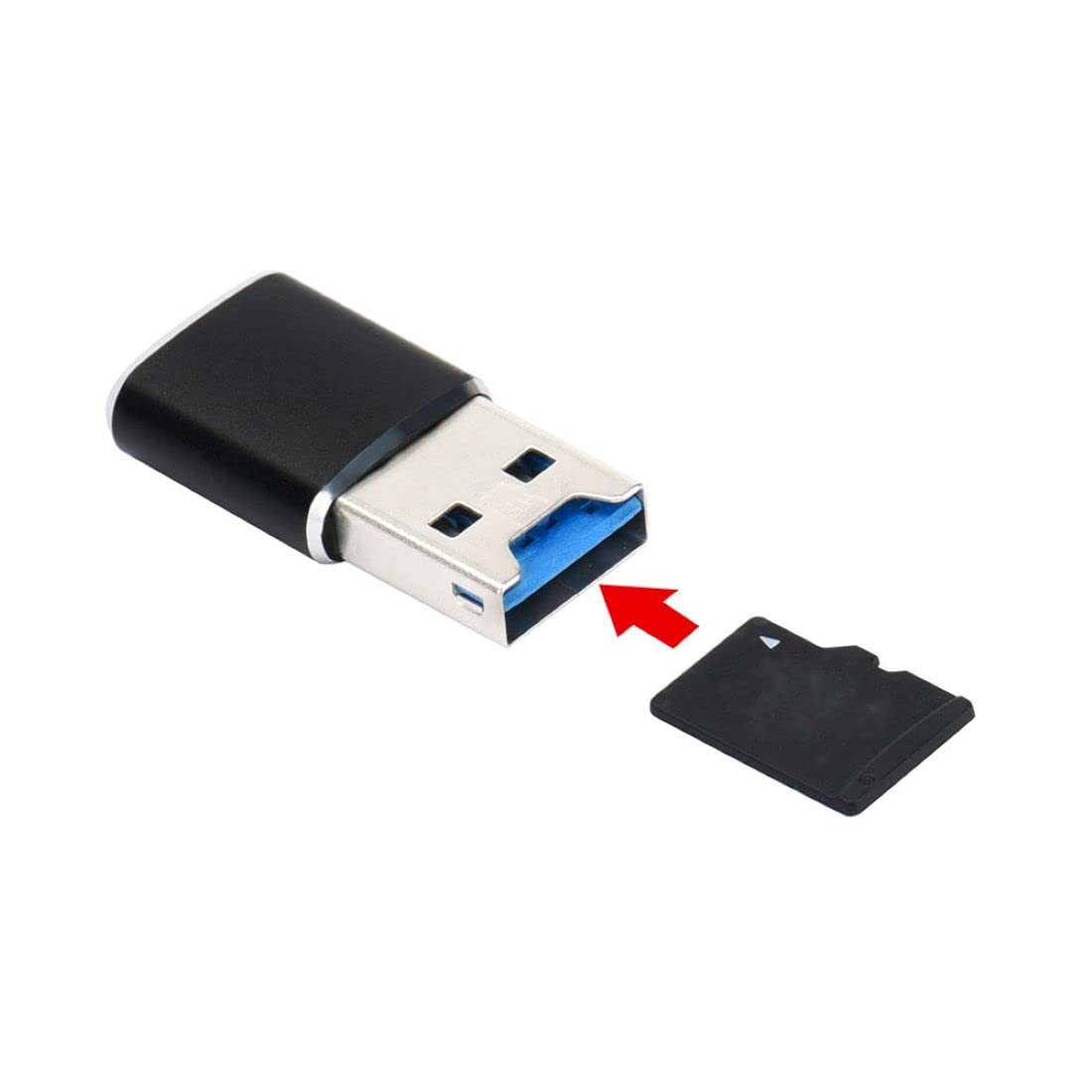
Image: Correct insertion of a Micro SD card into the reader.

Image: Micro SD card fully inserted into the reader.
3.2. Connecting to a Device
- Plug the USB-A connector of the card reader into an available USB 2.0 port on your computer, laptop, or other compatible device.
- The device should automatically detect the card reader. A blue indicator light on the reader may illuminate to confirm it is powered on and active.
4. Operating Instructions
4.1. Accessing Data
Once connected, your operating system will typically recognize the card reader as a removable drive (e.g., 'Removable Disk' or 'USB Drive').
- On Windows: Open 'This PC' or 'My Computer' and locate the new drive letter assigned to the card reader. Double-click to open and access your files.
- On macOS: The drive icon will appear on your desktop. Double-click to open and browse files.
- On Mobile Devices: Use a file manager application to locate and access the external storage.
4.2. Transferring Files
You can drag and drop files between your device's internal storage and the memory card, or use copy/paste functions as you would with any other storage device.
4.3. Safely Removing the Card Reader
To prevent data corruption, always safely eject the card reader before physically disconnecting it.
- On Windows: Click the 'Safely Remove Hardware and Eject Media' icon in the system tray, then select the card reader.
- On macOS: Drag the drive icon to the Trash, or right-click (or Control-click) the drive icon and select 'Eject'.
- Once the system confirms it's safe to remove, gently pull the card reader from the USB port.
- To remove the memory card from the reader, gently push it further into the slot until it springs out slightly, then pull it out.
5. Maintenance
Proper care will extend the life of your ChenYang USB 2.0 Micro SD Card Reader:
- Keep the card reader clean and free from dust and debris. Use a soft, dry cloth for cleaning.
- Avoid exposing the device to extreme temperatures, moisture, or direct sunlight.
- Do not attempt to disassemble or modify the card reader.
- Store the card reader in a cool, dry place when not in use, ideally with the memory card removed to prevent accidental damage to the card or reader contacts.
6. Troubleshooting
6.1. Device Not Recognized
- Ensure the card reader is fully inserted into the USB port.
- Try a different USB port on your computer or device.
- Verify that the memory card is properly inserted into the card reader.
- Restart your computer or device.
- Check your device's operating system for any pending updates or driver issues (though typically not required for plug-and-play devices).
6.2. Slow Data Transfer
- Ensure you are connecting the card reader to a USB 2.0 compatible port for optimal speed. While backward compatible, connecting to a USB 1.1 port will result in slower speeds.
- The speed of data transfer also depends on the speed class and quality of your Micro SD card. Using a higher-speed class card will improve performance.
- Avoid running multiple data-intensive applications simultaneously during transfers.
6.3. Memory Card Not Reading
- Ensure the memory card is not damaged or corrupted. Try the card in another compatible device if possible to rule out card issues.
- Clean the contacts on the memory card with a soft, dry cloth.
- Check if the memory card is locked (if it has a lock switch, though Micro SD cards typically do not have this feature).
7. Specifications
| Feature | Description |
|---|---|
| Brand | ChenYang |
| Model Number | LYSB00S6G7VFW-CMPTRA |
| Product Dimensions | 4.33 x 4.33 x 4.33 inches; 0.39 ounces |
| Media Type Support | microSDHC, Memory Stick Micro, microSD, SDHC |
| Connectivity Technology | USB Type A |
| Special Feature | Plug & Play |
| Color | Black (USB2.0 to TF+micro SD variant) |
| Power Supply | By USB port directly |
8. Warranty and Support
For specific warranty information and technical support regarding your ChenYang USB 2.0 Micro SD Card Reader, please refer to the product packaging or contact ChenYang customer service directly. No specific warranty details are provided within this manual.
You may also visit the official ChenYang website for more information: http://www.cablecc.com

Image: Product packaging with manufacturer details and website.