
Product Overview
The Lifesafety Power FPO150/250-2C82D8PE4M1 is a MCLASS Unified Power System designed for access control applications. It integrates FlexPower power modules with Mercury Security access hardware into a single, compact, and UL Listed solution.
- Dual Voltage Operation: This unit provides both 12V and 24V DC dual voltage for access power.
- Lock Control Modules: Features two C8 lock control modules, offering sixteen access control inputs. These inputs support voltage or dry contact activation. It also provides sixteen outputs programmable for failsafe or failsecure operation at either 12V or 24V.
- Auxiliary Outputs: Includes two D8 modules, providing sixteen auxiliary Class 2 outputs. Each output is configurable for 12V or 24VDC operation.
- Enclosure Design: The MCLASS enclosure is constructed from painted steel, featuring a removable backplate. It comes equipped with a lock, two keys, and a tamper switch for enhanced security.
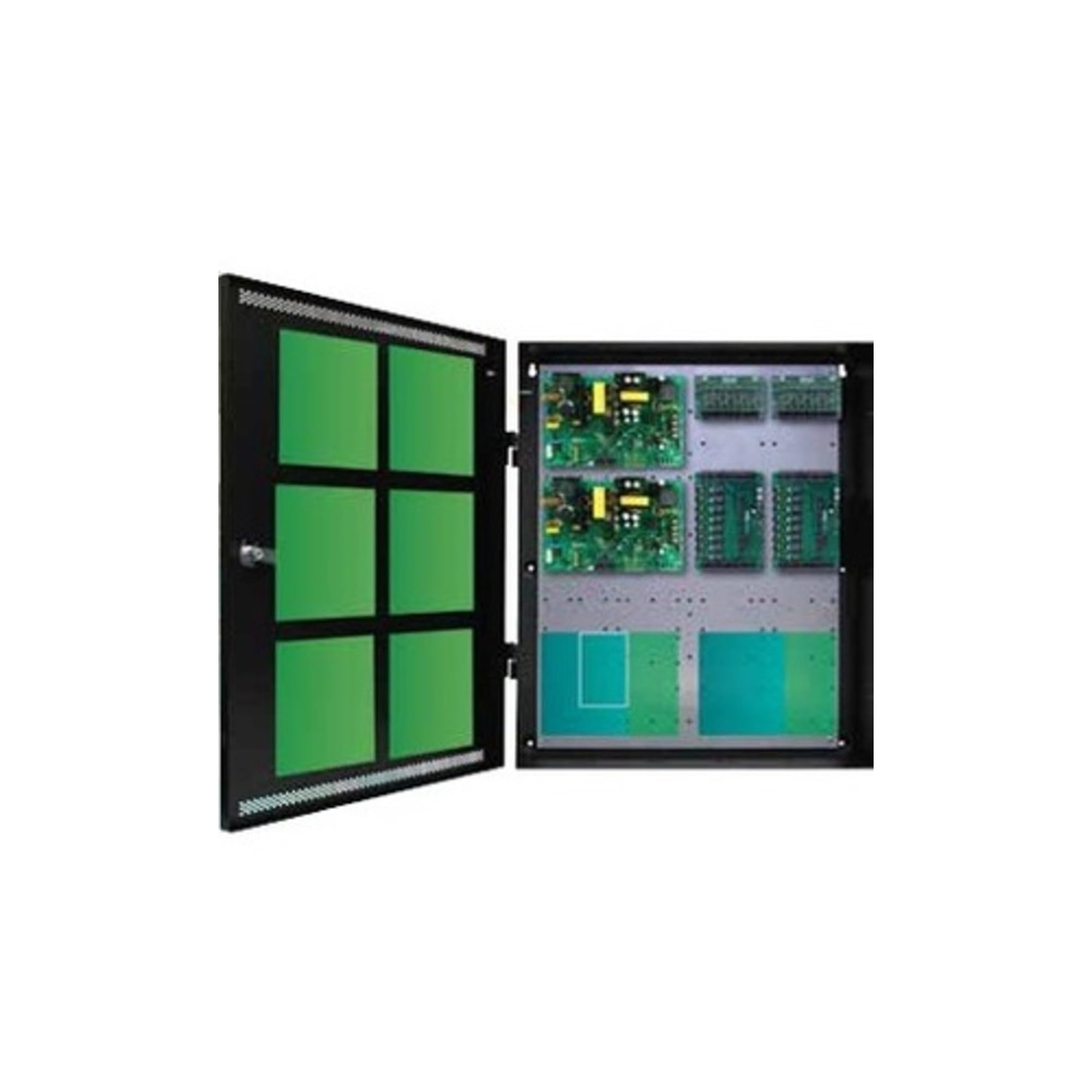
Image: Lifesafety Power FPO150/250-2C82D8PE4M1 Unified Power System. This image displays the front view of the power system unit, highlighting its robust enclosure and internal components.
Setup and Installation
Proper installation is crucial for the safe and reliable operation of the FPO150/250-2C82D8PE4M1 system. It is recommended that installation be performed by qualified personnel in accordance with all local and national electrical codes.
- Unpacking: Carefully unpack the unit and inspect for any shipping damage. Retain all packaging materials.
- Mounting: Securely mount the enclosure to a stable surface using appropriate hardware. Ensure adequate ventilation around the unit.
- Wiring: Connect the AC input power according to the wiring diagram provided with the unit. Ensure all connections are secure and properly insulated.
- Module Connections: Connect the access control hardware (Mercury Security) and other peripheral devices to the C8 lock control modules and D8 auxiliary modules as required by your system design. Pay close attention to voltage requirements (12V or 24V DC) for each output.
- Battery Backup (Optional): If using battery backup, connect the batteries to the designated terminals, observing correct polarity.
- Initial Power-Up: Before applying power, double-check all connections. Apply AC power and verify proper operation of all connected devices.
Refer to the detailed wiring diagrams and installation guides included with your specific product for precise connection instructions.
Operating Instructions
The FPO150/250-2C82D8PE4M1 system operates automatically once properly installed and configured. Its primary function is to provide stable and regulated power to connected access control and security devices.
- Power Status Indicators: Observe the LED indicators on the power modules and control boards to monitor the system's status, including AC presence, DC output, and battery charge status. Consult the specific module documentation for LED indicator meanings.
- Output Configuration: The C8 and D8 modules allow for flexible configuration of outputs (12V/24V, failsafe/failsecure). Ensure these settings align with the requirements of your connected devices. Configuration is typically done during the initial setup phase.
- Tamper Switch: The enclosure includes a tamper switch that can be connected to an alarm system to detect unauthorized access to the unit.
No routine user interaction is typically required for the core operation of the power supply itself, beyond monitoring its status and ensuring connected devices function correctly.
Maintenance
Regular maintenance helps ensure the longevity and reliable performance of your Lifesafety Power system.
- Visual Inspection: Periodically inspect the unit for any signs of damage, loose connections, or excessive dust accumulation.
- Cleaning: Keep the enclosure clean and free of dust. Use a soft, dry cloth for cleaning. Do not use liquid cleaners directly on the unit.
- Battery Check (if applicable): If a battery backup is installed, check the battery condition annually. Replace batteries as recommended by the manufacturer or if they show signs of degradation.
- Ventilation: Ensure that ventilation openings are not obstructed to prevent overheating.
Always disconnect AC power before performing any maintenance inside the enclosure.
Troubleshooting
This section provides basic troubleshooting steps for common issues. For more complex problems, contact technical support.
- No Power Output:
- Check if AC input power is present and the circuit breaker has not tripped.
- Verify all power connections are secure.
- Inspect fuses on the power modules; replace if blown (ensure correct rating).
- Battery Not Charging:
- Ensure batteries are correctly connected with proper polarity.
- Check battery health; old or faulty batteries may not accept a charge.
- Verify AC input power is stable.
- Connected Devices Malfunctioning:
- Confirm that the output voltage (12V or 24V) configured on the C8/D8 modules matches the requirements of the connected device.
- Check for short circuits or overloads on individual outputs.
- Ensure proper wiring between the power system and the connected device.
If issues persist after performing these checks, consult the detailed product documentation or contact Lifesafety Power technical support.
Specifications
| Feature | Detail |
|---|---|
| Model Name | FPO150/250-2C82D8PE4M1 9959271 |
| Brand | Lifesafety Power |
| Item Dimensions (L x W x H) | 5 x 20 x 24 inches |
| Minimum Input Voltage | 12 Volts |
| Manufacturer | LifeSafety Power |
| UPC | 811711025691 |
| Mfr Part Number | FPO150/250-2C82D8PE4M1 |
| Model Number | FPO150/250-2C82D8PE4M1 |
| ASIN | B00RZ679WO |
| GTIN | 811711025691 |
Warranty and Support
According to the product information, this item is sold with No Warranty. Users are advised to verify warranty terms with their point of purchase or distributor at the time of acquisition.
For technical assistance, product inquiries, or support regarding the Lifesafety Power FPO150/250-2C82D8PE4M1 Unified Power System, please contact Lifesafety Power customer service or your authorized dealer. Ensure you have your model number and any relevant purchase information available when seeking support.
You may find additional resources and contact information on the official Lifesafety Power website: www.lifesafetypower.com


