HQRP Foam Filter Sleeve for Shop-Vac Wet/Dry Vacuums (4-Pack) - Installation and Maintenance Guide
This manual provides comprehensive instructions for the installation, operation, and maintenance of HQRP Foam Filter Sleeves, designed for various Shop-Vac Wet/Dry Vacuums (5-gallon and larger) including models 90M300, 90P650A, 90PN575A, 90S200, 90S250B, 92M300, 92M650B, 92P350, 92P550A, 92P600A, 90L400, 90L500, 90L600, 90LN550A, and 90LN650C. Learn how to use the foam sleeve for wet pickup and with reusable disc-style filters.
Product Overview
The HQRP 4-pack Foam Filter Sleeve is designed for use with compatible Shop-Vac Wet/Dry Vacuums (5-gallon and larger). These foam sleeves are essential for wet pickup operations and are also required when using reusable disc-style filters. They are a direct replacement for Shop-Vac Foam Filter Sleeve Part # 905-85-00 / 90585 / 9058500 / SV9058500.
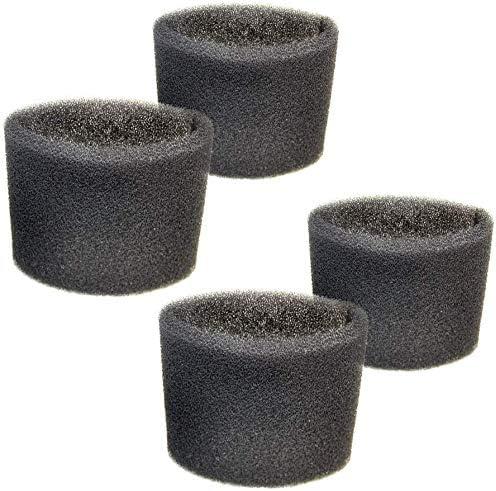
Image: A pack of four HQRP Foam Filter Sleeves.
Image: The foam sleeve shown with various compatible Shop-Vac models.
Key Features
4-pack Foam Filter Sleeve for extended use.
Specifically designed for wet pickup applications.
Required for use with reusable disc-style filters.
Compatible with numerous Shop-Vac Wet/Dry Vacuum models (5-gallon and larger).
Durable foam material for effective filtration.
Setup and Installation
Proper installation of the foam filter sleeve is crucial for optimal performance, especially during wet pickup. Ensure your vacuum is unplugged before beginning any installation or maintenance.
Installing the Foam Filter Sleeve for Wet Pickup
Prepare the Vacuum: Disconnect the vacuum from the power source. Remove the tank cover.
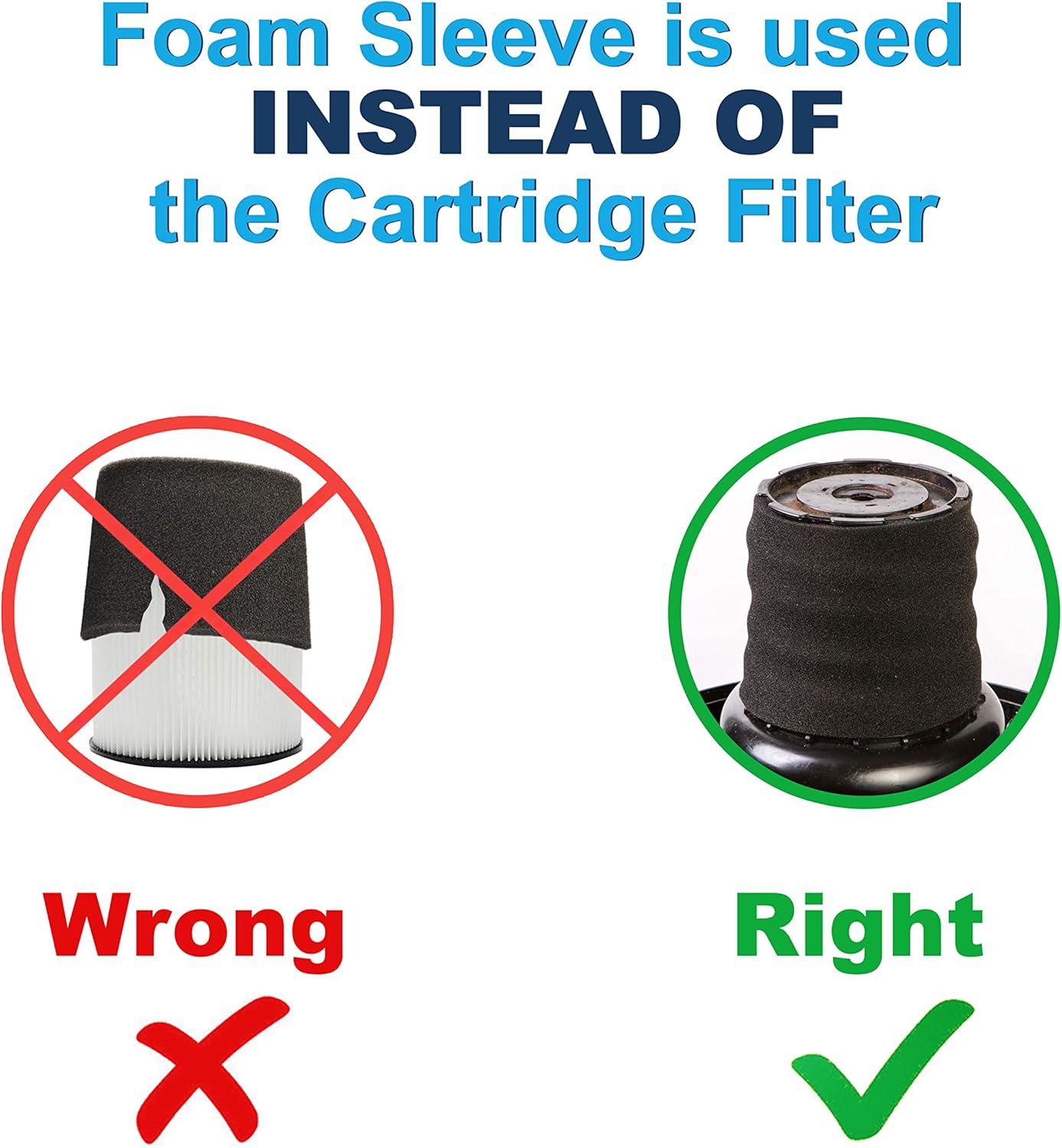
Remove Existing Filters: If a cartridge filter or disposable filter bag is installed, remove them. The foam sleeve is used instead of a cartridge filter for wet pickup.
Position the Foam Sleeve: Carefully slide the foam sleeve down over the filter cage on the motor head. Ensure it completely covers the cage.
Secure the Cover: Place the tank cover back onto the vacuum and secure the latches.
Image: Visual guide for changing the filter, demonstrating how to slide the foam sleeve over the filter cage.
Image: Important note illustrating that the foam sleeve should be used instead of the cartridge filter, not simultaneously.
Video: Foam Sleeve Product Overview and Correct Usage
Video: This video provides an overview of the foam sleeve product and demonstrates its correct usage, emphasizing that it should be used separately from a cartridge filter.
Operating Instructions
The HQRP Foam Filter Sleeve is specifically designed for wet pickup tasks. For dry pickup, a cartridge filter or disposable filter bag should be used (without the foam sleeve).
Wet Pickup Operation
When vacuuming liquids, ensure the foam filter sleeve is correctly installed over the filter cage. Do not use a cartridge filter or disposable filter bag during wet pickup, as this can damage the filter and reduce vacuum efficiency.
Always ensure the foam sleeve is clean and free of debris before wet pickup.
The vacuum is equipped with an automatic suction shut-off that activates when the tank is full. When this occurs, the motor sound will change to a higher pitch. Turn off the vacuum immediately.
Empty the tank by removing the drain cap (if available) or by detaching the motor head and pouring out the liquid.
Image: Guide on filter usage for dry and wet pickup, emphasizing the foam sleeve for wet applications.
Video: Shop-Vac Filter Installation and Wet Pick Up Operation
Video: This official Shop-Vac guide covers general filter installation, cleaning, and wet pickup operation, including the automatic shut-off feature.
Maintenance
Regular cleaning of your HQRP Foam Filter Sleeve ensures consistent performance and extends its lifespan.
Cleaning the Foam Filter Sleeve
Remove the Sleeve: Disconnect the vacuum from power. Remove the motor head and carefully slide the foam sleeve off the filter cage.
Rinse: Rinse the foam sleeve thoroughly under running water to remove any collected debris or liquid residue. Gently squeeze out excess water.
Dry: Allow the foam sleeve to air dry completely before reinstallation or storage. Ensure it is fully dry to prevent mold or mildew growth.
Note: For optimal performance, replace foam sleeves periodically, especially if they show signs of wear or damage.
Video: Filter Cleaning and Maintenance
Video: This official Shop-Vac video includes instructions on how to clean and maintain various filters, applicable to the foam sleeve.
Troubleshooting
If you encounter issues with your vacuum while using the HQRP Foam Filter Sleeve, consider the following common solutions:
Loss of Suction:
Check if the foam sleeve is properly seated on the filter cage.
Ensure the tank cover is securely latched.
Verify the hose and attachments are free from blockages.
If performing wet pickup, the tank might be full, triggering the automatic shut-off. Empty the tank.
Water Leaking:
Ensure the foam sleeve is correctly installed and not damaged.
Check the tank's drain cap (if applicable) for a secure fit.
Inspect the tank for cracks or damage.
Unusual Noise:
A higher-pitched motor noise during wet pickup indicates the tank is full and needs to be emptied.
Check for any loose parts or obstructions within the vacuum.
HQRP branded products typically come with a 2-week DOA (Dead On Arrival) replacement warranty. For specific warranty details and claims, please refer to the product packaging or contact HQRP customer support directly.
Customer Support
For further assistance, questions, or to report any issues with your HQRP Foam Filter Sleeves, please visit the official HQRP Store on Amazon or contact their customer service department.