
Introduction
Thank you for choosing the Ryobi BE319 6 Amp Corded Belt Sander. This manual provides essential information for the safe operation, maintenance, and troubleshooting of your new tool. Please read all instructions carefully before use and retain this manual for future reference.
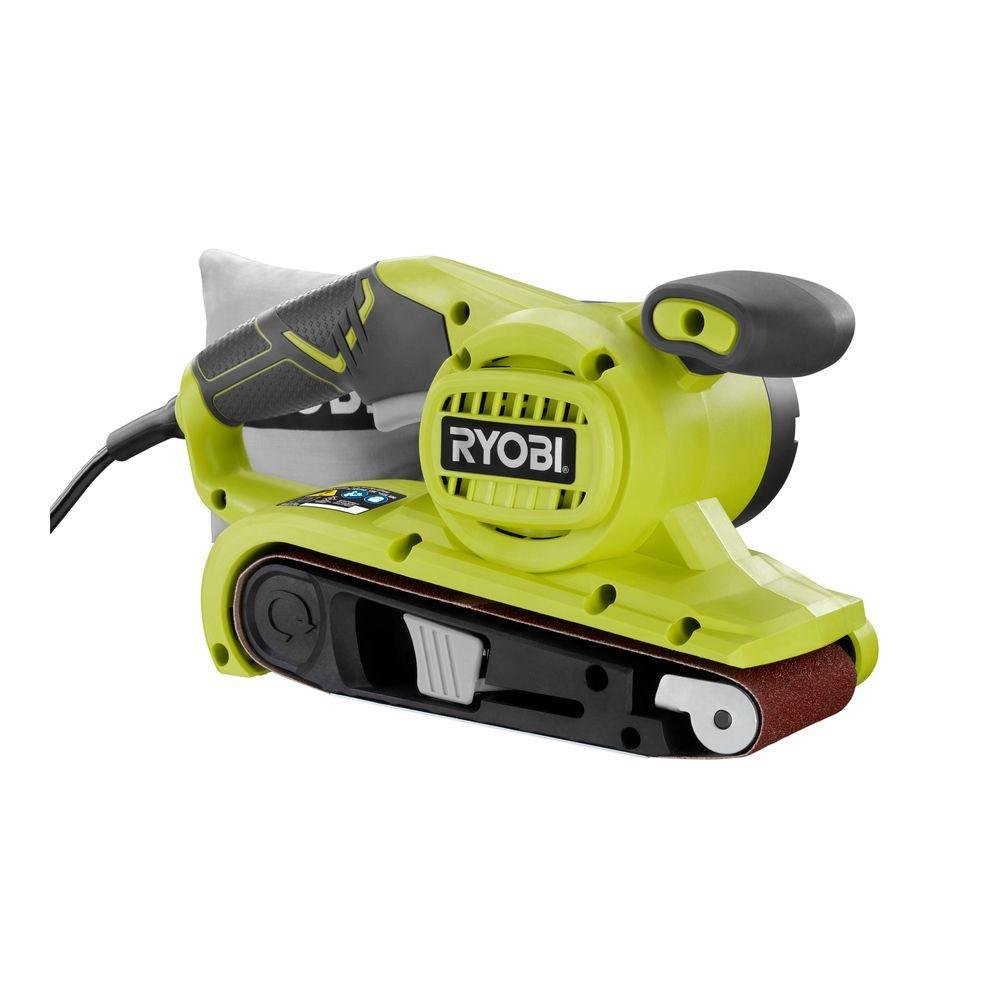
Image: The Ryobi BE319 6 Amp Corded Belt Sander, showing its compact design and ergonomic handles.
Safety Instructions
WARNING: Read all safety warnings, instructions, illustrations, and specifications provided with this power tool. Failure to follow all instructions listed below may result in electric shock, fire, and/or serious injury.
General Power Tool Safety
- Work Area Safety: Keep work area clean and well lit. Do not operate power tools in explosive atmospheres, such as in the presence of flammable liquids, gases, or dust.
- Electrical Safety: Power tool plugs must match the outlet. Never modify the plug in any way. Avoid body contact with earthed or grounded surfaces.
- Personal Safety: Always wear eye protection. Use hearing protection when operating for extended periods. Dress properly; avoid loose clothing or jewelry.
Belt Sander Specific Safety
- Always ensure the sanding belt is properly installed and tracked before starting the sander.
- Do not sand materials containing asbestos.
- Secure the workpiece. Do not hold small pieces by hand while sanding.
- Empty the dust bag regularly to prevent fire hazards, especially when sanding wood.
- Never operate the sander without the dust bag or an appropriate dust collection system attached.
Setup
1. Unpacking
Carefully remove the sander and all accessories from the packaging. Inspect the tool for any damage that may have occurred during shipping. Do not discard packaging until you are sure all components are present and the tool is in good working order.
2. Installing/Removing the Sanding Belt
- Ensure the sander is unplugged from the power source.
- Locate the belt tension release lever on the side of the sander.
- Push the lever to release the tension on the sanding belt.
- Slide the old belt off the rollers.
- Place the new sanding belt onto the rollers, ensuring the directional arrow on the belt matches the arrow on the sander housing.
- Return the belt tension release lever to its original position to secure the new belt.

Image: A hand demonstrating the installation of a sanding belt onto the Ryobi BE319 belt sander by engaging the belt tension release lever.
3. Attaching the Dust Bag
Align the dust bag opening with the dust port on the sander. Push firmly until the dust bag is securely attached. Ensure it is properly seated to maximize dust collection efficiency.
Operating the Sander
1. Power Connection
Plug the sander into a standard 110-volt AC power outlet. Ensure the power cord is clear of the sanding area to prevent accidental cutting or entanglement.
2. Starting and Stopping
- To start the sander, press the ON/OFF switch.
- To stop the sander, release the ON/OFF switch.
- For continuous operation, press the lock-on button while the switch is depressed. To release, press the switch again.
3. Sanding Techniques
Hold the sander firmly with both hands. Allow the sander to reach full speed before contacting the workpiece. Apply light, even pressure and move the sander in long, overlapping strokes in the direction of the wood grain. Avoid tilting the sander or applying excessive pressure, as this can lead to uneven sanding and premature belt wear.

Image: A person demonstrating proper two-hand grip and technique while operating the Ryobi BE319 belt sander on a wooden board.
4. Belt Tracking Adjustment
If the sanding belt drifts to one side during operation, use the belt tracking adjustment knob (typically located on the front or side of the sander) to center the belt on the rollers. Adjust incrementally until the belt runs true.
Maintenance
1. Cleaning
- Dust Bag: Empty the dust bag frequently, especially after sanding. A full dust bag reduces collection efficiency and can pose a fire risk.
- Tool Exterior: Wipe down the exterior of the sander with a clean, damp cloth. Do not use harsh chemicals or solvents.
- Ventilation Openings: Keep the motor ventilation openings clear of dust and debris to prevent overheating. Use compressed air if necessary.
2. Belt Replacement
Replace sanding belts when they become worn, torn, or no longer effectively remove material. Refer to the 'Installing/Removing the Sanding Belt' section for detailed instructions.
3. Storage
Store the sander in a clean, dry place, out of reach of children. Ensure the power cord is neatly wrapped and not kinked. Do not store the sander in direct sunlight or areas of extreme temperature.
Troubleshooting
| Problem | Possible Cause | Solution |
|---|---|---|
| Sander does not start | No power; faulty switch | Check power cord and outlet; ensure switch is fully engaged. |
| Belt slips or runs off track | Improper belt tension; tracking out of adjustment | Adjust belt tracking knob; ensure belt tension lever is engaged. |
| Poor sanding performance | Worn out belt; incorrect grit for task | Replace sanding belt; use appropriate grit for material. |
| Excessive vibration | Damaged belt; loose components | Inspect and replace belt if damaged; check for loose screws. |
Specifications
- Model: BE319
- Amperage: 6 Amps
- Voltage: 110 Volts
- Power Source: Corded Electric
- Belt Size: 3 inches x 18 inches
- Belt Speed: 320 Feet / Minute
- Product Dimensions (L x W x H): 13.62" x 7" x 6.61"
- Weight: 6.15 Pounds
- Included: Medium Grit Sanding Belt, Onboard Removable Dust Bag
Warranty Information
The Ryobi BE319 Belt Sander is covered by a Three Year Limited Warranty. Please refer to the warranty card included with your product for full details regarding coverage, terms, and conditions. Keep your purchase receipt as proof of purchase for warranty claims.

Image: The Ryobi Three Year Limited Warranty logo, indicating the warranty period for the product.
Support
For technical assistance, replacement parts, or warranty service, please contact Ryobi customer support. Contact information can typically be found on the Ryobi official website or on the product packaging.

